Welcome Guest ( Log In | Register )

Outline · [ Standard ] · Linear+

 Looking for best affordable USB Wifi adapter

views
     
TSnfiz3333 P
post Jun 19 2025, 03:53 PM, updated 7 months ago

New Member
*
Probation
13 posts

Joined: Nov 2021
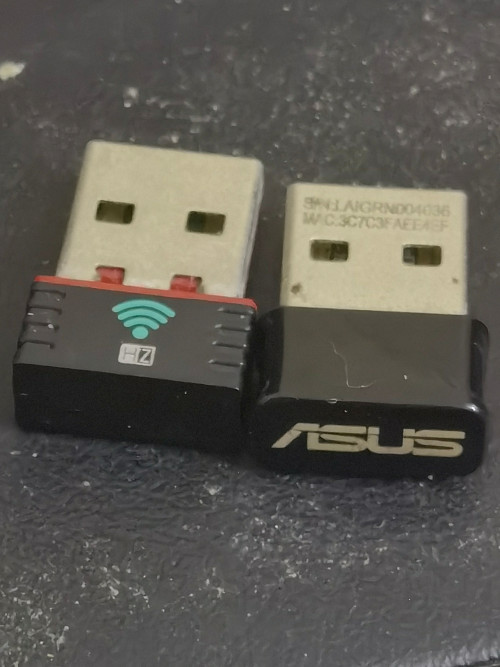
I have Dell Optiplex 7040 Micro. It came with a USB wifi adapter from HZ, but it was speed slow and unreliable.

So I eventually swap out with ASUS wifi adapter ac53. However, while the speed is good, it was also unreliable, where speed drops inconsistent after longer usage.

So I'm looking for any USB wifi adapter that got good speed and having better reliability for long usage. My family members did not allow me to install ethernet cable on the house ceiling direct connects between router placed far from and PC on my room because they say it's messy to do so and quite hassle. Any recommendations for USB wifi adapter?

user posted image
Zot
post Jun 19 2025, 04:38 PM

Look at all my stars!!
*******
Senior Member
7,938 posts

Joined: Mar 2014
You can just go any shop and buy and. The one with antenna. That small one like dongle only has antenna in form of copper pattern on PCB. Reception is more on direction orientation. The one with antenna protrude probably just around RM20 or less.

Cannot recommend any brand though because never use one. Just buy any known brand.
eskimore
post Jun 19 2025, 04:43 PM

Enthusiast
*****
Senior Member
847 posts

Joined: Jan 2003


using TP-Link AC600 for old desktop at work. Should be enough for normal use
vkashin
post Jun 19 2025, 04:44 PM

Casual
***
Junior Member
337 posts

Joined: Dec 2005


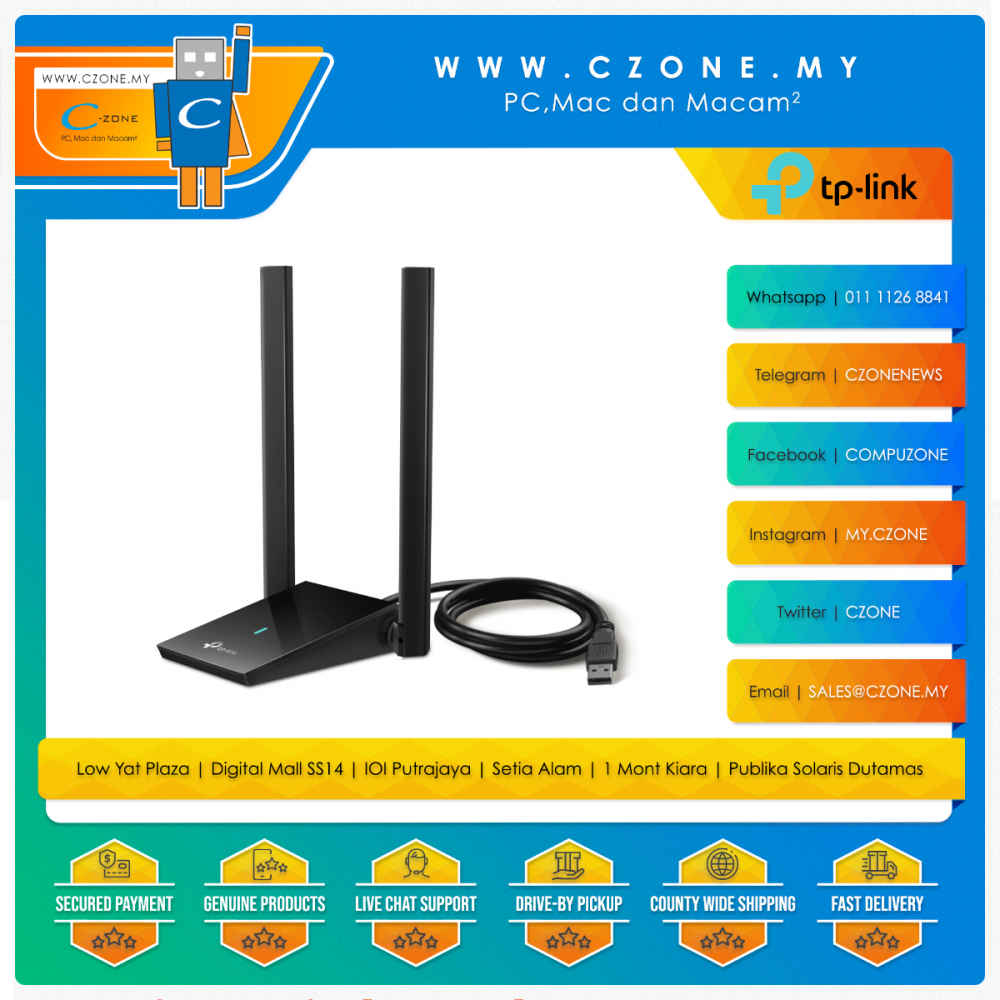
Using TP link TX20U. able to get stable connection with it, which i guess is helped by it having external antenna
babylon52281
post Jun 19 2025, 06:12 PM

Look at all my stars!!
*******
Senior Member
2,706 posts

Joined: Apr 2017
Just dont get DLink USB dongle. The connector easy to break and DLink wont warranty this defect.
acbc
post Jun 19 2025, 06:18 PM

Look at all my stars!!
*******
Senior Member
9,050 posts

Joined: Jan 2003
USB will never be reliable due to CPU overheads.

Micro PCs have M.2 WiFi slot. Use this instead.
soul_gamerz
post Jun 19 2025, 07:00 PM

Casual
***
Junior Member
446 posts

Joined: Feb 2010
your pc have an internal wifi adapter slot. just buy top of the line one and it will be more reliable. i have few of this
PRSXFENG
post Jun 19 2025, 08:03 PM

Look at all my stars!!
*******
Senior Member
2,614 posts

Joined: Nov 2020


Tiny dongles do not have great peformance.

I myself like the FENVI FU-AX1800
https://fenvi.com/product_detail_44.html

Uses Mediatek chip, need to download and install driver from their site

Lazada got, under some kind of bundle deal of "over rm45 get free shipping and rm10 off", its like rm 44 so add one more random item to go over and get it for like rm35 ish

This was the link I bought from
https://www.lazada.com.my/products/i4203856...3824038975.html

Alternatively, can buy internal M.2 wifi card, will be far better and much more reliable

the manual says Intel Dual Band Wireless-AC 8260
I would say get Intel AX200
babylon52281
post Jun 20 2025, 08:26 AM

Look at all my stars!!
*******
Senior Member
2,706 posts

Joined: Apr 2017
Getting internal wifi card has some caveats that OP should find out first.
1. Often if the system doesnt come with wifi from the start, it may have not have the slot and standoff to install the card. OP need to check both got on his mobo..
2. Also usually these will mount the antennas on the IO shield so if the system comes without wifi feature, the IO shield will not have the holes to connect the antenna wires. However sometimes these are just blocked off and can be push thru and bended out. OP need to check that too.
3. Even when those above are present, OP will need to check if the system has a whitelist, often OEM prebuilds will come with such restriction as to which wifi card you can install with. Since the manual calls for Intel Dual Band Wireless-AC 8260 then the best is for OP to get that.
iZuDeeN
post Jun 20 2025, 11:45 AM

Look at all my stars!!
*******
Senior Member
3,466 posts

Joined: Jan 2003
From: PJ, Malaysia
if u have usb 3 just get something like this

user posted image

This post has been edited by iZuDeeN: Jun 20 2025, 11:46 AM
MyProLife
post Jun 20 2025, 02:42 PM

I bully wumao & MPKL
*******
Senior Member
2,075 posts

Joined: Sep 2021
From: nowhere

QUOTE(PRSXFENG @ Jun 19 2025, 08:03 PM)
Tiny dongles do not have great peformance.

Alternatively, can buy internal M.2 wifi card, will be far better and much more reliable

the manual says Intel Dual Band Wireless-AC 8260
I would say get Intel AX200
*
QUOTE(babylon52281 @ Jun 20 2025, 08:26 AM)
Getting internal wifi card has some caveats that OP should find out first.
1. Often if the system doesnt come with wifi from the start, it may have not have the slot and standoff to install the card. OP need to check both got on his mobo..
2. Also usually these will mount the antennas on the IO shield so if the system comes without wifi feature, the IO shield will not have the holes to connect the antenna wires. However sometimes these are just blocked off and can be push thru and bended out. OP need to check that too.
3. Even when those above are present, OP will need to check if the system has a whitelist, often OEM prebuilds will come with such restriction as to which wifi card you can install with. Since the manual calls for Intel Dual Band Wireless-AC 8260 then the best is for OP to get that.
*
OP has dell optiplex desktop and usually dell do have reserve ngff slot which either will be preinstalled with intel wifi in most configuration, or can be removed by third party

For dell, will not have restriction as long as not 3 band/wifi 6e model is used (which will need different antenna design) so intel Ax200 will be the best fit. But please avoid cnvio models for older intel motherboard

adamtayy
post Jun 21 2025, 05:54 AM

Regular
******
Senior Member
1,400 posts

Joined: May 2006
From: Penang island


QUOTE(nfiz3333 @ Jun 19 2025, 03:53 PM)
I have Dell Optiplex 7040 Micro. It came with a USB wifi adapter from HZ, but it was speed slow and unreliable.

So I eventually swap out with ASUS wifi adapter ac53. However, while the speed is good, it was also unreliable, where speed drops inconsistent after longer usage.

So I'm looking for any USB wifi adapter that got good speed and having better reliability for long usage. My family members did not allow me to install ethernet cable on the house ceiling direct connects between router placed far from and PC on my room because they say it's messy to do so and quite hassle. Any recommendations for USB wifi adapter?

user posted image
*
Here you go.. more sample pics for you to choose..

Attached Image

Attached Image

Attached Image

Attached Image

But personally, i would pick Ax900 or Ax1800
kingkingyyk
post Jun 21 2025, 04:40 PM

10k Club
Group Icon
Elite
15,694 posts

Joined: Mar 2008
QUOTE(iZuDeeN @ Jun 20 2025, 11:45 AM)
if u have usb 3 just get something like this
*
I have this and the signal is even stronger than AX200/AX210. icon_idea.gif The downsides are it only supports up to 80MHz, soft reboots when connecting to new network (triggers a USB disconnect & connect cycle) and vendor-specific driver. The speed is quite decent with paired with AX 80MHz (1.2Gbps) router, easily 600Mbps with a wall in between.

This post has been edited by kingkingyyk: Jun 21 2025, 04:42 PM
montaguespirit
post Jul 7 2025, 12:02 PM

Getting Started
**
Junior Member
81 posts

Joined: Apr 2015
I don't recommend you to buy USB type of WiFi adapter. It is unreliable. Go for PCIE or M2 type.
Paul13579
post Jul 7 2025, 05:23 PM

New Member
*
Newbie
24 posts

Joined: Oct 2017
You might want to try the TP-Link Archer T4U or T3U Plus. Both have great long-term reliability, solid speeds, and better heat management compared to cheaper adapters.

Also, adding a powered USB hub can help with stability if your PC’s ports aren’t delivering consistent power. If possible, you could also look into powerline adapters as a cleaner alternative to dragging Ethernet cables through the house.
1024kbps
post Jul 7 2025, 10:53 PM

李素裳
*******
Senior Member
6,015 posts

Joined: Feb 2007


Go for PCIE wifi adapter if you want solid performance.
USB adapter is for light usage only.


Change to:
| Lo-Fi Version
0.0199sec    1.20    6 queries    GZIP Disabled
Time is now: 20th December 2025 - 12:17 AM