

QUOTE(PowerSlide @ May 27 2025, 03:12 PM)
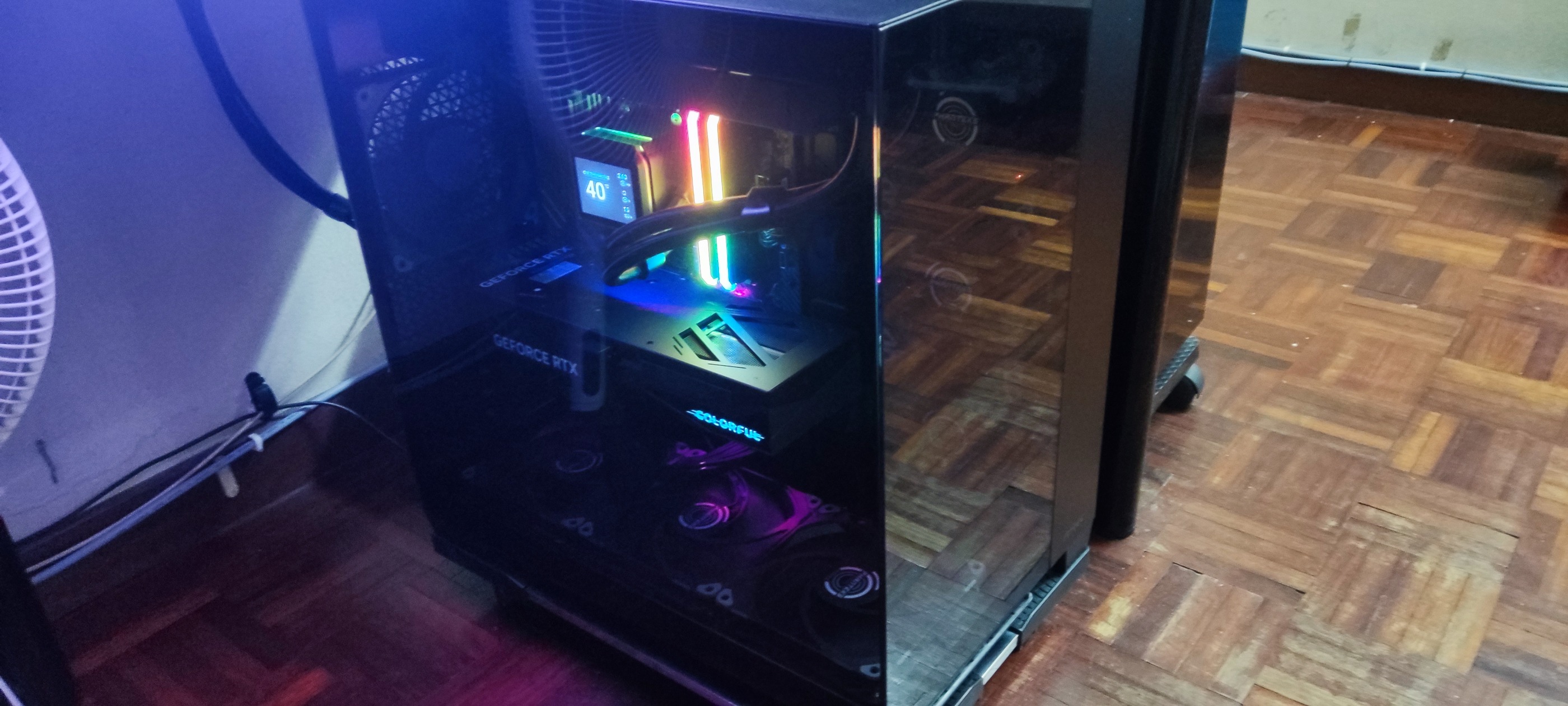
need to be below, no space at table
also easier to maintenance like cleaning when its on floor and on wheels


My dual monitor setup for desktop PC
|
|
 May 27 2025, 03:14 PM May 27 2025, 03:14 PM
Return to original view | IPv6 | Post
#21
|
 
Senior Member
3,965 posts Joined: Nov 2006 
|
QUOTE(PowerSlide @ May 27 2025, 03:12 PM) need to be below, no space at table also easier to maintenance like cleaning when its on floor and on wheels |
|
|
|
|
|
May 27 2025, 05:03 PM
Return to original view | IPv6 | Post
#22
|
|
Senior Member
3,965 posts Joined: Nov 2006
|
QUOTE(PowerSlide @ May 27 2025, 03:18 PM) go go buy monitor arm..make your setup greater any best bang for buck?  |
|
|
May 27 2025, 05:04 PM
Return to original view | IPv6 | Post
#23
|
|
Senior Member
3,965 posts Joined: Nov 2006
|
QUOTE(quadcube @ May 27 2025, 03:40 PM) oh, nice! u don't have monitor arm? nowadays VST make things much more accessible  been a long time since I played a synth/keyboard been a long time since I played a synth/keyboard desktop under table inside the shelve..another work laptop on the table in clamshell mode 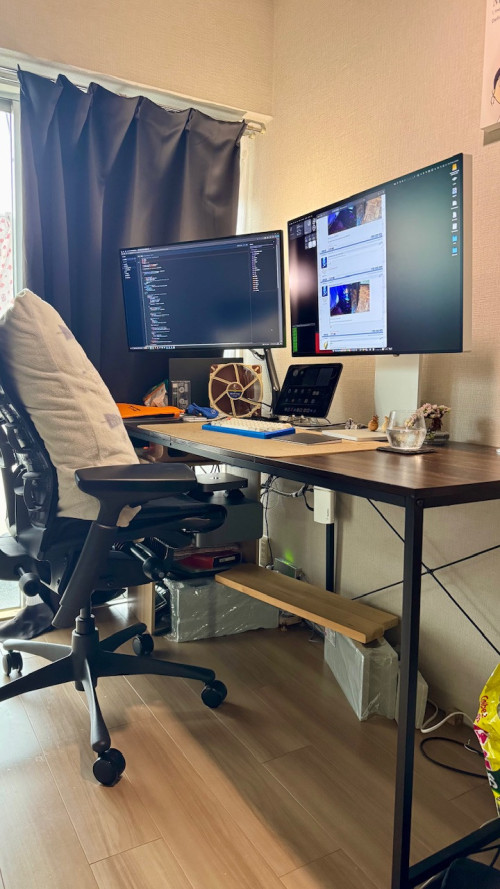 |
|
|
May 27 2025, 05:11 PM
Return to original view | IPv6 | Post
#24
|
|
Senior Member
3,965 posts Joined: Nov 2006
|
QUOTE(PowerSlide @ May 27 2025, 05:06 PM) RM 92 only  https://prismplus.my/products/vantage-dual?...N8aAn07EALw_wcB |
|
|
May 27 2025, 06:06 PM
Return to original view | IPv6 | Post
#25
|
|
Senior Member
3,965 posts Joined: Nov 2006
|
QUOTE(poooky @ May 27 2025, 05:35 PM) Hackintosh? Yes, it's a Hackintosh. Very nice setup. Just need to top up ram and add GPU and some RGB and light on top on monitor. Ok, put light on top of the monitor.   poooky liked this post
|
|
|
May 27 2025, 06:08 PM
Return to original view | IPv6 | Post
#26
|
|
Senior Member
3,965 posts Joined: Nov 2006
|
QUOTE(PowerSlide @ May 27 2025, 05:15 PM) this not very adjustable compare to gas spring, if wanna set your monitor in some angles or height the gas spring much better notedbut if just put straight in front then this is ok |
|
|
|
|
|
May 27 2025, 06:13 PM
Return to original view | IPv6 | Post
#27
|
|
Senior Member
3,965 posts Joined: Nov 2006
|
QUOTE(SourLemons @ May 27 2025, 05:53 PM) okla dual monitor liddis fuiyo..Mac mini, so cute and tiny. 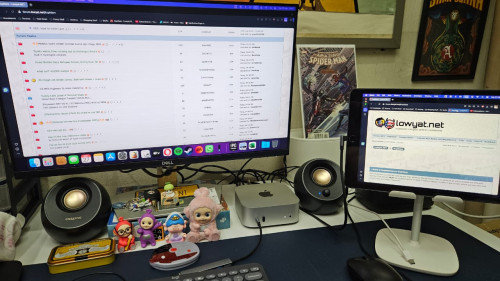 |
|
|
May 27 2025, 06:45 PM
Return to original view | IPv6 | Post
#28
|
|
Senior Member
3,965 posts Joined: Nov 2006
|
Looking back at my desktop PC setup in 2021.
 |
|
|
May 27 2025, 06:49 PM
Return to original view | IPv6 | Post
#29
|
|
Senior Member
3,965 posts Joined: Nov 2006
|
QUOTE(6942nole @ May 27 2025, 06:41 PM) you need another monitor in potrait mode for optimum setup. no space for 3rd monitor.  |
|
|
May 28 2025, 06:34 AM
Return to original view | IPv6 | Post
#30
|
|
Senior Member
3,965 posts Joined: Nov 2006
|
QUOTE(Skylinestar @ May 27 2025, 08:56 PM) no speaker now? speakers are behind the Dell monitor.   |
|
|
May 28 2025, 06:36 AM
Return to original view | IPv6 | Post
#31
|
|
Senior Member
3,965 posts Joined: Nov 2006
|
QUOTE(accordvtec @ May 27 2025, 11:38 PM) try triple screen bro. i cant live without triple screen now show me your triple screen setup. |
|
|
Jun 1 2025, 08:31 AM
Return to original view | IPv6 | Post
#32
|
|
Senior Member
3,965 posts Joined: Nov 2006
|
QUOTE(chilskater @ May 31 2025, 01:18 PM) how to display game in both screen ah?hackintosh in vmare okay ka Yes, you **can display games on both monitors**, but how it's done depends on the game, your system setup, and what exactly you want to achieve. Here's a breakdown:--- ## 🎮 **Options for Displaying Games on Two Monitors** ### 1. **Extended Display (Spanning Game Across Two Monitors)** * **What it does:** The game stretches across both monitors, creating a wider field of view. * **How to do it:** * Go to **Display Settings** in Windows or macOS and set your monitors to **"Extend"**. * In games that support **ultrawide** or **multi-monitor setups** (e.g. *Flight Simulator*, *Project Cars*, *Civilization*, etc.), choose a **resolution that spans both monitors** (e.g. 3840x1080 for two 1080p screens). * Use tools like: * **NVIDIA Surround** (for NVIDIA GPUs) * **AMD Eyefinity** (for AMD GPUs) * **Note:** Be aware that this can cause distortion where the monitors meet, especially if the bezels are thick. --- ### 2. **Primary Game on One Monitor + Secondary App on Second Monitor** * **What it does:** You play the game on one monitor and use the second for something else (e.g. Discord, browser, OBS, maps). * **How to do it:** * Set your game to run in **borderless windowed mode** (or windowed). * Drag other apps to the second screen. * Your mouse can move between screens more easily in borderless mode. --- ### 3. **Custom Dual-Monitor Support in Some Games** * Some simulation or strategy games have **built-in support** for dual monitors (e.g. cockpit view on one screen, map on another). * Check the game's settings or mods community. --- ## 🛠️ Requirements * Two monitors with similar resolution for best results. * A powerful enough GPU to handle the larger combined resolution. * Proper GPU software installed (NVIDIA/AMD control panel). --- ## ❗Caveats * Not all games support ultra-wide or dual monitors. * Some games may stretch unnaturally or have UI issues. * Bezels can break immersion unless you have bezel-free kits or very thin borders. |
|
|
Jun 1 2025, 09:40 PM
Return to original view | IPv6 | Post
#33
|
|
Senior Member
3,965 posts Joined: Nov 2006
|
QUOTE(kamfoo @ Jun 1 2025, 02:41 PM) why got power brick...? the mSI monitor has a power brick. |
|
|
|
|
|
Jun 1 2025, 09:46 PM
Return to original view | IPv6 | Post
#34
|
|
Senior Member
3,965 posts Joined: Nov 2006
|
btw, I have calibrated the colour of MSI to match the Dell.
Adjustment made in Mac OS for MSI. Brightness reduced to 40%. (default brightness is way too bright) White point adjusted to D65. (default white is too warm) |
|
|
Jun 1 2025, 10:08 PM
Return to original view | IPv6 | Post
#35
|
|
Senior Member
3,965 posts Joined: Nov 2006
|
QUOTE(bamkai @ Jun 1 2025, 09:59 PM) ultrawide less cable, no seam , cant go back with that real estate there are pros and cons using 1 ultra wide vs 2 monitors. |
|
|
Jun 2 2025, 07:07 AM
Return to original view | IPv6 | Post
#36
|
|
Senior Member
3,965 posts Joined: Nov 2006
|
QUOTE(nelienuxe_sara @ Jun 1 2025, 10:10 PM) ultra wide 34 > 2 X 24 but esports gamers never use ultra wide for games. full screen dota 3440X1440 baloi bro |
|
|
Jun 2 2025, 08:12 AM
Return to original view | IPv6 | Post
#37
|
|
Senior Member
3,965 posts Joined: Nov 2006
|
QUOTE(Aeroshem @ Jun 2 2025, 07:20 AM) Nice setup. As you said, need to cut down on those wires and clean them up. A wireless KB and mouse will surely make it a complete clean look. |
| Change to: |  0.0228sec 0.0228sec
 0.71 0.71
 7 queries 7 queries
 GZIP Disabled GZIP Disabled
Time is now: 19th December 2025 - 05:05 PM |
 Quote
Quote