Outline ·
[ Standard ] ·
Linear+
Unifi Modem TM Logo Blinking - No Connection, Other lights Off
|
TSsonypshomer
|
 Jan 18 2025, 11:08 AM, updated 11 months ago Jan 18 2025, 11:08 AM, updated 11 months ago
|

|
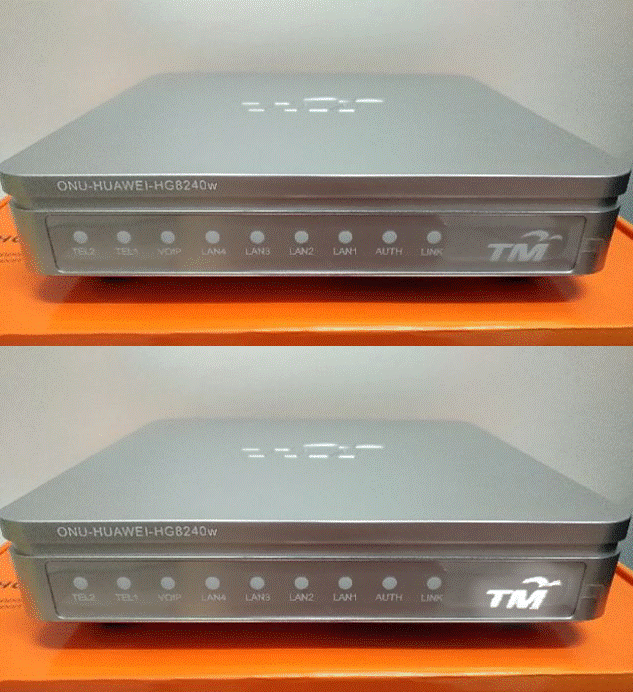 Ok im still using this old modem after all these years. Today happen i woke up with no electricity. The whole house blackout, after checking with neighbour, only my house affected, called tnb in 1 hour they came and resumed the power. Kudos to TNB for the efficiency. Unfortunately Internet is down and i saw my modem TM logo blinking and other lights were off. After on and off checking connection and whatnot. Gave up and dialed 100 (im surprise can call this number with mobile phone maxis line) and lodged report. While waiting with no internet can drive me crazy, so i tried to change the Huawei powersupply with another 12V power supply which happen to be laying around somewhere. Walla the blinking stop and other lights starting to light up like Christmas. And my connection is back online.  I cant cancel the report via call or apps. Just wait for the tech to call me then. This post has been edited by sonypshomer: Jan 18 2025, 11:16 AM |
|
|
|
|
|
h0riz0nLine
|
Jan 18 2025, 11:24 AM
|
Getting Started

|
I faced this issue before
Went to my shop of my acquaintance to but new router
He just said "eh" and went pick up some old power brick laying around and gave me.
I went back and test it with my router. To my surprise it actually works.
.
|
|
|
|
|
|
wiraone
|
Jan 18 2025, 04:29 PM
|
|
|
I had the same issue before, they technican came and changed the power supply too. And then made a comment saying I changed the PSU myself before while I haven't. Must have been some technicians who came before to change my modem/router either changed it or initially using different brand's PSU.
|
|
|
|
|
|
msrazi
|
Jan 18 2025, 04:58 PM
|
Getting Started
|
Why not upgrade ur plan to current, at leat u'll get combo wifi6.
|
|
|
|
|
|
wiraone
|
Jan 20 2025, 10:18 AM
|
|
|
QUOTE(msrazi @ Jan 18 2025, 04:58 PM) Why not upgrade ur plan to current, at leat u'll get combo wifi6. And tied up to another 2 years of contract and not able to get some of the promotions that those out of contract will get? haha. |
|
|
|
|
|
TSsonypshomer
|
Jan 20 2025, 12:15 PM
|
|
|
QUOTE(wiraone @ Jan 18 2025, 04:29 PM) I had the same issue before, they technican came and changed the power supply too. And then made a comment saying I changed the PSU myself before while I haven't. Must have been some technicians who came before to change my modem/router either changed it or initially using different brand's PSU. Update: Unifi tech just called me, like after almost 3 days! Imagine no internet for 3 days! If i didnt find own solution. |
|
|
|
|
|
kwai_83
|
Jan 20 2025, 12:20 PM
|
|
|
advise change only since tm change modem ONU is foc no tight up any contract.yours ONU is very old type..sometimes change new modem will provide u better stable connection..
|
|
|
|
|
|
wiraone
|
Jan 20 2025, 12:43 PM
|
|
|
QUOTE(kwai_83 @ Jan 20 2025, 12:20 PM) advise change only since tm change modem ONU is foc no tight up any contract.yours ONU is very old type..sometimes change new modem will provide u better stable connection.. This ONU works with 800Mbps, unless you gonna upgrade > 1Gbps, I guess this model should be fine. Will they charge you or tie you into contract if you ask them to replace the ONU? |
|
|
|
|
|
Hummingbird
|
Jan 21 2025, 10:46 AM
|
|
|
This is a very old stock router provided by TM. The best guess is to change it to a more capable router.
|
|
|
|
|
|
TSsonypshomer
|
Jan 21 2025, 01:07 PM
|
|
|
QUOTE(Hummingbird @ Jan 21 2025, 10:46 AM) This is a very old stock router provided by TM. The best guess is to change it to a more capable router. It's a modem. My router look like this, more capable than unifi could supply. 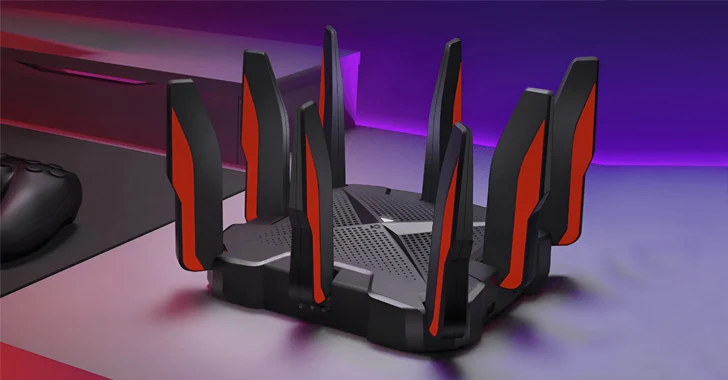 |
|
|
|
|
|
coolguy_0925
|
Jan 21 2025, 01:14 PM
|
|
|
QUOTE(sonypshomer @ Jan 20 2025, 12:15 PM) Update: Unifi tech just called me, like after almost 3 days! Imagine no internet for 3 days! If i didnt find own solution. 3 days! Too slow I expect within 24 hours haiyahhhh  Anyway how long the adapter you using before GG? And just in case what 12V adapter did you use temporarily? Wonder Unifi TV STB one can use or not Or as long as the adapter label reads 12V then good to go? |
|
|
|
|
|
TSsonypshomer
|
Jan 21 2025, 01:27 PM
|
|
|
QUOTE(coolguy_0925 @ Jan 21 2025, 01:14 PM) 3 days! Too slow I expect within 24 hours haiyahhhh Anyway how long the adapter you using before GG? And just in case what 12V adapter did you use temporarily? Wonder Unifi TV STB one can use or not Or as long as the adapter label reads 12V then good to go? This is the original modem powersupply i ithink from day one 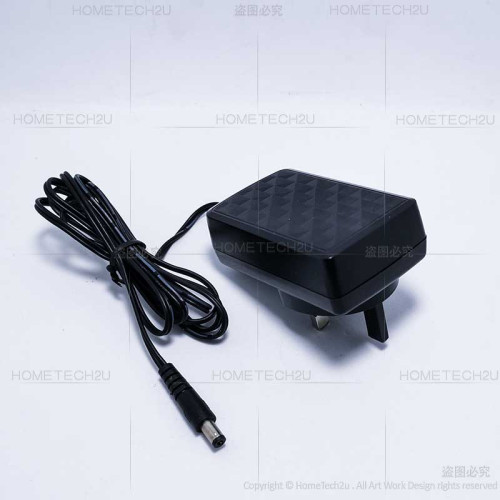 [/url] I use something like this now i dunno from where 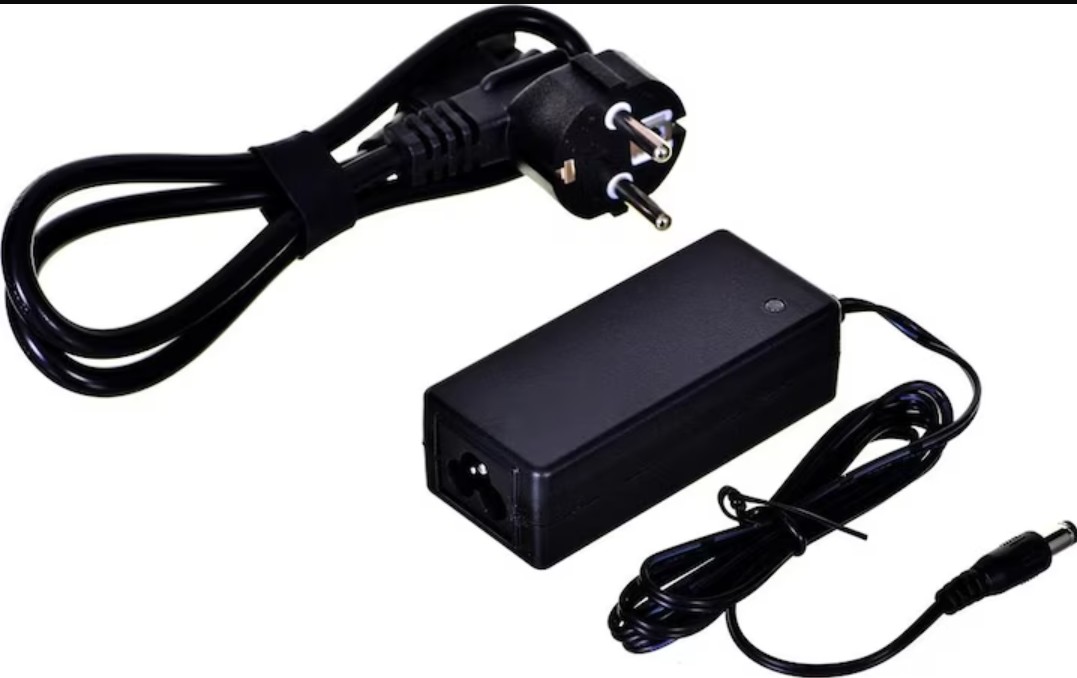 As long as the connector can cucuk then u're good to go otherwise can manually cut the old connector and replace. |
|
|
|
|
|
msrazi
|
Jan 21 2025, 06:36 PM
|
Getting Started
|
QUOTE(sonypshomer @ Jan 21 2025, 01:27 PM) This is the original modem powersupply i ithink from day one [/url] I use something like this now i dunno from where As long as the connector can cucuk then u're good to go otherwise can manually cut the old connector and replace. It's common 12V 1A adapter.. standard for any modem,router,stb,decoder etc. Can buy easily at shopee or ask for free from ur friends as long it is 12V/1A. USB 5V to 12V also can use. This post has been edited by msrazi: Jan 21 2025, 06:39 PM |
|
|
|
|
|
coolguy_0925
|
Jan 21 2025, 10:05 PM
|
|
|
QUOTE(sonypshomer @ Jan 21 2025, 01:27 PM) This is the original modem powersupply i ithink from day one [/url] I use something like this now i dunno from where As long as the connector can cucuk then u're good to go otherwise can manually cut the old connector and replace. Thanks for the update That looks like a laptop adapter  Well hope your new adapter will last you another dacade or so! |
|
|
|
|
|
westlife
|
Jan 23 2025, 09:32 AM
|
|
|
QUOTE(sonypshomer @ Jan 18 2025, 11:08 AM) Ok im still using this old modem after all these years. Today happen i woke up with no electricity. The whole house blackout, after checking with neighbour, only my house affected, called tnb in 1 hour they came and resumed the power. Kudos to TNB for the efficiency. Unfortunately Internet is down and i saw my modem TM logo blinking and other lights were off. After on and off checking connection and whatnot. Gave up and dialed 100 (im surprise can call this number with mobile phone maxis line) and lodged report. While waiting with no internet can drive me crazy, so i tried to change the Huawei powersupply with another 12V power supply which happen to be laying around somewhere. Walla the blinking stop and other lights starting to light up like Christmas. And my connection is back online. I cant cancel the report via call or apps. Just wait for the tech to call me then. the power supply issue is known... had the same modem before... and there was one period, always had this intermittent issue and only realise it was due to power supply... |
|
|
|
|



 Quote
Quote





 0.0212sec
 0.56
0.56
 5 queries
 GZIP Disabled