

 Dec 15 2024, 12:43 PM, updated 2y ago


Quite new build, Core i7 14700K, 64GB Ram, Samsung 1TB SSD.
Windows has to be pegged to Windows 10 because there is a software (expensive license) that was not renewed. And it can only work up to Windows 10. Upgrading the software requires RM 25K. It can't run under Windows 10 compatibility mode in Windows 11.

Everything works, Windows 10 & MS Office apps all work.
But Google Drive randomly works. On good days, it would auto start and work flawlessly. But some times you get this message below.
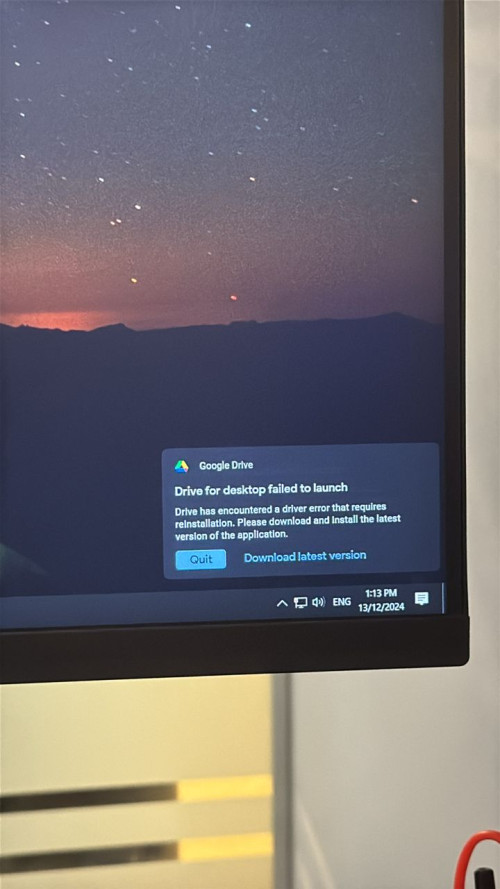
Requires a PC restart to get it working again.
I wonder if anyone has the same problem?
Tried solution.
- Uninstall & Reinstall.
- Uninstall all Google products including Chrome.
- Force uninstall using Revo Uninstaller tool.
- Use default Google suggested folder & own specified folder.
I am more interested in "driver error" that Google drive says is not working. I cannot find anything about this Driver that is needed for Google Drive to run so i could debug from there.
My other undesirable solution is
- Manually starting Google Drive every day.
- Running Google drive as a delayed service.
- (Highly undesirable) Reformat Windows 10, registry peg the version 10 again after full windows update and reinstall google drive again.
Can't change to other cloud drives because company already normalized to using it. And also paid for the extra storage capacity.
 Quote
Quote




 0.0133sec
 0.37
0.37
 5 queries
 GZIP Disabled