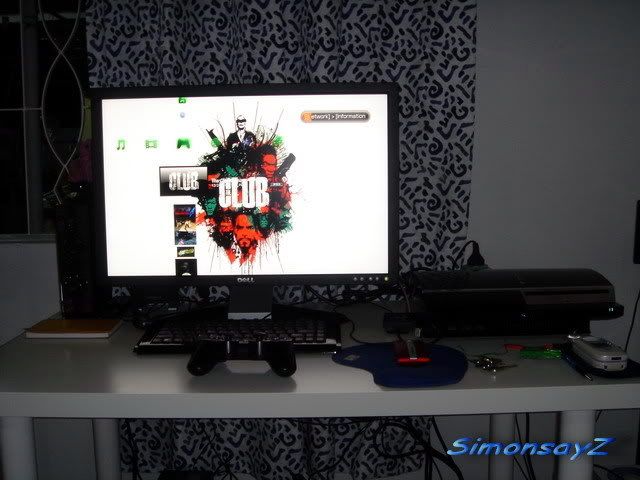
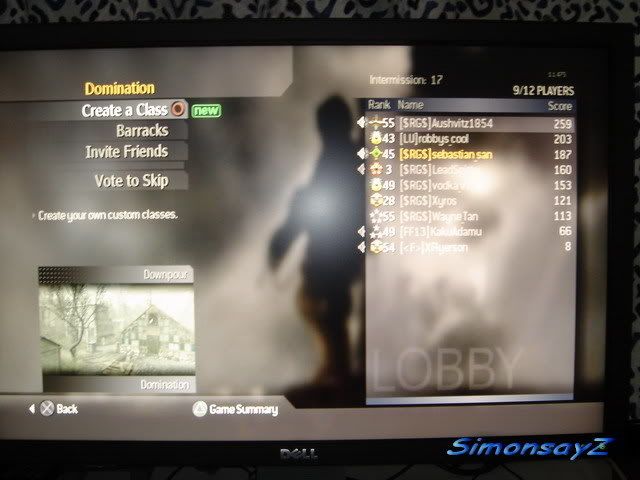
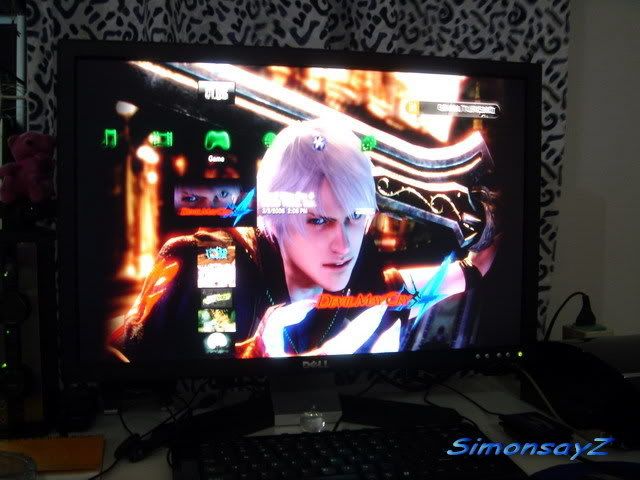
Hi, i was wondering if i could connect a PS3 to a LCD panel and some standard 2.1 computer speakers.
Is is possible?
What cables would i need?
PS3 with LCD Monitor, finding one lcd monitor
PS3 with LCD Monitor, finding one lcd monitor
|
|
 Nov 6 2007, 07:33 PM, updated 19y ago Nov 6 2007, 07:33 PM, updated 19y ago
Show posts by this member only | Post
#1
|
 
Senior Member
2,715 posts Joined: Jan 2003 
|
Hi, i was wondering if i could connect a PS3 to a LCD panel and some standard 2.1 computer speakers.
Is is possible? What cables would i need? |
|
|
|
|
|
Nov 6 2007, 07:43 PM
Show posts by this member only | Post
#2
|

Senior Member
1,886 posts Joined: Jan 2005 From: world above you  
|
sigh..
firstly yes u can.. 2ndly depending on the type of LCD u are using. home entertainment LCD is definately a yes PC LCD depends. 24 inch and above u should hv HDMI ready 22 inch and below u need a DVI-HDMi converter.. audio.. go get a rca female to female thn boleh. |
|
|
Nov 6 2007, 07:45 PM
Show posts by this member only | Post
#3
|
|
Senior Member
2,715 posts Joined: Jan 2003
|
will there be a loss of audio quality?
|
|
|
Nov 6 2007, 08:08 PM
Show posts by this member only | Post
#4
|

Senior Member
645 posts Joined: Jul 2006 From: The future
|
QUOTE(ruztynail @ Nov 6 2007, 07:43 PM) sigh.. And don't forget HDCP firstly yes u can.. 2ndly depending on the type of LCD u are using. home entertainment LCD is definately a yes PC LCD depends. 24 inch and above u should hv HDMI ready 22 inch and below u need a DVI-HDMi converter.. audio.. go get a rca female to female thn boleh.   |
|
|
Nov 6 2007, 08:12 PM
Show posts by this member only | Post
#5
|
|
Senior Member
2,715 posts Joined: Jan 2003
|
Owh... forgot to mention.
Im using a Samsung 226BW that is HDCP compliant. User reports online claim it will work with 720p perfectly (with a slight thinning effect due to the slightly different aspect ratio) and with 1080p it downscales abit. Now im wondering about the audio.... The HDMI to DVI connections dont include audio apparently. I'll have to figure a way to connect computer speakers to the PS3. Is it possible? Optical out converters perhaps? |
|
|
Nov 6 2007, 08:33 PM
Show posts by this member only | Post
#6
|
|
Senior Member
1,886 posts Joined: Jan 2005 From: world above you
|
u can stil use the jack tat came with it. meaning the red and white jack thn using a rca female to female connect it to a green female audio jack. u can get all these at lowyat or any audio shop.
i was like u previously.. but optical is freaking exp. unless u got cash to spare.  tats how it looks like ok..  This post has been edited by ruztynail: Nov 6 2007, 08:37 PM |
|
|
|
|
|
Nov 6 2007, 08:47 PM
Show posts by this member only | Post
#7
|

Senior Member
2,746 posts Joined: Mar 2006 From: 21st century
|
Wow u all play PS3 on ur PC LCD wahaha... :thumps
|
|
|
Nov 6 2007, 08:52 PM
Show posts by this member only | Post
#8
|
|
Senior Member
1,886 posts Joined: Jan 2005 From: world above you
|
no money to buy home LCD ma. so opt for the cheaper one lo
|
|
|
Nov 6 2007, 09:01 PM
Show posts by this member only | Post
#9
|

Junior Member
160 posts Joined: Nov 2006 From: planet Earth(it's kl)
|
agree
 |
|
|
Nov 6 2007, 11:24 PM
|

Senior Member
5,366 posts Joined: Aug 2005 
|
its better to use a 24" PC LCD rather than those economic rm2.6k 32" LCD TV, the 24" LCD support full HD
|
|
|
Nov 6 2007, 11:33 PM
|

Junior Member
168 posts Joined: Jan 2003
|
QUOTE(dattebayo @ Nov 6 2007, 11:24 PM) its better to use a 24" PC LCD rather than those economic rm2.6k 32" LCD TV, the 24" LCD support full HD You won't be able to see the difference really on such a small screen.  However, the screen estate is awesome if you intend to use the screen for your normal computer use as well. |
|
|
Nov 6 2007, 11:39 PM
|
|
Senior Member
5,366 posts Joined: Aug 2005
|
LCD monitor will always produce more crispier and sharper image, and also great color dynamic range than any entry level LCD TV
 plus, bigger screen or not, it's just depends on how far u sit in front of the monitor/tv |
|
|
Nov 6 2007, 11:49 PM
|

Junior Member
91 posts Joined: Sep 2007 From: People Republic Of Malaysia
|
Any idea where can get HDMI to DVI cable from?
What type of DVI we're talking here? |
|
|
|
|
|
Nov 6 2007, 11:53 PM
|
|
Senior Member
2,746 posts Joined: Mar 2006 From: 21st century
|
Compare ur PC LCD with Samsung F96 series LCD?
         Samsung LCD TVs offer unparalleled picture quality that can be optimised for gaming at the touch of a button. It allows for H-sharpness and a faster response time in the games. In addition, its powerful surround sound effects produce a magical environ-ment of wonder that is filled with excitement and joy. This post has been edited by munak991: Nov 6 2007, 11:58 PM |
|
|
Nov 7 2007, 12:01 AM
|
|
Senior Member
5,366 posts Joined: Aug 2005
|
lol... how much is that?
a Dell 24" only rm2.2k iinm  |
|
|
Nov 7 2007, 12:04 AM
|
|
Senior Member
2,715 posts Joined: Jan 2003
|
Thanks for the replies guys.
Im still torn... dont know if i wanna play Crysis/Bioshock etc (new PC)... or get a PS3. 500,000:1??? You gotta be kiddin me. My 226BW's 3000:1 ratio is nothing to shout about. Sure, photos are realistic, but for text and internet surfing, the crappy matte screen on my T60 (really crappy, completely colour inaccurate, dim) produces far deeper blacks than the samsung. Reading is much easier on the small notebook than the desktop 3000:1 Display. |
|
|
Nov 7 2007, 12:16 AM
|
|
Senior Member
2,746 posts Joined: Mar 2006 From: 21st century
|
Hey i want to ask my TV is Sony KLV-S32A10
It only support till 720p can anyone know if it with PS3 it image will be good? It result TEST RESULT SCORE Before color temp (20/80) 9,050/8,150K Poor After color temp (20/80) N/A Before grayscale variation +/- 1,611K Poor After grayscale variation N/A Overscan 7% Poor Color decoder error: red +20% Poor Color decoder error: green +0% Good DC restoration All patterns stable Good 2:3 pull-down,24fps Y Poor Defeatable edge enhancement Y Good and video for review  http://reviews.cnet.com/flat-panel-tvs/son...7-31304867.html Added on November 7, 2007, 12:20 am QUOTE(dattebayo @ Nov 7 2007, 12:01 AM) lol... how much is that? For your answer a Dell 24" only rm2.2k iinm http://www.amazon.co.uk/exec/obidos/ASIN/B...ce-21/ref=nosim Price: £2,699.00 plus Recently Euro to Malaysia Currency is 4.85 RM 13,100  This post has been edited by munak991: Nov 7 2007, 12:20 AM |
|
|
Feb 5 2008, 04:14 PM
|

Junior Member
105 posts Joined: Oct 2005 From: The Great Brittania Empire
|
Hi, i want to buy a wide screen LCD monitor, but i have a tight budget. i want to know which brand LCD monitor that got speaker or have sound output that can plug and play with PS3?
|
|
|
Feb 5 2008, 04:19 PM
|

Senior Member
995 posts Joined: Mar 2005 From: Johor Bahru , Johor , Malaysia
|
QUOTE(ashchia @ Feb 5 2008, 04:14 PM) Hi, i want to buy a wide screen LCD monitor, but i have a tight budget. i want to know which brand LCD monitor that got speaker or have sound output that can plug and play with PS3? Samsung has a promo right now RM2.2k for R71 32" or RM2.4k for R81 32" |
|
|
Feb 5 2008, 04:29 PM
|

Senior Member
582 posts Joined: Jan 2007 From: Shah Alam
|
|
|
|
Feb 5 2008, 04:39 PM
|

Senior Member
841 posts Joined: Oct 2007
|
ala better get the BENQ FP94VW. Cheap and have headphone jack...can connect either headphone or pc speaker...easy...has HDMI port...but only 720p...still ok to me for those with tight budget....19".
|
|
|
Feb 5 2008, 07:21 PM
|

Senior Member
3,760 posts Joined: Oct 2005
|
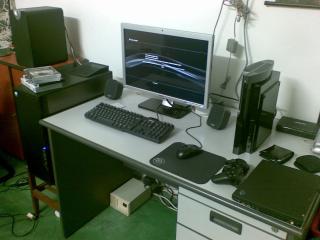
Just get DELL SP2208WFP with HDMI in, solve all your problem. This is how it looks like:
This post has been edited by Thrust: Feb 5 2008, 07:22 PM |
|
|
Feb 5 2008, 07:36 PM
|

Senior Member
584 posts Joined: Aug 2006 From: Skudai, Johor
|
QUOTE(gr8fr8 @ Feb 5 2008, 04:39 PM) ala better get the BENQ FP94VW. Cheap and have headphone jack...can connect either headphone or pc speaker...easy...has HDMI port...but only 720p...still ok to me for those with tight budget....19". bro, dis model have 22 inch one? |
|
|
Feb 5 2008, 09:02 PM
|
|
Newbie
0 posts Joined: Jan 2008
|
QUOTE(Thrust @ Feb 5 2008, 07:21 PM) Just get DELL SP2208WFP with HDMI in, solve all your problem. This is how it looks like: are you by any chance from Intel?
|
|
|
Feb 5 2008, 10:15 PM
|

Senior Member
2,336 posts Joined: Nov 2007 From: 特別壱参番対ゴミ人間調査隊大将
|
SP2208WFP is ur best budget wise option. The cheapest 22 inch HDMI lcd. If Money doesnt counts for u(too rich), juz buy X-FI elite pro. Solve the problem for Audio output and input. X-FI elite pro console kit got the audio jacks(red and white one) for u to direct the av cable splits signal into ur creative soundcard. But as i said , it being too spendthrift if u opted for this.
|
|
|
Feb 5 2008, 10:18 PM
|

Junior Member
330 posts Joined: Dec 2006
|
QUOTE(Thrust @ Feb 5 2008, 07:21 PM) Just get DELL SP2208WFP with HDMI in, solve all your problem. This is how it looks like: hi... planning to get the SP2208WFP for ps3 also. been wondering the picture quality of the lcd output from the ps3 and also any ghosting issues when playing fast pace games ?
|
|
|
Feb 5 2008, 10:40 PM
|
|
Senior Member
841 posts Joined: Oct 2007
|
QUOTE(saiga @ Feb 5 2008, 07:36 PM) bro, dis model have 22 inch one? as far as i know, only 19"  |
|
|
Feb 5 2008, 10:48 PM
|

Junior Member
144 posts Joined: Jun 2007 From: Orbit
|
QUOTE(Thrust @ Feb 5 2008, 07:21 PM) Just get DELL SP2208WFP with HDMI in, solve all your problem. This is how it looks like: hi bro, is this dell support up to 1080i resolution? noob question.
|
|
|
Feb 5 2008, 11:15 PM
|

Junior Member
241 posts Joined: Oct 2006
|
QUOTE(Rezuan78 @ Feb 5 2008, 10:48 PM) hi bro, is this dell support up to 1080i resolution? noob question. bro, alang2 ambik 24" terus...sekarang dell ada offer...around 1.3++k... |
|
|
Feb 5 2008, 11:37 PM
|
|
Newbie
0 posts Joined: Jan 2008
|
QUOTE(Rezuan78 @ Feb 5 2008, 10:48 PM) hi bro, is this dell support up to 1080i resolution? noob question. no it doesn't , you will get 720 if i'm not mistaken all monitor on this price range won't get you full HD. It's good enough IMHO.This post has been edited by wild_acasia2: Feb 5 2008, 11:38 PM |
|
|
Feb 5 2008, 11:51 PM
|
|
Senior Member
3,760 posts Joined: Oct 2005
|
Ya, can go till 720p only. Most PS3 games are capable of 720p output only.
|
|
|
Feb 5 2008, 11:58 PM
|
|
Junior Member
144 posts Joined: Jun 2007 From: Orbit
|
QUOTE(Thrust @ Feb 5 2008, 11:51 PM) Ya, can go till 720p only. Most PS3 games are capable of 720p output only. actually i have lcd tv philips 20" but it support up to 720p only. so when i play warhawk so i cant see full screen of the game. any idea what monitor can support up to 1080i or 1080p resolution? |
|
|
Feb 6 2008, 09:15 AM
|

Junior Member
40 posts Joined: Jan 2003
|
I'm using the HP 2207H - with HDMI input. Built in speakers sucks but I can live with it for the time being. On the info page it's stated that it's running at 1080p with my PS3. Maybe upscaled. Not sure why but as far as I know 22" normally support up to 720p. Weird
|
|
|
Feb 6 2008, 09:20 AM
|

Senior Member
822 posts Joined: Jan 2003
|
anyone try this for lcd monitor which support 1080i/p output
www.hdboxpro.com |
|
|
Feb 6 2008, 10:20 AM
|
|
Junior Member
144 posts Joined: Jun 2007 From: Orbit
|
QUOTE(Fattyfei @ Feb 6 2008, 09:15 AM) I'm using the HP 2207H - with HDMI input. Built in speakers sucks but I can live with it for the time being. On the info page it's stated that it's running at 1080p with my PS3. Maybe upscaled. Not sure why but as far as I know 22" normally support up to 720p. Weird bro may i know 720p normal screen is it the same as 720p wide screen? do u see full screen when play game on 720p wide screen? i ask this because my 720p normal screen cannot see a few inch of the image on the left and right. refer the picture below: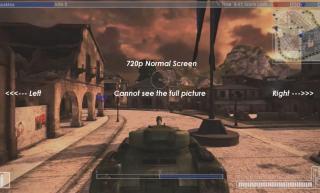
(720p normal screen) 
(720p wide screen)  or we only can get full screen when using 1080p? any idea? or we only can get full screen when using 1080p? any idea?This post has been edited by Rezuan78: Feb 6 2008, 10:29 AM |
|
|
Feb 6 2008, 10:47 AM
|
|
Senior Member
3,760 posts Joined: Oct 2005
|
Bro, your Phillip LCD is it 4:3 aspect ratio?
|
|
|
Feb 6 2008, 11:36 AM
|
|
Junior Member
144 posts Joined: Jun 2007 From: Orbit
|
QUOTE(Thrust @ Feb 6 2008, 10:47 AM) Bro, your Phillip LCD is it 4:3 aspect ratio? It has three screen format adjustment options: 4:3, 16:9 compressed, and 4:3 expand. My LCD TV spec >>> http://www.amazon.com/Philips-20PF5120-20-Flat-LCD/dp/B000AD09IU |
|
|
Feb 6 2008, 12:29 PM
|
|
Senior Member
584 posts Joined: Aug 2006 From: Skudai, Johor
|
QUOTE(Rezuan78 @ Feb 6 2008, 11:36 AM) It has three screen format adjustment options: 4:3, 16:9 compressed, and 4:3 expand. My LCD TV spec >>> http://www.amazon.com/Philips-20PF5120-20-Flat-LCD/dp/B000AD09IU it's your lcd problem. not actually problem but becoz af the aspect ratio.if wanna view full screen must get the 16:9 one.if use 4:3 (like your one) will have black bars. 720p normal (4:3) and 720p wide (16:9) not same. must depends on the source.no need 1080p to get fullscreen. maybe you can try change the screen format,but the image will no be like usual (maybe people will fatter n etc).like in your case you can view fullscreen but some details is missing (left and right) p/s: time to get wide lcd This post has been edited by saiga: Feb 6 2008, 12:32 PM |
|
|
Feb 6 2008, 12:39 PM
|
|
Junior Member
144 posts Joined: Jun 2007 From: Orbit
|
QUOTE(saiga @ Feb 6 2008, 12:29 PM) it's your lcd problem. not actually problem but becoz af the aspect ratio. so now should i buy lcd monitor widescreen? if i buy lcd monitor widescreen it only support up to 720p also. so is the 720p lcd monitor widescreen can see full screen? if wanna view full screen must get the 16:9 one.if use 4:3 (like your one) will have black bars. 720p normal (4:3) and 720p wide (16:9) not same. must depends on the source.no need 1080p to get fullscreen. maybe you can try change the screen format,but the image will no be like usual (maybe people will fatter n etc).like in your case you can view fullscreen but some details is missing (left and right) p/s: time to get wide lcd p/s: not enough budget to buy one more lcd tv  This post has been edited by Rezuan78: Feb 6 2008, 12:42 PM |
|
|
Feb 6 2008, 01:07 PM
|
|
Senior Member
3,760 posts Joined: Oct 2005
|
I see your phillips LCD has square screen. I guess you should try to play your games @ 4:3 aspect ratio and see whether you can view the full screen of the game image.
If you want to play widescreen (16:9), better get a true widescreen LCD. Edit: Bro, it seems that it is your LCD limitations. You LCD has only 640 x 480-pixel resolution and not 1366x768 like those HD ready set. Best bet is to get a new LCD TV.  This post has been edited by Thrust: Feb 6 2008, 01:10 PM |
|
|
Feb 6 2008, 01:24 PM
|
|
Junior Member
144 posts Joined: Jun 2007 From: Orbit
|
QUOTE(Thrust @ Feb 6 2008, 01:07 PM) I see your phillips LCD has square screen. I guess you should try to play your games @ 4:3 aspect ratio and see whether you can view the full screen of the game image. ok bro will find 1366x768. If you want to play widescreen (16:9), better get a true widescreen LCD. Edit: Bro, it seems that it is your LCD limitations. You LCD has only 640 x 480-pixel resolution and not 1366x768 like those HD ready set. Best bet is to get a new LCD TV. |
|
|
Feb 6 2008, 01:27 PM
|
|
Senior Member
3,760 posts Joined: Oct 2005
|
QUOTE(wild_acasia2 @ Feb 5 2008, 09:02 PM) are you by any chance from Intel? Nop, I am not from Intel. |
|
|
Feb 6 2008, 02:27 PM
|
|
Senior Member
582 posts Joined: Jan 2007 From: Shah Alam
|
QUOTE(Rezuan78 @ Feb 6 2008, 01:24 PM) ok bro will find 1366x768. Bli je ni Wan.. QUOTE(Raiko @ Feb 5 2008, 04:29 PM) |
|
|
Feb 6 2008, 02:35 PM
|
|
Senior Member
2,336 posts Joined: Nov 2007 From: 特別壱参番対ゴミ人間調査隊大将
|
If really want good lcd wait for benq X series. X2200 is a good model and it had arrive in malaysia already. But not too sure have any suppliers or agent taking orders of it yet. Its already in www.benq.com.my list now. Price i'm not too sure since its very new. It inherit the specs of formal benq FP241VW(with more specs) but just that it isnt 24" and 22" only. Too bad i bought Dell 2208 or else i sure choose this one. 2208 doesnt perform much to what i expected but its budget wise so it doesnt matters to me.
|
|
|
Feb 6 2008, 10:54 PM
|
|
Junior Member
144 posts Joined: Jun 2007 From: Orbit
|
QUOTE(Raiko @ Feb 6 2008, 02:27 PM) Bli je ni Wan.. piff... asus tu menarik tertarik aku melihatnye. tapi dia cuma 1680x1050 ja so kalu 1680x1050 cuma dpt 720p ja. tadi aku dah check dgn sorang member dia kata better beli yg 1920 x 1080 atau 1920 x 1200 baru dpt full 1080p. tapi walaupun begitu asus tu bagus jugak sbb ade usb 2.0 component, composite dll. |
|
|
Feb 6 2008, 10:55 PM
|
|
Senior Member
3,760 posts Joined: Oct 2005
|
1080p full HD memang bagus tapi most PS3 software or "baranglembut" can support 720p saja.
|
|
|
Feb 6 2008, 10:59 PM
|
|
Junior Member
144 posts Joined: Jun 2007 From: Orbit
|
QUOTE(darkskies @ Feb 6 2008, 02:35 PM) If really want good lcd wait for benq X series. X2200 is a good model and it had arrive in malaysia already. But not too sure have any suppliers or agent taking orders of it yet. Its already in www.benq.com.my list now. Price i'm not too sure since its very new. It inherit the specs of formal benq FP241VW(with more specs) but just that it isnt 24" and 22" only. Too bad i bought Dell 2208 or else i sure choose this one. 2208 doesnt perform much to what i expected but its budget wise so it doesnt matters to me. if benq i would prefer to buy this http://www.benq.com.my/products/LCD/?produ...=specifications because it support up to 1920 x 1200 pixel resolution  |
|
|
Feb 6 2008, 11:03 PM
|

Junior Member
113 posts Joined: Dec 2004
|
My 22in Acer LCD does not come with HDCP, any solutions?
|
|
|
Feb 6 2008, 11:10 PM
|
|
Senior Member
3,760 posts Joined: Oct 2005
|
QUOTE(jeman @ Feb 6 2008, 11:03 PM) My 22in Acer LCD does not come with HDCP, any solutions? Yes there is! Change monitor |
|
|
Feb 7 2008, 01:22 AM
|
|
Junior Member
113 posts Joined: Dec 2004
|
QUOTE(Thrust @ Feb 6 2008, 11:10 PM) Yes there is! Change monitor Duh!  |
|
|
Feb 7 2008, 01:40 AM
|
|
Senior Member
584 posts Joined: Aug 2006 From: Skudai, Johor
|
QUOTE(Rezuan78 @ Feb 6 2008, 10:59 PM) if benq i would prefer to buy this http://www.benq.com.my/products/LCD/?produ...=specifications because it support up to 1920 x 1200 pixel resolution bro, why u care so much about the 1080p over 720p? .The screen size so small, very hard to seethe difference la. People with 40 inch screen size also having problem to really see the differences. lain la kalau mata u mata bionic This post has been edited by saiga: Feb 7 2008, 01:40 AM |
|
|
Feb 7 2008, 02:31 AM
|
|
Senior Member
582 posts Joined: Jan 2007 From: Shah Alam
|
QUOTE(Rezuan78 @ Feb 6 2008, 10:54 PM) piff... asus tu menarik tertarik aku melihatnye. tapi dia cuma 1680x1050 ja so kalu 1680x1050 cuma dpt 720p ja. tadi aku dah check dgn sorang member dia kata better beli yg 1920 x 1080 atau 1920 x 1200 baru dpt full 1080p. tapi walaupun begitu asus tu bagus jugak sbb ade usb 2.0 component, composite dll. Wan.. ko takkan dpt beze 720 ngan 1080...Yg problem x nmpk side tuh pasal monitor ko bukan widescreen.. DUH! |
|
|
Feb 7 2008, 03:31 AM
|
|
Junior Member
144 posts Joined: Jun 2007 From: Orbit
|
QUOTE(Raiko @ Feb 7 2008, 02:31 AM) Wan.. ko takkan dpt beze 720 ngan 1080... uiks... betul ke bro x dpt beza? so maksudnye kalu 720p widescreen akan nampak full jugak ka? Yg problem x nmpk side tuh pasal monitor ko bukan widescreen.. DUH! cuba la ko snap gmbr lcd monitor ko masa tgh main ps3 tu. aku nak confirmkan betul2. |
|
|
Feb 7 2008, 03:39 AM
|
|
Senior Member
582 posts Joined: Jan 2007 From: Shah Alam
|
masalahnyer aku blom bli warhawk lagi..
 |
|
|
Feb 7 2008, 09:49 AM
|
|
Senior Member
584 posts Joined: Aug 2006 From: Skudai, Johor
|
QUOTE(Rezuan78 @ Feb 7 2008, 03:31 AM) uiks... betul ke bro x dpt beza? so maksudnye kalu 720p widescreen akan nampak full jugak ka? aiyo, 720p tu bukan saiz laa... tapi resolution image tu. klu 720p ada 720 lines, 1080p ada cuba la ko snap gmbr lcd monitor ko masa tgh main ps3 tu. aku nak confirmkan betul2. 1080 lines. so sepatutnya 1080p lagi sharp. tapi mata kite ni bukan la bole nampak sgt perbezaan dia. kene lak kalau screen kecik.sebab tu ramai orang kate same je,termasuk aku so, confirm kalau ko beli lcd yg support 720p bole nampak full screen. tapi kene beli yg WIDESCREEN la. klu tak image tu akan di strech. |
|
|
Feb 7 2008, 12:31 PM
|
|
Senior Member
582 posts Joined: Jan 2007 From: Shah Alam
|
QUOTE(saiga @ Feb 7 2008, 09:49 AM) aiyo, 720p tu bukan saiz laa... tapi resolution image tu. klu 720p ada 720 lines, 1080p ada Exactly 1080 lines. so sepatutnya 1080p lagi sharp. tapi mata kite ni bukan la bole nampak sgt perbezaan dia. kene lak kalau screen kecik.sebab tu ramai orang kate same je,termasuk aku so, confirm kalau ko beli lcd yg support 720p bole nampak full screen. tapi kene beli yg WIDESCREEN la. klu tak image tu akan di strech.  Kan aku dah kate.. |
|
|
Feb 7 2008, 11:39 PM
|
|
Junior Member
144 posts Joined: Jun 2007 From: Orbit
|
QUOTE(Raiko @ Feb 7 2008, 12:31 PM) Exactly ptg tadi aku dah adjust picture setting kat dlm option game warhawk tu. rupanya aku leh adjust picture dia. setelah lama main ps3 ni baru aku tau rupanye boleh adjust picture setting dia Kan aku dah kate.. . So skrg aku dah leh main game tu full screen. Walaupun bukan wide screen tapi aku rasa ok la asalkan dpt main full screen . |
|
|
Feb 8 2008, 04:46 AM
|
|
Senior Member
582 posts Joined: Jan 2007 From: Shah Alam
|
QUOTE(Rezuan78 @ Feb 7 2008, 11:39 PM) ptg tadi aku dah adjust picture setting kat dlm option game warhawk tu. rupanya aku leh adjust picture dia. setelah lama main ps3 ni baru aku tau rupanye boleh adjust picture setting dia . So skrg aku dah leh main game tu full screen. Walaupun bukan wide screen tapi aku rasa ok la asalkan dpt main full screen . |
|
|
Feb 8 2008, 09:04 AM
|
|
Junior Member
241 posts Joined: Oct 2006
|
si rezuan tu saje aje...hehehe dia sebenarnya pakai sony X 40 inch tu hehehe...
jangan marah.... |
|
|
Feb 9 2008, 12:51 AM
|
|
Junior Member
144 posts Joined: Jun 2007 From: Orbit
|
QUOTE(Microsuck_360 @ Feb 8 2008, 09:04 AM) si rezuan tu saje aje...hehehe dia sebenarnya pakai sony X 40 inch tu hehehe... jangan marah.... bro jgn la membocorkan rahsia aku. |
|
|
Feb 9 2008, 01:30 AM
|

Senior Member
4,038 posts Joined: Aug 2005 From: Earth
|
I own a bravia just bought a new HP 22 LCD Widescreen monitor with HDMI :-) works nicely with PS3 will use this when balik kampung so berat to carry bravia
|
|
|
Feb 9 2008, 01:56 AM
|
|
Senior Member
582 posts Joined: Jan 2007 From: Shah Alam
|
QUOTE(Rezuan78 @ Feb 9 2008, 12:51 AM) bro jgn la membocorkan rahsia aku. |
|
|
Feb 19 2008, 02:53 PM
|
|
Senior Member
875 posts Joined: Jan 2003
|
Hi all, I know most display below 40" can't see the difference between 720p and 1080p, so for a small room i m thinking of getting juz a 22" LCD Monitor. But problem with LCD monitor is that most doesn't support 1:1 mapping and thus the picture will be stretched vertically to fill the screen.
May i know which current LCD monitor supports 1:1 mapping? |
|
|
Feb 19 2008, 03:54 PM
|

Senior Member
4,000 posts Joined: Jul 2007 From: SomeWhereNearU
|
QUOTE(toytoy @ Feb 19 2008, 02:53 PM) Hi all, I know most display below 40" can't see the difference between 720p and 1080p, so for a small room i m thinking of getting juz a 22" LCD Monitor. But problem with LCD monitor is that most doesn't support 1:1 mapping and thus the picture will be stretched vertically to fill the screen. yes broMay i know which current LCD monitor supports 1:1 mapping? u r damm rite u should get a LCD TV |
|
|
Feb 19 2008, 04:37 PM
|

Junior Member
14 posts Joined: Feb 2007
|
check this out!! recently PS3 tourney in Cyberjaya... they used 10 Samsung LCD 32"....
This post has been edited by azza484: Feb 19 2008, 05:18 PM Attached thumbnail(s) 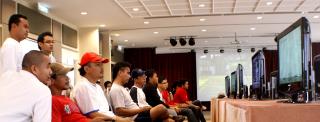
|
|
|
Feb 19 2008, 04:48 PM
|
|
All Stars
11,809 posts Joined: Jun 2006
|
official tourney... no official ps3.... dunno whether those ps3 got tax one or not.... but yet, its official
|
|
|
Feb 19 2008, 04:53 PM
|
|
Senior Member
5,366 posts Joined: Aug 2005
|
QUOTE(toytoy @ Feb 19 2008, 02:53 PM) Hi all, I know most display below 40" can't see the difference between 720p and 1080p, so for a small room i m thinking of getting juz a 22" LCD Monitor. But problem with LCD monitor is that most doesn't support 1:1 mapping and thus the picture will be stretched vertically to fill the screen. it will just stretch about 80 pixels on vertical, hardly noticeableMay i know which current LCD monitor supports 1:1 mapping? |
|
|
Feb 19 2008, 05:31 PM
|
|
Junior Member
14 posts Joined: Feb 2007
|
QUOTE(rx330 @ Feb 19 2008, 04:48 PM) official tourney... no official ps3.... dunno whether those ps3 got tax one or not.... but yet, its official  what do you mean...haha.. official or not official.. what do you mean...haha.. official or not official.. |
|
|
Feb 19 2008, 06:05 PM
|
|
Junior Member
51 posts Joined: May 2007
|
Sori...saya nak tanya kalu sambung ps3 ke LCD monitor kena ada DVI kat LCD kan?
x mcm xbox360 cuma perlu VGA port aje.... kalu ps3 sambung kat LCD monitor guna DVI cable.... cam mana dgn sound? kena beli cable lain laie ke? VGA cable utk 360 ada skali cable audio? |
|
|
Feb 19 2008, 09:02 PM
|

Junior Member
139 posts Joined: Jun 2006
|
i have this bugging issue with my samsung 226bw that annoy me. dont get me wrong, the lcd itself is good for pc gaming, and even while playing ps3, it can display 720p perfectly. what bugging me is the error message that popup when the display setting is changed to 1080p. while under this setting, the picture quality is much more superior that 720p.
the question is, how can i disable this error message?it keep popping up when i exit menu and play game and back forth. i know the lcd somewhat downscale the display while in 1080p, but how can i choose not to display this message?anyone of you guys using the same lcd as mine?it does not pose any big prob, just annoyed with it. hope somebody can help me  This post has been edited by ravemaster: Feb 19 2008, 09:04 PM |
|
|
Feb 20 2008, 10:30 AM
|

Junior Member
408 posts Joined: Aug 2005
|
QUOTE(azza484 @ Feb 19 2008, 04:37 PM) check this out!! recently PS3 tourney in Cyberjaya... they used 10 Samsung LCD 32".... the pic in that samsung lcd isnt the best ..i think not using hdmi output rite that time.. |
|
|
Feb 20 2008, 10:53 AM
|

Senior Member
590 posts Joined: Aug 2005
|
@ravemaster, the BenQ FP94VW i'm using does the same thing if i choose 1080p. some msg always come out says "not supported settings" or something. after awhile, i don't mind the msg anymore, and it also helpful to tell me what games goes into 1080p mode and what games go into 720p mode.
although, 1080p or 720p on a 1440*900 monitor no difference at all, except placebo effect |
|
|
Feb 20 2008, 11:04 AM
|

Senior Member
2,792 posts Joined: Dec 2004 From: Neverland
|
PS3 running on 24" Dell monitor in FULL HD, 1080p.
» Click to show Spoiler - click again to hide... « You be wrong if you say there is no difference in small screens. Some games is only 720p and when I run in 1080p, the textures are more pixelated and ugly. I can see alot difference. |
|
|
Feb 20 2008, 11:21 AM
|
|
Senior Member
590 posts Joined: Aug 2005
|
QUOTE Some games is only 720p and when I run in 1080p, the textures are more pixelated and ugly. I can see alot difference. huh!? typo? haha i mean for my small 19" 1440*900 monitor, i really can't spot much difference. on a bigger 24", sure can spot the difference. i still leave it set on 720p and 1080p, though. when running GT5P or T5DR in 1080p, i "convince" myself they look much better i don't have any BD movie to test. maybe just a placebo effect |
|
|
Feb 20 2008, 01:01 PM
|
|
Senior Member
5,366 posts Joined: Aug 2005
|
QUOTE(SimonsayZ @ Feb 20 2008, 11:04 AM) PS3 running on 24" Dell monitor in FULL HD, 1080p. u mean when running 720p on that 24" which has no 1:1 mapping, it will stretch to the entire screen?» Click to show Spoiler - click again to hide... « You be wrong if you say there is no difference in small screens. Some games is only 720p and when I run in 1080p, the textures are more pixelated and ugly. I can see alot difference. |
|
|
Feb 20 2008, 01:55 PM
|
|
Senior Member
2,792 posts Joined: Dec 2004 From: Neverland
|
QUOTE(dattebayo @ Feb 20 2008, 01:01 PM) u mean when running 720p on that 24" which has no 1:1 mapping, it will stretch to the entire screen? Not sure about mapping but on the monitor itself I can set if display in fullscreen or true 1080p, meaning with black bars at the top/bottom. QUOTE(acougan @ Feb 20 2008, 11:21 AM) huh!? typo? haha i mean for my small 19" 1440*900 monitor, i really can't spot much difference. on a bigger 24", sure can spot the difference. Not typo but my wrong way of description. What I mean is 720p is pixelated or not sharp compared to 1080p. i still leave it set on 720p and 1080p, though. when running GT5P or T5DR in 1080p, i "convince" myself they look much better i don't have any BD movie to test. maybe just a placebo effect I use to run 19" at 720p and like you can't tell the difference between 720p and 1080i, except the text are smaller in size on 1080i. On a 24" I can tell the difference if the game is running on 720p and 1080p. i dunno but it looks different to me. 720p not that sharp.1440x900, if Im not wrong can only go 1080i, interlaced. I dunno how you can manage to get 1080p when vertically you only have 900. Im not expert on so don't quote me on this. But its just my experience with my monitor. This post has been edited by SimonsayZ: Feb 20 2008, 02:00 PM |
|
|
Feb 20 2008, 02:21 PM
|
|
Senior Member
875 posts Joined: Jan 2003
|
QUOTE(megatron007 @ Feb 19 2008, 03:54 PM) yes bro Yeah bro, exactly why I am looking into getting a LCD TV now. But still can't decide on which one to get, looking at 32" hehe.u r damm rite u should get a LCD TV |
|
|
Feb 21 2008, 10:12 AM
|
|
Junior Member
14 posts Joined: Feb 2007
|
QUOTE(arroyos @ Feb 20 2008, 10:30 AM) the pic in that samsung lcd isnt the best ..i think not using hdmi output rite that time.. checked with the organizer... yeah... they not using hdmi... forgot to bring they said... |
|
|
Feb 23 2008, 04:22 PM
|

Senior Member
1,167 posts Joined: Jan 2007 From: ..Tsukuba..
|
if benq FP202W ok not for PS3?
|
|
|
Feb 23 2008, 04:36 PM
|

Senior Member
4,522 posts Joined: Apr 2006
|
QUOTE(SimonsayZ @ Feb 20 2008, 01:55 PM) Not sure about mapping but on the monitor itself I can set if display in fullscreen or true 1080p, meaning with black bars at the top/bottom. You can select 1080p for an output from the PS3 on a 1440x900 res, but it would be downscaled.Not typo but my wrong way of description. What I mean is 720p is pixelated or not sharp compared to 1080p. I use to run 19" at 720p and like you can't tell the difference between 720p and 1080i, except the text are smaller in size on 1080i. On a 24" I can tell the difference if the game is running on 720p and 1080p. i dunno but it looks different to me. 720p not that sharp.1440x900, if Im not wrong can only go 1080i, interlaced. I dunno how you can manage to get 1080p when vertically you only have 900. Im not expert on so don't quote me on this. But its just my experience with my monitor. I am also using the BenQ FP94VW, personally its pretty good. While it doesn't have 1:1 pixel mapping, the good thing is that it has a true direct 16:9 mode. Set it to 16:9 under HDMI and magically every PS3 game just looks great. Atleast for its price that is. |
|
|
Feb 23 2008, 09:37 PM
|

Junior Member
262 posts Joined: Jan 2003 From: Cheras/Kuala Lumpur
|
hehe .. today just bought LG32 Plasma TV..
Later will give some review here about this Plasma TV |
|
|
Feb 24 2008, 10:33 PM
|

Senior Member
1,709 posts Joined: Jan 2003 From: Kedah Khap Khoun Khap (4K)
|
Guys, I have :
-Dell 2005FPW 20" widescreen monitor -Vdigi vgabox My question: Since my monitor is NOT HDCP enabled, but if I use PS3 component cable connecting to the Vdigi vgabox, will it work? |
|
|
Feb 24 2008, 11:18 PM
|

Senior Member
2,588 posts Joined: Jan 2003 From: KL-Skudai
|
QUOTE(Zaryl @ Feb 24 2008, 10:33 PM) Guys, I have : most probably it will work. one of my friend playing his ps3 on his non-hdcp lcd via component vgabox...-Dell 2005FPW 20" widescreen monitor -Vdigi vgabox My question: Since my monitor is NOT HDCP enabled, but if I use PS3 component cable connecting to the Vdigi vgabox, will it work? |
|
|
Feb 24 2008, 11:45 PM
|

Junior Member
105 posts Joined: Jun 2005 From: Cheras / Sarawak
|
QUOTE(Zaryl @ Feb 24 2008, 10:33 PM) Guys, I have : it will work, only that you won't be able to watch blu-ray movies due to the hdcp requirement-Dell 2005FPW 20" widescreen monitor -Vdigi vgabox My question: Since my monitor is NOT HDCP enabled, but if I use PS3 component cable connecting to the Vdigi vgabox, will it work? games will work just fine  |
|
|
Feb 24 2008, 11:52 PM
|
|
Senior Member
2,588 posts Joined: Jan 2003 From: KL-Skudai
|
QUOTE(ihatemyguts @ Feb 24 2008, 11:45 PM) it will work, only that you won't be able to watch blu-ray movies due to the hdcp requirement BD movies cant playback on non-hdcp monitor? games will work just fine |
|
|
Feb 25 2008, 12:31 AM
|
|
Junior Member
105 posts Joined: Jun 2005 From: Cheras / Sarawak
|
QUOTE(mfa333 @ Feb 24 2008, 11:52 PM) BD movies cant playback on non-hdcp monitor? yeah, sadly |
|
|
Feb 25 2008, 09:17 AM
|
|
All Stars
11,809 posts Joined: Jun 2006
|
fuiyoh... smallest plasma in msia, so its really TRUE!!!
alex faster FR |
|
|
Feb 26 2008, 10:29 AM
|
|
Senior Member
4,000 posts Joined: Jul 2007 From: SomeWhereNearU
|
fuyooo FR FR FR
|
|
|
Feb 26 2008, 02:21 PM
|

Senior Member
2,451 posts Joined: Jan 2003 From: GOD's Land
|
Cut n paste SOURCE
QUOTE IN an unprecedented move, LG Electronics recently announced the release of a 32-inch widescreen plasma TV into a digital display segment of the market previously dominated only be liquid crystal display (LCD) TVs. Retailing at a highly competitive price of RM2,499, the 32PC5RV, according to LG Electronics, is set to bring about a new niche market for an ever growing demand for small- to medium-sized digital display systems. The 32PC5RV is said to be able to offer more fatigue-free viewing because of the plasma's lack of motion blur which is common in LCD TVs. LG Electronics claims that the 32PC5RV is able to achieve a 0.001-millisecond response time compared to an LCD TV's best achievement of about three milliseconds. The 32PC5RV is also able to produce a superior level of black and has better contrast ratio compared to conventional LCD TVs. The 32PC5RV claims a conservatively rated 1,800:1 native contrast ratio with a brightness level of 550 candular per metre square. While most LCD TVs are capable of higher brightness, the level achieved by the 32PC5RV is more than sufficient for use in a conventionally lit environment. The 32PC5RV is also superior in viewing angle where it easily achieves a 178/178-degree viewing without lost of brightness and contrast. The only letdown is a limited extended resolution of 852 pixels by 480 pixels but this resolution is perfectly matched to that of DVD where no scaling is required. Connectivities are ample with up to two high-definition multimedia interface (HDMI), two component videos, one composite video and a PC input. For details, contact LG Electronics (M) Sdn Bhd at Tel: 03-74912888. Just got a call from Legend Electric Center at SS2 PJ and they're selling this LG 32PC5RV for RM2280. This post has been edited by tot31: Feb 26 2008, 02:53 PM |
|
|
Feb 26 2008, 05:32 PM
|
|
Junior Member
262 posts Joined: Jan 2003 From: Cheras/Kuala Lumpur
|
Sorry for late review..
After ask few of my friend to bring thier console to my house to test it. Model is LG32PC5RV .. RM2350 I was set my PS3 to 480p/720p/1080i.. I use my hp camera to capture.. it blur and cant see the clearly from picture.. PS3 with HDMI output GT5P Demo 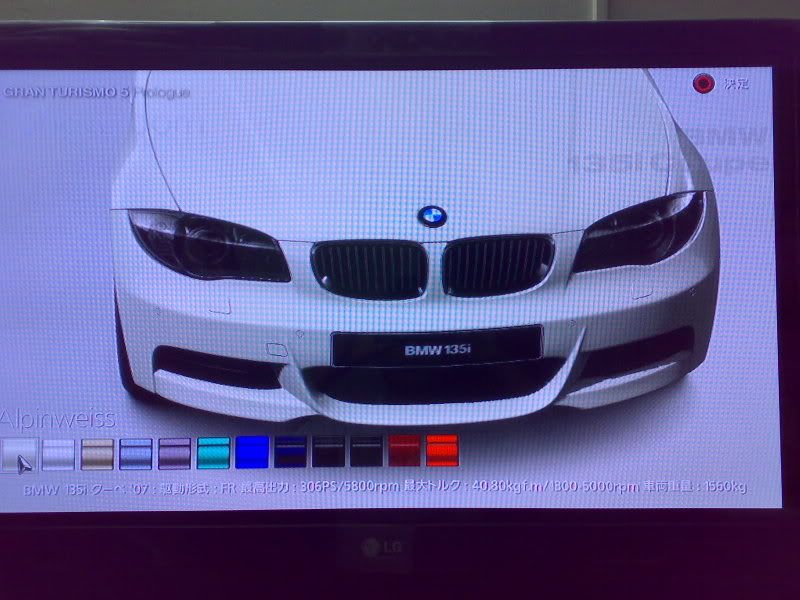 DMC4 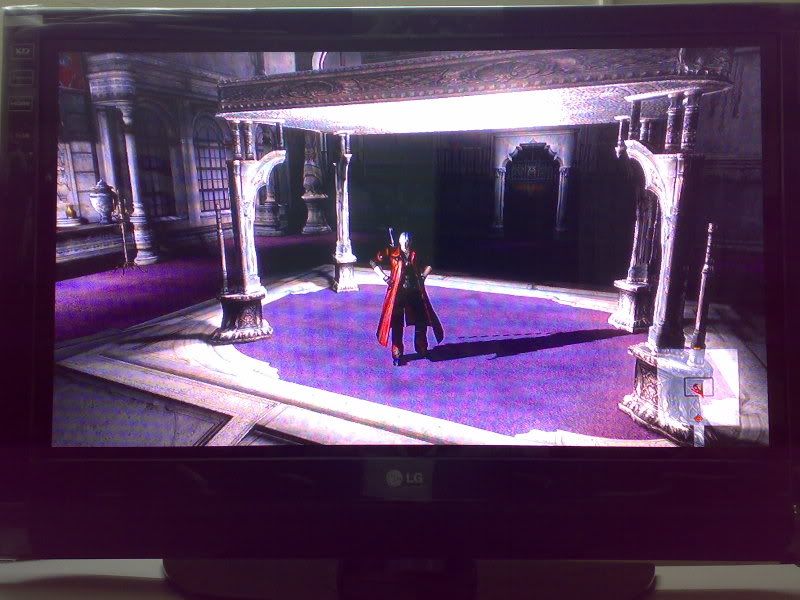 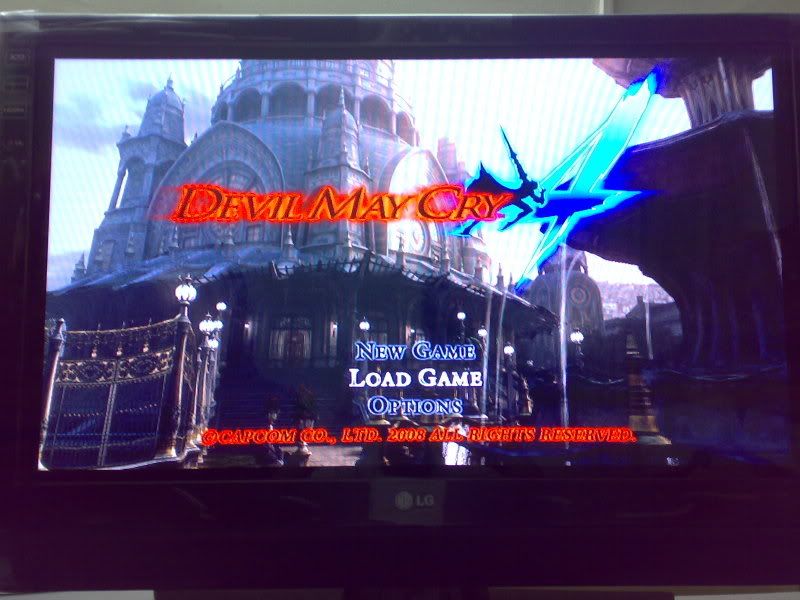 Kung Fu Hustle BD 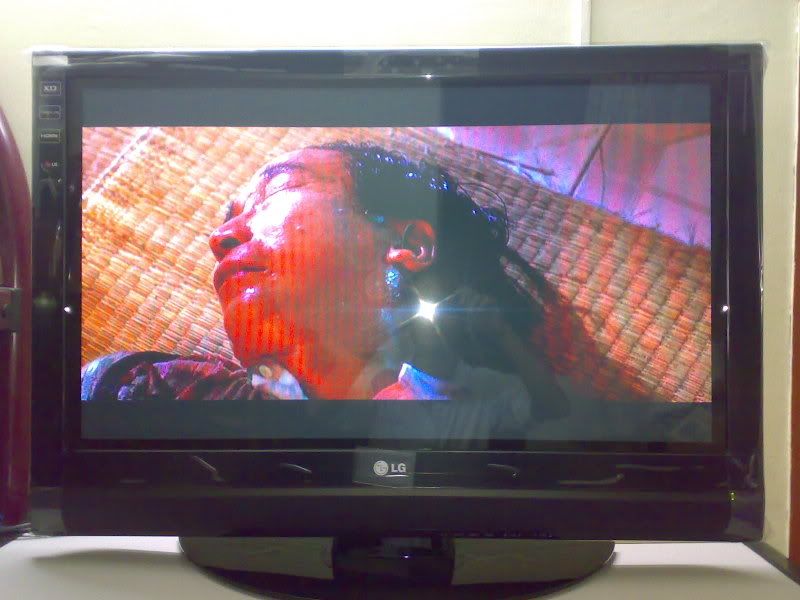  PC Desktop + Gaming VGA/HDMI 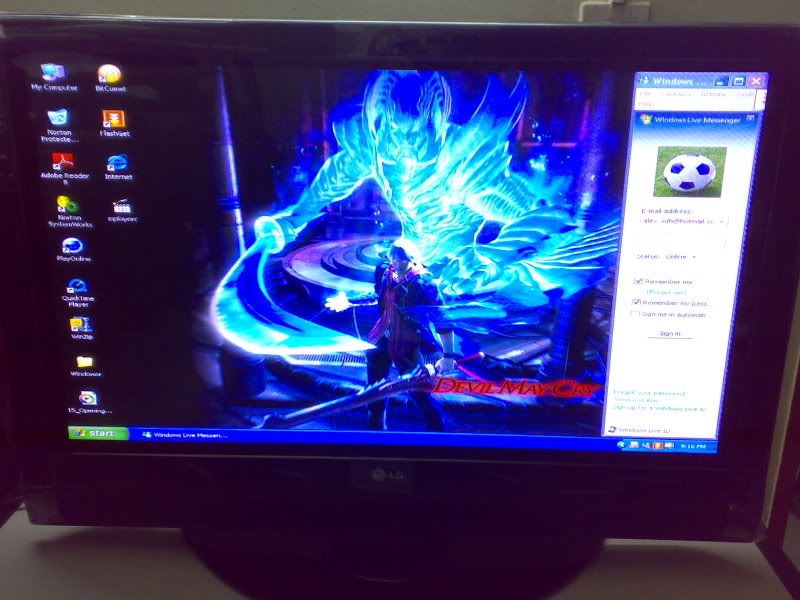 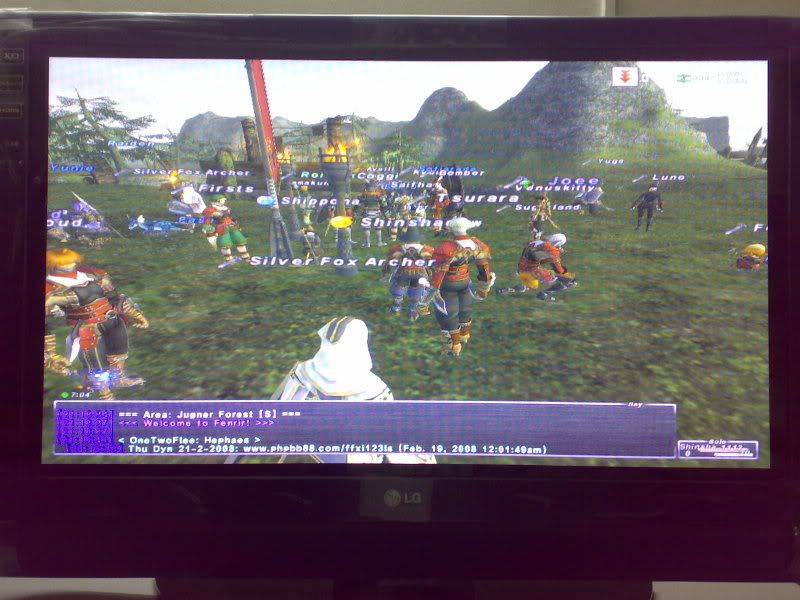 Wii Mario Galaxy Component  But so far no LCD/PLASMA TV can 100% to provide us the best quality between SD and HD format.. If for who own Old Generation console i would suggest to pick Plasma TV and only New generation console for LCD TV The weak point on this Plasma TV is 1) PS3 XMB Front too small and jaggy. Ingame Front + Graphic everything is Ok 2) PC VGA/HDMI Output Front small/jaggy(1024x768) Overall i was satisfied with this model because if use for Old generation Console the graphic very perfect and clean if compare with LCD TV. This post has been edited by alexwlh: Feb 26 2008, 10:29 PM |
|
|
Feb 26 2008, 05:43 PM
|
|
Senior Member
1,167 posts Joined: Jan 2007 From: ..Tsukuba..
|
WOW GREAT DEFINITION
|
|
|
Feb 26 2008, 06:21 PM
|

Senior Member
2,220 posts Joined: May 2007
|
Now everyone can afford LG 32-inch Plasma TV ...
|
|
|
Feb 26 2008, 10:26 PM
|
|
Senior Member
4,522 posts Joined: Apr 2006
|
RM2350 isn't so bad, especially since its a plasma after all. Too bad its native res isn't 1366x786.
|
|
|
Feb 27 2008, 09:26 AM
|
|
All Stars
11,809 posts Joined: Jun 2006
|
alex... why u buying a non HD unit?
|
|
|
Feb 27 2008, 09:35 AM
|
|
Senior Member
2,792 posts Joined: Dec 2004 From: Neverland
|
Wait this LG is not native 720p?
|
|
|
Feb 27 2008, 11:59 AM
|
|
Senior Member
5,366 posts Joined: Aug 2005
|
I thought plasma display have no definite native resolution? u can just set any kind of resolution on it
|
|
|
Feb 27 2008, 12:30 PM
|
|
All Stars
11,809 posts Joined: Jun 2006
|
dattebayo, it doesnt work tat way
|
|
|
Feb 27 2008, 12:32 PM
|

Senior Member
1,513 posts Joined: Nov 2004 From: Kuching - Klang
|
i googled and it seems like this LG32' have 840x480 res.. or soething like that
so basically it means its not even 720p la.. but then its good if ur using like the owner said for wii, dvd or astro.. |
|
|
Feb 27 2008, 12:34 PM
|
|
All Stars
11,809 posts Joined: Jun 2006
|
but for hidef.... aiyoh...
|
|
|
Feb 27 2008, 12:59 PM
|

Junior Member
23 posts Joined: Jan 2003 
|
I'm looking for a good and not too expensive 20" lcd for my ps3. Any of the Sifus here can recommend? I was thinking of the Asus VW202T or maybe a Samsung?
|
|
|
Feb 27 2008, 01:36 PM
|
|
Senior Member
5,366 posts Joined: Aug 2005
|
QUOTE(prazole @ Feb 27 2008, 12:32 PM) i googled and it seems like this LG32' have 840x480 res.. or soething like that no wonder so cheap lahso basically it means its not even 720p la.. but then its good if ur using like the owner said for wii, dvd or astro.. |
|
|
Feb 27 2008, 01:45 PM
|
|
All Stars
11,809 posts Joined: Jun 2006
|
cheap meh? dun think so wor... tat price can get HD ready LCD liao
|
|
|
Feb 27 2008, 01:49 PM
|
|
Senior Member
2,451 posts Joined: Jan 2003 From: GOD's Land
|
QUOTE(rx330 @ Feb 27 2008, 01:45 PM) cheap meh? dun think so wor... tat price can get HD ready LCD liao yup, Samsung R7 now is only RM2080 at Legend, SS2..... |
|
|
Feb 27 2008, 02:04 PM
|
|
Senior Member
2,792 posts Joined: Dec 2004 From: Neverland
|
Yea, I rather get normal HD ready LCD tv with that price.
Though of course plasma is better, but resolution is still not enough. |
|
|
Feb 27 2008, 02:09 PM
|
|
Senior Member
1,167 posts Joined: Jan 2007 From: ..Tsukuba..
|
why dont u guys check out at sony style klcc got 70" LCD TV fuyoo sooo big if play ps3 dono how will it look like
|
|
|
Feb 27 2008, 02:26 PM
|
|
All Stars
11,809 posts Joined: Jun 2006
|
i might as well get projector, even bigger than 70"
|
|
|
Feb 27 2008, 02:31 PM
|

Senior Member
1,274 posts Joined: Mar 2007 From: the Muddy Banks of the Wishkah...
|
QUOTE(tot31 @ Feb 27 2008, 01:49 PM) yup, Samsung R7 now is only RM2080 at Legend, SS2..... wahahaha ko dah jd promoter kedai legend eh? |
|
|
Feb 27 2008, 03:29 PM
|
|
Senior Member
2,451 posts Joined: Jan 2003 From: GOD's Land
|
QUOTE(edvpc @ Feb 27 2008, 02:31 PM) wahahaha ko dah jd promoter kedai legend eh? muahahahha....sajer-sajer....isi masa lapang....ko tak memahami aku ..... |
|
|
Feb 27 2008, 03:51 PM
|
|
Senior Member
1,274 posts Joined: Mar 2007 From: the Muddy Banks of the Wishkah...
|
QUOTE(tot31 @ Feb 27 2008, 03:29 PM) muahahahha....sajer-sajer....isi masa lapang....ko tak memahami aku ..... ni kira memahami la ni... |
|
|
Feb 27 2008, 06:25 PM
|
|
Junior Member
262 posts Joined: Jan 2003 From: Cheras/Kuala Lumpur
|
Before i bought this plasma Tv..
i was bring my Ps3 to Best denki at timesquare to test LG LCD TV(32LC7R)/Sharp LCD TV (LC32PX5M) ,LG Plasma TV (32PC5RV) above all seem to be +- price range.. i set to 480p/720p/1080i my eyes to compare it (maybe i blind)  PS3 gaming between LCD and plasma is no much different Plasma have the jaggy front on XMB. but Plasma color more soft and clean than other.. before it i was online check for this model Specification.. Is only support up to 852 x 480 after I was tried to use powerstrip for this plasma panel. the output for this panel is 1024x768 Sometime we really cannot trust on Specification they giving... We must use our eyes to test and compare it.. |
|
|
Feb 27 2008, 08:24 PM
|
|
Senior Member
1,513 posts Joined: Nov 2004 From: Kuching - Klang
|
i don think they wanna put a lower spec
if anything they would put a higher spec la.. that is y u said there r jaggy i guess its coz the resolution a bit different from other LCD resolution but ya plasma produce better black its better for movies |
|
|
Feb 27 2008, 10:19 PM
|
|
Senior Member
5,366 posts Joined: Aug 2005
|
one thing is plasma consumes more wattage
 |
|
|
Feb 27 2008, 10:47 PM
|
|
Junior Member
262 posts Joined: Jan 2003 From: Cheras/Kuala Lumpur
|
voltage is not main..
Burn in was main problem i just hope mine 1 dun get burn in so fast |
|
|
Feb 28 2008, 09:13 AM
|
|
All Stars
11,809 posts Joined: Jun 2006
|
so u saying its a 1024 X 768 panel?
|
|
|
Feb 28 2008, 09:40 AM
|
|
Junior Member
262 posts Joined: Jan 2003 From: Cheras/Kuala Lumpur
|
QUOTE(rx330 @ Feb 28 2008, 09:13 AM) so u saying its a 1024 X 768 panel? unleass the powerstrip program give me wrong info |
|
|
Feb 28 2008, 10:48 AM
|
|
Senior Member
4,522 posts Joined: Apr 2006
|
QUOTE(alexwlh @ Feb 27 2008, 10:47 PM) voltage is not main.. I'm certain that LG of yours has pixel shifting tech(most LG's Plasma had this since the 07 XD engine). Enable it through your TV's menu, it'll lower the chance of burn-in considerably.Burn in was main problem i just hope mine 1 dun get burn in so fast I play on my LG Plasma 42"(forgot the model name) for about 8 hours a day during CNY week, didn't have burn-in issues. |
|
|
Feb 28 2008, 12:35 PM
|
|
All Stars
11,809 posts Joined: Jun 2006
|
wat is this powerstrip thingy?
|
|
|
Feb 28 2008, 12:42 PM
|

Junior Member
130 posts Joined: Dec 2005 From: Subang Jaya
|
Hey I think better post on one forum instead of two rite
which is here http://forum.lowyat.net/topic/594219 close either 1? |
|
|
Feb 28 2008, 05:28 PM
|

Junior Member
27 posts Joined: Oct 2007
|
I have personally tested the tv in alex's place, the picture quality is better than any 32" lcd i've seen so far, it is just like watching a high res crt, image are very clear and sharp, no blurry image, ghosting etc, even after long hour of testing (5 hours straight) my eyes didnt feel hurt/tired at all, component and hdmi can display in 480p,720p and 1080i, tested lower res' source the ps2 and wii using component, there are no blurry image or color washed out probelm, it is actually very good, i like it a lot, not like lcd tv u get very suck image while displaying source lower than 720p, but there are 2 problems with this tv, when displaying ps3 source in 720p/1080i using hdmi, it seems like the source image is larger than the screen (horizontally) , you cant see the small part at the left and right side, it is like u already zoomed in the picture a little bit and u only get to see 95/100% of the source image (horizontally), so small part from left and right side is missing, we only notice this problem while playing gt5 and virtual fighter 5, because the position bar(gt5) and character name(vr5) of the games are placed at the very end of the screen, it does not affect gameplay but to be honest i'm sure not all the people can accept this, the other problem is while displaying pc source at 1024 x 768 resolution the words/characters appear to be quite blur, made it a bit hard to read, even if you set the font size larger it is still the same, 640 x 480 has no problem but the resolution is too low for web surfing.
this is my small review for alex's tv la, for picture quality and sd source compatibility definitely current gen 32" lcd tvs cannot compare, the major problem is cant display pc resolution properly. This post has been edited by 3rotor: Feb 28 2008, 05:37 PM |
|
|
Mar 23 2008, 10:22 PM
|

Junior Member
24 posts Joined: Mar 2008
|
hi anyone interested for my samsung 226bw
price is 900(nego up to 850) used for 4 month Added on March 23, 2008, 10:23 pmanyone using samsung 226bw here for ps3. can you upload the picture! This post has been edited by lowyatfan02023: Mar 23 2008, 10:23 PM |
|
|
Mar 23 2008, 11:16 PM
|

Junior Member
134 posts Joined: Jan 2007
|
QUOTE(lowyatfan02023 @ Mar 23 2008, 10:22 PM) hi anyone interested for my samsung 226bw y u selling after four months only laa?price is 900(nego up to 850) used for 4 month Added on March 23, 2008, 10:23 pmanyone using samsung 226bw here for ps3. can you upload the picture! |
|
|
May 14 2008, 06:19 PM
|
|
Junior Member
24 posts Joined: Mar 2008
|
getting a bigger screen
24 or above to use it with ps3 |
|
|
Jun 30 2008, 03:56 PM
|

Junior Member
37 posts Joined: Dec 2007 From: Subang Jaya
|
I have a 17 inch samsung LCD monitor, not widescreen, can play with PS3? wondering if i'll get a squashed image or empty black bars on the top and bottom?
|
| Change to: |  0.0513sec 0.0513sec
 0.31 0.31
 6 queries 6 queries
 GZIP Disabled GZIP Disabled
Time is now: 8th December 2025 - 07:16 AM |
 Quote
Quote