Just to update regarding display issues and scaling for external display. I bought Dell S2722QC and confirmed betterdisplay really works to make font sharper. It is significantly sharper using hiDPI settings at 2560x1440. Calibrated the display using Spyder colorimeter and manage to get 100% sRGB, 81% Adobe RGB and 85% of P3. Delta E average at 0.87. Not bad actually for the color gamut and accuracy. Brightness not so much at 320Nits max after calibration. I think it is bang for the buck monitor for those who want to purchase one.
Yep found that 2560x1440 is the best resolution to set for clear fonts. I am using betterdisplay and a 32" Samsung M7 monitor with my base mac mini m4.
DELL Ultrasharp U2724D has some pretty good offer now. 120Hz IPS Black display. downside need to connect via HDMI. no issue if you're using mac mini only. If you wanna also connect your macbook then not so convenient.
DELL Ultrasharp U2724D has some pretty good offer now. 120Hz IPS Black display. downside need to connect via HDMI. no issue if you're using mac mini only. If you wanna also connect your macbook then not so convenient.
Not 4K monitor but at least colour accurate but for normal user you wont notice the differences on colour. Dell S2722QC is a better deal at 4k reso, usbc c cable included, adjustable stand. I've compared 27 inch 2k monitor at native reso and 27 inch 4k monitor scaled down to 2k. 4k monitor better and sharper, higher PPI. Trust me once you get to 4k, you wont look back at 2k monitor. If got 5k monitor much better.
This post has been edited by razkal: Jan 9 2025, 09:30 AM
Not 4K monitor but at least colour accurate but for normal user you wont notice the differences on colour. Dell S2722QC is a better deal at 4k reso, usbc c cable included, adjustable stand. I've compared 27 inch 2k monitor at native reso and 27 inch 4k monitor scaled down to 2k. 4k monitor better and sharper, higher PPI. Trust me once you get to 4k, you wont look back at 2k monitor. If got 5k monitor much better.
120 Hz smooth scrolling, deep black and color accuracy is my priority. S series can never come near UltraSharp series. Inferior panel even though it's 4K. I'm UltraSharp user for more than 20 years and I intend to stick with that. Also, I cannot stand the outdated design of S2722QC. Thick bezel with the fugly DELL logo in the bottom.
Maybe I'll wait for the latest Dell U2725QE 4K which will be launched next month. But that won't be cheap.... retailed for USD700. Cost more than the Mac mini.
This post has been edited by Barricade: Jan 9 2025, 11:39 AM
To Be Old and Wise You Must First be Young and Stupid
Senior Member
1,198 posts
Joined: Jun 2015
From: Malaysia
QUOTE(Barricade @ Jan 9 2025, 11:12 AM)
120 Hz and deep black and color accuracy is my priority. S series can never come near Ultrasharp. Inferior panel even though it's 4K. I'm Ultrasharp user all my life and never look at lower end series. Also I cannot stand the outdated design of S2722QC. Thick bezel with the fugly DELL logo in the bottom.
Or maybe I'll wait for the latest Dell U2725QE 4K which will be launched next month. But that won't be cheap.... retailed for USD700
Can feel it side by side..if only 1 monitor really cant feel it at all.
120 Hz smooth scrolling, deep black and color accuracy is my priority. S series can never come near UltraSharp series. Inferior panel even though it's 4K. I'm UltraSharp user for more than 20 years and I intend to stick with that. Also, I cannot stand the outdated design of S2722QC. Thick bezel with the fugly DELL logo in the bottom.
Maybe I'll wait for the latest Dell U2725QE 4K which will be launched next month. But that won't be cheap.... retailed for USD700. Cost more than the Mac mini.
Go for it you have the money. But for me high PPI over colour accuracy and dell s2722qc just served it purpose. After calibration it's bang for the buck monitor. I am an ultra sharp believer as well since Dell U2311h. Still have that one but colour already deteriorated. However my last ultasharp u2419h was a bad panel sold to a guy.
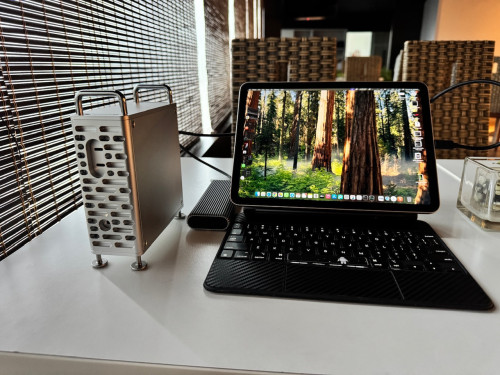
Wow is that even possible. I need to know how to this.
I am using an app called Duet. With wired connection and it will turn iPad into monitor. Touch screen also possible. The only down side is you will have to automatically login to the dekstop.
Been using my mini M4 base spec since last Saturday and still learning the ways of MacOS... I manage to hook it up to my 2x 1080 and 2K making a 3 monitor setup. I find the fonts on 1080 on par with my windows setup which I can accept as I'm also using the same size and resolution in the office.
Only problem I'm facing now is my Razer peripherals which are not supported in Mac... was able to install razermacos but the mouse would disconnect and would not wake up when the mini goes to sleep. Not sure if I'm having problem with my dongle and need more time to troubleshoot.
Overall I'm happy with the M4 performance but not to say blown away by it... as the day to day internet browsing and youtube feels very similiar on my outgoing 7th Gen i5 windows 10 desktop...
Been using my mini M4 base spec since last Saturday and still learning the ways of MacOS... I manage to hook it up to my 2x 1080 and 2K making a 3 monitor setup. I find the fonts on 1080 on par with my windows setup which I can accept as I'm also using the same size and resolution in the office.
Only problem I'm facing now is my Razer peripherals which are not supported in Mac... was able to install razermacos but the mouse would disconnect and would not wake up when the mini goes to sleep. Not sure if I'm having problem with my dongle and need more time to troubleshoot.
Overall I'm happy with the M4 performance but not to say blown away by it... as the day to day internet browsing and youtube feels very similiar on my outgoing 7th Gen i5 windows 10 desktop...
Are you using the dongle at the back? If yes change it to the front and try.
Are you using the dongle at the back? If yes change it to the front and try.
Yes I was using the dongle at the back, will try changing to the front and see... the USB3 in front has better compatibility compared to the TB at the back?


 Jan 7 2025, 05:55 AM


 Quote
Quote


 Thick bezel with the fugly DELL logo in the bottom.






 0.0208sec
 0.31
0.31
 6 queries
 GZIP Disabled