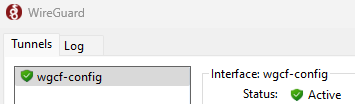
If you use wireguard, change the AllowedIPs
AllowedIPs = 1.0.0.0/8, 2.0.0.0/7, 4.0.0.0/6, 8.0.0.0/7, 11.0.0.0/8, 12.0.0.0/6, 16.0.0.0/4, 32.0.0.0/3, 64.0.0.0/3, 96.0.0.0/4, 112.0.0.0/5, 120.0.0.0/6, 124.0.0.0/7, 126.0.0.0/8, 128.0.0.0/3, 160.0.0.0/5, 168.0.0.0/8, 169.0.0.0/9, 169.128.0.0/10, 169.192.0.0/11, 169.224.0.0/12, 169.240.0.0/13, 169.248.0.0/14, 169.252.0.0/15, 169.255.0.0/16, 170.0.0.0/7, 172.0.0.0/12, 172.32.0.0/11, 172.64.0.0/10, 172.128.0.0/9, 173.0.0.0/8, 174.0.0.0/7, 176.0.0.0/4, 192.0.0.0/9, 192.128.0.0/11, 192.160.0.0/13, 192.169.0.0/16, 192.170.0.0/15, 192.172.0.0/14, 192.176.0.0/12, 192.192.0.0/10, 193.0.0.0/8, 194.0.0.0/7, 196.0.0.0/6, 200.0.0.0/5, 208.0.0.0/4, 224.0.0.0/4, ::/1, 8000::/2, c000::/3, e000::/4, f000::/5, f800::/6, fe00::/9, fec0::/10, ff00::/8
This means devices on your local network can communicate with each others directly (not through the VPN), and the VPN server will not be able to access your local network.
Source:
https://www.procustodibus.com/blog/2021/03/...ips-calculator/So suppose if I don't want my game to go thru VPN and introduce higher ping then I should add in the IP address for the game in AllowedIPs?


 Sep 5 2024, 02:35 PM




 Quote
Quote








 0.0180sec
 1.37
1.37
 7 queries
 GZIP Disabled