

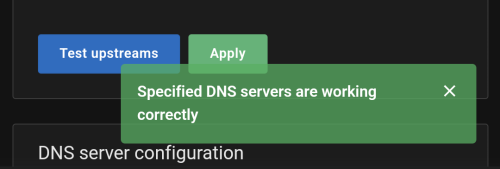
It seems TM Unifi has finally implemented, transparent DNS proxy
It seems TM Unifi has finally implemented, transparent DNS proxy
|
|
 Sep 2 2024, 07:00 AM Sep 2 2024, 07:00 AM
Return to original view | Post
#1
|
 
Junior Member
109 posts Joined: May 2013  
|
mine still ok, dnssec not complaining anything too Lancer07 liked this post
|
|
|
|
|
|
Sep 2 2024, 04:41 PM
Return to original view | Post
#2
|
|
Junior Member
109 posts Joined: May 2013
|
QUOTE(Weisun79 @ Sep 2 2024, 03:16 PM) VPN also has trottled connection speed... In order from simplest to more technicalSighz.. any other workaround?  1. change dns on the browser you use to DoT/DoH, most up to date desktop browsers like chrome/firefox/edge has built in profile for different dns provider if I'm not mistaken 2. Change dns to use DoH/DoT based dns on device, most modern operating system (android/ios/macos/windows/linux) should have guides on how to do it. 3. Change settings on router to use DoH/DoT, not all routers support so you have to google it yourself 4. self host own local recursive dns server (adguard home/pihole/blocky/etc) and use DoH/DoT as source some resources: https://forum.lowyat.net/index.php?showtopi...ost&p=110377301 https://www.privacyguides.org/en/dns/ https://www.reddit.com/r/privacy This post has been edited by Quantum Geist: Sep 2 2024, 08:16 PM |
|
|
Sep 2 2024, 06:29 PM
Return to original view | Post
#3
|
|
Junior Member
109 posts Joined: May 2013
|
QUOTE(zerorating @ Sep 2 2024, 05:49 PM) maybe cloudflare doh server down at the time ts did the test kot. I've already seen one weird issue in one local mobile isp a few weeks back, for some reason their users can't find the dns record for one of the domain that was registered under the company I work for, all other isp had no issues. Maybe related?anyway i still waiting for tm to push for the implementation, i guess it will be hard to them since their customers count is in millions.they need to provision alot of servers to cover this, implying that this service can be load balanced in first place. |
|
|
Sep 4 2024, 11:24 AM
Return to original view | Post
#4
|
|
Junior Member
109 posts Joined: May 2013
|
I find it kinda comical that maxis straight up name the 175.139.142.25 as mcmc-redirect JohnL77 liked this post
|
|
|
Sep 4 2024, 08:40 PM
Return to original view | Post
#5
|
|
Junior Member
109 posts Joined: May 2013
|
QUOTE(loserguy @ Sep 4 2024, 08:30 PM) I think there should be a balance between free speech and moderation. It's a slippery slope, if the current government doesn't abuse the blocking mechanism (which is arguable), then what about the next one, and the one after that and so on. Frankly putting the blocking mechanism in place just opens up a can of worms instead of closing (censoring) it.All the while we believe in self policing and society self correcting the fringe. Just leave unpopular opinions alone, so that people can see and make up their own minds. I may disagree with what you say, but I will absolutely defend your right to say it. But that was a different time, where passersby can just ignore the crazy person shouting in a corner. Nowadays, via social media, everybody has a global reach. A lot of people, myself included, got pretty nervous looking at what happened in the UK. Is the current DNS hijacking overkill? Maybe. But looking at the wild wild west in most social media sites (Facebook, TikTok), I sometimes do wish there would be some form of moderation there. loserguy liked this post
|
|
|
Sep 6 2024, 10:11 AM
Return to original view | Post
#6
|
|
Junior Member
109 posts Joined: May 2013
|
QUOTE(danieln @ Sep 6 2024, 09:57 AM) Looks like lowyat also kena blocked? LOL DoT working as intended, your device sees that the endpoint is just someone else disguised as the dns provider so it fails.When i turn on DOT on router all sites cannot be accessed. Only after turn of DOT on router I can get online, but lowyat also cannot access, have to use maxis for now This post has been edited by Quantum Geist: Sep 6 2024, 10:11 AM |
|
|
|
|
|
Sep 6 2024, 11:03 AM
Return to original view | Post
#7
|
|
Junior Member
109 posts Joined: May 2013
|
QUOTE(JohnLai @ Sep 6 2024, 10:42 AM) fyi if endpoint IP is block/redirected like google or cloudflare, it won't work. But it can work for other endpoints. Invulnerability liked this post
|
|
|
Sep 6 2024, 11:47 AM
Return to original view | Post
#8
|
|
Junior Member
109 posts Joined: May 2013
|
QUOTE(failed.hashcheck @ Sep 6 2024, 11:42 AM) 1. Buy VPS, register account - 10 min remember to change port/fail2ban/disable ssh, my existing vps on linode/akamai constantly gets brute force attempt on ssh port, I got a pretty huge list of banned ips from fail2ban2. server provisioning - 20 sec (linode) 3. connect ssh, update and restart. reconnect - 1.5 min (Debian) 4. deploy script copy paste from github - 2 min 5. provision user - 30 sec 6. copy config to client - 1 min (sftp/copy paste), 10 sec (qr). set and forget. maybe repeat step 5 and 6 if you wish to have more clients with unique id. this is very generous estimate. tigerporc liked this post
|
|
|
Sep 6 2024, 12:06 PM
Return to original view | Post
#9
|
|
Junior Member
109 posts Joined: May 2013
|
QUOTE(JohnL77 @ Sep 6 2024, 11:53 AM) Seems like it's safer to just pay for VPN? honestly simpler to use less known dns providers and keep it to yourself, as in don't even share here |
| Change to: |  0.0466sec 0.0466sec
 1.22 1.22
 7 queries 7 queries
 GZIP Disabled GZIP Disabled
Time is now: 17th December 2025 - 05:58 PM |
 Quote
Quote