
Welcome Guest ( Log In | Register )

Outline · [ Standard ] · Linear+

 Connection issue, wifi connected no internet

views
     
TSSteven39131
post Aug 5 2024, 09:23 AM, updated 2y ago

New Member
*
Junior Member
13 posts

Joined: Jan 2023
Dell Wi-Fi Connected but No Internet

Troubleshooting Steps:

1.Reinstall the driver.
2.Forget and reconnect to the Wi-Fi network.
3.Fully update Windows 11.
4.Restart the laptop.
Even after following these steps, the Wi-Fi shows as connected, but there is no internet access. Has anyone experienced this issue and found a solution? We have encountered this problem with multiple new Dell laptops.
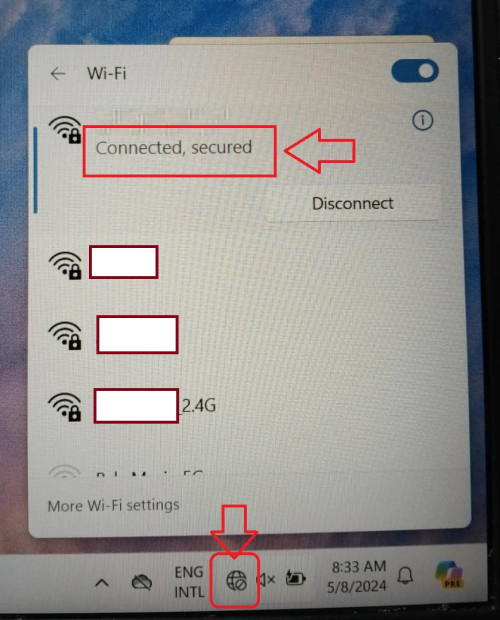
user posted image
Hades76
post Aug 5 2024, 09:26 AM

On my way
****
Junior Member
680 posts

Joined: Jan 2012
Check your DNS and see where its going. If in doubot change to Google 8.8.8.8
TSSteven39131
post Aug 5 2024, 09:28 AM

New Member
*
Junior Member
13 posts

Joined: Jan 2023
QUOTE(Hades76 @ Aug 5 2024, 10:26 AM)
Check your DNS and see where its going. If in doubot change to Google 8.8.8.8
*
Others laptop is working smoothly. cmd ping 8.8.8.8 also not working too
Hades76
post Aug 5 2024, 09:34 AM

On my way
****
Junior Member
680 posts

Joined: Jan 2012
Hmm....looks like you need to diagnose slowly.

Do you get IP on your machine via DHCP. IF you can try to ping the router. If can ping the router then its traffic routing. DNS seems to be the early culprit.

Worse case is your TCPIP protocol is corrupted and needs to be reinstalled.
TSSteven39131
post Aug 5 2024, 10:08 AM

New Member
*
Junior Member
13 posts

Joined: Jan 2023
QUOTE(Hades76 @ Aug 5 2024, 10:34 AM)
Hmm....looks like you need to diagnose slowly.

Do you get IP on your machine via DHCP. IF you can try to ping the router. If can ping the router then its traffic routing. DNS seems to be the early culprit.

Worse case is your TCPIP protocol is corrupted and needs to be reinstalled.
*
Lastly, I used this to fix the issue:

-Network & Internet
-Advanced Network Settings
-Network Reset.
It worked, but this is the second time, and a few Dell laptops have the same issue too.
But I don't know why this happened. A few laptops have the same issue. For one, I reinstalled the driver, and for another, I restarted it, and it worked.


Change to:
| Lo-Fi Version
0.0136sec    0.72    5 queries    GZIP Disabled
Time is now: 19th December 2025 - 02:29 PM