Outline ·
[ Standard ] ·
Linear+
DLink DIR-X3060Z Router Speedtests & Tips, Oh. So. Free.
|
JON97
|
 Aug 19 2025, 02:47 PM Aug 19 2025, 02:47 PM
|

|
Randomly decided to check my DIR-X3060Z (AX3000) logs and came across my public IP is open on 80 and 443. Remote management - disabled Port Forwarding - None Remote ManageMent Status - Onu Inform to ITMS - Unreported(Terminal is starting) - ITMS Access to Onu - CPE Connection Uninitialized Firmware - DIR-X3060Z_220522_1.0.2 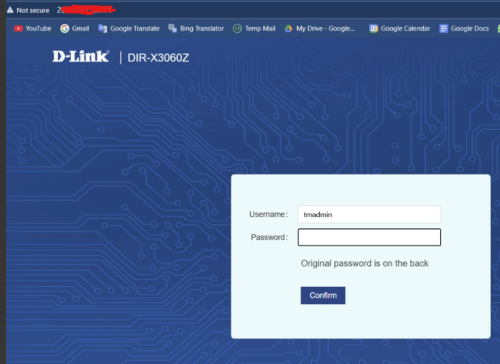 Here is the error log: QUOTE accept errno=[24:Too many open files]
open file error Too many open files
ProcAcceptEvent ... newfd[-1] ...
msgq-0 is full! QUOTE check user info failed! ret = -842 Does anyone know how to fix this? Or the only way is to get a better router since this is TM locked? |
|
|
|
|
|
JON97
|
Aug 19 2025, 11:10 PM
|
|
|
QUOTE(kwss @ Aug 19 2025, 09:03 PM) Telltale sign your router is now part of a botnet: Management interface still accessible from internet when remote management is disabled. You ran out of file descriptor. Either too many open file or socket. I suspect it's the latter since that's what botnet mostly do. Unless you have the firmware, which you don't because no ISP publish firmware for their rubbish... Scrap this device and buy a new one. EDIT: You test and open the web UI from another telco like mobile data right? You test and open the web UI from another telco like mobile data right? - Yes correct. Yea that's the thing. I doubt they will even want to give me the firmware to update it. Will try with a second router in the mean time. |
|
|
|
|
|
JON97
|
Aug 20 2025, 12:46 AM
|
|
|
QUOTE(kwss @ Aug 19 2025, 11:21 PM) Then I can say with certainty your router is a bot. You need to keep your router firmware updated. Disable all remote management. Change all default password. The thing with TM router is that even if you disable TR069, VLAN 209 is still terminated in both the ONU and the router. So technically your device is still discoverable remotely. To make matter worst, the TM firmware will allow ACS unrestricted access, meaning it's possible for VLAN 209 to jump into your LAN.
To make matter worst, the TM firmware will allow ACS unrestricted access, meaning it's possible for VLAN 209 to jump into your LAN.- Looks like I missed out on this. It seems so, this is the case. I tired with my other mesh router (Which I didn't use) and its the same issue. Public IP exposed. Unifi won't give the firmware, and dont see anyone share any recent firmware. So looks like a new router it is. Update: Not sure if DIR-X3060 supports OpenWrt This post has been edited by JON97: Aug 20 2025, 12:51 AM |
|
|
|
|
|
JON97
|
Aug 23 2025, 08:40 PM
|
|
|
QUOTE(tumira @ Aug 23 2025, 09:15 AM) Can we update the DIR-X3060Z firmware's with DIR-X3000Z firmware from the Dlink website ? https://www.dlink.com.my/dir-x3000z/#firmwareI checked with D-Link they mention it is not supported. Also if you flash it and it doesn't work the Roter will be a siting stock unless someone has the TM firmware |
|
|
|
|



 Quote
Quote

 0.0118sec
 0.20
0.20
 6 queries
 GZIP Disabled