Welcome Guest ( Log In | Register )

Outline · [ Standard ] · Linear+

 maxis with unifi wifi 6 D-Link AX3000 Bridge Mode, fighting work with new AP

views
     
TSshiroamada
post Aug 31 2023, 03:50 PM, updated 3y ago

Getting Started
**
Junior Member
178 posts

Joined: Jan 2003
From: Tawau(SBH), Bkt Jalil(KL)


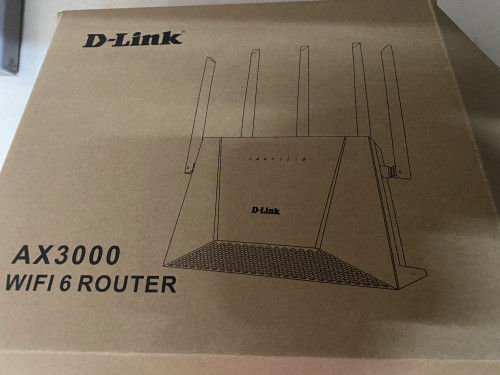
My brother install Unifi Free 2 Mesh Router, he give 1 to me. He does not need it.
user posted image

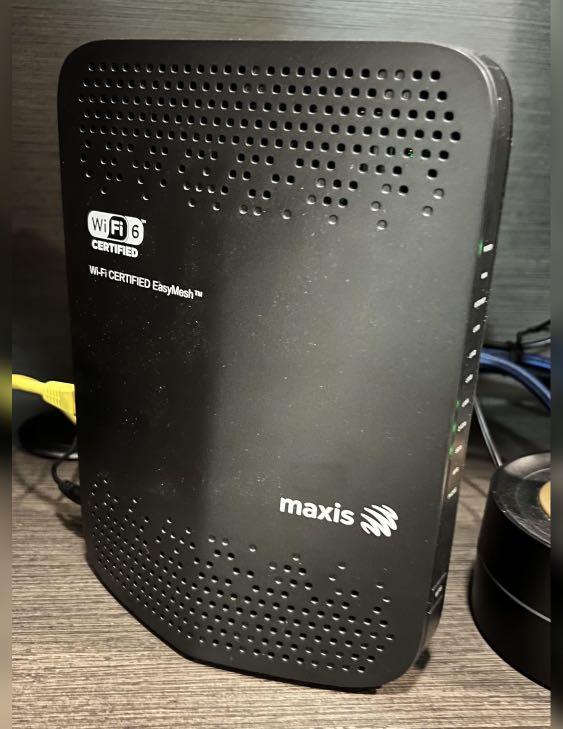
My house is using Maxis Kaonmedia wifi 6 router.
user posted image

I am so happy to have another wifi 6 router AP installed at upstair. BUT...

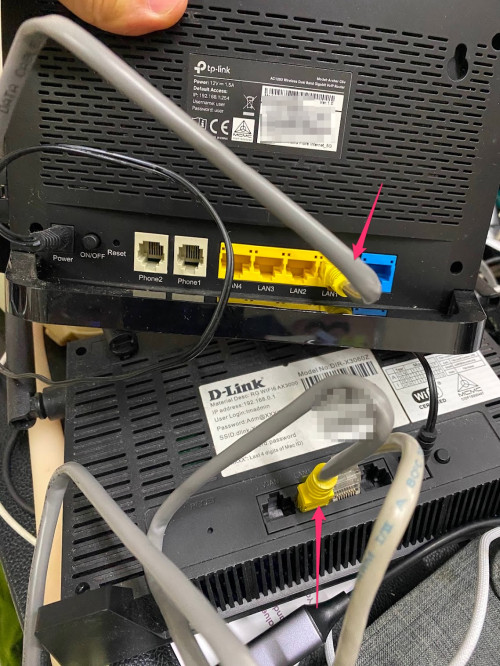
I use the free D-Link AX3000 Bridge Mode to upstair, (pull a wired cable from maxis router LAN1 to Unifi Mesh Router LAN).

REQUIREMENT:
- Same subnet (Same Network)
- Different SSID from Main Router

I want to separate the SSID between 2.

Maxis:-
shiro-maxis-2.4g
shiro-maxis-5g

Maxis Router Gateway: 192.168.0.1

Unifi Mesh Router: 192.168.0.2
Unifi DCHP: Off
Unifi Mode change to Bridge Mode
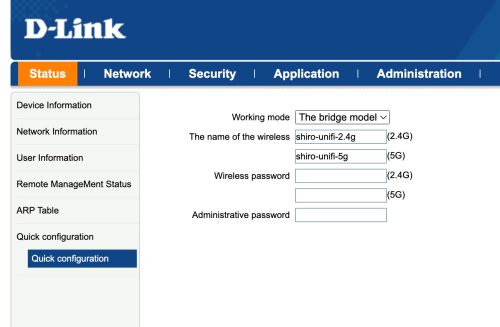
I went to WLAN: set the SSID1,5
shiro-unifi-2.4g
shiro-unifi-5g
user posted image

*What is the Administrative password for??? (anyone can explain?)

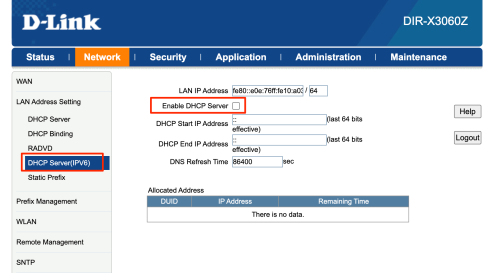
Below is the Unifi Mesh Router Setting, I had done, off DHCP, off NAT. (tried WAN port and LAN port, by right it should be only using LAN mode, but no DHCP).
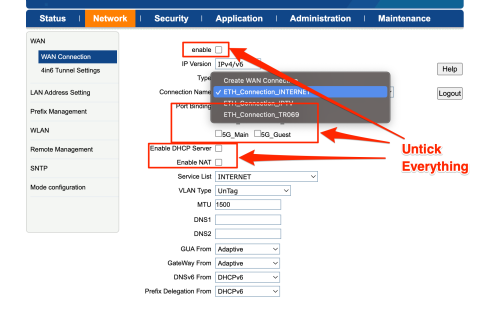
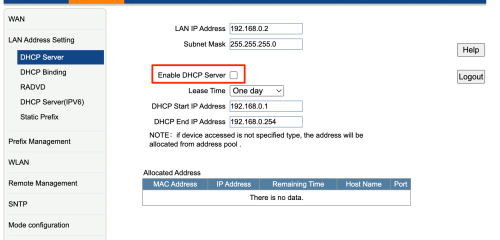
user posted image

user posted image

user posted image

but, once I restart/reboot the unifi router. The SSID automatic change to Maxis. I use inssider to SCAN it, found 2 SSID under the same.

2. If I don't restart, I manually change the SSID, it able to show up, but when I connected to unifi SSID, it does not have any IP.
The connected devices show private IP, there is no IP get from maxis router DHCP server.
If I set manual / static IP
192.168.0.200 and gateway 192.168.0.1, I am able to access internet. However, I notice the connection is not stable. the ping is frequency drop.
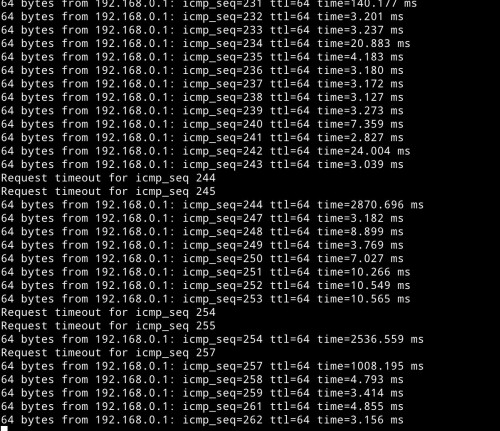
user posted image

*Thing to take note:
The two SSID is using same channels. If I manually switch the unifi WLAN 5g channel, the primary one also switched... I am fed up... like fighting a big boss.

There is no AP Mode, only 2 modes.
-router mode
-bridge mode

https://www.dlink.com.my/product/ax3000-mes...outer/#nf_specs

I would want to group it into 1 network, so everything share under 192.168.0.x network

Is it no way to make sure for this unifi mesh router? is it kind of waste. I got heard always use same AP brands, if not will have issue.
Post this up, hopefully any sifu can give advice. Or ask D-Link to any firmware to fix it?

UPDATE:
I changed another maxis router to test. Below is the video for more detail:
https://www.youtube.com/watch?v=sb33z82bLuE


This post has been edited by shiroamada: Sep 24 2023, 09:16 AM
TSshiroamada
post Aug 31 2023, 04:51 PM

Getting Started
**
Junior Member
178 posts

Joined: Jan 2003
From: Tawau(SBH), Bkt Jalil(KL)


There is no AP Mode, only 2 modes.
-router mode
-bridge mode

https://www.dlink.com.my/product/ax3000-mes...outer/#nf_specs


This post has been edited by shiroamada: Aug 31 2023, 05:11 PM
TSshiroamada
post Aug 31 2023, 05:09 PM

Getting Started
**
Junior Member
178 posts

Joined: Jan 2003
From: Tawau(SBH), Bkt Jalil(KL)


QUOTE(prdkancil @ Aug 31 2023, 04:23 PM)
Wrong mode on Dlink , set Dlink as AP if want use maxis gateway to dial-up PPPOE and maxis gateway + dlink both use same WIFI name.
U can use bridge on Dlink if ur dlink and maxis gateway all use different WIFI name .

Bridge mode is like passing all the routing to another device , example ur maxis gateway u set bridge then use dlink to do PPPOE , rounting dhcp , WIFI etc
*
1. I want to split the WIFI name, because I found if it same WiFi hard to troubleshoot if got problem. Since it is at my own house, try to make it easy troubleshoot next time.

2. If want to change dlink become PPPoE, terbalik not sure work or not. But if change Maxis route nto primary, from the Maxis APP not sure can monitor the online status or not. So far I can view the online status via Maxis APP
TSshiroamada
post Aug 31 2023, 11:04 PM

Getting Started
**
Junior Member
178 posts

Joined: Jan 2003
From: Tawau(SBH), Bkt Jalil(KL)


There is no AP mode. But as I study from YouTube, bridge mode look like is a AP mode.
But just no idea this D-Link, sendiri pandai auto mesh it. In the easy mesh mode, I can see it group it, that why after reboot, it will merge the SSID, but still no IP given.

Hope anyone have experience try on this unifi mesh work as a AP in their workaround, or anyone have good experience with D-Link.
TSshiroamada
post Sep 1 2023, 10:39 AM

Getting Started
**
Junior Member
178 posts

Joined: Jan 2003
From: Tawau(SBH), Bkt Jalil(KL)


QUOTE(BOTAK_WAI @ Aug 31 2023, 11:19 PM)
dey…don't confuse wan bridge mode (ip passthrough) with bridge mode (turn wan port into lan port for access point)

u plug into wan port sure it auto mesh with easy mesh protocol

if u want to make it function as AP, then plug into lan port and disable dhcp

if u want to mesh it, just reset the router and plug into wan port and let the router self configure.
*
I tried " then plug into lan port and disable dhcp" , the problem is no IP address assigned when I connected to the Unifi Router (I purpose change different SSID to test it).

As you see my screenshot I not only disable DHCP, also IPv6 DHCP and also NAT.

TSshiroamada
post Sep 24 2023, 12:54 AM

Getting Started
**
Junior Member
178 posts

Joined: Jan 2003
From: Tawau(SBH), Bkt Jalil(KL)


Weekend I try to fix this issue again.
I manage to do a screencast for better understand what I had done.
https://youtu.be/sb33z82bLuE

Below is from Maxis Router to Dlink AX3000 picture.
Maxis (LAN1) to Dlink (LAN1)
user posted image

Eventhough it is connected successfully with bridgemode, but you can see the DHCP is not working, I have to manually set the IP.
Even I manually set the IP, the IP ping is dropped very frequent. It cannot pakai


Change to:
| Lo-Fi Version
0.0166sec    0.89    6 queries    GZIP Disabled
Time is now: 14th December 2025 - 02:56 PM