Welcome Guest ( Log In | Register )

Bump Topic Topic Closed RSS Feed
4 Pages  1 2 3 > » Bottom

Outline · [ Standard ] · Linear+

 ~ Official Asus EEE PC Thread ~, Post everything on EEE here!

views
     
splua333
post Nov 13 2007, 10:15 PM

Getting Started
**
Junior Member
228 posts

Joined: Sep 2007
From: Taiping


QUOTE(k0k_w31 @ Nov 12 2007, 06:22 PM)
Jz to inform you guys, The Pre-launch order still on,
you guys still can fax or email me the form.
come come come~  thumbup.gif
*
I had email my order form to u biggrin.gif biggrin.gif biggrin.gif

Still need i fax to your office?

When that day, need i to print out this form for confirmation?
splua333
post Nov 14 2007, 08:42 PM

Getting Started
**
Junior Member
228 posts

Joined: Sep 2007
From: Taiping


Forget to ask.......

The Eee PC which presale, has Webcam?
splua333
post Nov 15 2007, 07:57 PM

Getting Started
**
Junior Member
228 posts

Joined: Sep 2007
From: Taiping


So, tomorrow arrived there, what else to do? just wait or what? need take number paper like bank? tongue.gif:P

(Aiks....my printer ink almost empty, now the form's black ink like light grey color, hope can use it....tongue.gif)
splua333
post Nov 27 2007, 05:51 PM

Getting Started
**
Junior Member
228 posts

Joined: Sep 2007
From: Taiping


user posted image
user posted image


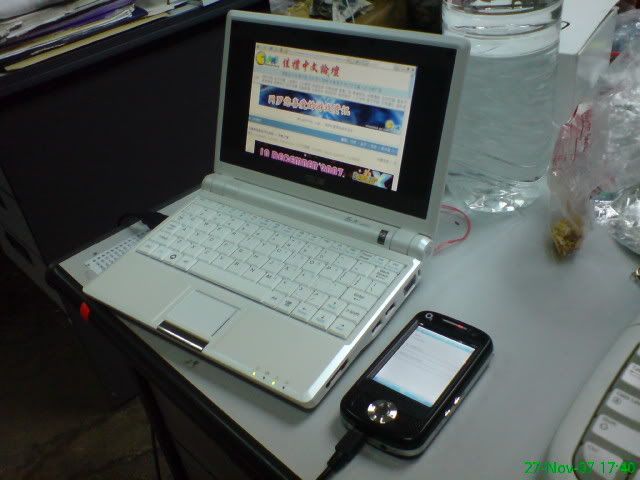
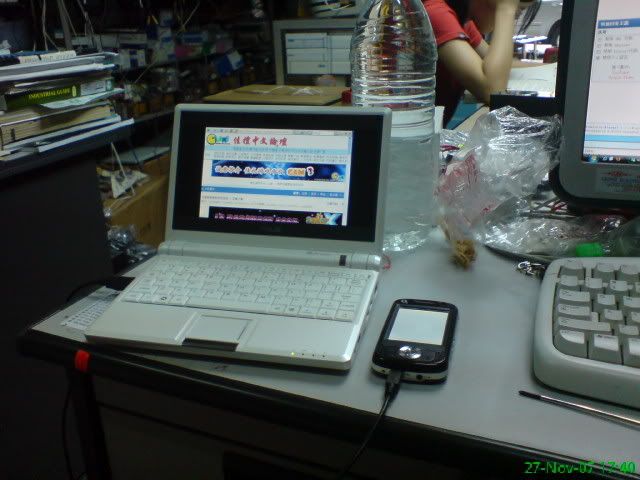
Use Atom Life as HSDPA Modem and connect my Eee to the Internet
(Win XP + 1G DDR2 RAM)
splua333
post Nov 27 2007, 09:20 PM

Getting Started
**
Junior Member
228 posts

Joined: Sep 2007
From: Taiping


only 1 RAM slot for Eee PC. You can slot either 1G or 2G DDR2 RAM in it.

But, for me, there was no different between 1G and 512mb RAM. But with 1G, you can use RAMdisk to boost up the IE or other application with TEMP.
splua333
post Nov 28 2007, 05:11 PM

Getting Started
**
Junior Member
228 posts

Joined: Sep 2007
From: Taiping


How long does your Eee + WinXP boot up time? mean from u click the power button until the HDD light off in Windows.

Mine takes from 45sec to 1min and 10sec or abit more.

How some guys can get 19sec?
splua333
post Nov 28 2007, 05:47 PM

Getting Started
**
Junior Member
228 posts

Joined: Sep 2007
From: Taiping


QUOTE(ilham87 @ Nov 28 2007, 05:24 PM)
probably fresh installed windows with some tweaking. mine around 30-40sec.
*
What else tweak to do?
Mine is Regular Windows XP Pro SP2 with 1G RAM (0401 BIOS)

Below Tweaks i had done:
1. Change the pagefile to 256mb, 256mb MAX
2. Compress Drive to save same space on SSD (Windows installed inside)
3. The tweak from Asus manual had done
4. AVG Antivirus Free Edition installed + updated
5. Windows updates full and the tweak to delete the hotfix + backup file had done.
6. Use CCleaner always.

What else i miss out?
splua333
post Nov 28 2007, 06:17 PM

Getting Started
**
Junior Member
228 posts

Joined: Sep 2007
From: Taiping


oooo......mean i no need to compress it? (Since i has 1.9G free space)

and pagefile, turn it off will hav any effect?
splua333
post Nov 29 2007, 03:53 PM

Getting Started
**
Junior Member
228 posts

Joined: Sep 2007
From: Taiping


lolz

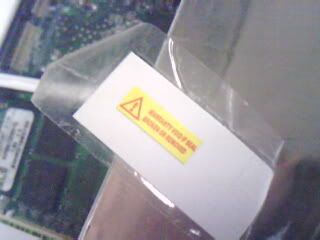
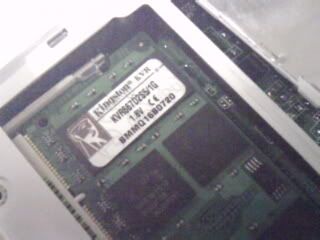
I had upgrade mine to 1G DDR2 last 2 weeks ago after some days i purchased mine.

The Warranty Sticker is nicely remove and paste on the sticker book now....hehe!
splua333
post Nov 29 2007, 05:09 PM

Getting Started
**
Junior Member
228 posts

Joined: Sep 2007
From: Taiping


erm....

With Full XP Version, you still can get about 1.xG free space after the tweak from Asus User Manual had done.

With all the Windows Updates. and compress the drive, you will get 1.xG also...tongue.gif
splua333
post Nov 29 2007, 06:20 PM

Getting Started
**
Junior Member
228 posts

Joined: Sep 2007
From: Taiping


QUOTE(m|key @ Nov 29 2007, 05:32 PM)
i try installing the xp, but stuck after the 1st reboot. it gives me memory error and say insufficient space.

sad.gif
*
Follow the Step from the Asus User Manual, then you will not miss any step or get in any problem.
splua333
post Dec 1 2007, 07:26 PM

Getting Started
**
Junior Member
228 posts

Joined: Sep 2007
From: Taiping


Only the A-Data the cheapest, RM25x for 8G cls6.

But, now im looking to the 16G cls 6, which only A-Data has it.
splua333
post Dec 5 2007, 11:30 AM

Getting Started
**
Junior Member
228 posts

Joined: Sep 2007
From: Taiping


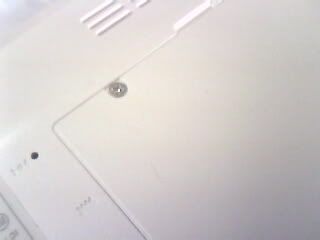
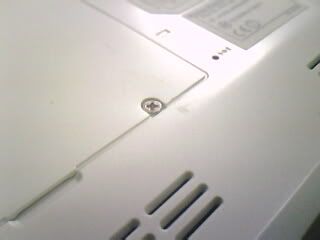
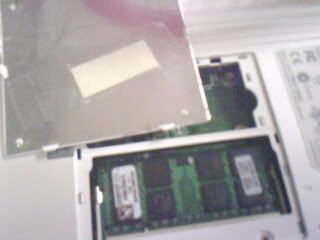
i Still keep it nicely at inner RAM cover (scare i lost it somewhere) after upgrade the 1G RAM.

The tools i use to remove the sticker nicely is an art-work knife.

The result i use it is, the sticker i removed nicely, but left some tiny scratches ...
user posted image
user posted image
user posted image
user posted image

1G DDR2 667 RAM
user posted image


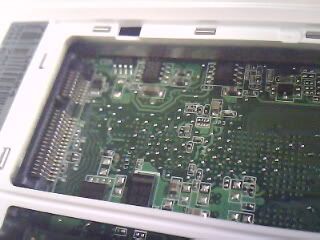
Mini PCI-E slot????
user posted image
________________________________________________________

Regular XP installed, all windows updates installed, include Real alternative, FF Codec, WMP 11, IE7, Firefox, Adobe Reader and more.
Free Space left 1.6G with Asus's Manual (except to compress the hard drive, it slow down the system. Pagefile i disabled).

This post has been edited by splua333: Dec 5 2007, 11:48 AM
splua333
post Dec 6 2007, 01:14 PM

Getting Started
**
Junior Member
228 posts

Joined: Sep 2007
From: Taiping


Yes. You can.

Just install the Pure Messenger for Windows OS. it had minus the advertisment.
splua333
post Dec 9 2007, 11:28 PM

Getting Started
**
Junior Member
228 posts

Joined: Sep 2007
From: Taiping


Just brought a A-Data 8G Class 6 SD Card in RM208 from PC Fair.

Work like charm and even faster than my flash drive....hehe
splua333
post Dec 12 2007, 12:15 AM

Getting Started
**
Junior Member
228 posts

Joined: Sep 2007
From: Taiping


paging file feature = use HDD as temporary RAM when the RAM memory is not enough.
splua333
post Dec 12 2007, 11:00 AM

Getting Started
**
Junior Member
228 posts

Joined: Sep 2007
From: Taiping


i had try the 8804 ROM which has BIOS option for change the FSB from 70 to 100. But the problem is, the Wave-out.....the screen display has wave....Unable to change the refresh rate which fixed on 60Hz...

Alot problem use that BIOS too. Such as fail to load the driver like Display, audio, wifi and more. But able to solve it by uninstall the ACPI and reinstall back. (recommend format again to get a complete problem free) But the Wave still there.
splua333
post Dec 12 2007, 02:16 PM

Getting Started
**
Junior Member
228 posts

Joined: Sep 2007
From: Taiping


about the 8804, we can download it from every where (google it....or eeeuser forum will have it)

Imaging SuperPI from 2min8sec (630Mhz) to 1min13sec (900Mhz)
splua333
post Dec 14 2007, 12:09 PM

Getting Started
**
Junior Member
228 posts

Joined: Sep 2007
From: Taiping


Use internal SSD, average speed around 24-26mb/s

Use FlashDrive, Average speed around 6-12mb/s

Use Normal SD card (<2G), Average speed around 4-10mb/s

Use 8G SDHC Class6, Average speed around 15-16.8mb/s

Use Highspeed 2G MiniSD + Adapter, Average speed around 12-14mb/s

Use High speed flash drive (ie Corsair Yoyager GT Series), Average speed around 16-20mb/s (Cost a bomb)


Added on December 14, 2007, 12:11 pm
QUOTE(yikyeou @ Dec 14 2007, 11:56 AM)
is the transfer speed from the sd card fast? if does, you can use a 4gb sd card to expand the capacity. my 2 cents.
*
Use The A-Data 8G SDHC Class 6 for my Eee. Save movie (rmvb, avi, wmv) and music (mp3) inside, no lagging.


About the software.....i didn't install inside the SDHC

This post has been edited by splua333: Dec 14 2007, 12:11 PM

splua333
post Dec 15 2007, 11:44 AM

Getting Started
**
Junior Member
228 posts

Joined: Sep 2007
From: Taiping


SSD is quite fast for all task. With using external HDD or SDHC/ flash drive. So, the memory problem had solved.

And had try the Wifi browsing for 3 hours non stop (view friend's friendster profile + youtube), still left 20%.

Quite surprise to get this result.

4 Pages  1 2 3 > » Top
Topic ClosedOptions
 

Change to:
| Lo-Fi Version
0.0414sec    0.51    7 queries    GZIP Disabled
Time is now: 10th December 2025 - 07:42 AM