QUOTE(sniper on the roof @ Dec 20 2007, 09:45 PM)
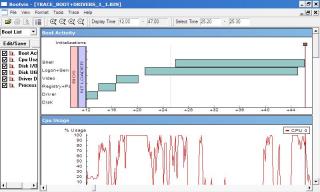
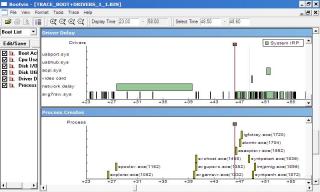
Sorry for the late submission ....here's my bootvis results with current configurations. Needs lots more optimisation.

just need turn off spooler, AV(load it but w/o start the monitoring service if possible) will help up a lots.
do u guys facing the "The battery meter isn't very accurate" issue?
QUOTE
Battery
Under normal use, backlight at 100 percent and using wireless for web browsing and watching a DivX movie at 75 percent volume, the Eee PC managed to deliver three hours and 23 minutes of battery life. We were hoping for more given the low voltage processor and flash-based storage, but for a $400 notebook the battery life is still very good. Lowering the screen brightness and turning off the wireless card should provide enough battery life for prolonged use.
While the battery life was reasonable, we did experience some minor problems with the on-screen battery meter. After two hours and 8 minutes of browsing the web wirelessly and watching a DivX movie the low battery warning popped up on screen and reported that the Eee PC would shut down in 3 minutes unless it was plugged into a power source. The Eee PC then kept working for another one hour and 15 minutes before the notebook shutdown. Bottom line, the on-screen battery indicator cannot be trusted.
http://www.notebookreview.com/default.asp?newsID=4055I gonna try mine when I ready. (turn off the XP low battery shutdown warning..


)
between, b4 that I was using original 02xx Bios running Xandros, ya, its able to reach 3 hours + with wifi surfing then low battery warning only prompt out at 20%.
after I upgrade to 0401 BIOS, after almost 2 hours usage 20% low battery will prompt out...

weird thing happened...b4 that I go softpedia download the full WLM 8.5 which 16MB, after installed, my c drive left about 800MB..
after I uninstalled it, reinstall from the 2.4MB WLMinstall.exe by WLM offcial web, my c drive turn to 1.12GB free space


 This post has been edited by iRonTech: Dec 20 2007, 10:19 PM

 Dec 19 2007, 04:52 PM


 Quote
Quote




 ready made code for 900Mhz..




 0.0191sec
 0.69
0.69
 6 queries
 GZIP Disabled