Welcome Guest ( Log In | Register )

Outline · [ Standard ] · Linear+

 [HELP] Unifi + TP Link Deco Issue

views
     
TSmyroy
post Aug 8 2023, 11:56 PM, updated 3y ago

BIG BOSS
******
Senior Member
1,202 posts

Joined: Dec 2010
From: HELL


Hi lot of issue here while im trying to troubleshoot
But here


Case 1:

My pc have internet (wired) to router
but why i cant view router via web browser?

Last time i remember can access this web portal (https://192.168.0.1/) when unifi installation at my house early this year

user posted image


Case2:
In my router I have 4 port, why i can only access internet at port 1?
port 2,3,and 4 now connectivity
-already put static ip
-change dns
result remain same, unless i connect to port 1 but to see setting it goes to issue CASE 1


Case 3:
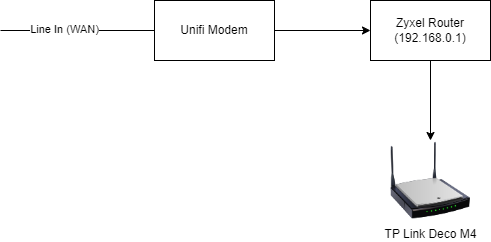
Since I have internet from case 1, I want to use TP link DECO M4
(I already setup multiple mesh wifi previously)

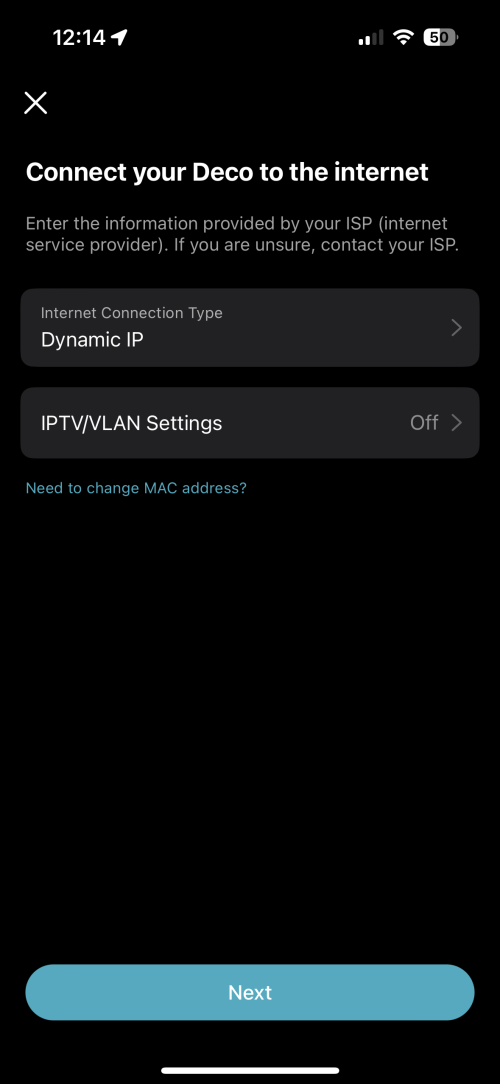
So I connect tp link deco wifi from port 1 router and setup my mesh
user posted image

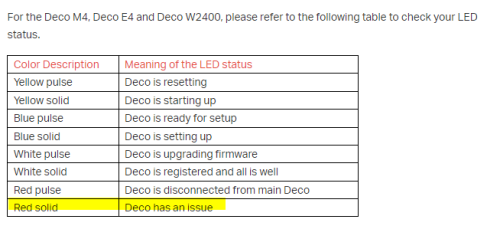
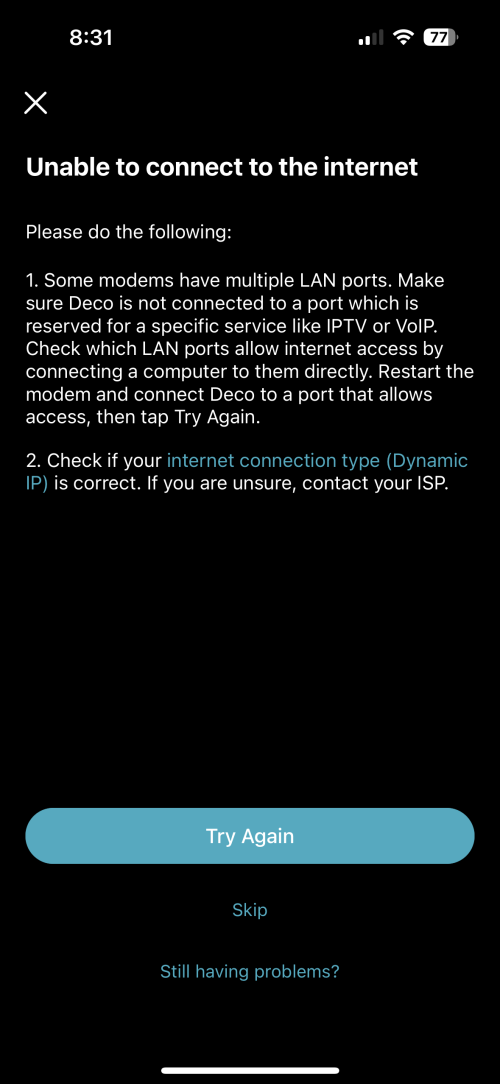
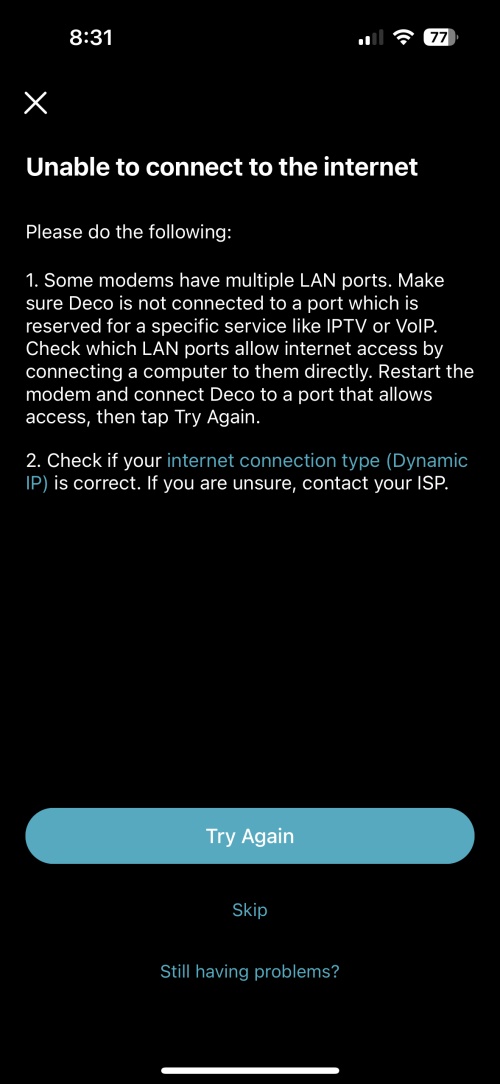
And it shows error (LED Solid red)

user posted image


Please note that I already call unifi on this, they will coming tomorrow
its just that i try to troubleshoot myself first
This time my home network got weird issue


This post has been edited by myroy: Aug 8 2023, 11:59 PM
sadlyfalways
post Aug 9 2023, 12:40 AM

Regular
******
Senior Member
1,185 posts

Joined: Nov 2020
i dunno about xyzel and unifi. last time i use their dlink router no issue. just port 4 blocked for iptv

for case one you can see in your network settings what is the default gateway or ip address for your router

normal vpn wont cause issue with this, but sometimes cloudflare warp can cause issue with local connections too

case 2 maybe unifi blocked the ports, i dont know why make it similar to their modem

case 3, how did you set up your deco? you need to put it in access point mode to use properly like this

means deco will be used for wifi only

why do you need the xyxel?

you can just connect deco direct to the modem and buy a netwrok switch for more ports
PRSXFENG
post Aug 9 2023, 09:08 AM

Look at all my stars!!
*******
Senior Member
2,614 posts

Joined: Nov 2020


Case 1 and 2 are weird

but try just ditching the Zyxel entirely and connect the Deco up directly
follow this
https://www.youtube.com/watch?v=TOFEVnjbBDc
TSmyroy
post Aug 9 2023, 10:27 AM

BIG BOSS
******
Senior Member
1,202 posts

Joined: Dec 2010
From: HELL


QUOTE(PRSXFENG @ Aug 9 2023, 09:08 AM)
Case 1 and 2 are weird

but try just ditching the Zyxel entirely and connect the Deco up directly
follow this
https://www.youtube.com/watch?v=TOFEVnjbBDc
*
Tried this
Connect directly from
Modem -> deco mesh
After setting my deco led showing red

Tested with
Modem -> zyxel (router) -> deco mesh
Same result, red led at my deco

user posted image
user posted image
TSmyroy
post Aug 9 2023, 10:34 AM

BIG BOSS
******
Senior Member
1,202 posts

Joined: Dec 2010
From: HELL


QUOTE(sadlyfalways @ Aug 9 2023, 12:40 AM)
i dunno about xyzel and unifi. last time i use their dlink router no issue. just port 4 blocked for iptv

for case one you can see in your network settings what is the default gateway or ip address for your router

normal vpn wont cause issue with this, but sometimes cloudflare warp can cause issue with local connections too

case 2 maybe unifi blocked the ports, i dont know why make it similar to their modem
Not sure why they block other port on my zyxel router


case 3, how did you set up your deco? you need to put it in access point mode to use properly like this
I tried both
Modem -> mesh deco
Modem -> router zyxel -> mesh deco

Both resulted same (red led light)


means deco will be used for wifi only

why do you need the xyxel?
Because as for now only via zyxel port 1 are manage to get internet access (tested direct wired connection to my pc)


you can just connect deco direct to the modem and buy a netwrok switch for more ports


*
user posted image
user posted image
PRSXFENG
post Aug 9 2023, 10:59 AM

Look at all my stars!!
*******
Senior Member
2,614 posts

Joined: Nov 2020


QUOTE(myroy @ Aug 9 2023, 10:27 AM)
Tried this
Connect directly from
Modem -> deco mesh
After setting my deco led showing red

Tested with
Modem -> zyxel (router) -> deco mesh
Same result, red led at my deco

user posted image
user posted image
*
Please try modem -> Deco in PPPoE mode with the credentials provided by TM (see video)
tvcat
post Aug 9 2023, 11:30 AM

Mr. Dumb Dumb
*******
Senior Member
2,929 posts

Joined: Nov 2004


Try 192.168.1.1, maybe you remember the wrong router IP.
sadlyfalways
post Aug 9 2023, 02:14 PM

Regular
******
Senior Member
1,185 posts

Joined: Nov 2020
QUOTE(myroy @ Aug 9 2023, 10:34 AM)
user posted image
user posted image
*
you can follow this tutorial

https://www.youtube.com/watch?v=TOFEVnjbBDc

do note that the other ethernet port will be reserved for ipts

can overcome this issue by using custom vlan settings
ssplayboy
post Aug 9 2023, 04:30 PM

New Member
*
Junior Member
21 posts

Joined: Aug 2006
QUOTE(myroy @ Aug 8 2023, 11:56 PM)
Hi lot of issue here while im trying to troubleshoot
But here
Case 1:

My pc have internet (wired) to router
but why i cant view router via web browser?

Last time i remember can access this web portal (https://192.168.0.1/) when unifi installation at my house early this year

user posted image
Case2:
In my router I have 4 port, why i can only access internet at port 1?
port 2,3,and 4 now connectivity
-already put static ip
-change dns
result remain same, unless i connect to port 1 but to see setting it goes to issue CASE 1
Case 3:
Since I have internet from case 1, I want to use TP link DECO M4
(I already setup multiple mesh wifi previously)

So I connect tp link deco wifi from port 1 router and setup my mesh

user posted image

And it shows error (LED Solid red)

user posted image
Please note that I already call unifi on this, they will coming tomorrow
its just that i try to troubleshoot myself first
This time my home network got weird issue

*
Which model of Zyxel route?btw the Deco you are putting to Access Point mode or route mode. for my one is Access Point mode

Oltromen Ripot
post Aug 11 2023, 08:33 PM

👍 999999 person Likes this member
*******
Senior Member
4,034 posts

Joined: Dec 2019
Are you sure the Zyxel address is HTTPS?

(1) Not HTTP?

(2) Use TCP port scanner. Scan your Zyxel's internal IP for open ports, in case it is no longer the port or protocol you previously remembered.

(3) It could also be that you are getting 192.168.0/24 subnet is secondary IP? That you are supposed to access via primary subnet's IP.

caveat: i have never used Zyxel router.
blacktubi
post Aug 11 2023, 10:33 PM

-
Group Icon
Elite
8,421 posts

Joined: Jul 2008

Skip the router and use the Deco M4 directly to the modem

They will perform much better this way


Change to:
| Lo-Fi Version
0.0188sec    0.42    5 queries    GZIP Disabled
Time is now: 20th December 2025 - 03:58 PM