

This post has been edited by westlife: Jun 6 2023, 02:20 AM
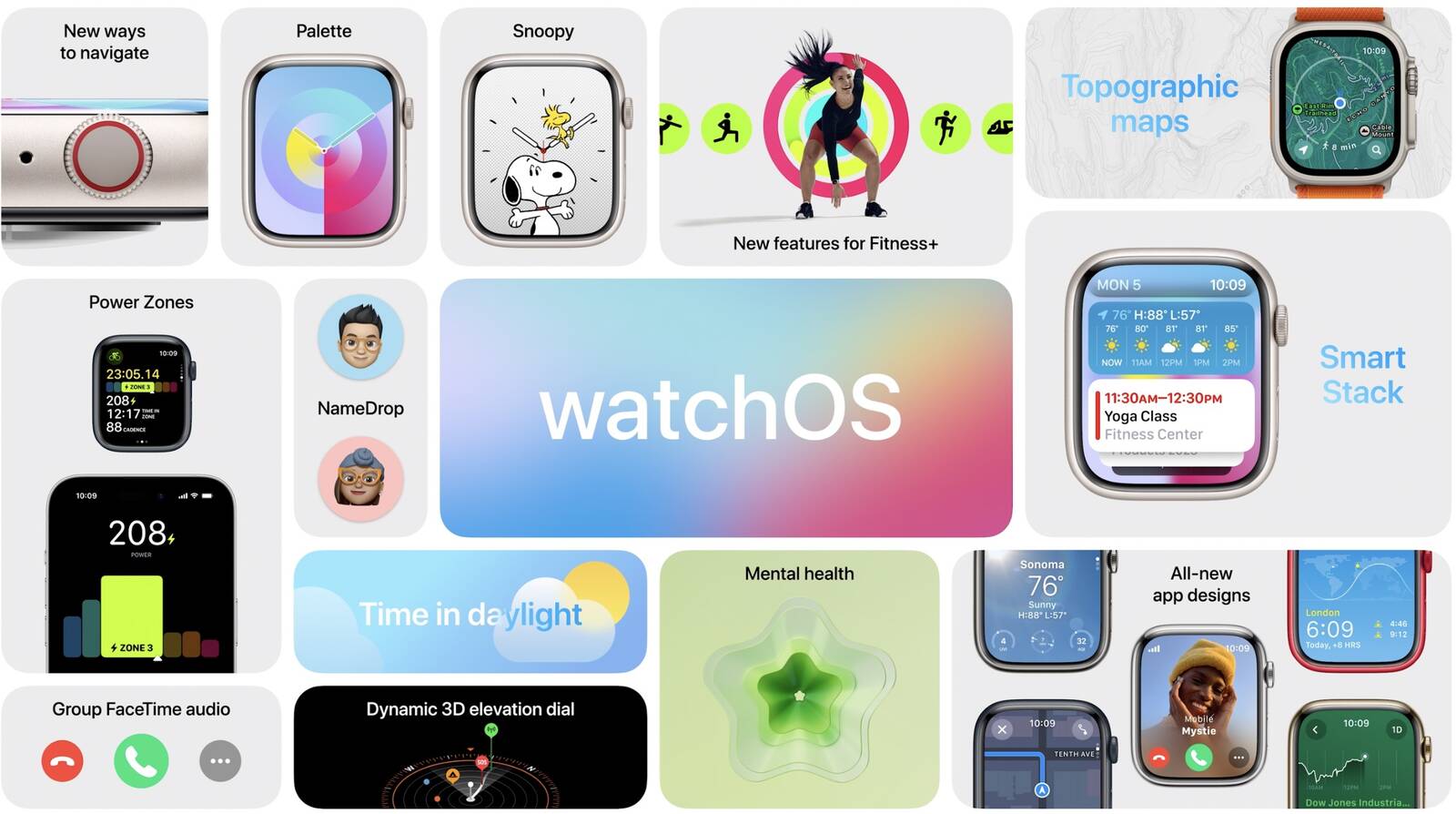
[2023] watchOS 10 Discusssion Thread
|
|
  Jun 6 2023, 02:06 AM, updated 3y ago Jun 6 2023, 02:06 AM, updated 3y ago
Show posts by this member only | Post
#1
|
 
All Stars
14,270 posts Joined: Jan 2011 
|
This post has been edited by westlife: Jun 6 2023, 02:20 AM |
|
|
|
|
|
Jun 6 2023, 06:50 AM
Show posts by this member only | Post
#2
|

Junior Member
882 posts Joined: Nov 2004 
|
Does this mean it will drain my battery faster?
|
|
|
Jun 6 2023, 12:04 PM
Show posts by this member only | Post
#3
|

All Stars
32,468 posts Joined: Mar 2005
|
QUOTE(lawrencesha @ Jun 6 2023, 06:50 AM) Does this mean it will drain my battery faster? Don’t see how it should.. |
|
|
Jun 6 2023, 05:35 PM
Show posts by this member only | Post
#4
|
 
Staff
9,198 posts Joined: Aug 2010 
|
was looking forward to the rumored grid layout..
 QUOTE(lawrencesha @ Jun 6 2023, 06:50 AM) Does this mean it will drain my battery faster? i think battery usage will be more or less the same.. |
|
|
Jun 6 2023, 05:37 PM
Show posts by this member only | Post
#5
|

Junior Member
517 posts Joined: Sep 2009
|
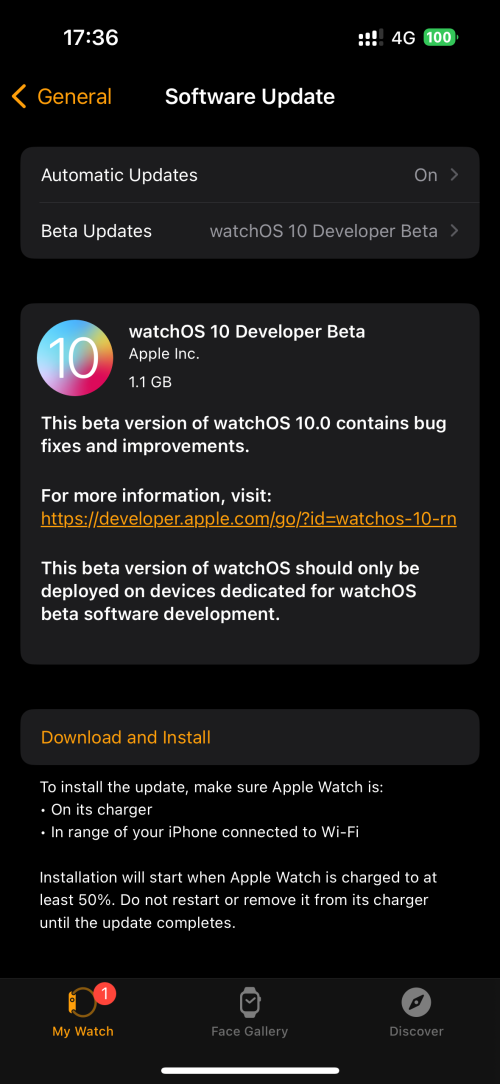 Tempting to dl |
|
|
Jun 6 2023, 05:40 PM
Show posts by this member only | Post
#6
|

Junior Member
354 posts Joined: Apr 2007 From: sarawak
|
already installed on iwatch 5 LTE. so far no wow factor
|
|
|
|
|
|
Jul 14 2023, 07:01 AM
Show posts by this member only | IPv6 | Post
#7
|

Junior Member
324 posts Joined: Jul 2005 From: Kuala Lumpur
|
New WatchOS will support which earliest model?
|
|
|
Sep 5 2023, 01:44 PM
Show posts by this member only | Post
#8
|

Senior Member
8,363 posts Joined: Feb 2014
|
While it’s common to use your smartphone, tablet and computer during flights, your smartwatch is one device that doesn’t serve much purpose on a plane. So, unless you’re closing your Apple Watch rings by lapping the aircraft aisles, there’s a certain watch setting you should change before takeoff.
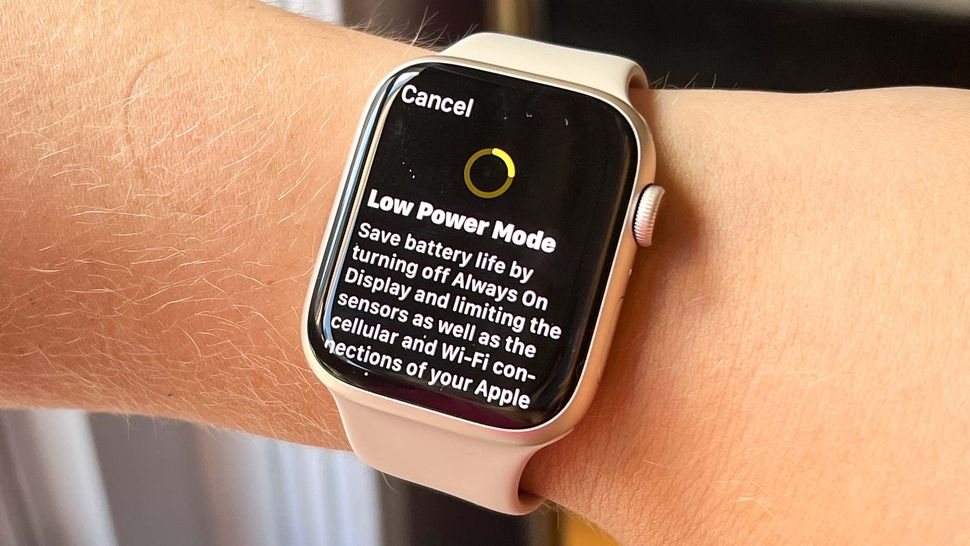 The Apple Watch low power mode, which debuted alongside the Apple Watch Series 8, is a battery setting you can enable to make your smartwatch last longer. It disables or limits select battery-draining features, such as the always on display and background heart rate monitoring. Low power mode on your Apple Watch will restrict the device’s Wi-Fi and cellular activity, too. When you’re on a plane, I think it’s unlikely you need any of these features. I only check my Apple Watch on flights to dismiss stand alerts, because there’s no way I’m bugging the people next to me (I’m a window seat person) to move just because my smartwatch told me so. I was already in the habit of disabling my Apple Watch Ultra’s cellular settings, since I’m obviously not taking any calls from the sky. But low power mode has further benefits. For one, if you have a long travel day, low power mode can keep your Apple Watch running for longer than usual. With low power mode enabled, all the best Apple Watch devices (including the Apple Watch SE) will stay powered on for up to 36 hours per Apple’s estimates. The Apple Watch Ultra, meanwhile, can last up to 60 hours, which is one of the key differences between the Apple Watch Series 8 vs. Apple Watch Ultra. How to turn on low power mode on Apple Watch To turn on low power mode, open the Control Center on your Apple Watch. Tap the bubble that shows your battery percentage and toggle on low power mode. You'll be prompted to review the implications of low power mode, with the option to turn the feature on or turn it on for a certain duration. For example, you can set low power mode to last for one day, so by the time you’re finished traveling, your Apple Watch will automatically return to normal function. 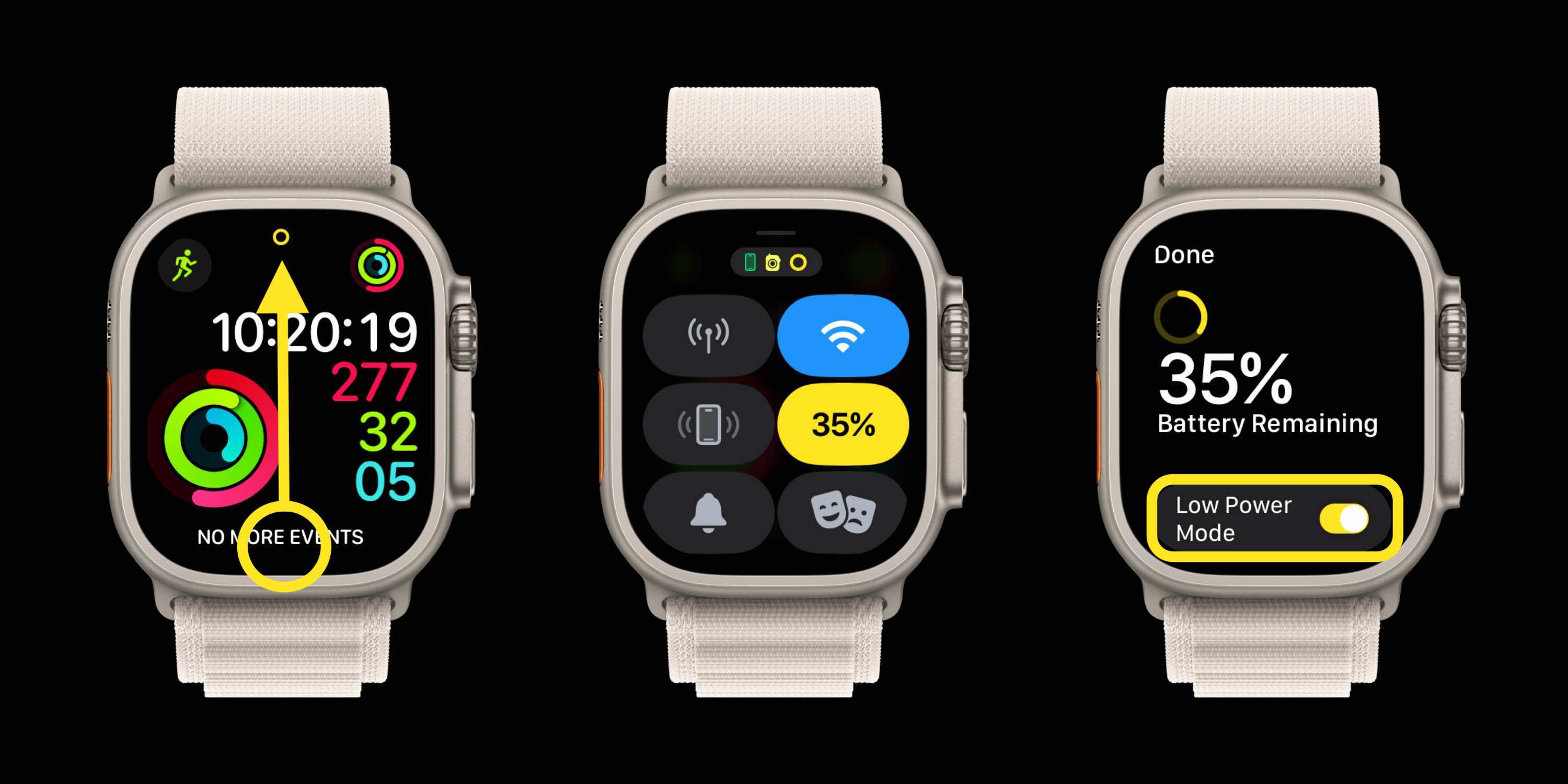 This has been incredibly convenient for travel, helping my Apple Watch keep up even when I’m going up to 24 hours without easy access to a charger. I will say I like to keep this awesome Apple Watch accessory for charging with me just in case, but I’ve hardly needed it thanks to low power mode. Source: This is the one Apple Watch setting you should change before your next flight |
|
|
Sep 20 2023, 10:30 PM
Show posts by this member only | Post
#9
|

Senior Member
1,981 posts Joined: Jan 2003 From: Malaysia
|
What do you all think about the new Snoopy watchface?
|
|
|
Sep 21 2023, 10:55 AM
Show posts by this member only | IPv6 | Post
#10
|

Senior Member
1,120 posts Joined: May 2011
|
I find WatchOS10 is very annoying with less intuitive interfaces and accessibilities.
Need to tap and swipe so many things just to get into a thing that can be done in single tap or swipe in previous OS versions. Start with switching watch face!! Then the fking widgets in Smart Stack is brainless, can only add Apple apps onto the list. Third party apps cannot add.. fuck. Need to bring up the whole apps menu now.. The 'Battery' setting also went missing. Can only access from the button below crown. And its charging to 80% only by default now, everytime have to tap only will charge to 100%. Cannot do anything on this.. damn it.. im considering to sell my AW8 SS now.. Edit: Battery in settings only show up some time after tapping to the battery % in Button. Must be some loading and installation issue with the server. This post has been edited by eikozai: Sep 21 2023, 11:06 AM |
|
|
Sep 27 2023, 11:07 AM
|

Senior Member
1,263 posts Joined: Nov 2009 From: Johor Bahru
|
Anyone else having poor battery life for the Apple Watch since upgrading to WatchOS 10? I usually have 50-55% battery life at the end of the day before I need to charge (5am to 10pm), but now I sometimes get low battery notification (10%) at 8pm. I'm on AW Series 6
|
| Change to: |  0.0173sec 0.0173sec
 0.34 0.34
 5 queries 5 queries
 GZIP Disabled GZIP Disabled
Time is now: 9th December 2025 - 07:39 AM |
 Quote
Quote