Outline ·
[ Standard ] ·
Linear+
Mini wifi switch for ceiling fan
|
TSkauchi
|
 Mar 13 2023, 04:27 PM, updated 3y ago Mar 13 2023, 04:27 PM, updated 3y ago
|
New Member


|
Hi Sifus, Can anyone explain why are there so many wires (3 green, 3 black, 1 white vs 1 green, 1 black, 1 white )going into my 3 blade ceiling fan controlled by regulator? 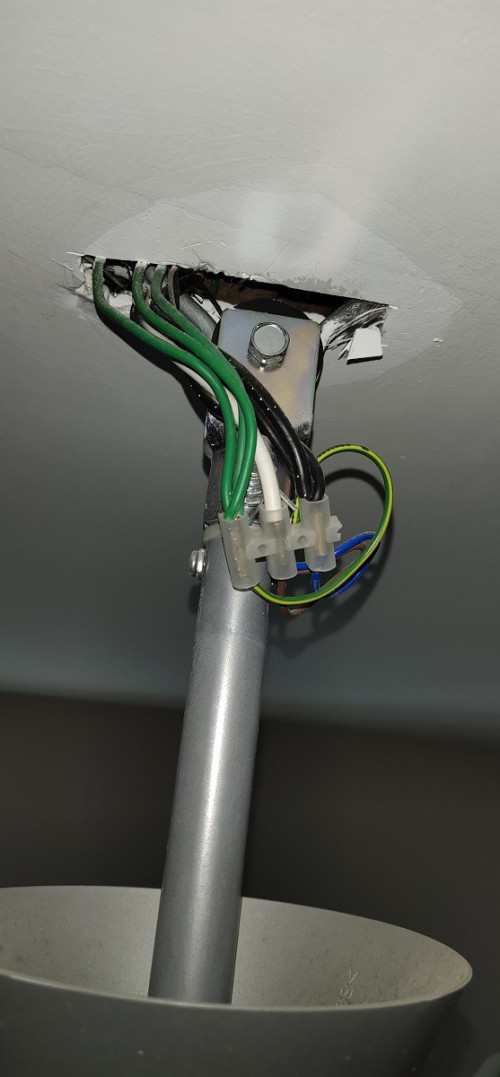 My wall switch is 3-gang switch; 2 for lights and 1 for ceiling fan. I am trying to install mini wifi switch at the ceiling as fan timer. This is the wiring guide diagram provided by the seller's website. If I were to use First Method, does that mean my wall switch for the fan will be redundant? I want to continue to use fan switch by the wall also. 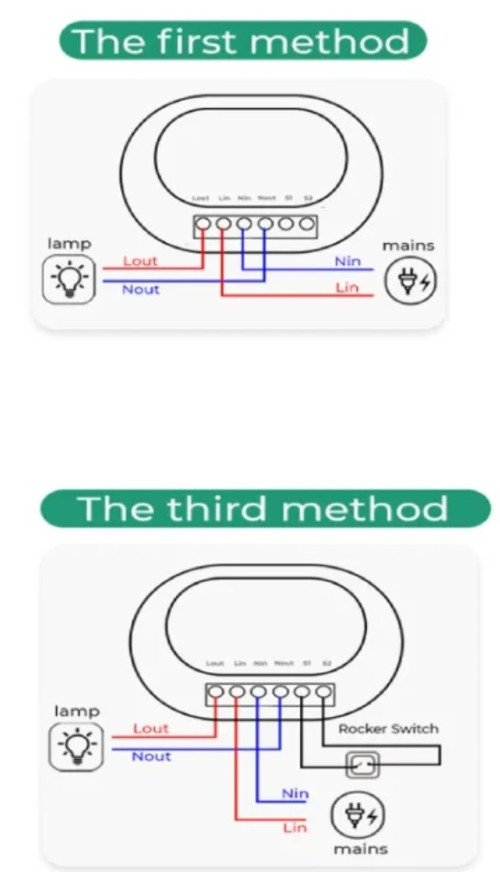 |
|
|
|
|
|
TSkauchi
|
Mar 13 2023, 05:49 PM
|
New Member
|
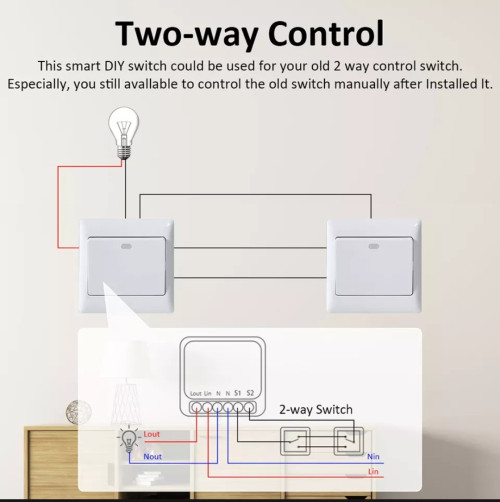 The 2 points on the right is for 2 way switch. But I dont need that. Yeah, the 3rd method is what I want to achieve in the end, but I dunno where to pull another 2 wires to connect to the existing wall switch. Maybe I should get this switch (2 input, 2 output) instead if my fan wall switch still works. 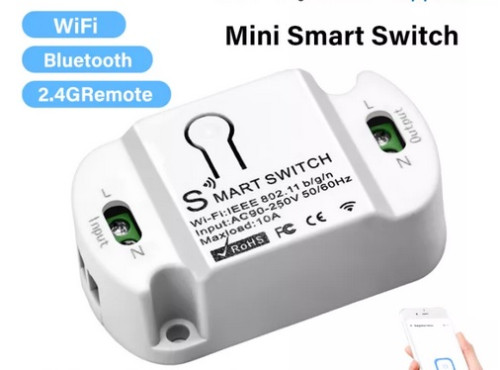 |
|
|
|
|
|
TSkauchi
|
Mar 13 2023, 06:24 PM
|
New Member
|
QUOTE(lowyat101 @ Mar 13 2023, 06:01 PM) » Click to show Spoiler - click again to hide... « in order to use the 3rd method with the manual switch, i think you need to place the smart switch next to the existing wall switch, and re-wire it as per the diagram shown. but need to also make sure that there's a neutral line next to the existing switch. coz if it's just normal switches for lights and fans, there might not be neutral line available there. No neutral at the wall switch.  So, the smart wifi switch has to be up the ceiling where the fan is. |
|
|
|
|



 Quote
Quote

 0.0158sec
 0.36
0.36
 6 queries
 GZIP Disabled