Welcome Guest ( Log In | Register )

Outline · [ Standard ] · Linear+

 How to make a photo look old?, Dust and scratch mark.

views
     
TSozak
post Oct 5 2007, 05:28 PM, updated 19y ago

10k Club
********
All Stars
17,018 posts

Joined: Jan 2005


I ve shoot some place using black and white mode. But it look too clean. I want to apply some filter or what ever to make it look old. For example, dust mark and scratch mark. Is there any filter or tehnique to do it? I m using PS or PS element.
couleur
post Oct 5 2007, 06:19 PM

Getting Started
**
Junior Member
188 posts

Joined: Mar 2007
Buy an old modern classic SLR and lots of expired films.
shoguniphicus
post Oct 6 2007, 12:08 AM

Casual
***
Junior Member
428 posts

Joined: Jul 2005
From: Music Garden


there arent really any method that can one shot make it look old, unless plugin and effects, which need money to buy.

why not just sepia it first, then by using sharp brush and doodle with it and ends it with brushing burning?

then it will look very old and nice.
onscreen
post Oct 10 2007, 08:06 PM

Nomby
****
Senior Member
675 posts

Joined: Jan 2003
From: PJ, Selangor


Hehe the trick is classic.

Get lantern paper and crumple it. Straighten it and scan it. And do some blending magic in Photoshop and some edge burning with dodge and smudge tool.
TSozak
post Oct 11 2007, 08:24 AM

10k Club
********
All Stars
17,018 posts

Joined: Jan 2005


QUOTE(onscreen @ Oct 10 2007, 08:06 PM)
Hehe the trick is classic.

Get lantern paper and crumple it. Straighten it and scan it. And do some blending magic in Photoshop and some edge burning with dodge and smudge tool.
*
Thanks. Will try it out.
vey99
post Oct 11 2007, 11:45 AM

Manyzer
*******
Senior Member
2,851 posts

Joined: Jun 2006
You can always google an old photo, and put in on your psd as new layer. Then mask out the details, leave the edges and blend onto your oroginal photo. Of course you may want to add a few layers of noise, sepia tone, even selectively blur parts of your original photo.
TSozak
post Oct 26 2007, 12:58 AM

10k Club
********
All Stars
17,018 posts

Joined: Jan 2005


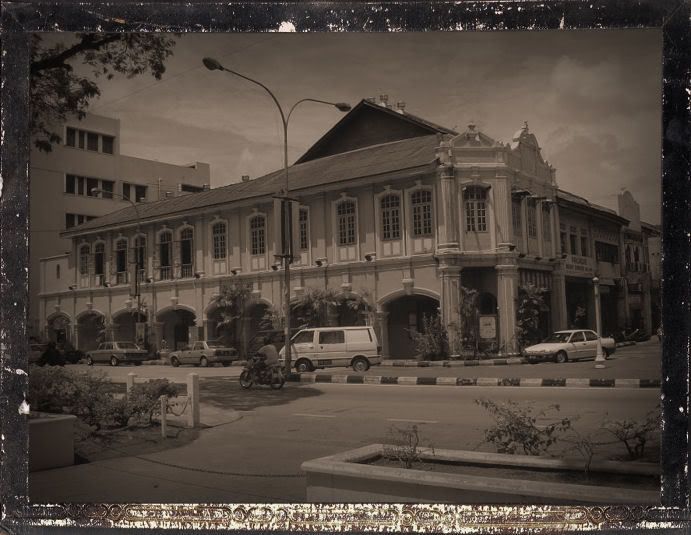
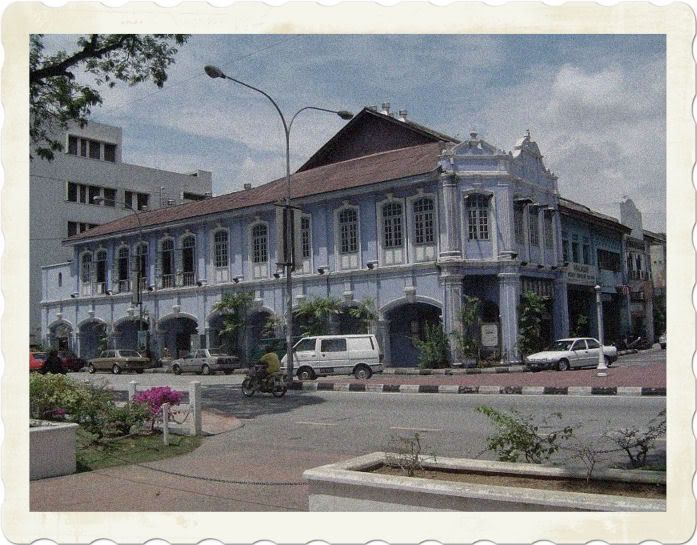
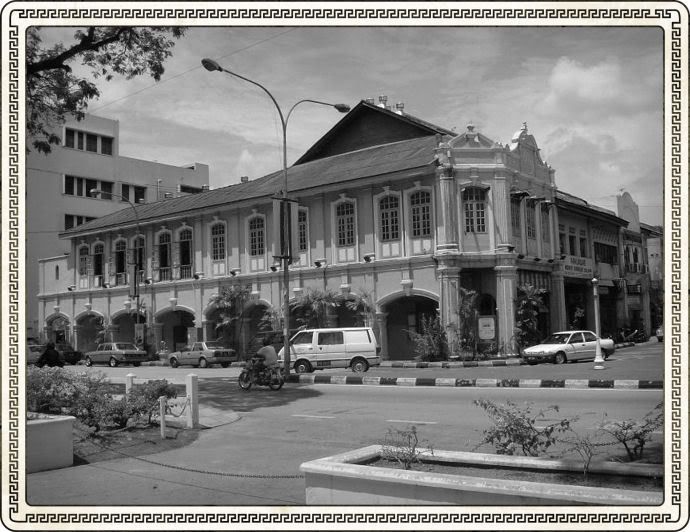
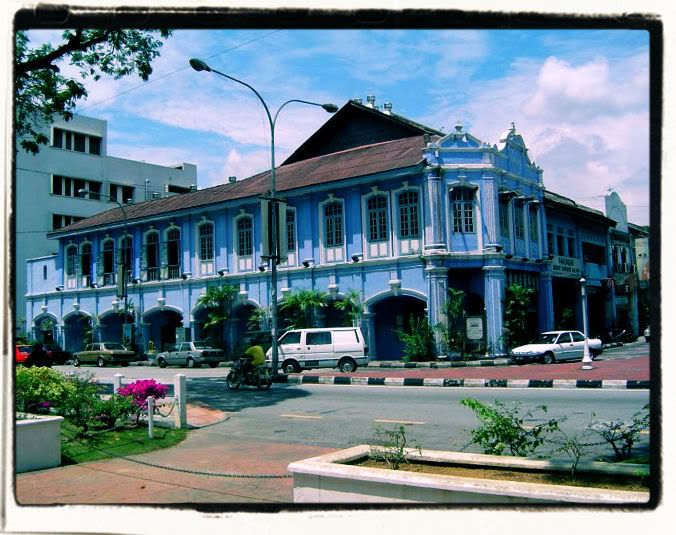
I have found a plugin program call filter unlimited. Inside have a photo aging kit. It is the filter that what I need. Thanks for all the bro support. icon_rolleyes.gif There are many technic to do it but this one is the easiest. thumbup.gif Here some picture that I apply the filter.

user posted image
user posted image

This post has been edited by ozak: Oct 26 2007, 01:00 AM
SUSN's
post Oct 26 2007, 02:54 AM

Regular
******
Senior Member
1,091 posts

Joined: Feb 2007
wahh where is this place? so many old stuff.
vey99
post Oct 26 2007, 01:12 PM

Manyzer
*******
Senior Member
2,851 posts

Joined: Jun 2006
QUOTE(ozak @ Oct 26 2007, 12:58 AM)
I have found a plugin program call filter unlimited. Inside have a photo aging kit. It is the filter that what I need. Thanks for all the bro support. icon_rolleyes.gif  There are many technic to do it but this one is the easiest.  thumbup.gif Here some picture that I apply the filter.
Nice filter, taken at the cendol shop on Jonker izzit?

It'd be more believable if the woman wasnt sitting there in her new age t-shirt, should mask her out...
xtreme_paranoid
post Oct 26 2007, 02:31 PM

UNKNOWN
******
Senior Member
1,427 posts

Joined: Sep 2006


QUOTE(ozak @ Oct 26 2007, 12:58 AM)
I have found a plugin program call filter unlimited. Inside have a photo aging kit. It is the filter that what I need. Thanks for all the bro support. icon_rolleyes.gif  There are many technic to do it but this one is the easiest.  thumbup.gif Here some picture that I apply the filter.
can share the plugin? sweat.gif

zeist
post Oct 26 2007, 10:32 PM

Mivec 1800cc
********
All Stars
15,182 posts

Joined: Jan 2003
From: Damansara Heights


QUOTE(ozak @ Oct 26 2007, 12:58 AM)
I have found a plugin program call filter unlimited. Inside have a photo aging kit. It is the filter that what I need. Thanks for all the bro support. icon_rolleyes.gif  There are many technic to do it but this one is the easiest.  thumbup.gif Here some picture that I apply the filter.

user posted image
user posted image
*
Waa, photos like 1910. laugh.gif
mxploit
post Oct 27 2007, 12:53 AM

Getting Started
**
Junior Member
266 posts

Joined: Jan 2003


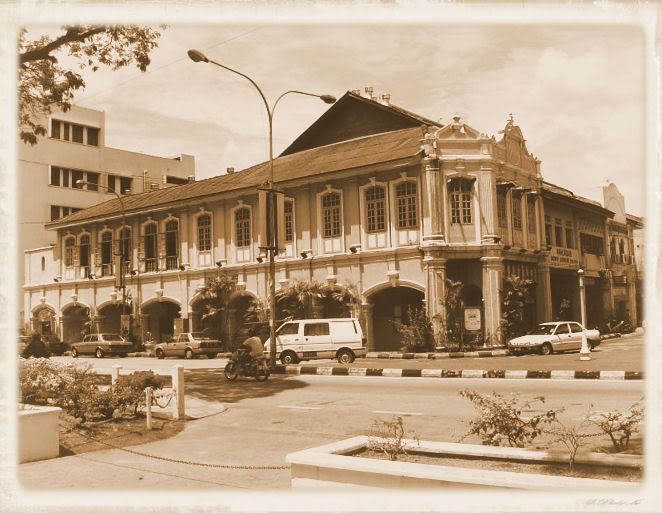
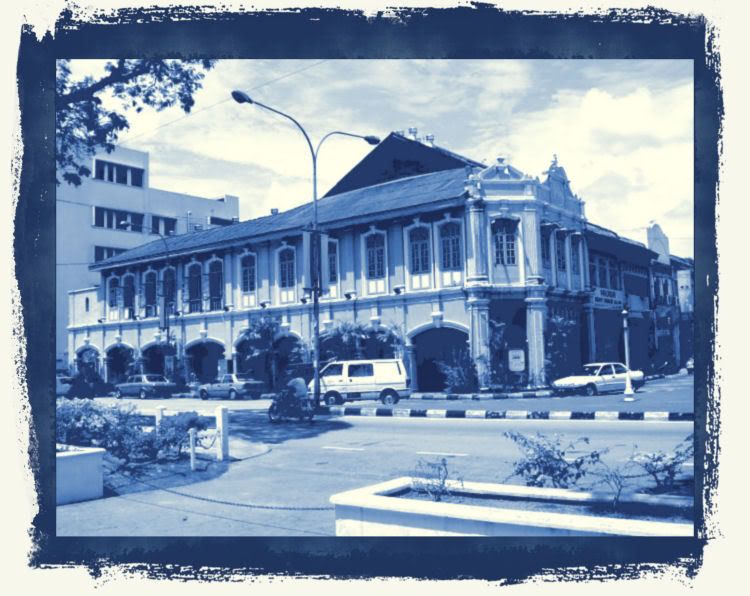
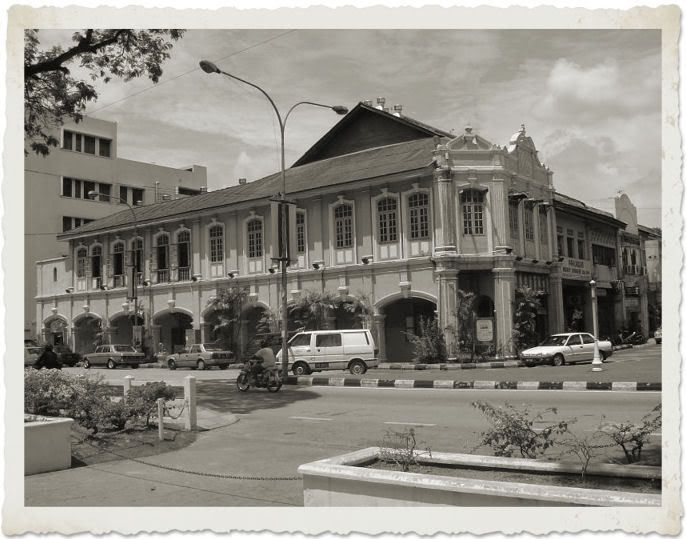
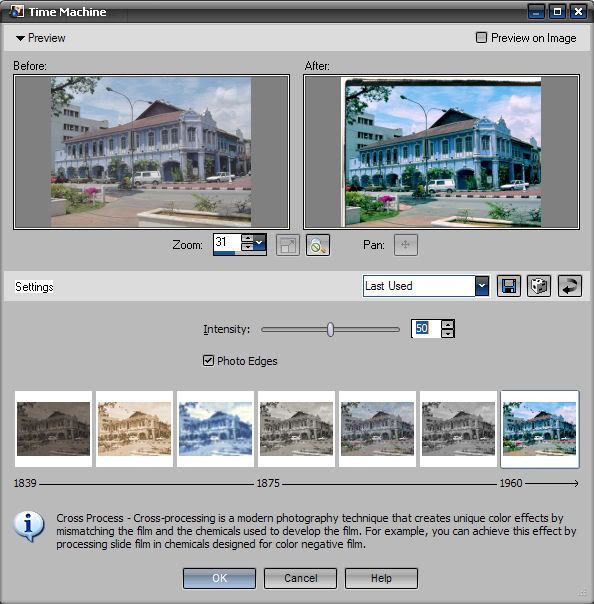
For those curious, you can also use Corel Paint Shop Pro Photo XI or X2. There's a time machine function which you can use for the aging effect. Below are samples of it:


* Photo taken from www.photoninja.com


The Time Machine function
user posted image


1. Daguerreotype
user posted image

2. Albumen
user posted image

3. Cyanotype
user posted image

4. Platinum
user posted image

5. Early Color
user posted image

6. Box Camera
user posted image

7. Cross Process
user posted image
TSozak
post Oct 27 2007, 12:54 AM

10k Club
********
All Stars
17,018 posts

Joined: Jan 2005


QUOTE(vey99 @ Oct 26 2007, 01:12 PM)
Nice filter, taken at the cendol shop on Jonker izzit?

It'd be more believable if the woman wasnt sitting there in her new age t-shirt, should mask her out...
*
Yup. Taken at jonker walk. Melaka have alot of old and nice place. Those place make my father or grandfather remember back thier old good time. But taken with color and sharp picture won't have that kind of feeling. That is what digital lack of it.
I guess the women sit far enough to let people notice it. He...he....


Added on October 27, 2007, 12:58 am
QUOTE(xtreme_paranoid @ Oct 26 2007, 02:31 PM)
can share the plugin?  sweat.gif
*
Sorry Can't share here. You know lah...

Pzzt... PM your email to me.


Added on October 27, 2007, 1:02 am
QUOTE(mxploit @ Oct 27 2007, 12:53 AM)
For those curious, you can also use Corel Paint Shop Pro Photo XI or X2. There's a time machine function which you can use for the aging effect. Below are samples of it:
* Photo taken from www.photoninja.com
The Time Machine function
» Click to show Spoiler - click again to hide... «
Wow! another nice program to make photo aging. Thank mxploit for sharing with us. thumbup.gif

This post has been edited by ozak: Oct 27 2007, 01:02 AM

apisgogo
post Oct 27 2007, 01:22 AM

Audiofreakosauros 6.1
*****
Senior Member
925 posts

Joined: Nov 2006
From: Shah Alam


you dont need all the plug in crap, you can do it easily photoshop 'stock' effects...

firstly aging photos has 3 main components:
3. Vignetting
1. sephia/b&w with a little bit high-contrast or even hi key
2. Dust and scratches plus noise

Vignette? make a uneven oval around the photo, feather it to max and darken it by using brightness or else.

convert it to b/w. desaturated it, give a bit of contrast. if u want sephia tone, play with hue/saturation + colorize.

add noise filter.


the catch is how much the amount of these effects u need to put in.
sallyyp
post Oct 27 2007, 04:23 AM

Getting Started
**
Junior Member
84 posts

Joined: Jul 2007
From: PJ
QUOTE(ozak @ Oct 26 2007, 12:58 AM)
I have found a plugin program call filter unlimited. Inside have a photo aging kit. It is the filter that what I need. Thanks for all the bro support. icon_rolleyes.gif  There are many technic to do it but this one is the easiest.  thumbup.gif Here some picture that I apply the filter.

user posted image
user posted image
*
wow...pro man...


Change to:
| Lo-Fi Version
0.0192sec    0.47    5 queries    GZIP Disabled
Time is now: 1st December 2025 - 10:14 PM