Welcome Guest ( Log In | Register )

Outline · [ Standard ] · Linear+

 Motorola Edge 30 Ultra / X30 Pro Discussion Thread, World's First 200MP Camera Phone

views
     
omichael
post Dec 9 2022, 06:43 PM

New Member
*
Junior Member
49 posts

Joined: Dec 2010


QUOTE(wolf1991 @ Dec 9 2022, 06:28 PM)
If can I think better you wait for edge 40, they might even launch in Malaysia. Or else have a look at iqoo 11 if value price for hardware is something you are looking for.

Someone even said it support vowifi for various Telco but not this. You may check the iqoo sub thread if you are interested. Been a brand in Malaysia for quite some time, most of moto device still don't even have vowifi support but a newly launch sub brand can do it....

Update wise is really slow, now still in oct security as what I know. For a device that market with near stock android gimmick was like a joke. I suppose Nokia is the only brand who act like stock os, apparently their x20 already got the android 13 update.

People go for near stock android is because of smooth experience plus fast update. Now 8 gen 2 is coming, if can better just wait and have a look at different offering.

5g very tricky now, not as simple as signal at least for now. Import device better don't, Telco won't even layan u if your device didn't able to access 5g by default. They will just tell you it's not official Malaysia device and close case.

Wait and see approach is the best way for now. Iqoo 11 was launch, then will be xiaomi 13, OnePlus, edge 40 etc etc coming. I personally think maybe moto won't even bring in edge 40 here like what they did for edge 30 ultra but no harm to wait and see. Unless after launch the price for edge 30 ultra sink and match your expectation.
*
Thank you for the detailed thoughts, will check out iqoo 11, and yes wait and see approach sounds like the smartest bet for now!

biotic_boy
post May 25 2023, 10:45 PM

Getting Started
**
Junior Member
57 posts

Joined: Jun 2011


user posted image


helo... anybody home?
finally...πŸ˜­πŸ˜…πŸ˜‚πŸ€£
TSijuanp03
post Aug 22 2023, 10:21 AM

Regular
******
Senior Member
1,064 posts

Joined: Oct 2016
QUOTE(biotic_boy @ May 25 2023, 10:45 PM)
user posted image
helo... anybody home?
finally...πŸ˜­πŸ˜…πŸ˜‚πŸ€£
*
Everyone left town already laugh.gif
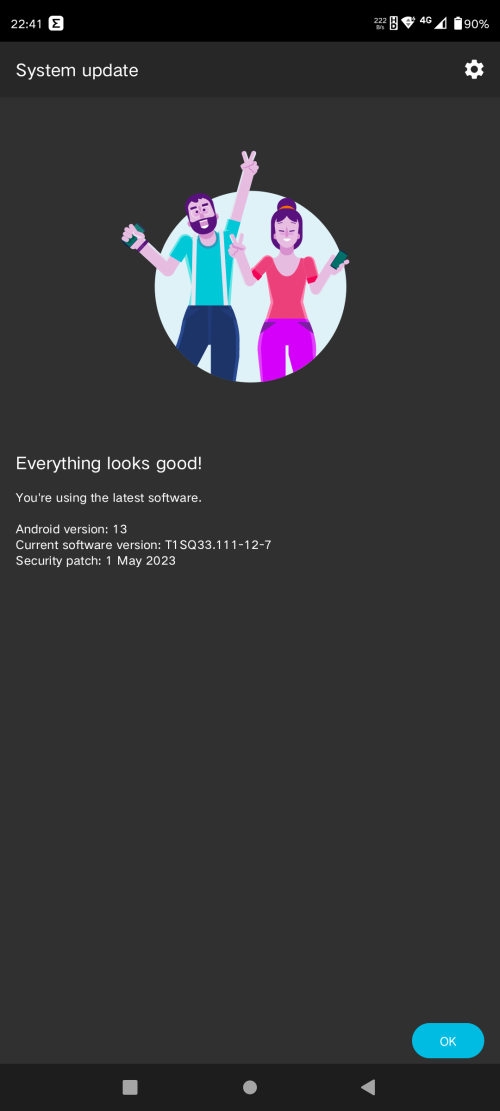
I'm still here from time to time. Also updated to Android 13 and it still looks great! No issue whatsoever. Very fast and fluid.
biotic_boy
post Sep 21 2023, 09:22 PM

Getting Started
**
Junior Member
57 posts

Joined: Jun 2011


Enable 5G in Moto X30 Pro, Android 13

Hi Everyone, after a lot of research, I found the solution for Enable 5G in Moto X30 Pro after upgrading to Android 13
as everyone knows Motorola policy disabled 5G outside China for Chinese version devices
but there is a solution that is 100% working, There is NO NEED TO ROOT OR ANY APP
First thanks to lenovo78633889 for posting the solution in the Motorola Chinese Forum
1. Turn Off Phone
2. Remove Sim Card(s)
3. Turn On Phone
4. Go to Settings>Apps>See All Apps>Select 3 Dots in the Top right Side and Select Show system apps>Then Select Carrier Setting and Remove Storage Date then Disable App, then Uninstall Carrier Service
5. Go to Settings>System>Reset Options>Reset Wifi, mobile & Bluetooth
6. Shutdown Phone
7. Insert Sim Card(s)
8. Turn On Phone
9. Check and you will see the 5G is already back, and you can use it

https://forum.xda-developers.com/t/enable-5...oid-13.4628219/

TSijuanp03
post Sep 21 2023, 10:27 PM

Regular
******
Senior Member
1,064 posts

Joined: Oct 2016
Thanks for this suprise!
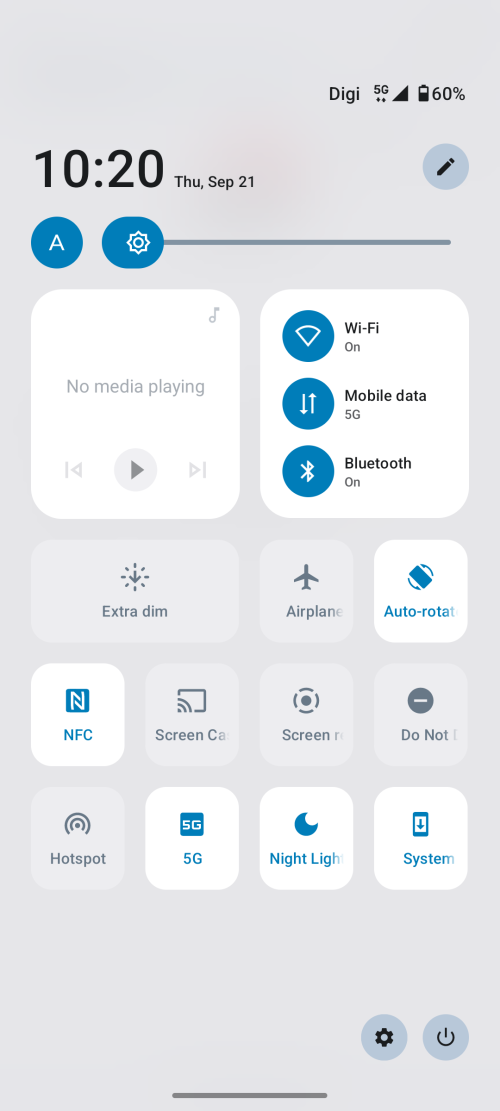
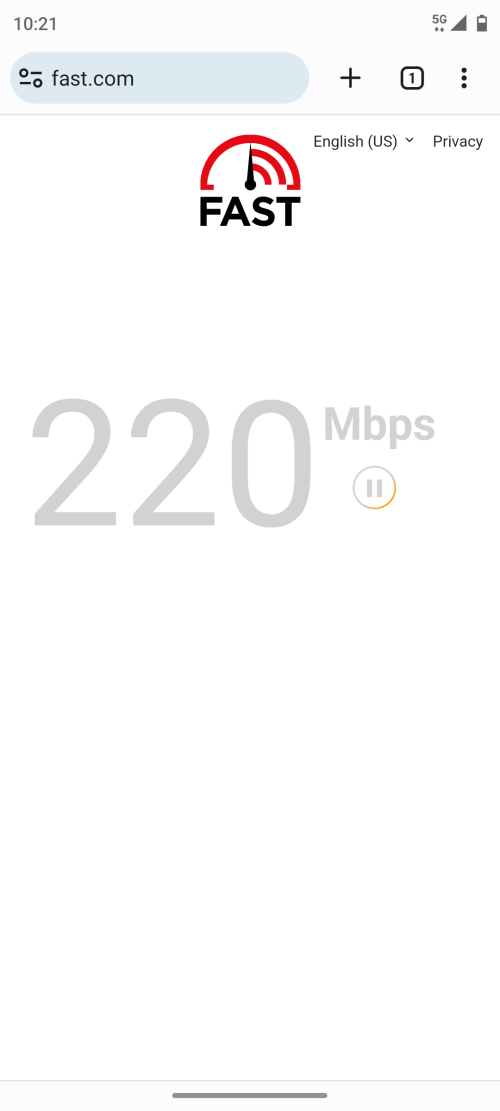
Confirmed Digi telco 5G is WORKING on the X30 Pro!

However, one thing I've noticed is the phone is aggressively switching to 4G even if I have a full bar of 5G.

I tried forcing 5G by selecting "NR only" but it didn't work - I don't get any signal at all.

I reverted to NR/LTE preferred network type.

UPDATE: TOGGLE OFF "Smart data mode" from Settings so it won't aggressively switch to 4G.

Everything works perfectly now!

user posted image

user posted image

This post has been edited by ijuanp03: Sep 21 2023, 10:35 PM
GamersFamilia
post Sep 22 2023, 06:01 AM

Proud to be Malaysian
********
All Stars
17,815 posts

Joined: Dec 2007
From: Bandar Baru Bangi , Malaysia


QUOTE(biotic_boy @ May 25 2023, 10:45 PM)
user posted image
helo... anybody home?
finally...πŸ˜­πŸ˜…πŸ˜‚πŸ€£
*
any issues after the update and how was it ?
TSijuanp03
post Dec 7 2023, 02:59 PM

Regular
******
Senior Member
1,064 posts

Joined: Oct 2016
https://www.reddit.com/r/motorola/comments/...ndroid_14_just/

So apparently, Motorola updated their flagship Moto X40 (Edge 40 Pro) to Android 14 last month which is impressive given the track record of Moto under Lenovo brand.

I'm sure the next device to get A14 is the Razr 40 Ultra followed by Edge 30 Ultra/X30 Pro. As to when, it will be a surprise.
TSijuanp03
post Feb 23 2024, 08:58 AM

Regular
******
Senior Member
1,064 posts

Joined: Oct 2016
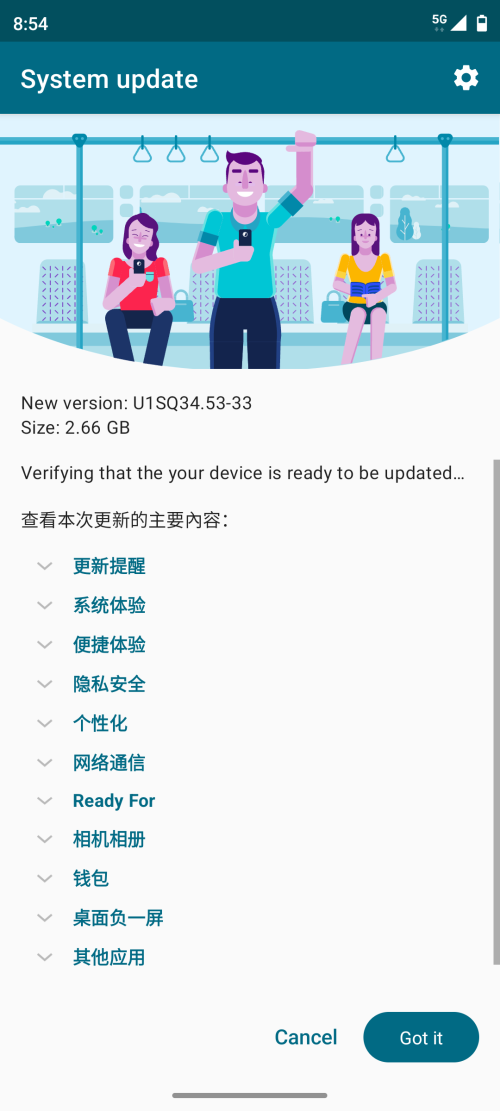
After a long wait, finally, Android 14 is here!

user posted image
bananabread
post Feb 23 2024, 01:49 PM

Getting Started
**
Junior Member
151 posts

Joined: Apr 2014
Peek notification is gone. Don't upgrade if you not ready for conventional notification view.
TSijuanp03
post Feb 23 2024, 11:05 PM

Regular
******
Senior Member
1,064 posts

Joined: Oct 2016
QUOTE(bananabread @ Feb 23 2024, 01:49 PM)
Peek notification is gone. Don't upgrade if you not ready for conventional notification view.
*
?? I still have peek notification but it is quite different than the Peek display. And no, I am NOT referring to the lock screen notification.
I will take a pic once I get a notification. lol
TSijuanp03
post Feb 23 2024, 11:14 PM

Regular
******
Senior Member
1,064 posts

Joined: Oct 2016
QUOTE(bananabread @ Feb 23 2024, 01:49 PM)
Peek notification is gone. Don't upgrade if you not ready for conventional notification view.
*
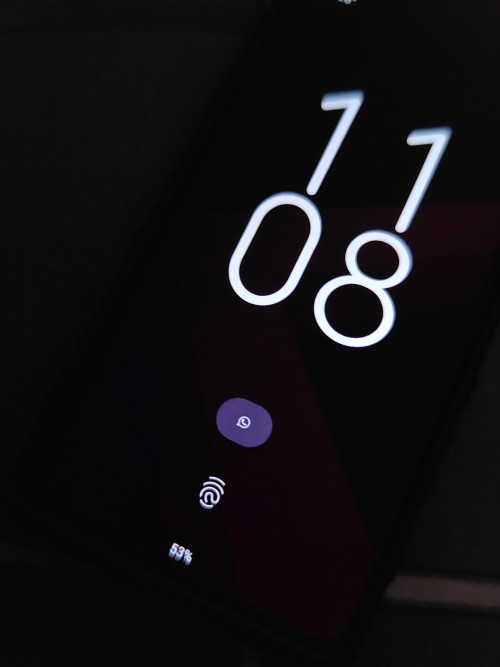
This is how peek display looks like.

user posted image

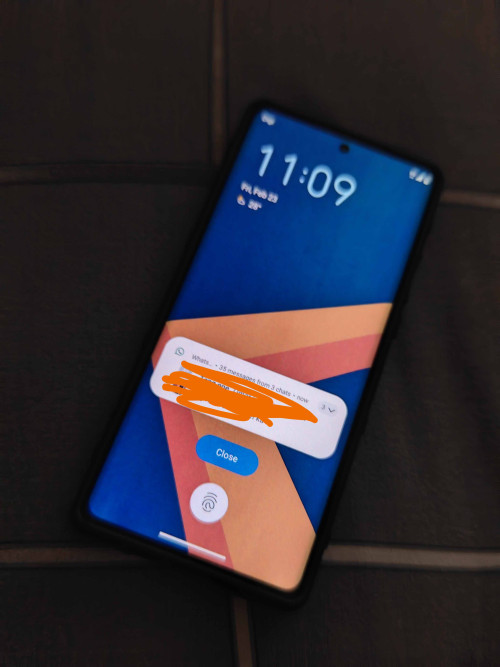
And this is what you will see if you tap the WhatsApp icon.

user posted image
bananabread
post Feb 24 2024, 06:06 PM

Getting Started
**
Junior Member
151 posts

Joined: Apr 2014
Yes before this you can peek without waking the screen.
TSijuanp03
post Feb 24 2024, 06:20 PM

Regular
******
Senior Member
1,064 posts

Joined: Oct 2016
QUOTE(bananabread @ Feb 24 2024, 06:06 PM)
Yes before this you can peek without waking the screen.
*
?? It's still the same. I don't need to tap the screen to wake. It will automatically wake up when I receive a notification. And that is different from the lock screen notification. Don't confuse yourself.

I suggest you to explore the phone deeper in Settings as the "Moto" app is gone. They integrated all Moto features under Settings app.


This post has been edited by ijuanp03: Feb 24 2024, 06:23 PM
bananabread
post Feb 24 2024, 11:54 PM

Getting Started
**
Junior Member
151 posts

Joined: Apr 2014
QUOTE(ijuanp03 @ Feb 24 2024, 06:20 PM)
?? It's still the same. I don't need to tap the screen to wake. It will automatically wake up when I receive a notification. And that is different from the lock screen notification. Don't confuse yourself.

I suggest you to explore the phone deeper in Settings as the "Moto" app is gone. They integrated all Moto features under Settings app.
*
Yes you enabled wake screen upon receiving noti. Im not.
Previously i set not waking screen but only black and white screen with peek message enabled, when you tap on WhatsApp logo
Check here if you still don't get it

https://forums.lenovo.com/t5/motorola-edge-.../5285681?page=1

TSijuanp03
post Feb 25 2024, 12:48 AM

Regular
******
Senior Member
1,064 posts

Joined: Oct 2016
QUOTE(bananabread @ Feb 24 2024, 11:54 PM)
Yes you enabled wake screen upon receiving noti. Im not.
Previously i set not waking screen but only black and white screen with peek message enabled, when you tap on WhatsApp logo
Check here if you still don't get it

https://forums.lenovo.com/t5/motorola-edge-.../5285681?page=1
*
Please do not believe everything you see in the forum. They are also users just like you and me who may not have explored that long.

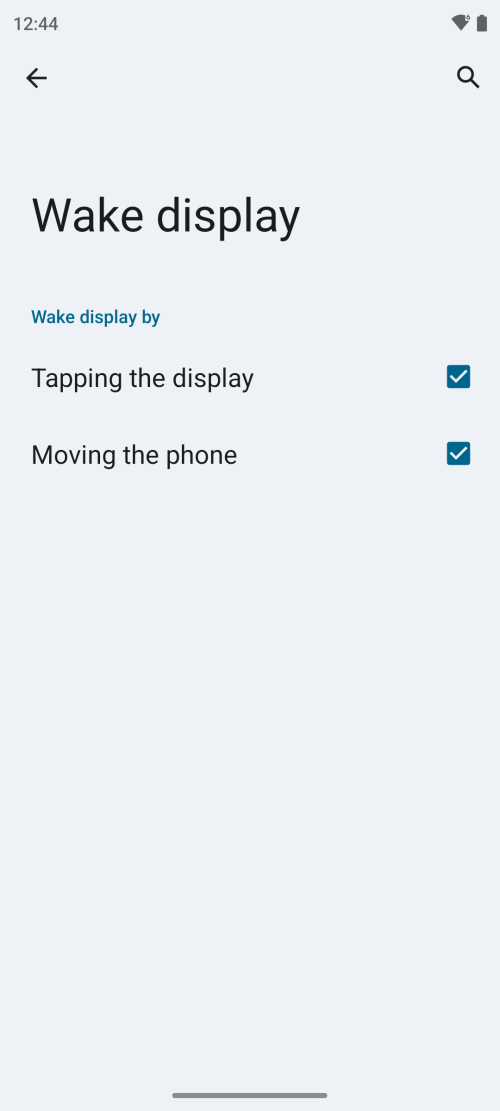
Below is where you can enable PEEK DISPLAY.
And that is NOT the lockscreen. When you move your phone or tap the display ONCE, it will take you to the Peek Notification.

user posted image

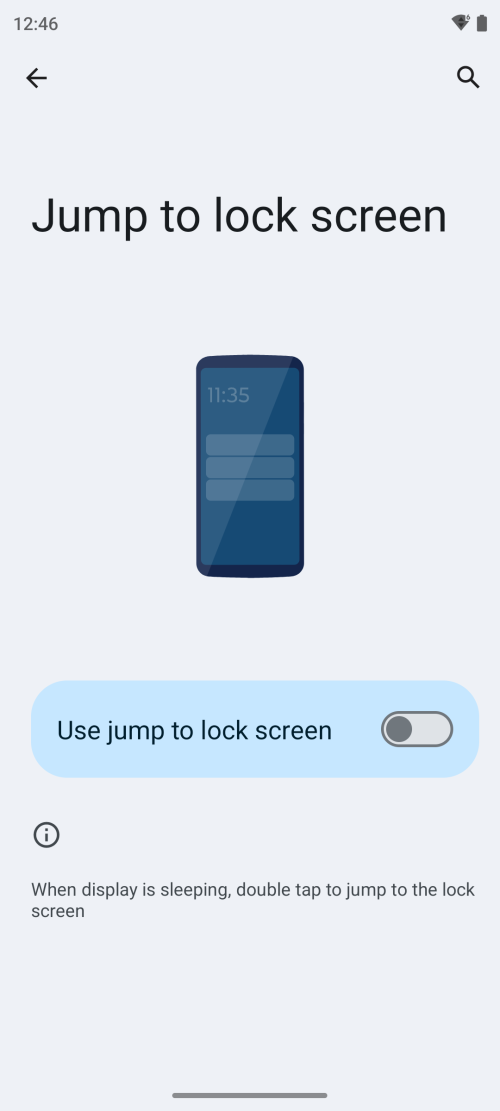
And below is where you can enable wake up to lockscreen. You need to DOUBLE TAP the screen. See the difference?

user posted image
TSijuanp03
post Feb 25 2024, 12:53 AM

Regular
******
Senior Member
1,064 posts

Joined: Oct 2016
QUOTE(bananabread @ Feb 24 2024, 11:54 PM)
Previously i set not waking screen but only black and white screen with peek message enabled, when you tap on WhatsApp logo
Check here if you still don't get it

https://forums.lenovo.com/t5/motorola-edge-.../5285681?page=1
*
In my previous screenshot, when you tap the WhatsApp logo, it did NOT take me to the lockscreen. It is the NEW PEEK DISPLAY.

You CAN REPLY TO YOUR MESSAGE WITHOUT UNLOCKING THE PHONE (YES YOU CAN!) Why can I reply to the message? Because it's NOT the lockscreen! Lol


Again, don't confuse yourself just because the NEW Peek Display has a background wallpaper. Peek Display is NOT black and white anymore.

This post has been edited by ijuanp03: Feb 25 2024, 12:54 AM
skylinelover
post Feb 25 2024, 11:30 AM

Future Crypto PlayerπŸ˜„πŸ‘ŠDriver Abamsado😎😎
********
All Stars
11,256 posts

Joined: Jul 2005
QUOTE(ijuanp03 @ Feb 23 2024, 08:58 AM)
After a long wait, finally, Android 14 is here!

user posted image
*
Haha worth the wait surely laugh.gif rclxms.gif
bananabread
post Feb 25 2024, 03:43 PM

Getting Started
**
Junior Member
151 posts

Joined: Apr 2014
QUOTE(ijuanp03 @ Feb 25 2024, 12:53 AM)
In my previous screenshot, when you tap the WhatsApp logo, it did NOT take me to the lockscreen. It is the NEW PEEK DISPLAY.

You CAN REPLY TO YOUR MESSAGE WITHOUT UNLOCKING THE PHONE (YES YOU CAN!) Why can I reply to the message? Because it's NOT the lockscreen! Lol
Again, don't confuse yourself just because the NEW Peek Display has a background wallpaper. Peek Display is NOT black and white anymore.
*
Im talking about old peek display , not new one.
You can choose not to believe any forum. But is a feature that most ppl want it back.

TSijuanp03
post Feb 25 2024, 09:34 PM

Regular
******
Senior Member
1,064 posts

Joined: Oct 2016
QUOTE(bananabread @ Feb 25 2024, 03:43 PM)
Im talking about old peek display , not new one.
You can choose not to believe any forum. But is a feature that most ppl want it back.
*
In the link you provided, they said Peek Display is gone. They weren't able to explore the phone more. That is the reason why I uploaded the screenshot.

You were insisting that Peek Display is gone and only lockscreen notification is there after update.

I told you these are 2 different things in the Android 14:

1. New Peek Display where you can reply to any notification without unlocking your phone. You need to enable tap once the display OR move the phone.
2. Lock screen notification when you double tap the screen

I also told you that the new Peek Display has a wallpaper background when you tap the icon (ex. WhatsApp).

And when I showed you the screenshot to prove Peek Display still exists in a new form, you're telling me you just want the black n white Peek Display? So what is the issue here? Is it Peek Display is gone or you just want a black n white Peek Display?

Because the original issue you told me is there is no Peek Display after update. Your statement is a bit confusing now.

This post has been edited by ijuanp03: Feb 25 2024, 09:38 PM

13 Pages « < 11 12 13Top
 

Change to:
| Lo-Fi Version
0.0238sec    0.78    6 queries    GZIP Disabled
Time is now: 10th December 2025 - 01:55 AM