


 Mar 16 2022, 12:16 PM, updated 4y ago


QUOTE

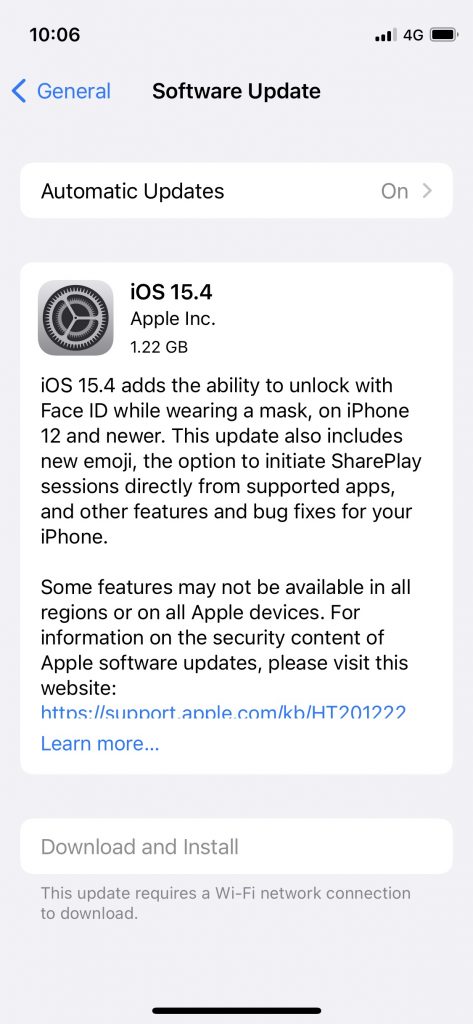
Apple has just released its latest software update — iOS 15.4. It has several new features, but its most exciting feature is Face ID recognition while wearing a mask — finally. However, the feature only works for the iPhone 12 or newer. So, if you do have the right device, here’s how to activate it.
How to activate Face ID with a mask
First, you’d have to make sure that you’ve updated your iPhone 12 or later to iOS 15.4. Sure, you can also update your iPhone to iOS 15.4 even if you have an older iPhone, but you won’t be able to use Face ID with a mask unless you have an Apple Watch — you’d just have the satisfaction of updating your phone to the latest update.
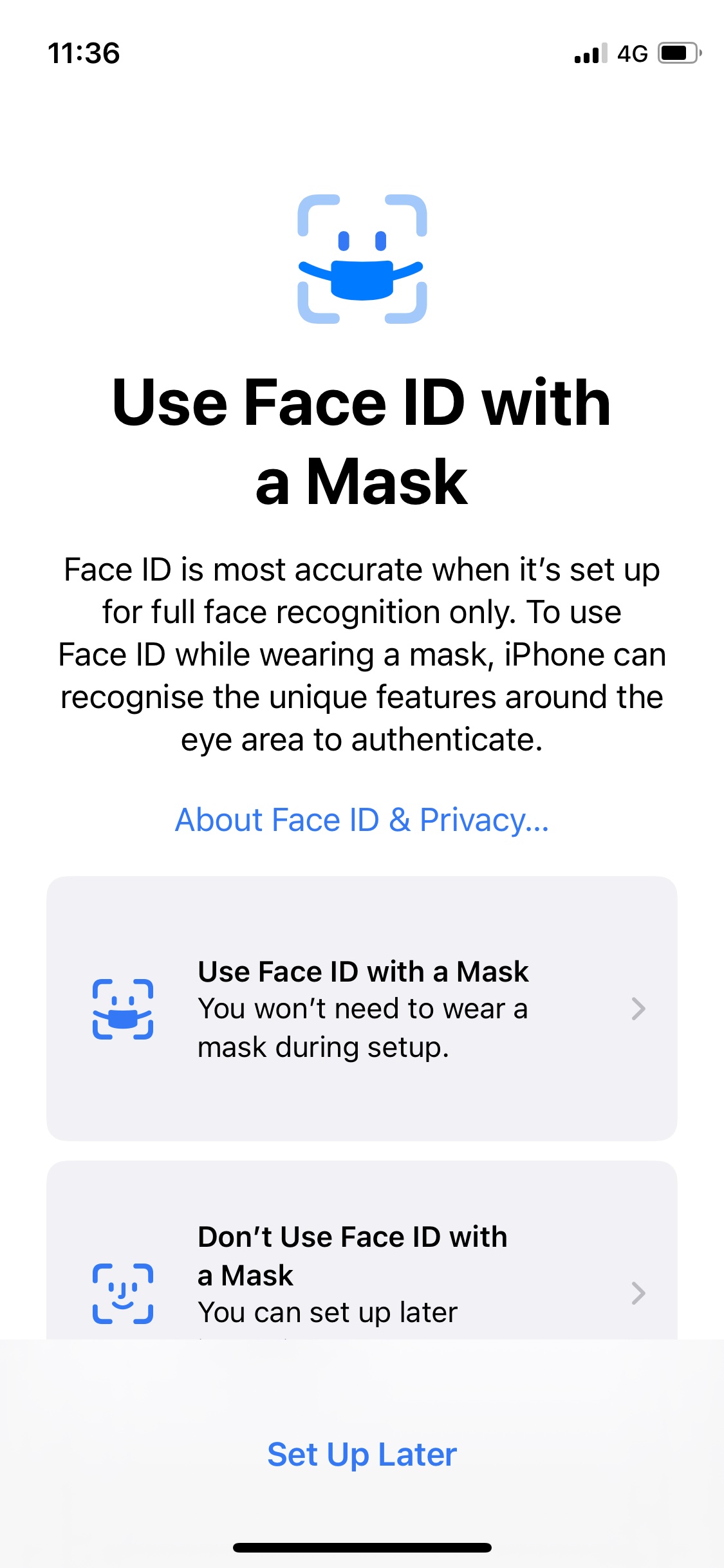
After that, a page will show up automatically on your screen showing that you now have the option to set up the new Face ID with a Mask. You can also opt to not use the feature, or to set it up later.
Once you’ve selected the option to set up Face ID with a Mask, there will be a page that tells you how to set it up before you get started. You will need to position your face in the camera frame, and then move your head in a circle to show all angles of your face — just like how you would for regular Face ID set up.
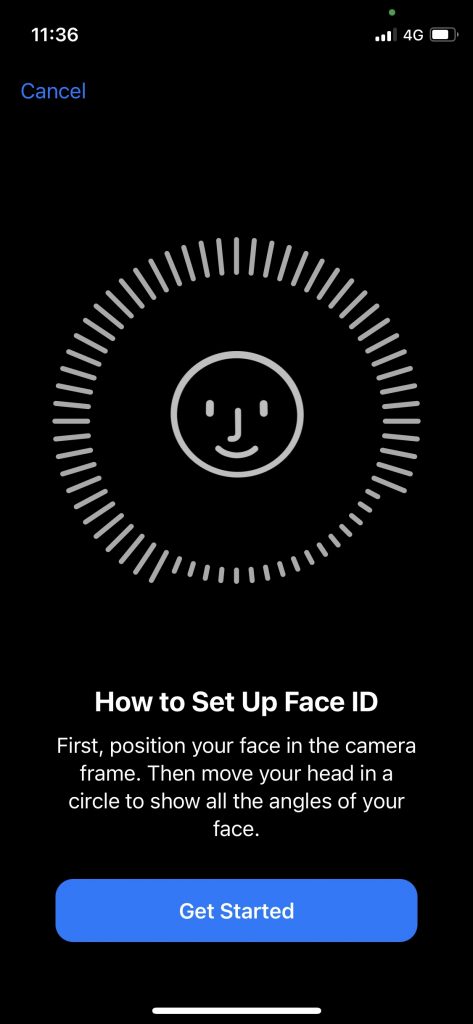
You will also be asked to remove your face mask when you do so once you get started. Keep moving your head in a circle until you’ve “completed the circle”. After that, the feature will already be activated and you would be able to use the feature with a mask on.
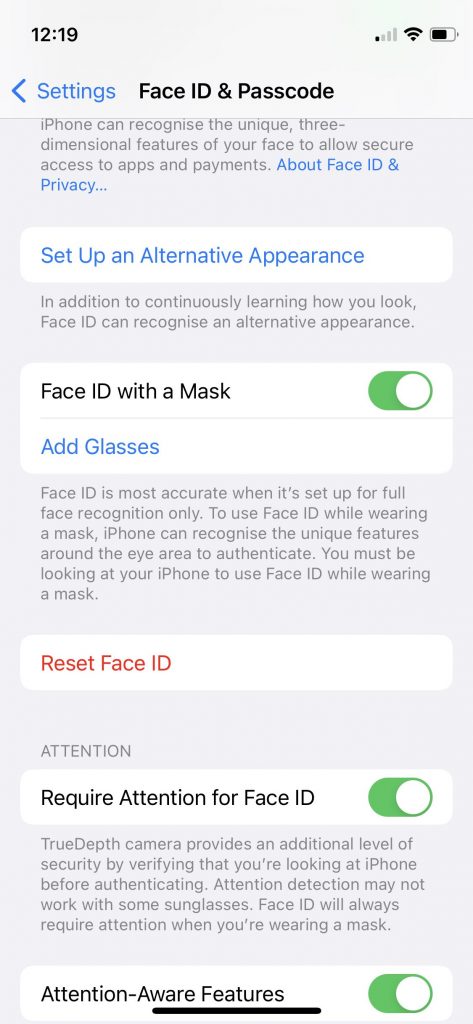
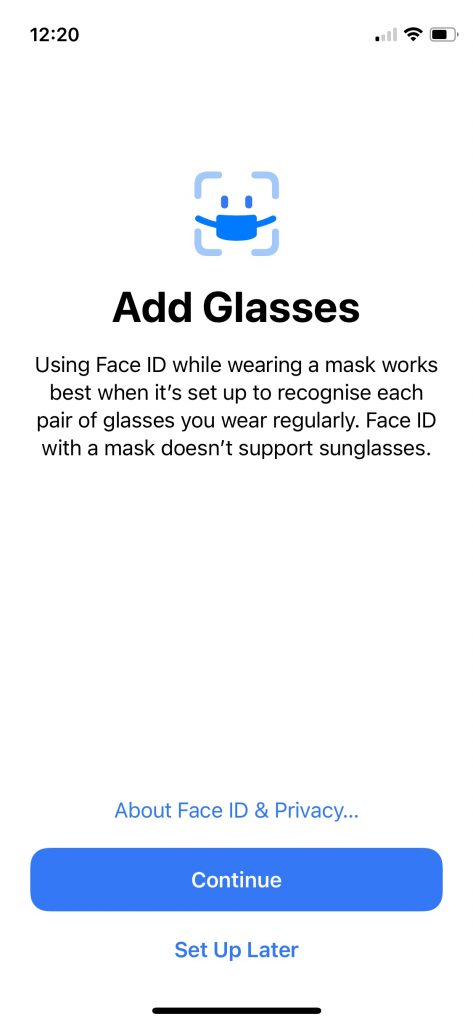
If you also wear glasses, you might also need to add on an “Add Glasses” option so it could help your phone recognise you better. According to Apple, “Face ID while wearing a mask works best if you set it up with each pair of glasses you wear normally” — so you can add more than one pair. However, Face ID with a mask does not support sunglasses. You can find the option for glasses under Face ID & Passcode.
We’ve noticed that in order for the feature to work, you’d need to lower your head a bit for your phone to recognise your face with a mask on so it isn’t perfect. However, it’s a feature that a lot of users have been excited for. Mask-wearing is now part of our normal every-day wear, so it’s about time that Apple introduced something like this for users.
Before this, Apple users had to resort to using passcodes to unlock their phones, especially since Apple has weaned us off Touch ID and focused more on Face ID in their newer devices. Since Face ID was basically useless while we wore masks, there had been an option for users to unlock their phones easier — but that required an Apple Watch, an added expense.
With the new feature, users of the iPhone 12 and newer would no longer need to type in their passcodes whenever they want to access their phones with a mask on. I’m just huffed that users of the iPhone 11 and older aren’t able to activate it.
Source: iOS 15.4: Here’s how to activate the new Face ID with a mask on feature
 Quote
Quote


 0.0222sec
 0.83
0.83
 5 queries
 GZIP Disabled