Outline ·
[ Standard ] ·
Linear+
Acer XV270P, how to enable hdr+144mhz on win10
|
BeastX
|
 Mar 9 2022, 03:16 PM Mar 9 2022, 03:16 PM
|

|
QUOTE(LickGuy @ Mar 3 2022, 11:18 PM) hi all any of you with acer xv270p? How do you get the HDR working? » Click to show Spoiler - click again to hide... « Tried to install the driver, still not able to show 144mhz, and hdr capability show 'no'. Tested with another hdmi cable also, that 1 for xbox can get hdr+4k also doesn't work  also, the monitor detected as "xv270 v" instead, even the acer display widget also detected the monitor as xv270v 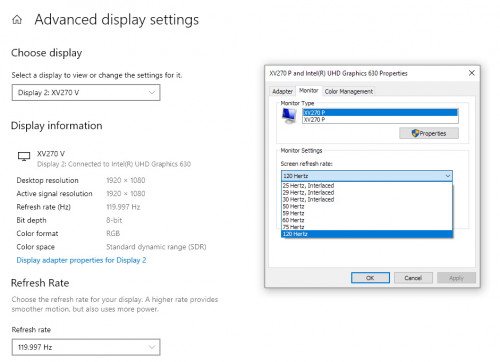 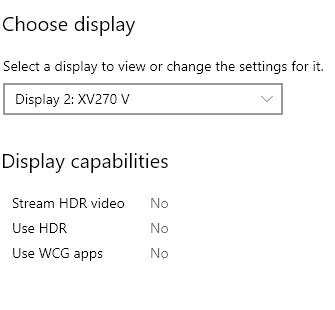 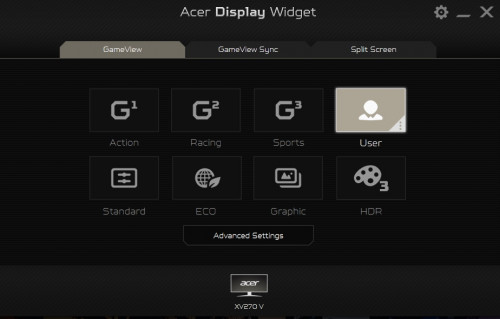 I'm using win10 21h2, intel uhd630 integrated display + gtx1650....anyway to get the hdr & 144mhz working? TIA Enable it from the OSD on the monitor by setting it to HDR mode.... windows should auto detect... 
|
|
|
|
|
|
BeastX
|
Mar 14 2022, 11:06 PM
|
|
|
QUOTE(LickGuy @ Mar 11 2022, 04:36 PM) thanks for the replies. maybe it's my laptop setting, die2 must plug into display port only can configure [attachmentid=11114490] since I don't have mini DP to DP cable, i use mini dp to HDMI/VGA/DVI convert and connect to hdmi 2, can do HDR, 144mhz (165mhz still cannot ) 3.15 sales see can get a cheap mini dp to dp cable then will switch to dp then, thanks all. Some DP port (like the desktop GPUs)... allows HDMI signal to pass-through the DP port (so there's no digital_signal to digital_signal conversion). Provided you can get a HDMI 1.4 signal directly from your GC.... your should be able to push HDR colour space through HDMI.... Edit: As you have done so... xv270p has a HDMI 1.4 input... of which is why you're bandwidth limited to a max of 1080p@144Hz, you cannot push a 2.0 signal to a 1.4 input (for 165Hz)... This post has been edited by BeastX: Mar 14 2022, 11:13 PM |
|
|
|
|



 Quote
Quote
 0.0175sec
 0.63
0.63
 7 queries
 GZIP Disabled