

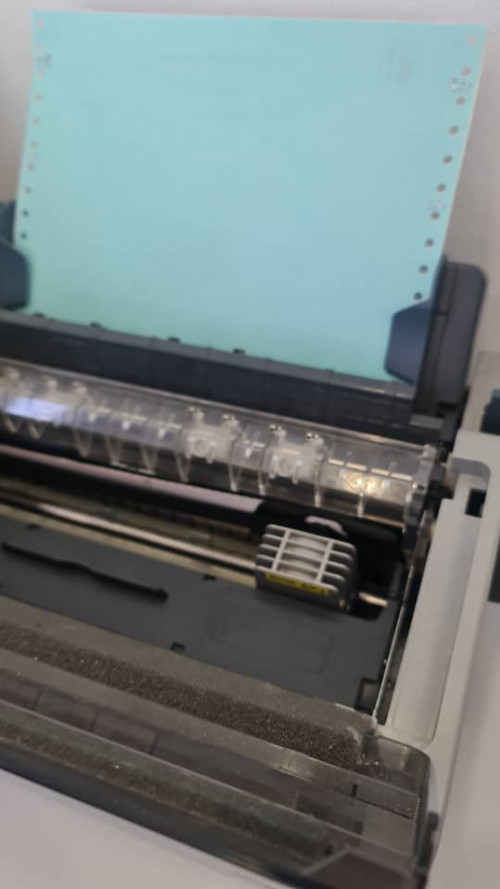
Epson LQ-310 printhead stuck at right side
Epson LQ-310 printhead stuck at right side
|
|
 Feb 22 2022, 01:26 PM, updated 4y ago Feb 22 2022, 01:26 PM, updated 4y ago
Show posts by this member only | Post
#1
|
 
Senior Member
772 posts Joined: Jan 2003 From: Labuan  
|
Hi, I have a Epson LQ-310 printer printhead stuck at right side intermittent when I try to print. I have tried to clean the sensors, replace PCB board and printhead. Any other solution can I try? I have to turn off and on again and manual move the printhead to center. Thanks
|
|
|
|
|
|
Feb 22 2022, 01:33 PM
Show posts by this member only | Post
#2
|

Senior Member
719 posts Joined: Apr 2009 From: KL
|
QUOTE(Assassin @ Feb 22 2022, 01:26 PM) Hi, I have a Epson LQ-310 printer printhead stuck at right side intermittent when I try to print. I have tried to clean the sensors, replace PCB board and printhead. Any other solution can I try? I have to turn off and on again and manual move the printhead to center. Thanks try servicing. do print head alignment esp align the rod in synch clean / lub d shaft properly gud luck |
|
|
Feb 22 2022, 04:18 PM
Show posts by this member only | Post
#3
|

All Stars
13,210 posts Joined: Jul 2006
|
wow did u replace ribbon mask dulu.
we replace it very cheap ady settled. never do head or pcb those |
|
|
Feb 22 2022, 04:20 PM
Show posts by this member only | Post
#4
|
|
All Stars
13,210 posts Joined: Jul 2006
|
activate d test mode.
feed a roll paper to standby position. then flip d switch. he will print out ABCDEFGHIJKLMNOPQRSTUVWXYZ0123456789 continue until paper end. inspect what happen |
|
|
Feb 24 2022, 12:07 AM
Show posts by this member only | Post
#5
|

Senior Member
6,733 posts Joined: Jan 2003 From: Zion
|
This one few years old model. Got problem already?
|
| Change to: |  0.0153sec 0.0153sec
 0.47 0.47
 5 queries 5 queries
 GZIP Disabled GZIP Disabled
Time is now: 17th December 2025 - 12:00 PM |
 Quote
Quote