Sharing my voucher redemption and accessories shopping experience here.
1. 800 Voucher
Ordered S22. Phone + 800 voucher got delivered on 10/3 (acceptable).
This voucher code can be use straight away when checking out.
This voucher code can be used for anything on Samsung online shop.
Tip from Chat Support: some of the items can only be ordered as 'additional purchase' after you add the phone to the cart, but in the summary page you can delete the phone and keep the accessory.
2. ROI 200 Voucher
Step 1: Visit
https://www.samsung.com/my/offer/redemption/ and choose which type of ROI did you register for. There are two kinds: S22 ROI , and S22 VIP Referral ROI. Note the different promotion and redemption period.
Step 2: After clicking Redeem Now, agree to terms policy, click Next, then enter Purchase information (invoice, date). Make sure your:
- DATE OF PURCHASE is within the PROMOTION DATE period
- IMEI1 is entered.
Step 3: Enter the ROI code from email, and select the 200 Voucher.
Step 4: If you have logged in, this part will automatically be populated by your Samsung account email address.
Step 5: Upload your Invoice (I used saved email to PDF) and a Screenshot of the ROI code (I screenshot the instruction and code section).
Step 6: Submit for Review and Approval. It says takes about 10 working days but for mine I submitted on 10/3 evening approved 11/3 morning.
Step 7: In the approval email, copy this NEW discount code and use at checkout.
Tip from my own order: Add 1 item from
https://shop.samsung.com/my/preorderbenefit, and any other items from the normal Samsung online Shop, the voucher will still be applied to all products in the Cart upon checkout.
Hope this helps!


 Feb 10 2022, 05:39 PM


 Quote
Quote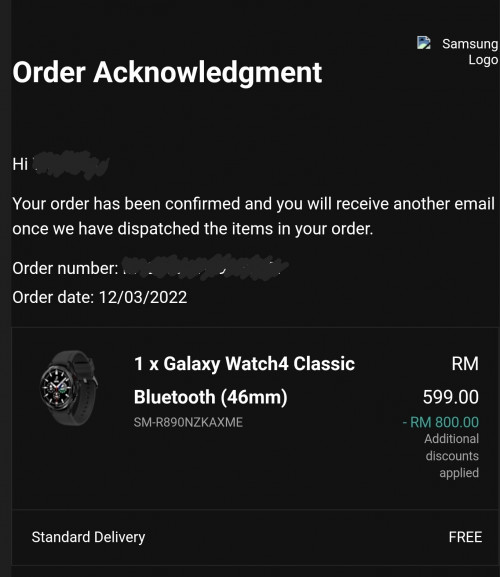

 0.3091sec
 0.89
0.89
 7 queries
 GZIP Disabled