Welcome Guest ( Log In | Register )

Outline · [ Standard ] · Linear+

 Using PC for console gaming, Need help with setup

views
     
TSmystvearn
post Jan 11 2022, 04:22 PM, updated 4y ago

...
*******
Senior Member
6,639 posts

Joined: Jan 2003
From: "New Castle"


I am planning to use steam big picture for local co-op console like gaming on the TV 1080p 43" tv. I have 2 xbox 360 wired controllers. Main pc is in another room. Planning to setup a console like experience for my kids. I have some local multilayer games and also plan to play old snes and nes games. Bought those games to play with my wife few years ago. Planning to make it as console as possible without keyboard and mouse input. Solely using the controls. My questions are:

Should I stream content from my main pc which is at the other end of the house. Connected via mesh wifi or put a dedicated pc? If dedicated pc, what is the most compact pc with great graphics I can place? There is some room behind the TV as it is mounted on on the wall and extended 2 feet in front of of the shelves. I can place max half the size of the 43" TV behind it. I assume that pcs are powerful now that I don't need a huge card for gaming. Any specs I should look at?

Is there a way to enable parental controls for the pc in general and make the pc behave more like a console. I assume this means booting immediately into big picture mode. But the pc will be behind the TV, so getting access to it is a problem. Can I remotely turned on the pc from a distance without touching the pc? Any tutorials online?

Can steam big picture accept games from non steam purchase? Like gog, epic game store and other sources?

I have stopped playing for the last 6 years or so. What good local family friendly multilayer games I missed out? I don't have rocket league. Local co-op games I have are mostly lego games (8 games), Castle crashers, magicka, sonic racing games, Monaco, trine 2. Recently I bought party crashers.
freddy manson
post Jan 11 2022, 04:34 PM

ðñê hêll ð£ å gµ¥
*******
Senior Member
4,858 posts

Joined: Jun 2006
From: Tawau, Sabah


what kinda games you wana play for ur kids actually?
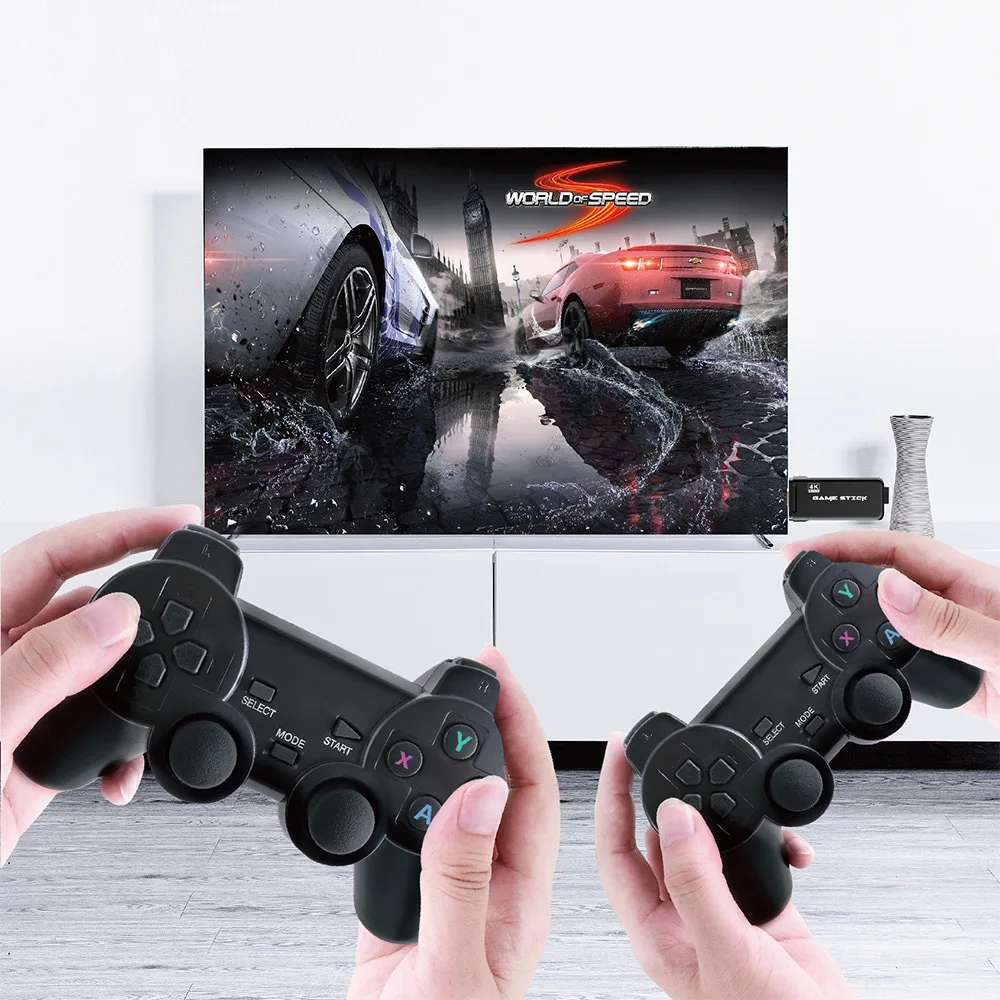
old SNES games is easy to play now with there:
- https://shopee.com.my/Game-Stick-4K-Retro-V...93-2949fd6251e9

user posted image
wailam
post Jan 11 2022, 04:35 PM

Apa benda ini?
*****
Junior Member
976 posts

Joined: Nov 2014
From: Sandakan, Sabah


1. latency is what make it almost unplayable. I setup mine with LAN 100Mbps and it is slow by 100~250ms ish. so game with quick response time are not that good. Don't use wifi, mesh or no mesh it still the same.
2. Yes you can play with controller only and play non-steam games but must supported controller.
3. are you streaming with android box? use steam link app.
4. if you using dedicated PC to play then bad luck since GPU price has gone up last 2 years. even decent one cost 2k and that's 3~4 years ago GPU.
chtan
post Jan 11 2022, 04:42 PM

Look at all my stars!!
*******
Senior Member
2,353 posts

Joined: Jan 2003
If you have Wifi5/Wifi6, streaming is more than enough. I stream my Xbox series X to my Samsung Tab S7+ without any lag or stutter at all.
TSmystvearn
post Jan 12 2022, 04:35 AM

...
*******
Senior Member
6,639 posts

Joined: Jan 2003
From: "New Castle"


QUOTE(freddy manson @ Jan 11 2022, 04:34 PM)
what kinda games you wana play for ur kids actually?
old SNES games is easy to play now with there:
- https://shopee.com.my/Game-Stick-4K-Retro-V...93-2949fd6251e9

user posted image
*
Local Co op pc games and nes/snes since most of these games are local co-op games.

QUOTE(wailam @ Jan 11 2022, 04:35 PM)
1. latency is what make it almost unplayable. I setup mine with LAN 100Mbps and it is slow by 100~250ms ish. so game with quick response time are not that good. Don't use wifi, mesh or no mesh it still the same.
2. Yes you can play with controller only and play non-steam games but must supported controller.
3. are you streaming with android box? use steam link app.
4. if you using dedicated PC to play then bad luck since GPU price has gone up last 2 years. even decent one cost 2k and that's 3~4 years ago GPU.
*
1. My unifi router is wifi 6, but I disable the WiFi. The dlink is slow to boot and to get access to. I hook two deco e4r to it. It only does max up to 100 mb iirc. Main unit is connected via wire in ap mode. Satellite unit Wi-Fi to main unit.
3. Have not decided the setup yet. I have Google chromecast 2. Not the latest with remote but before that. Is a chromecast responsive?
4. I have a GTX770 2gb though I think I will need a new card or apu.


QUOTE(chtan @ Jan 11 2022, 04:42 PM)
If you have Wifi5/Wifi6, streaming is more than enough. I stream my Xbox series X to my Samsung Tab S7+ without any lag or stutter at all.
*
Home router is unifi dlink wifi 6. Though I connect via mesh Wi-Fi deco e4r
chtan
post Jan 12 2022, 08:53 AM

Look at all my stars!!
*******
Senior Member
2,353 posts

Joined: Jan 2003
QUOTE(mystvearn @ Jan 12 2022, 04:35 AM)
Home router is unifi dlink wifi 6. Though I connect via mesh Wi-Fi deco e4r
*
thumbsup.gif I am doing the same. No problem at all streaming game from Xbox series X to Tab 7+, silky smooth.
awol
post Jan 12 2022, 08:58 AM

Enthusiast
*****
Junior Member
916 posts

Joined: Jun 2007
From: Selangor
using steam link to android tv, not bad even on wifi (laptop wifi, tv ethernet).
using Xbox Series X link to chromeOS smooth too (xbox ethernet, chromeOS wifi).
rather than PC, why not consider xbox series s? lot of local co op title in game pass.
TSmystvearn
post Jan 12 2022, 11:11 AM

...
*******
Senior Member
6,639 posts

Joined: Jan 2003
From: "New Castle"


QUOTE(chtan @ Jan 12 2022, 08:53 AM)
thumbsup.gif I am doing the same. No problem at all streaming game from Xbox series X to Tab 7+, silky smooth.
*
QUOTE(awol @ Jan 12 2022, 08:58 AM)
using steam link to android tv, not bad even on wifi (laptop wifi, tv ethernet).
using Xbox Series X link to chromeOS smooth too (xbox ethernet, chromeOS wifi).
rather than PC, why not consider xbox series s? lot of local co op title in game pass.
*
What is your internet speed, wifi speed. So all wireless. Nothing wired right? Install app on android tv or dedicated android box?
chtan
post Jan 12 2022, 11:37 AM

Look at all my stars!!
*******
Senior Member
2,353 posts

Joined: Jan 2003
QUOTE(mystvearn @ Jan 12 2022, 11:11 AM)
What is your internet speed, wifi speed. So all wireless. Nothing wired right? Install app on android tv or dedicated android box?
*
Internet speed is not a concern for me as I stream from my Xbox series X console. Anyway, I have 500Mbps Maxis package. Yup, every gadgets are connecting thru. wifi only as my house is very huge and long. Wired is too cumbersome. You can download the Xbox companion app thru. Playstore from Microsoft. If you are using Samsung Tab S7+, it even comes pre-installed with it.
TSmystvearn
post Jan 12 2022, 12:07 PM

...
*******
Senior Member
6,639 posts

Joined: Jan 2003
From: "New Castle"


I see. So I can technically install steam app on android tv and try there. Ok. Will give it a try. I did try to install games on the tv. It worked. I can connect my wired xbox controller to tv and played from there.
awol
post Jan 12 2022, 01:24 PM

Enthusiast
*****
Junior Member
916 posts

Joined: Jun 2007
From: Selangor
QUOTE(mystvearn @ Jan 12 2022, 11:11 AM)
What is your internet speed, wifi speed. So all wireless. Nothing wired right? Install app on android tv or dedicated android box?
*
install app on android tv, not android box.
only TV (cat5) and Xbox (cat6) is wired, while both laptop on wifi.
wifi AC, about 786mbps connection if im not mistaken.
my unifi is 500mbps.

as mention by chtan, internet speed is not a concern, only your wifi/wired speed.

you have android tv? then can directly install steamlink and lets say retroarch for your snes/nes gaming.
TSmystvearn
post Jan 12 2022, 04:10 PM

...
*******
Senior Member
6,639 posts

Joined: Jan 2003
From: "New Castle"


QUOTE(awol @ Jan 12 2022, 01:24 PM)
install app on android tv, not android box.
only TV (cat5) and Xbox (cat6) is wired, while both laptop on wifi.
wifi AC, about 786mbps connection if im not mistaken.
my unifi is 500mbps.

as mention by chtan, internet speed is not a concern, only your wifi/wired speed.

you have android tv? then can directly install steamlink and lets say retroarch for your snes/nes gaming.
*
All items in my house on wifi. No wired connection. I tried stream link just now and the speed test is 45 mb max. This is from the TV. Sometimes I get like a yellow or red WiFi icon showing on TV screen. Not sure what that is. Bottom right corner. Those speed are internal speed? What router/ap you are using?

My mesh wifi covering whole house and TV in the same region as the router and main mesh.
awol
post Jan 12 2022, 07:03 PM

Enthusiast
*****
Junior Member
916 posts

Joined: Jun 2007
From: Selangor
QUOTE(mystvearn @ Jan 12 2022, 04:10 PM)
All items in my house on wifi. No wired connection. I tried stream link just now and the speed test is 45 mb max. This is from the TV. Sometimes I get like a yellow or red WiFi icon showing on TV screen. Not sure what that is. Bottom right corner. Those speed are internal speed? What router/ap you are using?

My mesh wifi covering whole house and TV in the same region as the router and main mesh.
*
i did try last time both on wifi (laptop & android tv), still working fine.
im using asus blue cave router. my laptop wifi connection is 866.7Mbps (wifi AC 5GHz).
i run steam link network test from my phone to laptop right now, the result is 100Mb/s.
maybe in steamlink setting you can change the setting for video (balance, beautiful or fast).
TSmystvearn
post Jan 13 2022, 09:49 AM

...
*******
Senior Member
6,639 posts

Joined: Jan 2003
From: "New Castle"


QUOTE(awol @ Jan 12 2022, 07:03 PM)
i did try last time both on wifi (laptop & android tv), still working fine.
im using asus blue cave router. my laptop wifi connection is 866.7Mbps (wifi AC 5GHz).
i run steam link network test from my phone to laptop right now, the result is 100Mb/s.
maybe in steamlink setting you can change the setting for video (balance, beautiful or fast).
*
I see. Better hardware and faster internet speed.
The bandwidth test in the steam link app is usually 15 mbs. Rarely 45bmbs.

So the steam app link relies on local wifi bandwidth or fast internet speed?
awol
post Jan 13 2022, 11:17 AM

Enthusiast
*****
Junior Member
916 posts

Joined: Jun 2007
From: Selangor
QUOTE(mystvearn @ Jan 13 2022, 09:49 AM)
I see. Better hardware and faster internet speed.
The bandwidth test in the steam link app is usually 15 mbs. Rarely 45bmbs.

So the steam app link relies on local wifi bandwidth or fast internet speed?
*
it relies on wifi speed rather than internet (as it using intranet).
your router wifi6 (AX) while your mesh is AC. your connection speed should be in hundreds rather than 15-45mbps. something wrong here.

This post has been edited by awol: Jan 13 2022, 11:19 AM
TSmystvearn
post Jan 13 2022, 03:25 PM

...
*******
Senior Member
6,639 posts

Joined: Jan 2003
From: "New Castle"


QUOTE(awol @ Jan 13 2022, 11:17 AM)
it relies on wifi speed rather than internet (as it using intranet).
your router wifi6 (AX) while your mesh is AC. your connection speed should be in hundreds rather than 15-45mbps. something wrong here.
*
Yes. Something is wrong here. I read Steam FAQ saying that N, and AC Wifi is sufficient for good streaming content. Will try using it in the same room using just the main unit.. All within 5m from wifi
TSmystvearn
post Jan 13 2022, 09:43 PM

...
*******
Senior Member
6,639 posts

Joined: Jan 2003
From: "New Castle"


QUOTE(awol @ Jan 13 2022, 11:17 AM)
it relies on wifi speed rather than internet (as it using intranet).
your router wifi6 (AX) while your mesh is AC. your connection speed should be in hundreds rather than 15-45mbps. something wrong here.
*
Tried same place. Still slow. It is better for me to just connect the pc directly to the TV.

Seems that I would get/build a htpc justice for that maybe a nuc or apu later in future. Better than troubleshooting all the WiFi and router since more than 20 devices connect to it including IoT.
awol
post Jan 14 2022, 07:56 AM

Enthusiast
*****
Junior Member
916 posts

Joined: Jun 2007
From: Selangor
QUOTE(mystvearn @ Jan 13 2022, 09:43 PM)
Tried same place. Still slow. It is better for me to just connect the pc directly to the TV.

Seems that I would get/build a htpc justice for that maybe a nuc or apu later in future. Better than troubleshooting all the WiFi and router since more than 20 devices connect to it including IoT.
*
Direct pc always better. But now price is not good. Good luck
TSmystvearn
post Jan 14 2022, 08:50 AM

...
*******
Senior Member
6,639 posts

Joined: Jan 2003
From: "New Castle"


QUOTE(awol @ Jan 14 2022, 07:56 AM)
Direct pc always better. But now price is not good. Good luck
*
Waiting for Zen4 APU or whatever equivalent from intel in Mini-ITX case. Or Intel NUC (used with built in dGPU). Only ouput to 1080p TV.
awol
post Jan 14 2022, 09:26 AM

Enthusiast
*****
Junior Member
916 posts

Joined: Jun 2007
From: Selangor
QUOTE(mystvearn @ Jan 14 2022, 08:50 AM)
Waiting for Zen4 APU or whatever equivalent from intel in Mini-ITX case. Or Intel NUC (used with built in dGPU). Only ouput to 1080p TV.
*
Zen 4 h2 2022. For apu may be end of year or 2023. Buat if im not mistaken, all zen 4 is APU?

2 Pages  1 2 >Top
 

Change to:
| Lo-Fi Version
0.0218sec    0.52    5 queries    GZIP Disabled
Time is now: 19th December 2025 - 06:41 AM