

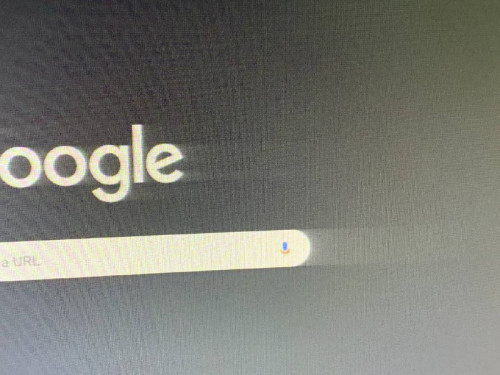
HP monitor image fades out to the left
HP monitor image fades out to the left
|
|
 Oct 11 2021, 12:52 PM, updated 5y ago Oct 11 2021, 12:52 PM, updated 5y ago
Show posts by this member only | IPv6 | Post
#1
|
 
Validating
4 posts Joined: Dec 2019 
|
Got a cheap refurbished HP EliteDisplay E231 monitor off from Shopee which turned out to be quite shit... The resolution seems to be blurry even though it's a 1920x1080 monitor. But the biggest issue is that everything on the screen kinda fades out to the right which is especially noticeable on a dark/bright background. I don't think it's a problem with GPU, since other monitors that I connected to my laptop didn't have this issue. Monitor connected with VGA, but I don't have another cable to test if the problem with the cable... Is this something that I can fix by changing monitor settings or it's something to do with the monitor itself?
|
|
|
|
|
|
Oct 11 2021, 12:56 PM
Show posts by this member only | IPv6 | Post
#2
|
|
Senior Member
5,650 posts Joined: Mar 2012
|
Check your cable first.
This kind of shift is usually cable issue If can change to HDMI then will dissapear This post has been edited by fireballs: Oct 11 2021, 12:57 PM |
|
|
Oct 11 2021, 01:00 PM
Show posts by this member only | IPv6 | Post
#3
|
|
Validating
4 posts Joined: Dec 2019
|
QUOTE(fireballs @ Oct 11 2021, 12:56 PM) Check your cable first. My only option is to use VGA since this monitor doesn't have HDMI. I'll try to find a new cable to test it out...This kind of shift is usually cable issue If can change to HDMI then will dissapear  |
|
|
Oct 11 2021, 01:00 PM
Show posts by this member only | Post
#4
|

Senior Member
5,987 posts Joined: Jan 2003 From: North Borneo & South Nihon/Nippon 
|
QUOTE(Glyxs @ Oct 11 2021, 12:52 PM) Got a cheap refurbished HP EliteDisplay E231 monitor off from Shopee which turned out to be quite shit... The resolution seems to be blurry even though it's a 1920x1080 monitor. But the biggest issue is that everything on the screen kinda fades out to the right which is especially noticeable on a dark/bright background. I don't think it's a problem with GPU, since other monitors that I connected to my laptop didn't have this issue. Monitor connected with VGA, but I don't have another cable to test if the problem with the cable... Is this something that I can fix by changing monitor settings or it's something to do with the monitor itself? Seems like a problem with the cable or VGA signal processing (of the monitor) .... this usually will not be a problem with Digital inputs.... DVI and DP... HDMI devices are plentiful... get a hdmi to DVI adapter to test it out... This post has been edited by BeastX: Oct 11 2021, 01:01 PM Glyxs liked this post
|
|
|
Oct 11 2021, 01:03 PM
Show posts by this member only | Post
#5
|

Junior Member
976 posts Joined: Nov 2014 From: Sandakan, Sabah
|
its the cable
|
|
|
Oct 11 2021, 01:06 PM
Show posts by this member only | Post
#6
|
|
Junior Member
723 posts Joined: Jul 2008
|
The spec says, VGA, DVI, and DP. Try getting an active VGA to DVI.
Also, since this is refurbished, how old is the monitor?, 8 years? Try take a picture with just one color on the monitor. Try setting the wallpaper to just white or gray color. The fading should be consistent on all 4 sides of the monitor. I suspect the monitor is just too old. That's all. |
|
|
|
|
|
Oct 11 2021, 01:10 PM
Show posts by this member only | Post
#7
|
|
Senior Member
5,987 posts Joined: Jan 2003 From: North Borneo & South Nihon/Nippon
|
QUOTE(Glyxs @ Oct 11 2021, 01:00 PM) My only option is to use VGA since this monitor doesn't have HDMI. I'll try to find a new cable to test it out... Here, your monitor can run HDMI.... it appears that's an output option from your GC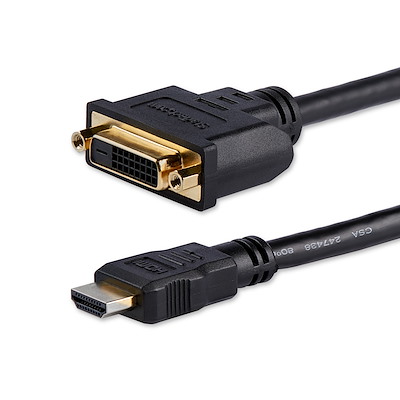 This post has been edited by BeastX: Oct 11 2021, 01:12 PM Glyxs liked this post
|
|
|
Oct 11 2021, 01:14 PM
Show posts by this member only | IPv6 | Post
#8
|
|
Validating
4 posts Joined: Dec 2019
|
QUOTE(zemega @ Oct 11 2021, 01:06 PM) The spec says, VGA, DVI, and DP. Try getting an active VGA to DVI. It says manufactured January 2014. The fading seems to be happening with all the colors, but noticeable only when two colors are contrastingAlso, since this is refurbished, how old is the monitor?, 8 years? Try take a picture with just one color on the monitor. Try setting the wallpaper to just white or gray color. The fading should be consistent on all 4 sides of the monitor. I suspect the monitor is just too old. That's all. 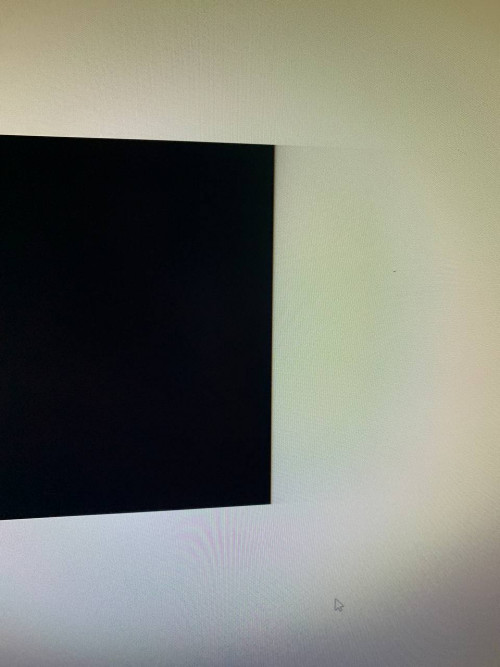 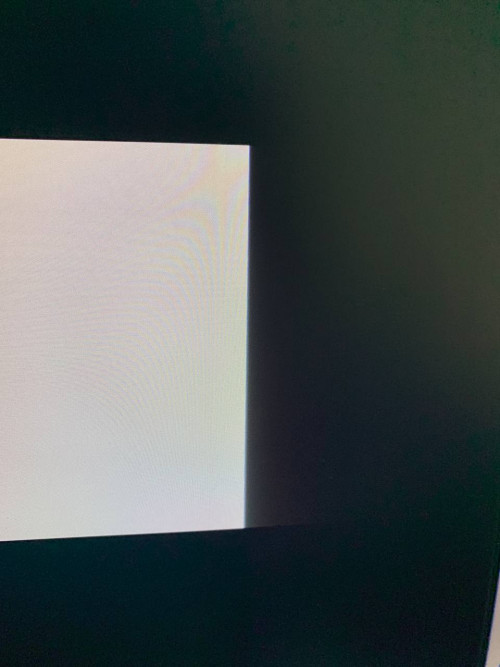 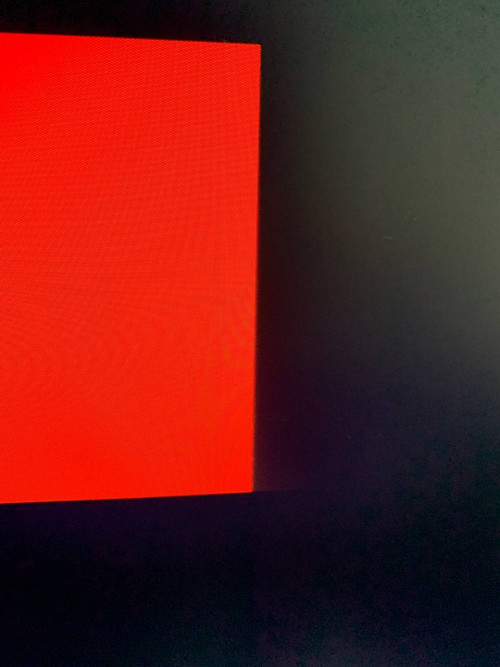 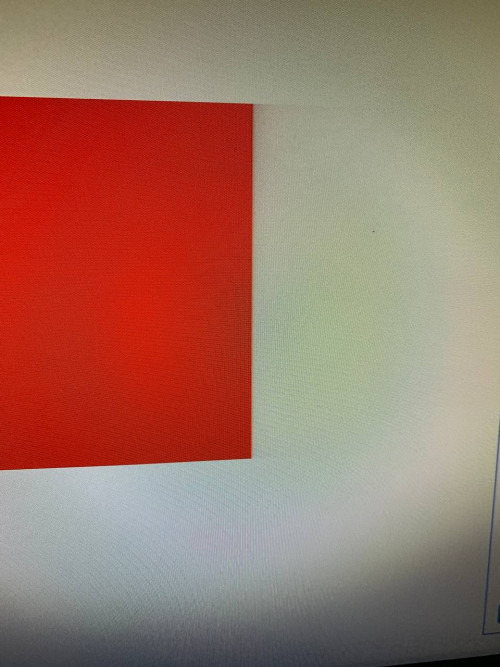 |
|
|
Oct 11 2021, 02:21 PM
Show posts by this member only | Post
#9
|
|
Junior Member
723 posts Joined: Jul 2008
|
QUOTE(Glyxs @ Oct 11 2021, 01:14 PM) It says manufactured January 2014. The fading seems to be happening with all the colors, but noticeable only when two colors are contrasting That's most likely the monitor. The cable should not be a problem. But do test with other cables to rule out if cable is the problem.Try factory reset the monitor if there is an option for that. If your monitor has the option degausse, use it first. |
|
|
Oct 11 2021, 04:16 PM
Show posts by this member only | IPv6 | Post
#10
|
|
Senior Member
5,650 posts Joined: Mar 2012
|
Check the menu. Should be sharp
|
|
|
Oct 11 2021, 04:25 PM
|

Newbie
0 posts Joined: Nov 2004
|
Should be LCD polarizer film starts to loosen or decaying. Need to replace internal polarizer film.
|
|
|
Oct 12 2021, 03:20 PM
Show posts by this member only | IPv6 | Post
#12
|
|
Validating
4 posts Joined: Dec 2019
|
QUOTE(Glyxs @ Oct 11 2021, 12:52 PM) Got a cheap refurbished HP EliteDisplay E231 monitor off from Shopee which turned out to be quite shit... The resolution seems to be blurry even though it's a 1920x1080 monitor. But the biggest issue is that everything on the screen kinda fades out to the right which is especially noticeable on a dark/bright background. I don't think it's a problem with GPU, since other monitors that I connected to my laptop didn't have this issue. Monitor connected with VGA, but I don't have another cable to test if the problem with the cable... Is this something that I can fix by changing monitor settings or it's something to do with the monitor itself? turns out it was a cable issue. Bought DVI to HDMI adapter and connected it to the laptop's output. The resolution is now sharp and clear how it is supposed to be with no fading to the sides  |
|
Topic ClosedOptions
|
| Change to: |  0.0564sec 0.0564sec
 0.68 0.68
 5 queries 5 queries
 GZIP Disabled GZIP Disabled
Time is now: 21st December 2025 - 07:20 AM |
 Quote
Quote