Outline ·
[ Standard ] ·
Linear+
Solved Tm unifi IPv6 slow and high packet loss, high packet loss when using IPv6 unifi
|
TSCereal
|
 May 12 2021, 02:53 PM, updated 5y ago May 12 2021, 02:53 PM, updated 5y ago
|
Getting Started


|
Anybody else having this issue, whenever i enable ipv6 i get very slow connections to google and youtube i dont get this issue when using Ipv4. for computers i have disabled it for now but for WIFI devices i cant seem to disable it. i have already disabled Ipv6 in the router setting but it still shows up in android WIFI connections. 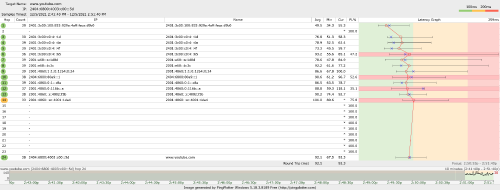 anyone can help? This post has been edited by Cereal: May 12 2021, 08:10 PM |
|
|
|
|
|
heLL_bOy
|
May 12 2021, 03:40 PM
|
|
|
did you restart the router after disable ipv6?
is good you can share screenshot of your router ipv6 setting so others may help you out!
|
|
|
|
|
|
TSCereal
|
May 12 2021, 05:59 PM
|
Getting Started
|
QUOTE(heLL_bOy @ May 12 2021, 03:40 PM) did you restart the router after disable ipv6? is good you can share screenshot of your router ipv6 setting so others may help you out! Yes i did multiple times, on both routers Asus RT Ax3000 at home Tp link Archer C7 V2 at the office both have the same issue with IPv6 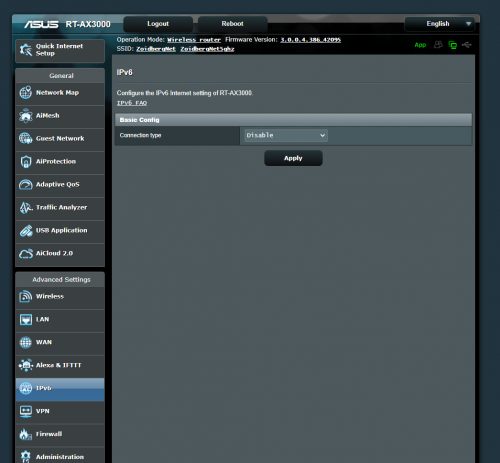 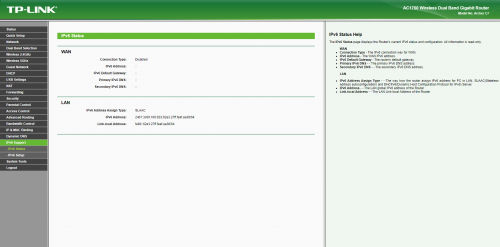 |
|
|
|
|
|
heLL_bOy
|
May 12 2021, 06:50 PM
|
|
|
base on your screenshot that ipv6 was disable but no way ipv6 is working after disable from the router  try to run https://test-ipv6.com/see whether it's show IPV6 ip on that site |
|
|
|
|
|
TSCereal
|
May 12 2021, 07:19 PM
|
Getting Started
|
QUOTE(heLL_bOy @ May 12 2021, 06:50 PM) base on your screenshot that ipv6 was disable but no way ipv6 is working after disable from the router try to run https://test-ipv6.com/see whether it's show IPV6 ip on that site ok managed to solve it already, was running 3 vpn on 3 seperate internet connections seems that ipv6 was tunneling through this vpn, so after i disabled all 3 routers ipv6 the problem stopped. thanks for your help. |
|
|
|
|
|
Chiggah
|
May 14 2021, 09:36 AM
|
|
|
I been getting huge packet loss to games SG and Japan server.
Disabled ipv6 on router and Windows.
--Tried and confirmed this resolved my packet loss issue
This post has been edited by Chiggah: May 14 2021, 11:43 AM
|
|
|
|
|



 Quote
Quote


 0.0257sec
 0.97
0.97
 5 queries
 GZIP Disabled