Welcome Guest ( Log In | Register )

Outline · [ Standard ] · Linear+

 Dell XPS 8940, Upgrading FAN

views
     
TSkx221005
post Apr 24 2021, 07:29 PM, updated 5y ago

Getting Started
**
Junior Member
94 posts

Joined: Aug 2011
HI
I have read the post earlier, most of the people recommend XPS 8940.
As i watch from youtube, most of the XPS 8940 having cooling problem, if i wanted upgrade how should i do it ya?
I am planning to buy 11700 with 3060TI.

*a middle budget gamer here
acbc
post Apr 24 2021, 07:32 PM

Look at all my stars!!
*******
Senior Member
9,048 posts

Joined: Jan 2003
Open the case and check the can size. Most likely 80 or 120 or 140mm fans connected to the motherboard. Order a better fan online and swap it. Easy as ABC.
TSkx221005
post Apr 24 2021, 07:49 PM

Getting Started
**
Junior Member
94 posts

Joined: Aug 2011
QUOTE(acbc @ Apr 24 2021, 07:32 PM)
Open the case and check the can size. Most likely 80 or 120 or 140mm fans connected to the motherboard. Order a better fan online and swap it. Easy as ABC.
*
i saaw some video , mention that not all fan compatible as different motherboard size due to dell proprietary mobo.
or Can we just buy a new mobo and new casing to switch over?

This post has been edited by kx221005: Apr 24 2021, 07:50 PM
myway1985
post Apr 26 2021, 02:57 PM

10k Club
********
All Stars
12,090 posts

Joined: Jun 2014
From: Kuchai Lama


QUOTE(kx221005 @ Apr 24 2021, 07:49 PM)
i saaw some video , mention that not all fan compatible as different motherboard size due to dell proprietary mobo.
or Can we just buy a new mobo and new casing to switch over?
*
xps 8940
1. b460 mobo
2. value ram
3. 500w psu
4. tank casing.. no intake
5. cannot change cooler

take alienware if u wan
ATi_FANBOY
post May 11 2021, 06:31 PM

Getting Started
**
Junior Member
181 posts

Joined: Jan 2006
From: inside ur CPU L2 cache


QUOTE(kx221005 @ Apr 24 2021, 07:29 PM)
HI
I have read the post earlier, most of the people recommend XPS 8940.
As i watch from youtube, most of the XPS 8940 having cooling problem, if i wanted upgrade how should i do it ya?
I am planning to buy 11700 with 3060TI.

*a middle budget gamer here
*
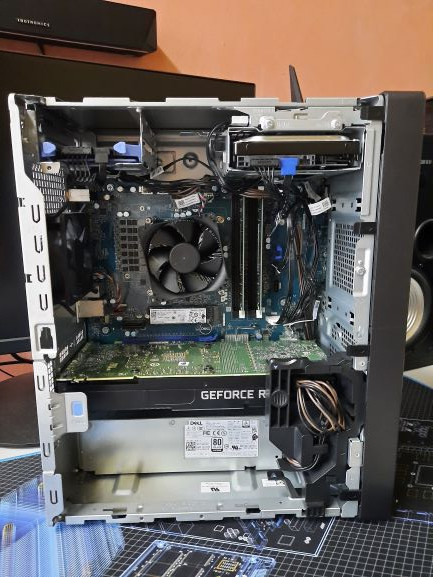
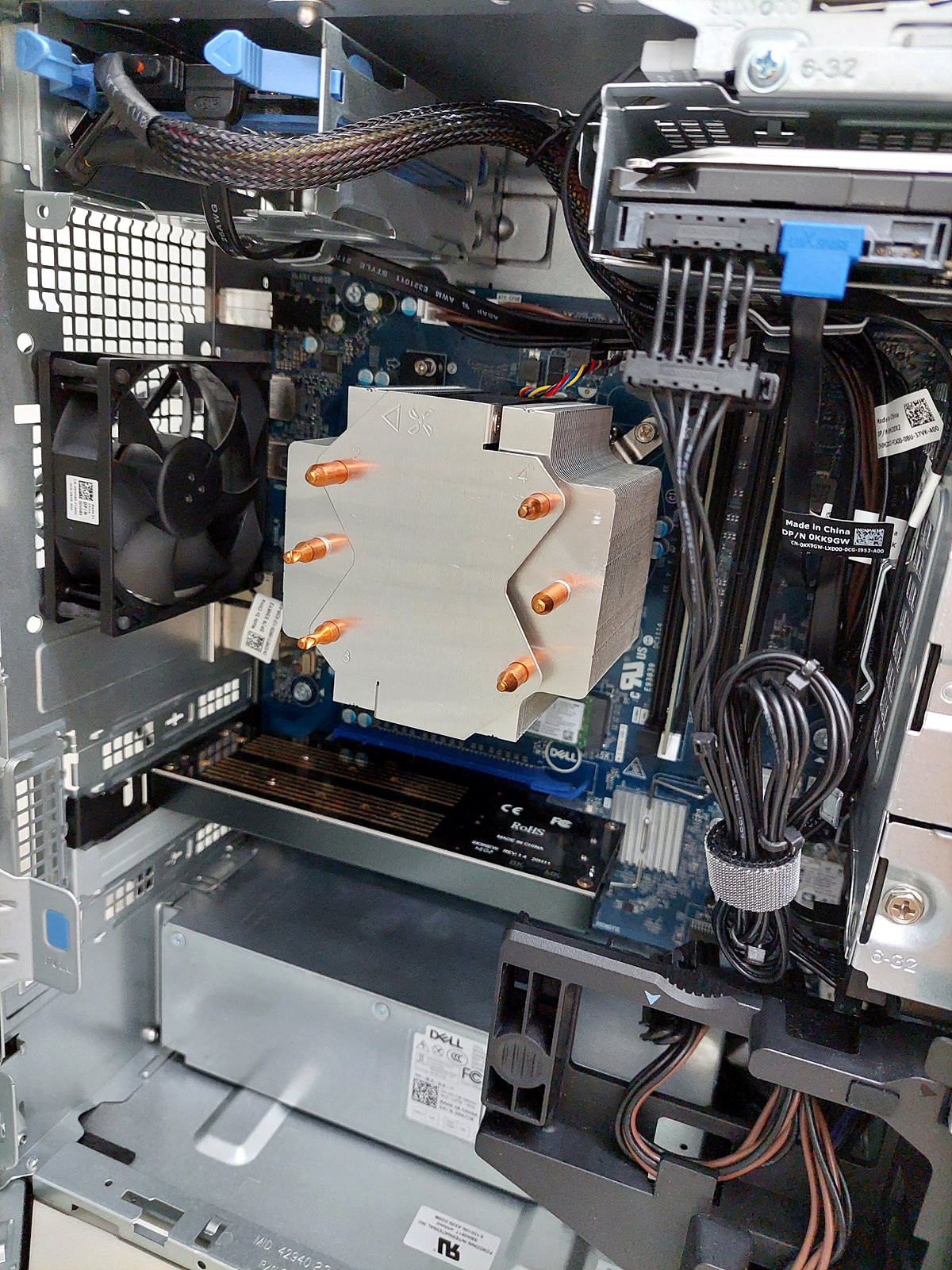
Comes with stock 80mm exhaust fan. The rear fan mounting holes can fir 92mm max.

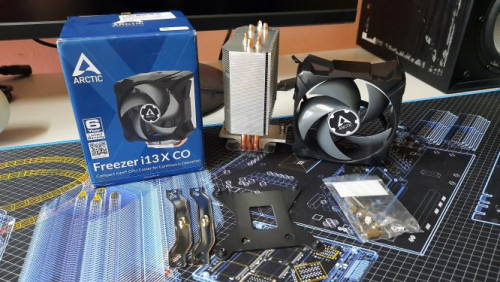
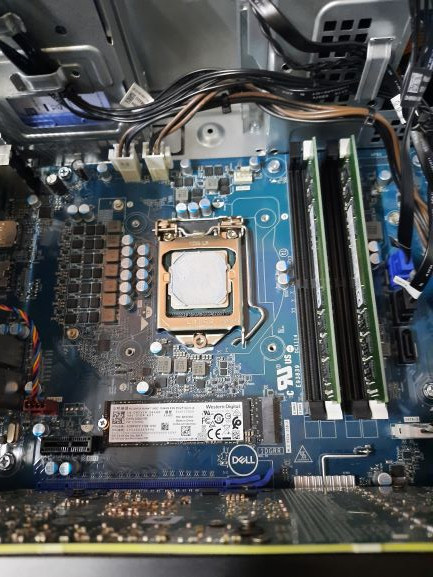
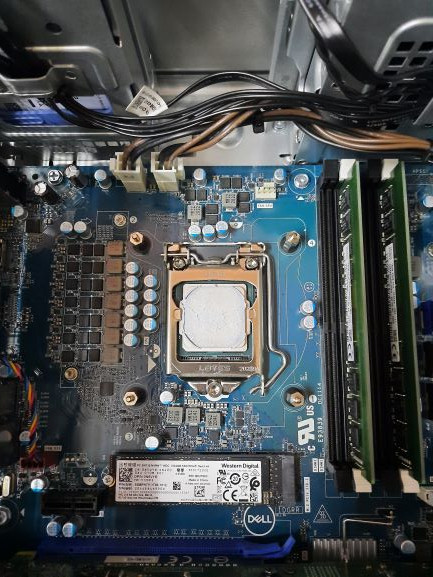
Replaced my stock CPU cooler with Arctic Freezer i13X CO. No need to replace backplate. Mounting set fits just nice with stock backplate.

» Click to show Spoiler - click again to hide... «

TSkx221005
post May 11 2021, 09:39 PM

Getting Started
**
Junior Member
94 posts

Joined: Aug 2011
QUOTE(ATi_FANBOY @ May 11 2021, 06:31 PM)
Comes with stock 80mm exhaust fan. The rear fan mounting holes can fir 92mm max.

Replaced my stock CPU cooler with Arctic Freezer i13X CO. No need to replace backplate. Mounting set fits just nice with stock backplate.

» Click to show Spoiler - click again to hide... «

*
hows the temp? improving?
ATi_FANBOY
post May 11 2021, 10:17 PM

Getting Started
**
Junior Member
181 posts

Joined: Jan 2006
From: inside ur CPU L2 cache


QUOTE(kx221005 @ May 11 2021, 09:39 PM)
hows the temp? improving?
*

Idle 35c, max gaming 76c. No CPU fan noise. Before that, stock cooler max gaming 88c. Loud CPU fan.

Cinebench R20 no difference, CPU still throttle.

Might add an intake fan later. The GPU is still hot.

mrdokok
post May 12 2021, 12:40 AM

Getting Started
**
Junior Member
223 posts

Joined: Oct 2015


what fan?casing fan or cpu fan?both of them can change..just need to find compatible one
ktek
post May 12 2021, 09:31 PM

小喇叭
********
All Stars
13,209 posts

Joined: Jul 2006
above lcd is ur sound bar? seems good thing
BOTAK_WAI
post May 12 2021, 11:54 PM

Blow Water First Class
*******
Senior Member
4,160 posts

Joined: Jan 2003
From: Cheras, KL


QUOTE(ATi_FANBOY @ May 11 2021, 10:17 PM)
Idle 35c, max gaming 76c. No CPU fan noise. Before that, stock cooler max gaming 88c. Loud CPU fan.

Cinebench R20 no difference, CPU still throttle.

Might add an intake fan later. The GPU is still hot.
*
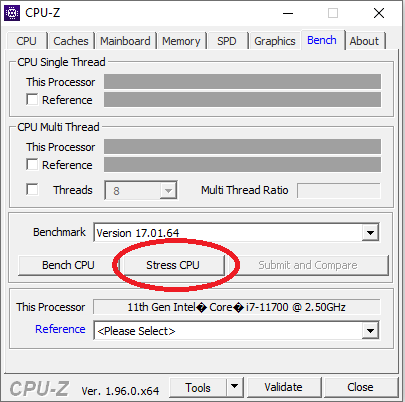
how high the temp can really go with CPU-Z stress test for 3 minutes? (max reading not current reading)

user posted image

This post has been edited by BOTAK_WAI: May 13 2021, 12:21 AM
ATi_FANBOY
post May 14 2021, 04:12 PM

Getting Started
**
Junior Member
181 posts

Joined: Jan 2006
From: inside ur CPU L2 cache


QUOTE(BOTAK_WAI @ May 12 2021, 11:54 PM)
how high the temp can really go with CPU-Z stress test for 3 minutes? (max reading not current reading)

user posted image
*

Same as cinebench test. Temp shoot up to 88c 10 seconds into test and throttle.
BOTAK_WAI
post May 14 2021, 07:09 PM

Blow Water First Class
*******
Senior Member
4,160 posts

Joined: Jan 2003
From: Cheras, KL


QUOTE(ATi_FANBOY @ May 14 2021, 04:12 PM)
Same as cinebench test. Temp shoot up to 88c 10 seconds into test and throttle.
*
i see. i guess need at least 240 water cooling to tame it.
BOTAK_WAI
post May 26 2021, 06:33 AM

Blow Water First Class
*******
Senior Member
4,160 posts

Joined: Jan 2003
From: Cheras, KL


QUOTE(ATi_FANBOY @ May 11 2021, 10:17 PM)
Idle 35c, max gaming 76c. No CPU fan noise. Before that, stock cooler max gaming 88c. Loud CPU fan.

Cinebench R20 no difference, CPU still throttle.

Might add an intake fan later. The GPU is still hot.
*
let me share you a trick.

since you have replaced your stock CPU cooler with Arctic Freezer i13X CO,

you can take out the stock CPU cooler fan and replace the rear case fan,

then install the stock rear case fan as intake fan.


fyi, stock CPU cooler fan 59 CFM, stock rear case fan 40 CFM.
TSkx221005
post May 26 2021, 09:24 AM

Getting Started
**
Junior Member
94 posts

Joined: Aug 2011
QUOTE(BOTAK_WAI @ May 26 2021, 06:33 AM)
let me share you a trick.

since you have replaced your stock CPU cooler with Arctic Freezer i13X CO,

you can take out the stock CPU cooler fan and replace the rear case fan,

then install the stock rear case fan as intake fan.
fyi, stock CPU cooler fan 59 CFM, stock rear case fan 40 CFM.
*
Wow sounds like a good plan. Tq for sharing
myway1985
post May 26 2021, 09:46 AM

10k Club
********
All Stars
12,090 posts

Joined: Jun 2014
From: Kuchai Lama


QUOTE(kx221005 @ May 26 2021, 09:24 AM)
Wow sounds like a good plan. Tq for sharing
*
juz change mobo, psu, casing.. after warranty end
ATi_FANBOY
post May 26 2021, 09:52 PM

Getting Started
**
Junior Member
181 posts

Joined: Jan 2006
From: inside ur CPU L2 cache


QUOTE(myway1985 @ May 26 2021, 09:46 AM)
juz change mobo, psu, casing.. after warranty end
*


Can't do that unfortunately. XPS 8940 parts are exactly like this G5 except front and side panel.
myway1985
post May 26 2021, 10:11 PM

10k Club
********
All Stars
12,090 posts

Joined: Jun 2014
From: Kuchai Lama


QUOTE(ATi_FANBOY @ May 26 2021, 09:52 PM)


Can't do that unfortunately. XPS 8940 parts are exactly like this G5 except front and side panel.
*
seem like u dunno wat a pc made off..

those 3 component r swap able... dell proprietary parts are mobo, psu, casing.. this 3 limit the upgrability

n i mean change means change to msi gigabyte those..

This post has been edited by myway1985: May 26 2021, 10:12 PM
ATi_FANBOY
post May 27 2021, 06:26 PM

Getting Started
**
Junior Member
181 posts

Joined: Jan 2006
From: inside ur CPU L2 cache


QUOTE(myway1985 @ May 26 2021, 10:11 PM)
seem like u dunno wat a pc made off..

those 3 component r swap able... dell proprietary parts are mobo, psu, casing.. this 3 limit the upgrability

n i mean change means change to msi gigabyte those..
*
Ok
pluginbaby
post May 30 2021, 04:08 PM

Look at all my stars!!
*******
Senior Member
2,661 posts

Joined: Apr 2007


Does anyone know if XPS8940 shipped with 11700 is able to swap the CPU out with a 10400?

I wish to put the 11700 into another rig and put in the 10400 as a replacement for work use. Will the motherboard accept the 10th gen CPU?
BOTAK_WAI
post May 30 2021, 10:13 PM

Blow Water First Class
*******
Senior Member
4,160 posts

Joined: Jan 2003
From: Cheras, KL


QUOTE(pluginbaby @ May 30 2021, 04:08 PM)
Does anyone know if XPS8940 shipped with 11700 is able to swap the CPU out with a 10400?

I wish to put the 11700 into another rig and put in the 10400 as a replacement for work use. Will the motherboard accept the 10th gen CPU?
*
never try but should be ok since it's a H470 mobo
pluginbaby
post May 30 2021, 10:16 PM

Look at all my stars!!
*******
Senior Member
2,661 posts

Joined: Apr 2007


QUOTE(BOTAK_WAI @ May 30 2021, 10:13 PM)
never try but should be ok since it's a H470 mobo
*
Oh..didn't know it's a H470. Thanks for the input man
BOTAK_WAI
post May 30 2021, 10:31 PM

Blow Water First Class
*******
Senior Member
4,160 posts

Joined: Jan 2003
From: Cheras, KL


QUOTE(pluginbaby @ May 30 2021, 10:16 PM)
Oh..didn't know it's a H470. Thanks for the input man
*
xps 8940 was shipped out with 10th gen intel.

they just update bios and shipped with 11th gen.
greyshadow
post Jun 3 2021, 10:58 AM

I bleed it out, Diggin' deeper just to throw it away!
******
Senior Member
1,844 posts

Joined: Jan 2003
From: Kingdom of Sarawak


the constant thermal throttling due to cheap cpu cooler is getting into my nerve
planning to upgrade it, but judging from a few videos out there, noctua is the only one that's be able to tame this cpu, but requires some cutting/drilling on the backplate? that's i'm not willing to do
arctic freezer is not bad but still get throttling in cinebench hmm.gif

so anyone out here managed to change the cooler without major modification that will void the warranty?

also anyone added heatsink to the VRM? does it help?

hyperyouth_firepower
post Jun 7 2021, 07:05 PM

BlackBerry enthusiast
******
Senior Member
1,964 posts

Joined: Apr 2005
From: Sabah, Malaysia.


QUOTE(greyshadow @ Jun 3 2021, 11:58 AM)
the constant thermal throttling due to cheap cpu cooler is getting into my nerve
planning to upgrade it, but judging from a few videos out there, noctua is the only one that's be able to tame this cpu, but requires some cutting/drilling on the backplate?  that's i'm not willing to do
arctic freezer is not bad but still get throttling in cinebench hmm.gif

so anyone out here managed to change the cooler without major modification that will void the warranty?

also anyone added heatsink to the VRM?  does it help?
*
No need a Noctua, if you don't want to spend that much.

I forgot where I saw it in Dell forums, but what does work guaranteed:


1) Vetroo V5 cooler (no modifications needed. Even fan plug works without the annoying F1 at bios fan error beep.

2) Lanshuo 6 pipe cooler (double / triple fan up to you). No need modifications for the mounting. Not sure about the fan connector. Disclaimer, I've ordered one but its piled up in China together with some other parts.

3) The VRM heatsink is sold by Dell. Around RM100. Better buy that than doing guesswork in shopee / lazada. Besides, if you use K variant of the CPUs, your VRMs should have the heatsinks. I'm using the Dell Optiplex 7080MT which has the same VRM layout, that one is confirmed. If you don't use the VRM, you need to short both the top and bottom end of the VRM heatsink screw, or else once you change the CPU to another K variant it'll just spit out a lot of errors not allowing you to boot etc.

4) You can fit a 80mm fan (even the Dell one) to squeeze in between the between the GPU, the GPU bracket and the front chassis. It'll be snug, but some wiggle room. Use zip ties. That way you can introduce airflow to both the PSU and the GPU, but dust may be a problem.


I've been trying to identify the dust filter from Dell, but not sure if its the same kind of dust filter or maybe it isn't.

TSkx221005
post Jun 8 2021, 10:21 AM

Getting Started
**
Junior Member
94 posts

Joined: Aug 2011
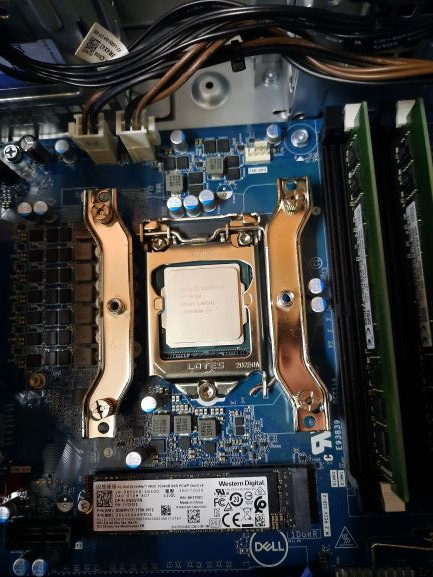
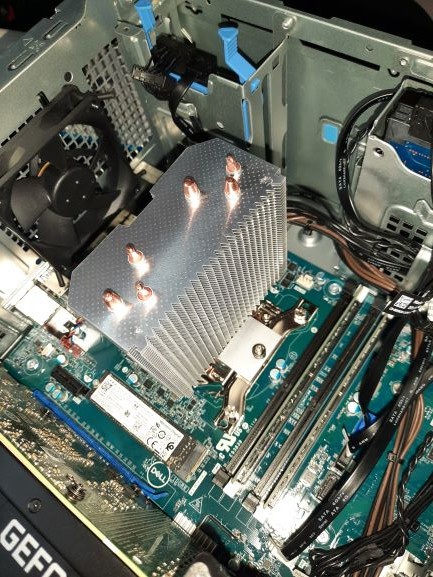
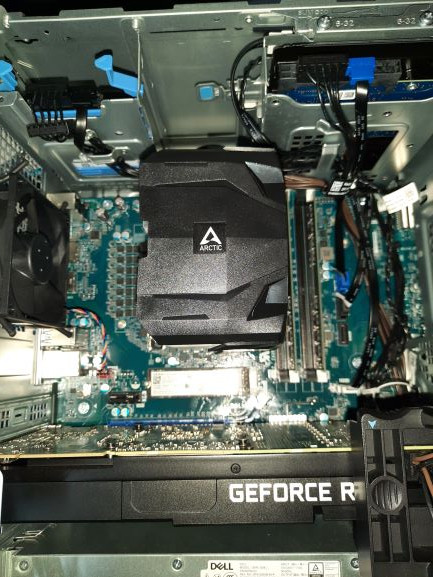
I had done installed noctua fan and dell fan. Below are the attachments

http://imgur.com/gallery/dYHiBGr

After install dell fan at lower front case , the temp GPU bring down around 2c

Currently mining at 58c with 59 fan speed . (Side panel and front panel opened). Basically it's a naked pc .
ApostLes`
post Jun 15 2021, 02:05 AM

Casual
***
Junior Member
409 posts

Joined: Jul 2006


QUOTE(ATi_FANBOY @ May 11 2021, 06:31 PM)
Comes with stock 80mm exhaust fan. The rear fan mounting holes can fir 92mm max.

Replaced my stock CPU cooler with Arctic Freezer i13X CO. No need to replace backplate. Mounting set fits just nice with stock backplate.

» Click to show Spoiler - click again to hide... «

*
Where u buy ur arctic freezer i13X? Need to replace mine as well

BOTAK_WAI
post Jun 16 2021, 01:09 AM

Blow Water First Class
*******
Senior Member
4,160 posts

Joined: Jan 2003
From: Cheras, KL


currently running
1x dvd drive
2x 3.5" hdd
1x 2.5" hdd
2x m.2 nvme ssd

if add-on a pcie x1 sata expansion card, still possible to add
1x 2.5" sata ssd
1x m.2 nvme ssd
2x m.2 sata ssd

user posted image

This post has been edited by BOTAK_WAI: Jun 16 2021, 01:11 AM
ApostLes`
post Jun 16 2021, 04:09 AM

Casual
***
Junior Member
409 posts

Joined: Jul 2006


QUOTE(BOTAK_WAI @ Jun 16 2021, 01:09 AM)
currently running
1x dvd drive
2x 3.5" hdd
1x 2.5" hdd
2x m.2 nvme ssd

if add-on a pcie x1 sata expansion card, still possible to add
1x 2.5" sata ssd
1x m.2 nvme ssd
2x m.2 sata ssd

user posted image
*
What cooler is this? Where u buy?

Can show max load temp?
akunyer
post Jun 23 2021, 07:29 PM

New Member
*
Newbie
2 posts

Joined: Sep 2005
QUOTE(kx221005 @ Jun 8 2021, 10:21 AM)
I had done installed noctua fan and dell fan. Below are the attachments

http://imgur.com/gallery/dYHiBGr

After install dell fan at lower front case , the temp GPU bring down around 2c

Currently mining at 58c with 59 fan speed . (Side panel and front panel opened). Basically it's a naked pc .
*
Where to buy this noctua fan boss ? Thanks. rclxms.gif
akunyer
post Jun 23 2021, 07:31 PM

New Member
*
Newbie
2 posts

Joined: Sep 2005
QUOTE(ATi_FANBOY @ May 11 2021, 06:31 PM)
Comes with stock 80mm exhaust fan. The rear fan mounting holes can fir 92mm max.

Replaced my stock CPU cooler with Arctic Freezer i13X CO. No need to replace backplate. Mounting set fits just nice with stock backplate.

» Click to show Spoiler - click again to hide... «

*
I really need links where to buy this . Thanks notworthy.gif
TSkx221005
post Jun 23 2021, 08:28 PM

Getting Started
**
Junior Member
94 posts

Joined: Aug 2011
QUOTE(akunyer @ Jun 23 2021, 07:29 PM)
Where to buy this noctua fan boss ?  Thanks.  rclxms.gif
*
Most them can be found at shopee. But some of the seller out of stock currently. However u can try this few seller

Noctua NH-U9S chromax.black Premium CPU Air Cooler
https://shopee.com.my/-Noctua-NH-U9S-chroma...7182.9106623009


terryforever
post Jul 23 2021, 08:35 PM

Getting Started
**
Junior Member
192 posts

Joined: Jan 2006


QUOTE(ATi_FANBOY @ May 11 2021, 06:31 PM)
Comes with stock 80mm exhaust fan. The rear fan mounting holes can fir 92mm max.

Replaced my stock CPU cooler with Arctic Freezer i13X CO. No need to replace backplate. Mounting set fits just nice with stock backplate.

» Click to show Spoiler - click again to hide... «

*
May I ask where u get the Arctic Freezer i13X co?
Can't find any shopee or lazada
skyfcmy
post Jul 27 2021, 09:52 PM

New Member
*
Junior Member
49 posts

Joined: Oct 2007
QUOTE(ATi_FANBOY @ May 11 2021, 06:31 PM)
Comes with stock 80mm exhaust fan. The rear fan mounting holes can fir 92mm max.

Replaced my stock CPU cooler with Arctic Freezer i13X CO. No need to replace backplate. Mounting set fits just nice with stock backplate.

» Click to show Spoiler - click again to hide... «

*
Bro,

Is it out of box ready to install without mod?

mine to share where to get and how much is it?

Thanks a lot.

XPS owner
terryforever
post Jul 28 2021, 08:36 PM

Getting Started
**
Junior Member
192 posts

Joined: Jan 2006


QUOTE(skyfcmy @ Jul 27 2021, 09:52 PM)
Bro,

Is it out of box ready to install without mod?

mine to share where to get and how much is it?

Thanks a lot.

XPS owner
*
I also waiting him to reply~ But so fat no reply from him yet~
and i cant find in Lazada and Shopee..... not sure Lowyat got or not

terryforever
post Aug 2 2021, 03:41 PM

Getting Started
**
Junior Member
192 posts

Joined: Jan 2006


user posted image
user posted image
user posted image
user posted image
user posted image
user posted image

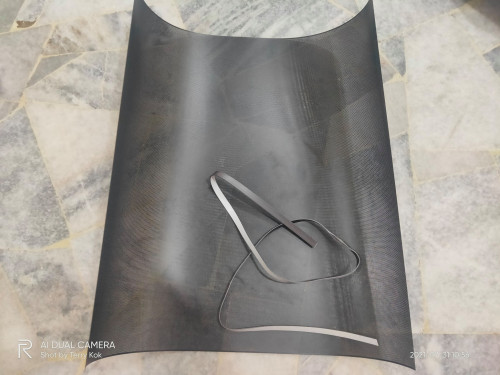
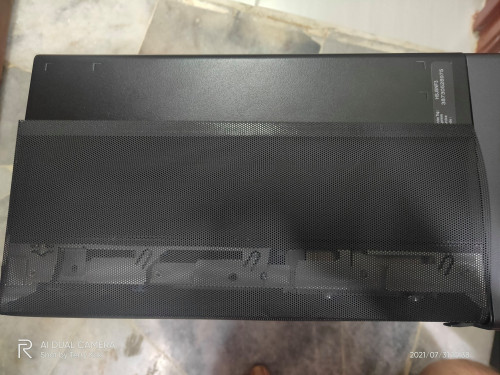
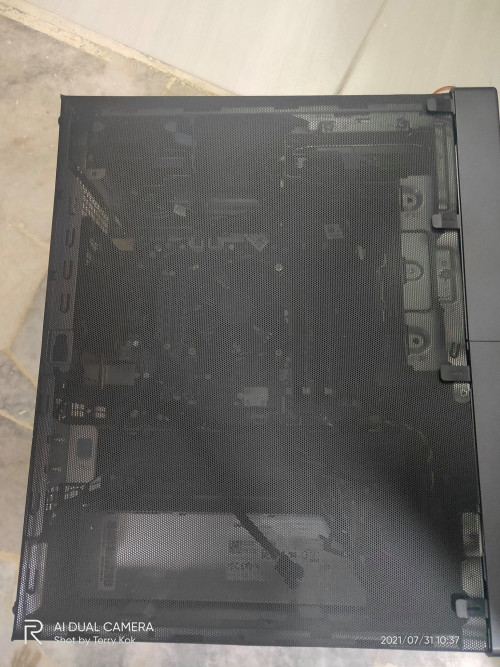
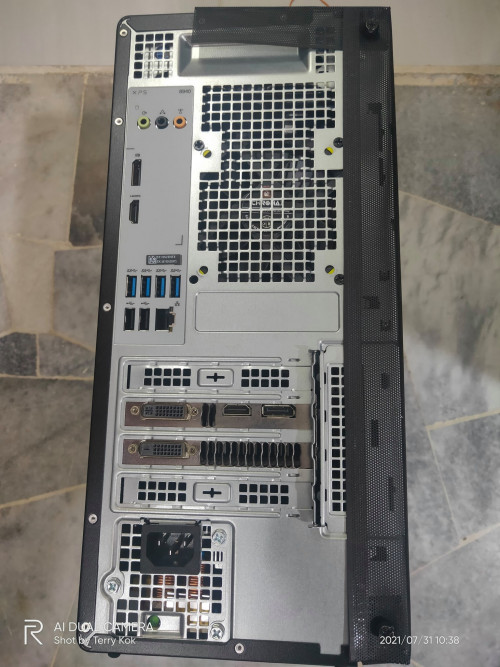
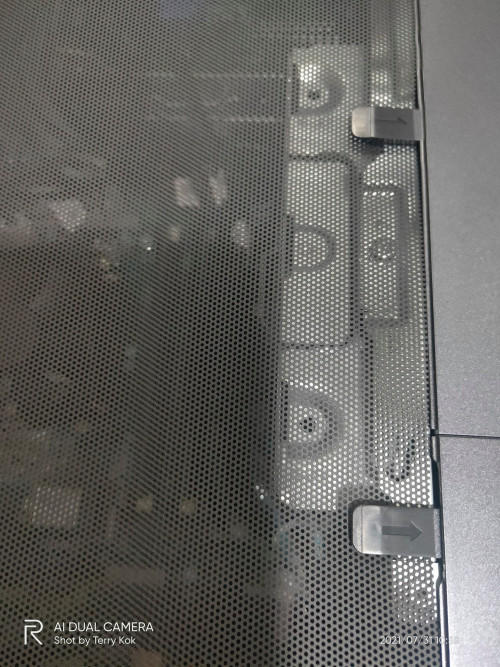
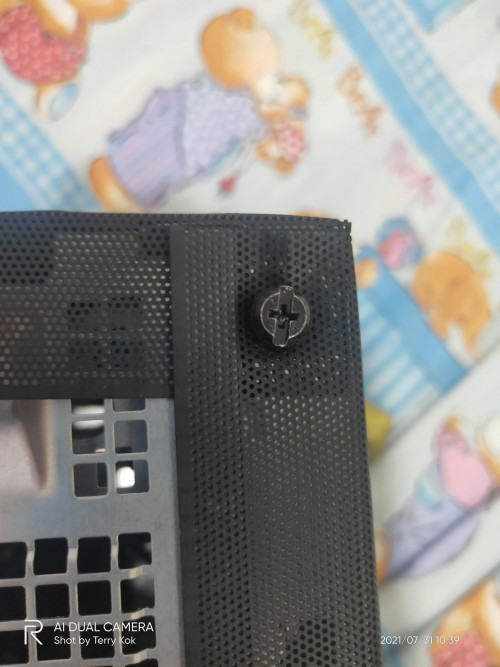
I haven't upgrade the cooler and 120mm fans yet, but soon i will. Now i only got one Noctua exhaust fan at the back.
I just try to make a side panel with this Dust Filter (sorry i not sure what it call) that i bought from Taobao.
I can say, so far so good to my XPS 8940 thumbsup.gif at least open air now. laugh.gif

This post has been edited by terryforever: Aug 2 2021, 03:42 PM
BOTAK_WAI
post Aug 2 2021, 11:38 PM

Blow Water First Class
*******
Senior Member
4,160 posts

Joined: Jan 2003
From: Cheras, KL


QUOTE(terryforever @ Aug 2 2021, 03:41 PM)
user posted image
user posted image
user posted image
user posted image
user posted image
user posted image

I haven't upgrade the cooler and 120mm fans yet, but soon i will. Now i only got one Noctua exhaust fan at the back.
I just try to make a side panel with this Dust Filter (sorry i not sure what it call) that i bought from Taobao.
I can say, so far so good to my XPS 8940 :thumbsup:  at least open air now.  laugh.gif
*
try water cooling

https://store.asetek.com/products/asetek-64...quid-cpu-cooler


ktek
post Aug 6 2021, 04:55 PM

小喇叭
********
All Stars
13,209 posts

Joined: Jul 2006
name is mesh grillz
PJng
post Sep 23 2022, 11:32 PM

10k Club
********
All Stars
12,047 posts

Joined: Oct 2017


sorry for necro thread
it is got vc code can apply on dell website to get discount? i don see openly talk about this like Lenovo thread


Change to:
| Lo-Fi Version
0.0374sec    0.54    5 queries    GZIP Disabled
Time is now: 15th December 2025 - 06:37 AM