

 Feb 21 2021, 05:22 PM


QUOTE(lOrDjAbU @ Feb 20 2021, 07:54 PM)
anyone tried galaxy labs? source from androidpolice
sammy super weird lol... having 2 "modular experimental projects" running at same time: Good Lock and Galaxy Labs. it's like they're copying Google lol
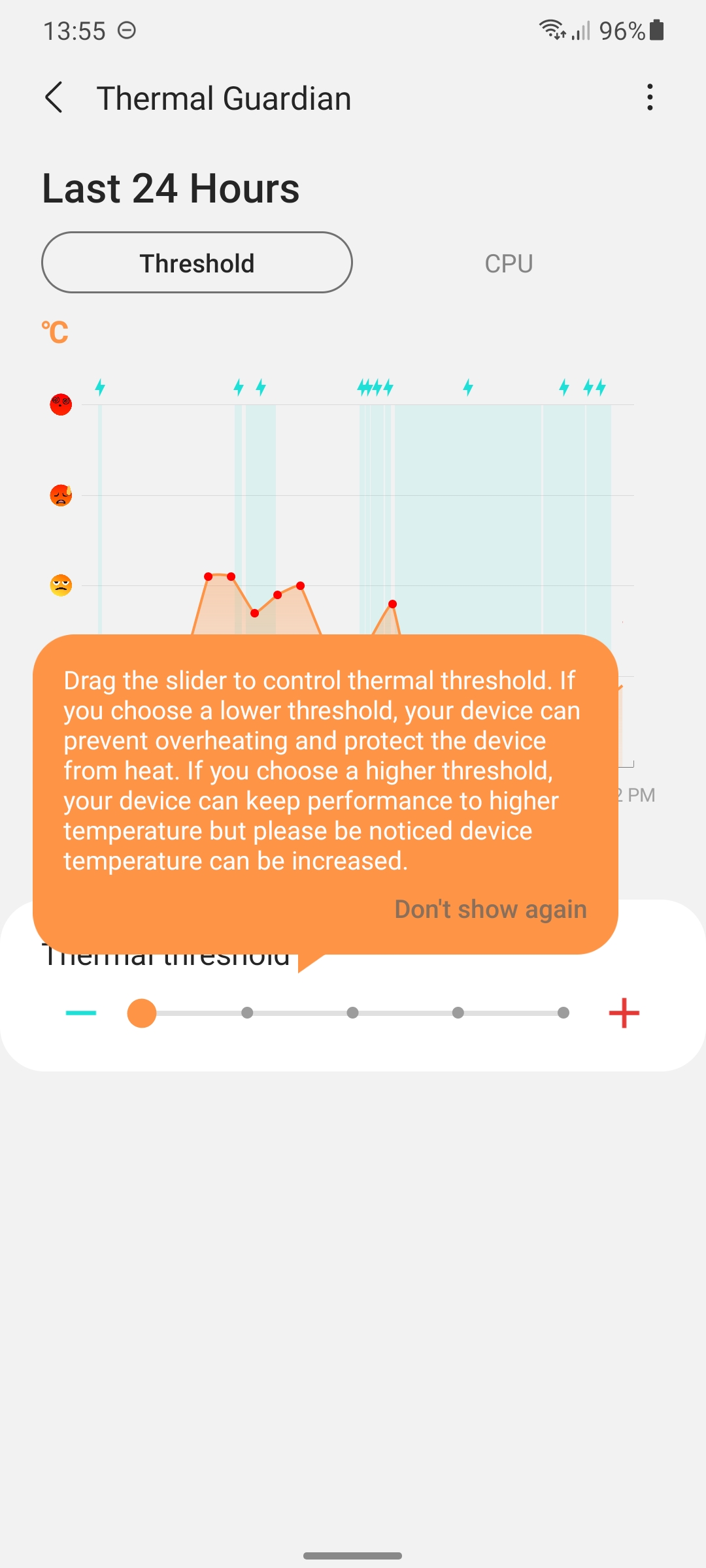
i would like to highlight this one feature: Thermal Guardian. so nice having the options to choose... if die hard gamer, then set the threshold to the max so that to ensure consistent performance while gaming (probably should attach cpu fan cooler e.g blackshark cooler pro or something something after set the higher threshold)
or if just casual user, then set the threshold to lower so that phone will run cooler albeit with performance reduction (laggy, choppy, etc)
try it guys

How did you install Galaxy Labs? Not available in MY. I tried installing the APK, but need to download the modules from Galaxy Store which showed not available for me. Appreciate any advice, thanks!sammy super weird lol... having 2 "modular experimental projects" running at same time: Good Lock and Galaxy Labs. it's like they're copying Google lol
i would like to highlight this one feature: Thermal Guardian. so nice having the options to choose... if die hard gamer, then set the threshold to the max so that to ensure consistent performance while gaming (probably should attach cpu fan cooler e.g blackshark cooler pro or something something after set the higher threshold)
or if just casual user, then set the threshold to lower so that phone will run cooler albeit with performance reduction (laggy, choppy, etc)
try it guys
 Quote
Quote
 0.0199sec
 0.23
0.23
 7 queries
 GZIP Disabled