Welcome Guest ( Log In | Register )

Outline · [ Standard ] · Linear+

Review Synology HAT5300 8TB, HDD review

views
     
TSxxboxx
post Feb 12 2021, 09:06 PM, updated 5y ago

The mind is for having ideas, not holding them
*******
Senior Member
5,261 posts

Joined: Oct 2004
From: J@Y B33


This is a review of a HDD (Hard Disk Drive). Nope, not SSD. You didn’t read it wrongly, and I didn’t write it wrongly too. In this age of Gen 4 PCIE speed with thousands of MB/s speeds for read and write, and with over half millions of IOPS (Input/Output Operations Per Second), looking at HDD speed is as exciting as watching paint dry. Well, maybe in this review you can rediscover some knowledge about HDD that is same as me when I was doing the testing. It’s like the lost art of disk drives.

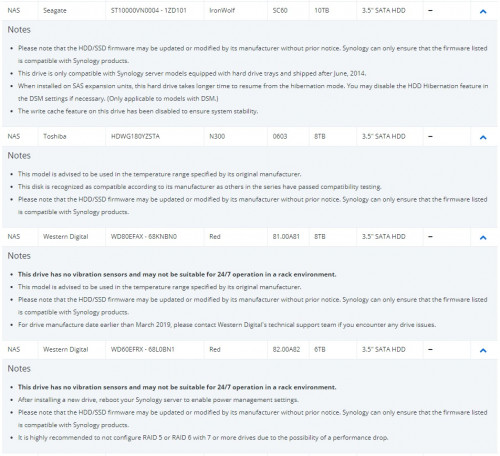
I was fortunate enough to get a hold of this Synology hard disk. I think it’s not even available yet in Malaysia for purchase. Yes, Synology coming out with their own brand of HDD. They seem to be branching out doing storage now, before this they also have come out with their own brand of SATA and NVME SSD. These HDD are marketed for enterprise usage and they also launched some enterprise NAS rack that are locked to only can use these HAT5300 HDD for size over 4TB. I think their reasoning is for enterprise usage that only relies on vendors support to troubleshoot problems, having the option of everything managed by 1 vendor does make everything easier and faster. There will be no situation where NAS vendor point a finger to HDD vendors and vice-versa. Synology also doesn’t need to do extensive tests of different drives just to make sure all are compatible with their NAS, especially now there’s so many brands and models of SSD drives, it’s not even funny. Looking at some of the HDD notes after their testing I understand why they moved to offer complete package system, trying to explain to enterprise customers that the particular model of HDD from a leading brand doesn’t perform well when configured with 7 or more drives in RAID-5 or RAID-6 or it have problem with hibernation sounds like going to get a lot of scepticism from the customer.
user posted image

To be frank HDD is still very much relevant in data centres and NAS as it offers the best GB per price ratio. Consumer desktops still need it as mass storage to store the bit perfect.. *ehem* Linux OS’es. Also, these days it’s easy to take photos and videos using a smartphone, and if you got hundreds of gigabytes of data, backing it up to a computer or NAS is more cost effective than paying for cloud service. You should also have offline backup of your precious data as a safety precaution. You do have it, backup data, don’t you? Saw too many times people come asking how to retrieve their important data that is inside a dead HDD/SSD/thumb drive, and that is the only copy of that important data. Back to HDD, it’s evolutions have been stagnant for some time now that every HDD seems to be the same, it doesn’t have any difference in performance. Or is it?


HARDWARE

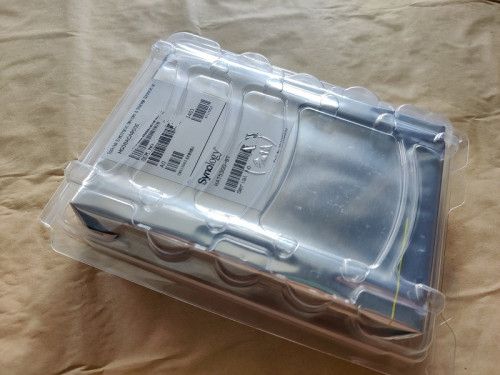
The 8TB hard disk comes in an anti-static bag and protective cover. To be clear, Synology doesn’t manufacture the HDD themselves, instead it was Toshiba enterprise grade HDD that was rebranded as Synology. In the packaging it also can be clearly seen it was Toshiba’s MG06ACA800E model. It is a 7200 RPM speed with 256MB cache. This is their enterprise grade model that came with 550TB rated annual workload and 5 years warranty. Synology mirrors this by offering the same workload and warranty. As this is the 8TB model, it is an air-filled drive. Judging by the power consumption of the 12TB and 16Tb model, those should be helium-filled drives. The hard drive is also equipped with Rotational Vibrations (RV) sensor, something that is normal with NAS or enterprise grade HDD. Though there are NAS grade HDD that don't have an RV sensor, they reserve it for their Pro model. Synology didn’t mention anything about Persistent Write Cache which is one of the features with Toshiba MG series, it basically means in an event of power failure it will write the incomplete written sector to it’s flash memory first, and resume writing back to the sector in HDD when powered back. HAT5300 firmware can also be directly updated through DSM so that gives an advantage compared to other brand HDD.
user posted image

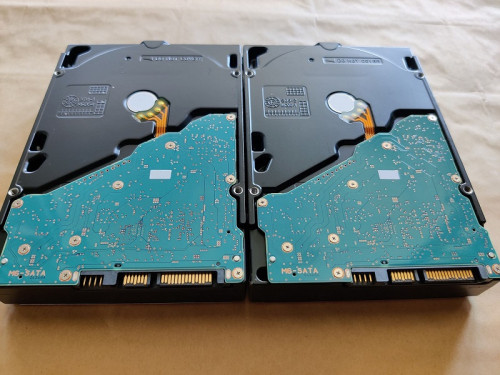
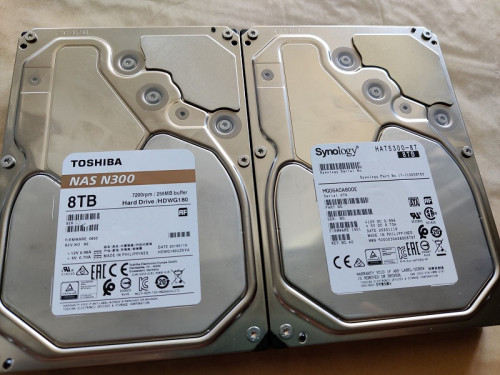
As it so happens I have Toshiba's NAS N300 8TB drive, I can then make a comparison between the two HDDs that are from the same manufacturer. It’s a NAS grade HDD and not enterprise grade HDD which Synology is using, though looking at the appearance, except for the sticker there’s no way to tell them apart. Even the case is hard stamped as MG06. N300 are also 7200 RPM speed and 256MB cache as well as air-filled drive. But the N300 NAS grade HDD is only 180TB rated annual workload and 3 years warranty, so that’s that.
user posted image

user posted image

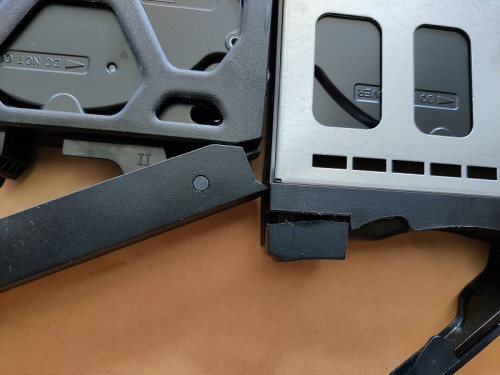
When installing the HDD to NAS’s caddy I noticed that my another NAS's caddy cover the “Do Not Cover” hole, granted there’s still a small gap between the caddy and HDD so it probably no issue but my OCD kicks in trying to find ways to rectify it. Luckily Synology NAS caddy doesn’t cover the hole, it would be bad press if first party HDD doesn’t pair well with its own NAS lol.
user posted image
TSxxboxx
post Feb 12 2021, 09:06 PM

The mind is for having ideas, not holding them
*******
Senior Member
5,261 posts

Joined: Oct 2004
From: J@Y B33


COMPARISON AND TEST

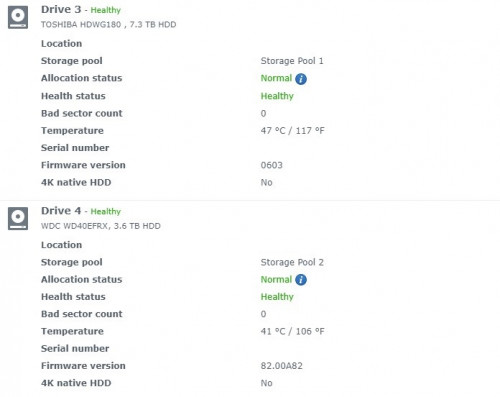
In my DS920+ NAS I already have N300 installed. I also have WD Red 4TB in it. N300 8TB does run more hotter than Red 4TB. Previously I also have Seagate Ironwolf 4TB in the NAS which runs cooler than Red by about 1 or 2 celsius. This is in daytime and the room without air-conditioning, maybe around 30 celsius. It is still far away from Toshiba's specified max temperature of 65 celsius.
user posted image

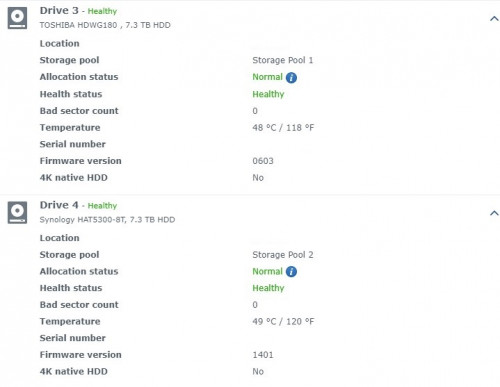
Installing the HAT5300 and no surprise, the temperatures are similar to N300. This is taken when doing file copy between the HDDs.
user posted image

I’ll be comparing it by reading and writing between HDD in the NAS as these HDD read & write speeds are over 100MB/s, no point comparing between 2 devices over the network due to my network speed being limited to gigabit/s. At first I just compared it to WD Red since I thought the performance will not be much different but boy was I wrong. The WD Red is a 4TB model and 5400 RPM speed, it obviously has less platter and less RPM speed but the differences were so much that I ended up also taking out N300 from my RAID pool to do the test. All HDD were formatted to be empty before the test.

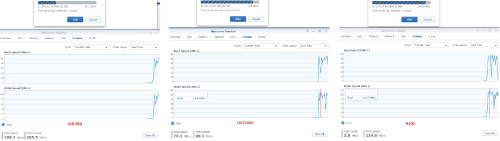
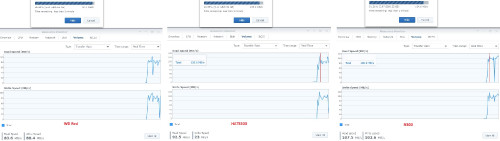
First test I’m using a folder that has 33 sub-folders and 481 files with mixed file sizes that came to a total of 6.52GB. This test shows all HDD perform write speeds that are almost the same. Gigabytes of multiple small files has always been the weakness of disk based drives whether it is for read or write. WD Red are slightly slower with speed averagely below 100MB/s while the other 2 HDDs stay above it.
user posted image

Reading from the HDDs shows HAT5300 average above 100MB/s and peak to 128MB/s, N300 also average around 100MB/s while WD Red only averages around 90MB/s.
user posted image

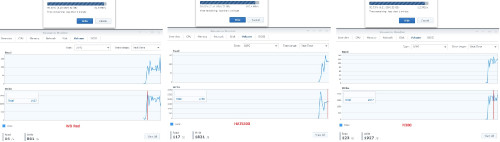
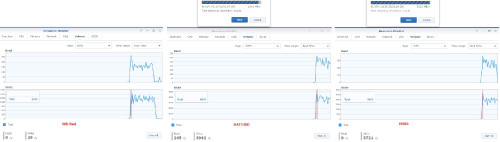
As Synology DSM can also monitor IOPS I also capture it for comparison. Writing to the HDDs, HAT5300 and N300 average around 1700 IOPS while WD Red average is below 1500 IOPS.
user posted image

Reading from these HDD, I would say HAT5300 averages around 125 IOPS and N300 almost similar to it. WD Red is around 90 IOPS.
user posted image

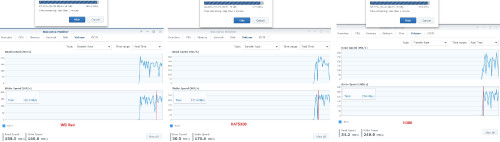
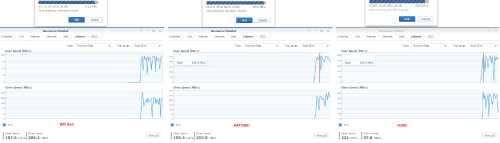
Next is using a single file with size of 21GB to test the HDD sequential write and read performance. Here the drive with more platter and RPM speed shine on how fast it can go. I would say HAT5300 writes averagely at 230MB/s, same goes to N300 but there are more bigger dips than HAT5300. WD Red on the other hand just managed to peak one time to 192.5MB/s, it’s average around 170MB/s. This means HAT5300 and N300 is faster by 35% than WD Red. You could save a lot of writing time with that big difference.
user posted image

Now onto a sequential read speed test using the 21GB file. Same story again here, HAT5300 staying near to 250MB/s read speed, same goes to N300 but again a lot of big dips. WD Red can’t even reach 200MB/s, I would say average around 170MB/s.
user posted image

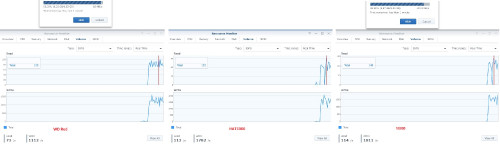
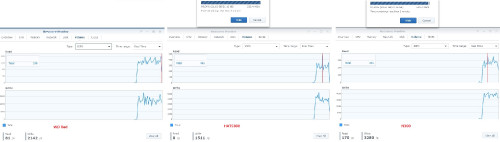
Doing an IOPS test using the 21GB file, I sense a similar pattern will repeat, HAT5300 performs the best and N300 follows closely but with big dips while WD Red trails far away. And that exactly is the result. HAT5300 and N300 manage around 4000 IOPS while WD Red has a hard time to even reach 3000 IOPS.
user posted image

Reading from these HDDs again confirms the expectation, HAT5300 keep going over 300 IOPS while N300 not far away, meanwhile WD Red keep jumping up from 150 IOPS but unable to reach 200 IOPS.
user posted image


CLOSING THOUGHT

This HAT5300 8TB drive performs consistently throughout the test. It is very similar to N300 but slightly better. I read somewhere that Synology is using it’s own custom tweaked firmware so that might give an edge compared to N300, or maybe Toshiba enterprise grade HDD is just better than their own NAS grade HDD. Having a speedier RPM hard disk will be an advantage for faster read and write operation so that is something that should be considered when getting a HDD if the usage will involve a lot of reading and writing of gigabytes of data.

Since this is for enterprise user usage, I wonder if Synology will also sell it to normal consumers or limited to their enterprise NAS. It’s 550TB rated annual workload and 5 years warranty does make it look more attractive than other consumer NAS HDD.


Change to:
| Lo-Fi Version
0.0163sec    0.68    5 queries    GZIP Disabled
Time is now: 19th December 2025 - 06:51 AM