QUOTE(Grammar Police @ Feb 12 2021, 11:53 AM)
i was using VScode and have unsaved work deep into the night and i want to sleep, so i just set my pc to sleep mode but when i click sleep i notice the exclamation mark over the shut down and restart button indicating there is an update.
the next day when i wake my pc from sleep.. the exclamation mark is gone and my vscode is also gone, its almost like the pc restarted on its own
i can still recover my work on vscode but that is not what i wanted, i wanted the vscode to remain open because i may need to undo , and the undo history is gone now.
do windows 10 has the authority to just restart own its own when i was sleeping?
Yes, Win10 do have the ability to restart your computer to run automatic updates when the computer is idle for certain period of time. It will disregard any open documents or programs & it will not be saved.
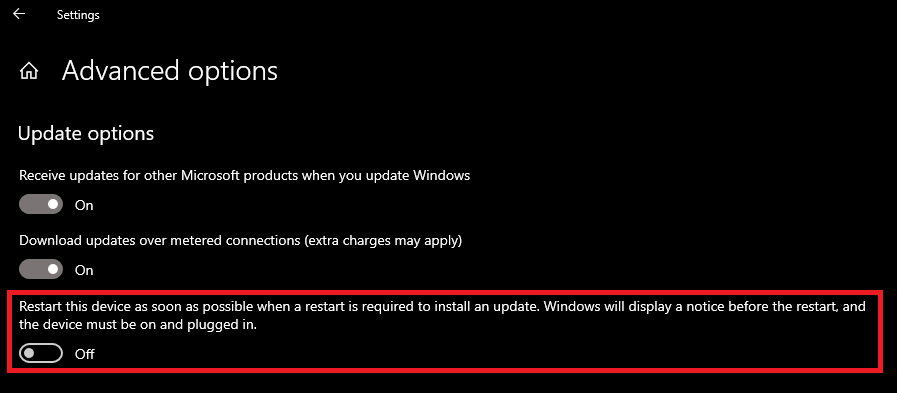
If you are running on Win10 Home Edition, there is nothing you can do about it. Maybe check the Windows Update settings, it may have the auto-restart when computer is idle function. Or you can specify the active hours, set it to a longer period to prevent it.
If you are on Win10 Pro Edition, then you can check out the GPO (gpedit.msc) to disable the auto-restart & update function.
1) Under Computer Configuration --> Administrative Templates --> Windows Components --> Windows Update
2) Turn off auto-restart for updates during active hours = Enabled
3) Specify active ours range for auto-restarts = 24
4) No auto-restart with logged on users for scheduled automatic updates installations = Enabled
There are many more settings, play around with it....
Have Fun....


 Feb 12 2021, 11:53 AM, updated 5y ago


 Quote
Quote



 0.0201sec
 0.42
0.42
 5 queries
 GZIP Disabled