

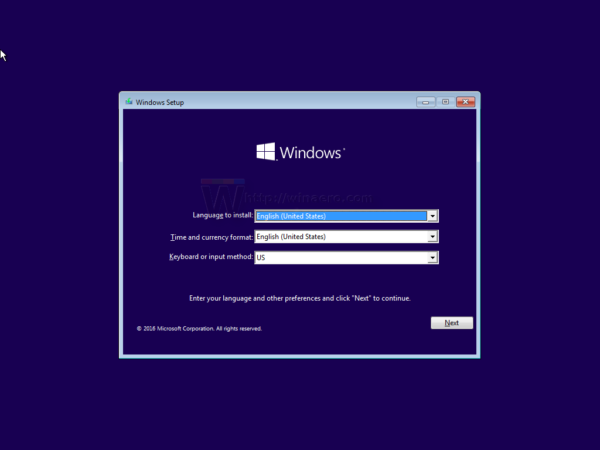
e.g. this screen
This post has been edited by YLT: Jan 25 2021, 11:47 PM
Windows 10 installation, Windows cannot be installed to this disk
|
|
 Jan 25 2021, 11:45 PM Jan 25 2021, 11:45 PM
Return to original view | Post
#1
|
 
Junior Member
424 posts Joined: Jan 2003  
|
Your windows 10 installation media can boot into windows setup screen?
e.g. this screen This post has been edited by YLT: Jan 25 2021, 11:47 PM |
|
|
Jan 26 2021, 11:08 AM
Return to original view | Post
#2
|
|
Junior Member
424 posts Joined: Jan 2003
|
At the windows setup screen. Press SHIFT + F10 to open command prompt.
1. At the command prompt, type: Diskpart.exe. 2. At the DISKPART prompt, type: Select Disk 1. (Provided is disk 1) 3. At the DISKPART prompt, type: CLEAN ALL (The CLEAN ALL command removes all partition and volume information from the hard drive being focused on.) 4. At the DISKPART prompt, type: Exit. 5. Reboot computer to continue with the normal installation. The steps should clear all the disk partition. If you're not sure. Google diskpart for more info. |
| Change to: |  0.0153sec 0.0153sec
 0.45 0.45
 6 queries 6 queries
 GZIP Disabled GZIP Disabled
Time is now: 10th December 2025 - 04:07 AM |
 Quote
Quote