

Watch video from some china websites dem slow <100KBps, while can watch seamlessly 1080p in youtube, What's the problem??
Official TM UniFi High Speed Broadband Thread V39, READ 1ST PAGE FOR RELEVANT WIFI INFO
Official TM UniFi High Speed Broadband Thread V39, READ 1ST PAGE FOR RELEVANT WIFI INFO
|
|
 Jun 6 2021, 08:58 PM Jun 6 2021, 08:58 PM
Return to original view | Post
#1
|
 
Junior Member
670 posts Joined: May 2019  
|
Watch video from some china websites dem slow <100KBps, while can watch seamlessly 1080p in youtube, What's the problem??
|
|
|
|
|
|
Jun 6 2021, 09:35 PM
Return to original view | Post
#2
|
|
Junior Member
670 posts Joined: May 2019
|
QUOTE(JohnLai @ Jun 6 2021, 09:09 PM) You really want to know? Nahh.. damm betulTiananmen Square Massacre Jun 4, 1989 anniversary. The Great Firewall of China. So, expect the slow down for the next 2 weeks.  QUOTE(heLL_bOy @ Jun 6 2021, 09:19 PM) use vpn.. peak hours unifi connection to anywhere also slow I just checked the website, back to normal oledi, bersyukur.. |
|
|
Jun 7 2021, 09:55 AM
Return to original view | Post
#3
|
|
Junior Member
670 posts Joined: May 2019
|
QUOTE(sadlyfalways @ Jun 6 2021, 10:06 PM) I’ve tried reinstalling YouTube, change phone, change router, change dns, turn on and off ipv6 but nothing seems to work in getting my YouTube comments profile pictures to work properly No issue in all my devices, Ipad, samsung, redmi, sony phone, all connected to unifi wifiBeen happening long before this recent tm overloading issue, but I thought it was normal Yesterday I went to my grandmothers house to check on her, she uses maxis fibre and my god everything was loading so fast. Faster that I could scroll hahah and she’s using the default maxis combo router and I’m using a 2K router |
|
|
Jun 7 2021, 09:24 PM
Return to original view | Post
#4
|
|
Junior Member
670 posts Joined: May 2019
|
QUOTE(shaktiv8 @ Jun 7 2021, 07:12 PM) is anyone able to access the login page for synology active insight ? You mean this 1? i can only access with vpni can click on the login but then it just says network error hahaha is this a synology problem or unifi ya? https://insight.synology.com/login 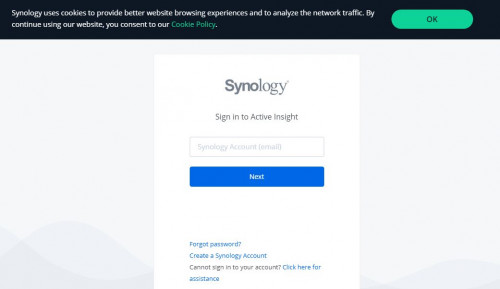 shaktiv8 liked this post
|
|
|
Jun 7 2021, 10:04 PM
Return to original view | Post
#5
|
|
Junior Member
670 posts Joined: May 2019
|
QUOTE(axoloke @ Jun 7 2021, 09:52 PM) Well, 2 different agents brochures for our taman's newly installed unifi both stated 200mbps upload. So it's not a mistake on our end. Can get a photo of the brochures? If you are so sure, try to connect to LAN for speedtest, or you may contact unifi live chat to confirm your acc unifi plan d/u speed |
|
|
Jun 8 2021, 09:34 PM
Return to original view | Post
#6
|
|
Junior Member
670 posts Joined: May 2019
|
QUOTE(QuantumEdge @ Jun 8 2021, 09:12 PM) Today youtube seems to buffer a lot, 1080p basically doesn't work. YouTube works fine for me at 1080p, 2k and 4k tho |
|
|
|
|
|
Jun 9 2021, 09:12 PM
Return to original view | Post
#7
|
|
Junior Member
670 posts Joined: May 2019
|
QUOTE(kiritoffx @ Jun 9 2021, 09:03 PM) Just finished the installation... Now i notice router disconnected a few times already. I just playing tiktok on my phone. How about restarting modem and router ?Anything should i do? This is common problems for unifi? |
|
|
Jul 18 2021, 03:32 PM
Return to original view | Post
#8
|
|
Junior Member
670 posts Joined: May 2019
|
Hi guys, can please recommend an affordable mesh wifi model? Currently looking at Tp-link M4 should be enough for my need as my Unifi plan is 100Mbps (upgradable to 300mbps),
- can replace my old router (Dlink dir-842) ? or it should work with my old router - can only 1 unit working standalone? Thanks in advance |
|
|
Jul 19 2021, 02:00 PM
Return to original view | Post
#9
|
|
Junior Member
670 posts Joined: May 2019
|
QUOTE(PRSXFENG @ Jul 18 2021, 04:34 PM) Yes and you should replace the dlink, ignore TM’s instructions that plug it into router. Yes also for the 2nd part but you would not be taking advantage of any mesh features, in which a normal router would better as it has more lan ports. QUOTE(LostAndFound @ Jul 18 2021, 04:56 PM) If you only want one unit then why you asking about mesh? Mesh units sacrifice a few different features to gain the meshing capability (multiple AP sharing same wifi). If you're not going to use that, definitely don't buy mesh unit, there are cheaper better options. The TM stock router is actually not that bad, it has serving me well more than 2.5 years, but it has unstable connection just in my master room in 2nd floor, other living room in 2nd floor is good with 30mbps in 2.4ghzNormally tp link mesh sold in a pair, so if it can working well with 1 unit then i can use the 2nd unit in my other family member's house, which has exactly same problem as my house. So if a new router is more recommended, can pls suggest 1? Thanks |
|
|
Jul 19 2021, 04:38 PM
Return to original view | Post
#10
|
|
Junior Member
670 posts Joined: May 2019
|
QUOTE(QuantumEdge @ Jul 19 2021, 03:29 PM) TP-LINK AX20, my router is 70ft away from the rear most room of my house with 3 walls in between. Still can get full 100mbps on 5ghz. That's sound amazing, but any other cheaper alternative? My house do not have wifi6 devices tho» Click to show Spoiler - click again to hide... « My house devices all rely on wifi, 2.4 and 5ghz, so the cable ports not very important here Additional: My neighbor wifi (green) is stronger than mine (red) WTF, that's why keep interfere my wifi i think ?  This post has been edited by The.Lucas.DaY: Jul 19 2021, 04:42 PM |
|
|
Jul 19 2021, 08:38 PM
Return to original view | Post
#11
|
|
Junior Member
670 posts Joined: May 2019
|
QUOTE(vez @ Jul 19 2021, 06:30 PM) seems least interference, already not same channel, but weird why your neighbor set channel 5 It was lesser at this time, sometimes i can scan >10 wifi around  maybe is auto, tell your neighbor set manually to channel 6 maybe is auto, tell your neighbor set manually to channel 6  channel 1, 6, 11 is the only non overlapping channel for 2.4Ghz try use 5Ghz when possible, 5Ghz have more channel and alot less interference My route initially was channel 5 too (it was auto) before my neighbor install their wifi, my 2nd floor signal weaker since then.. 80% of my usage is using my laptop, which can't connect to 5ghz  This post has been edited by The.Lucas.DaY: Jul 19 2021, 08:42 PM |
|
|
Jul 19 2021, 09:02 PM
Return to original view | Post
#12
|
|
Junior Member
670 posts Joined: May 2019
|
QUOTE(QuantumEdge @ Jul 19 2021, 08:47 PM) Tenda AC23, cheap but comes with stupidly strong 5ghz coverage Thanks, that's not bad with that price, i saw its brother Tenda AC10 even cheaper Swap out the wifi card on your laptop with one that supports 5ghz...just get Intel AX200 Then here i come with this question, if unifi still under 2year contract, can replace the stock router or not? |
|
|
Jul 19 2021, 09:22 PM
Return to original view | Post
#13
|
|
Junior Member
670 posts Joined: May 2019
|
QUOTE(QuantumEdge @ Jul 19 2021, 09:13 PM) Skip AC10, signal strength wise AC23 is in a different dimention Thanks, i will consider it No problem, I replaced mine right after the technician installed my service Yesterday my line was down, SC still willing to give me support despite I'm using an aftermarket router.  |
|
|
|
|
|
Jul 22 2021, 07:44 PM
Return to original view | Post
#14
|
|
Junior Member
670 posts Joined: May 2019
|
QUOTE(comet2232 @ Jul 22 2021, 10:44 AM) They gave me RM139 for 300Mbps on 12July and I am currently using my own mesh (X20). That’s great…how to get this? They offer to you or you request? |
|
|
Jul 22 2021, 08:10 PM
Return to original view | Post
#15
|
|
Junior Member
670 posts Joined: May 2019
|
QUOTE(comet2232 @ Jul 22 2021, 08:09 PM) They offered via call after I emailed them regarding my intention to port to digi home fibre. Lol..smart move |
|
|
Aug 2 2021, 03:23 PM
Return to original view | Post
#16
|
|
Junior Member
670 posts Joined: May 2019
|
QUOTE(Brotherjoe @ Jul 31 2021, 10:38 PM) Anyone using Dlink DIR-842. Did TM push 3.07TM firmware to your router yesterday noon? QUOTE(Sam Leong @ Aug 1 2021, 09:57 AM) Flashed international 3.13 version Do we actually need to upgrade TM stock router firmware? I didn't upgrade mine since Unifi installed it, any benefits of upgrading? ThanksWPA3 supported  kiritoffx liked this post
|
|
|
Aug 2 2021, 04:28 PM
Return to original view | Post
#17
|
|
Junior Member
670 posts Joined: May 2019
|
QUOTE(Brotherjoe @ Aug 2 2021, 03:53 PM) It seem like it will get auto update when new TM firmware is available. My D-Link DIR-842 still v3.01TM, firmwre verison dated May 2018I didn't update.. only noticed firmware changed after I encountered connection issue my company VPN, connection keep dropping.. However it got stabilized after manually restart the router  |
|
|
Aug 2 2021, 06:09 PM
Return to original view | Post
#18
|
|
Junior Member
670 posts Joined: May 2019
|
QUOTE(Brotherjoe @ Aug 2 2021, 04:32 PM) Aiks.. why are you still on the initial firmware? I didn't do any setting on it, by default should be auto update isn't itTry login to your router and click on the check firmware. I still don't see the actual change log.. what is changed between 3.06tm to 3.07tm 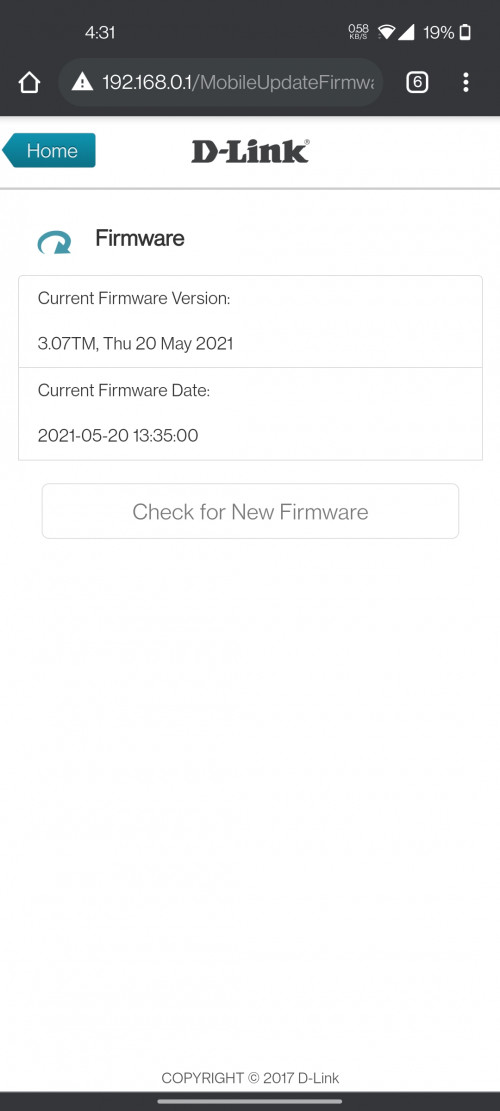 I noob on this, any benefits for updating? |
|
|
Aug 2 2021, 07:42 PM
Return to original view | Post
#19
|
|
Junior Member
670 posts Joined: May 2019
|
QUOTE(Brotherjoe @ Aug 2 2021, 06:29 PM) normally it will fix stability and security patching if there is any. Any way to backup current firmware, in case the update goes wrong |
|
|
Aug 2 2021, 10:06 PM
Return to original view | Post
#20
|
|
Junior Member
670 posts Joined: May 2019
|
QUOTE(Brotherjoe @ Aug 2 2021, 06:29 PM) normally it will fix stability and security patching if there is any. When i check for new firmware update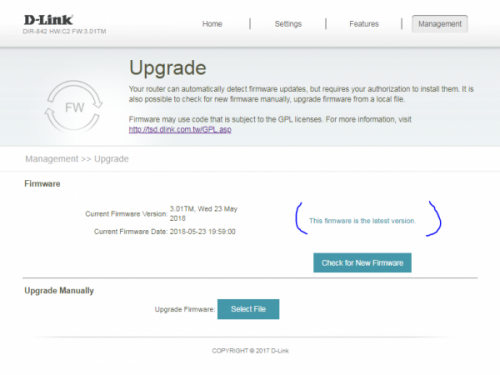 |
|
Topic ClosedOptions
|
| Change to: |  0.2032sec 0.2032sec
 0.36 0.36
 7 queries 7 queries
 GZIP Disabled GZIP Disabled
Time is now: 5th December 2025 - 10:21 PM |
 Quote
Quote