

 Oct 20 2020, 11:02 AM, updated 5y ago


Description
Model: Archer AX20 Ver 1.20
Firmware Version: Archer AX20(US)_V1.20_200326
ISP: Unifi Pro [800 down/200 up]
WiFi 6 Client: Archer TX3000E
TP-Link Archer AX20 (MY): Product Site
Archer AX20 Emulator: Play Now
Last Updated: 20 October 2020
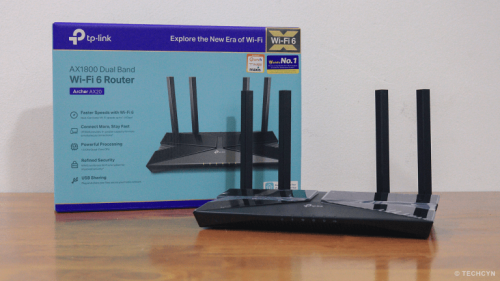
The Archer AX20 is an entry-level WiFi 6 router from TP-Link. In general, TP-Link is well known for providing a decent specs at low cost of ownership. I personally bought this router from Sri Komputers @ Plaza Lowyat. The router costs me RM 279 with reference of the official price tag sold in Lazada and Shopee. I highly recommend to buy the unit from their official e-store, if you choose to buy the unit through online in order to ease the RMA process in case if you receive a faulty unit.
Specification
The Archer AX20 powered by a quad-core Broadcom BCM6755 clocked at 1.5GHz. The similar processor is being used to power ASUS's RT-AX56U. The 256MiB RAM is quite decent for its price along with provided on-sheet data rate of 574Mbps for 2.4GHz and 1201Mbps for 5GHz. - Source 1 & Source 2.
User Experience

Speaking of the design, TP-Link come with a refreshed design that fit for the modern requirement (small, portable and powerful) from their old boring design. From my point of view, I personally like the non-removable antenna than removable antennas, of course routers were meant to be placed in an open space. Unlike their Deco Series, the Archer AX20 has a few LED indicators for each ongoing activity executed by the router.
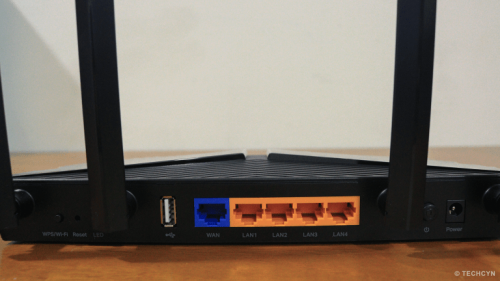
Archer AX20 features five gigabit RJ45 ports, with the WAN labelled in blue and LAN in oranges. A single USB 2.0 port were given as standard. If you have more devices, say PCs or NAS that requires more physical connection, you can use a dedicated unmanaged switch (any brands would do the trick).
Setting up the router is similar to other TP-Link routers and only credentials you are required to have is your ISP's provided username and password. It is recommended to use a strong password for router admin credentials and a different stronger wireless password to protect your home network from intruders. I am recommending disabling WPS and UPNP feature.
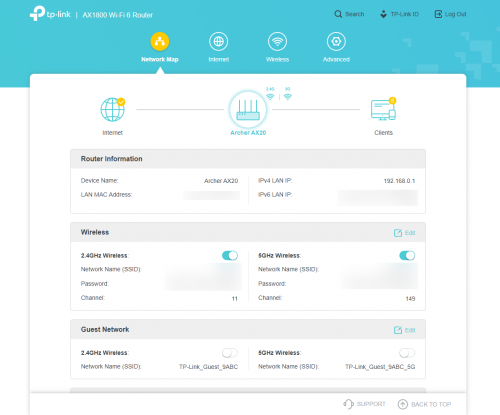
The admin dashboard is pretty simple and informative. When I said informative, the icons were well mapped and somehow this reminded me of D-LINK's router GUI. If you are a first time TP-Link user, it is easy to access to each features by using the icons as a guideline to further customize the router as per your agile requirement.

By default, the Archer AX20 utilizes the latest WPA3 wireless encryption protocol. However, if you're using an older devices, it is recommended to stick with WPA/WPA2 mode. You can further customize wireless settings under Advanced > Wireless > Wireless Settings.
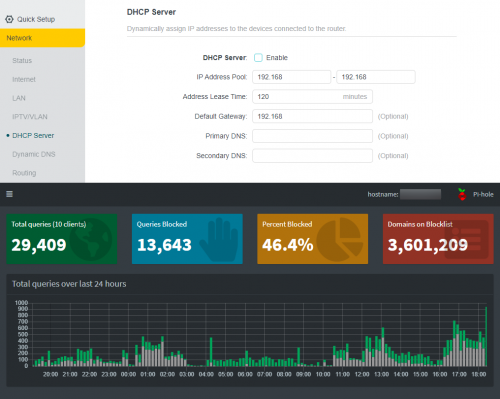
If you're using a pi-hole at home, you can further disable the DHCP server in the Archer AX20 and make the Pi-Hole to handle the DHCP assignments. So far, I haven't really face any conflicts, and everything is just work, as expected.

Almost all the features working as expected. I am using Cloudflare's Family DNS, 1.1.1.1 and 1.0.0.1 for my Pi-Hole and 2606:4700:4700::1113 & 2606:4700:4700::1003 for the purpose of this review. It works.


I've used Archer TX3000E as my WiFi 6 client to actually perform a throughput test during the peak hour. Since almost everyone in my taman are working from home, the signals are quite congested. Based on the conducted test under 80MHz channel width, I able to 700Mbps and above. The distance of the benchmark PC and the router is 10 meters and separated by two rooms in between.
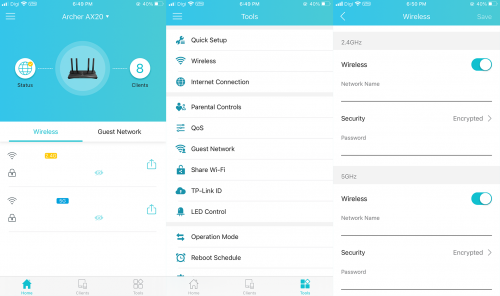
In order to use the Tether app, you're required to have a TP-Link Cloud ID account. The Tether app isn't fancy in terms of feature or GUI as ASUS Router App, but it does execute the purpose of its creation. Personally speaking, I do approve this the way the application designed since I don't really need to go through page by page just to access a feature.
The best and the worst of Archer AX20
The best:
[1] - Affordable
[2] - Customizable
[3] - Great wireless coverage
[4] - Stable
The worst:
[1] - No OpenVPN client
[2] - WPS and UPNP feature enabled by default
Conclusion
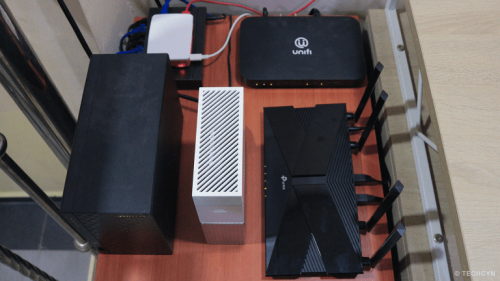
To conclude the review, the Archer AX20 is suitable for 100 to 500Mbps users. Although the router able to hit above 800Mbps, you have to have a right client to fully utilize its potential. However, if you don't really care about the wireless speed and only rely on wired connections, regardless what ISP package currently subscribed, the Archer AX20 simply the best. If you ask my verdict if this router worth for the money, I would simply say, YES.
 Quote
Quote


 0.0226sec
 0.29
0.29
 5 queries
 GZIP Disabled