Welcome Guest ( Log In | Register )

Bump Topic Topic Closed RSS Feed

Outline · [ Standard ] · Linear+

 Gigabyte P35-DS3P testing

views
     
TScoolice
post Aug 7 2007, 11:49 PM, updated 19y ago

Team OCD!
******
Senior Member
1,857 posts

Joined: Sep 2004
From: ocdrift.com


Hi guys, I did some testing on gigabyte p35-ds3p since last week once I collect it from HWM office, so I would like to share with u all, this is my first time of testing a mobo,pls comment,im still learning notworthy.gif ..hehe,lets see the bios settings first biggrin.gif

PC health status
user posted image
lack of voltage monitor

Advanced BIOS feature
user posted image
u can disable ur cpu feature here when oc

MIT
user posted image
user posted image
pretty complete oc option especially for ram timing

Robust Graphic Booster
user posted image

Cpu Frequency 100-700
user posted image

PCI-E Frequency 90-150
user posted image
user posted image

C.I.A.2 - Cruise , Sports , Racing , Turbo , Full Thrust
user posted image

Ram Divider
2.00 = 1:1
2.40 = 5:6
3.20 = 5:8
3.33 = 3:5
4.0+ = 1:2
2.50 = 4:5
3.00 = 2:3
user posted image

This post has been edited by coolice: Aug 8 2007, 12:45 PM
TScoolice
post Aug 7 2007, 11:49 PM

Team OCD!
******
Senior Member
1,857 posts

Joined: Sep 2004
From: ocdrift.com


DRAM DLL settings - Option 1 and 2
user posted image

Performance Enhance - Standard , Turbo , Extreme
user posted image

Vdimm 1.8v + 0.05v to 1.8v +1.55v , 0.05v step
user posted image
user posted image

PCI-E voltage - 0.05v step
user posted image

FSB voltage - 0.05v step
user posted image

VMCH - +0.025 to +0.375 with 0.025v step
user posted image
user posted image

Vcore - max 2.35v min 0.5v
user posted image
user posted image

This post has been edited by coolice: Aug 8 2007, 12:00 AM
TScoolice
post Aug 7 2007, 11:50 PM

Team OCD!
******
Senior Member
1,857 posts

Joined: Sep 2004
From: ocdrift.com


0.5v-1.6v with 0.00625v step
After 1.6v is 0.05v step, this is a bad option when playing with extreme cooling laugh.gif
user posted image

Bios save and load function - recovering ur previous oc setting easily after fail attempt thumbup.gif
user posted image
user posted image

first off..im playing around with the ram divider at stock cpu speed as I see in p35,the strap seem like bind with the ram divider,im not sure abt 965,haven't test

system spec
C2D E6750
Gigabyte P35-DS3P
Ballistix PC8000 2x1GB
Silverstone OP650
WD 80GB
Gigabyte 8600GT DDR3


Sorry, this pic abit cacat,performance level(PL) is 8 when 1:1
user posted image

PL at 9 when 5:6
user posted image

PL at 9 when 4:5
user posted image

PL at 8 when 2:3...cacat again..but luckily still can see the scores
user posted image

PL at 7 when 5:8
user posted image

PL at 7 when 3:5
user posted image

PL at 5 when 1:2
user posted image

This post has been edited by coolice: Aug 8 2007, 12:45 AM
TScoolice
post Aug 7 2007, 11:50 PM

Team OCD!
******
Senior Member
1,857 posts

Joined: Sep 2004
From: ocdrift.com


Lets oc cpu abit with 400fsb and multiplier 8,ram divider set to 4:5 and also PL adjusted to 8 to compare between 2:3 and 4:5 divider at same ram speed
2:3 vs 4:5
7296 / 6343 vs 8263 / 7241 (Everest/Sandra)
user posted image

Regarding the strap change,I found out it is at 401fsb,PL changed to 10 from 9,it is weird coz 2 of my fren told me it is at 417fsb and benny told us at 500..zzz
Nevertheless, I keep on finding when the strap change again with memset and surprisingly in F4 bios,I found tat PL change back from 10 to 9 at 417fsb!!!kinda weird doh.gif
While F5H bios still PL = 10 after 417fsb
Check this out, the bandwidth of 400x8,401x8 and 400x8 setfsb to 401x8 memory bandwidth
user posted image
user posted image
user posted image

owh..forgot to mention abt its vdroop
BIOS ---- Windows idle ---- Windows load
1.35v ---- 1.328v ---- 1.312v
drop 0.022v ----------0.016v

user posted image
user posted image

3dmark06 and pcmark05 bench
user posted image
user posted image
my previous E6750 fsb wall at 530,but highest benchable is 520 i guess

there is some changes with my system spec,proc changed to E6850 and vga back to my old school 7300gt sweat.gif

my favourite benchmark biggrin.gif
spi1m
user posted image

spi4m
user posted image

This post has been edited by coolice: Aug 8 2007, 12:50 PM

TScoolice
post Aug 7 2007, 11:51 PM

Team OCD!
******
Senior Member
1,857 posts

Joined: Sep 2004
From: ocdrift.com


SiSoftware Sandra Memory Bandwidth
user posted image

Everest Cache And Memory Benchmark
user posted image

Sweat 3DMark score with 73GT doh.gif
3DMark01
user posted image

3DMark03
user posted image

3DMark05
user posted image

3DMark06
user posted image

PCMark05
user posted image
cacat again rclxub.gif

p/s:the so called heatpipe chipset cooler really "efficient" laugh.gif
base temp fin temp
idle 45c 32c
load 49c 32c

the max volt for each i ever use in this test is
vcore 1.59375v
vdimm 2.55v
vmch +0.375v
vfsb +0.2v

This post has been edited by coolice: Aug 8 2007, 01:01 PM
extremeocer
post Aug 8 2007, 12:03 AM

Casual
***
Junior Member
302 posts

Joined: Jun 2007
From: Johor


Fooh....your pic damn big tongue.gif but nevertheless superbly clear. This mobo is the same as my DQ6 only without the crazy cool stuff. Try updating the bios, new bios has got FSB strapping stuff.
TScoolice
post Aug 8 2007, 12:03 AM

Team OCD!
******
Senior Member
1,857 posts

Joined: Sep 2004
From: ocdrift.com


QUOTE(extremeocer @ Aug 8 2007, 12:03 AM)
Fooh....your pic damn big tongue.gif  but nevertheless superbly clear. This mobo is the same as my DQ6 only without the crazy cool stuff. Try updating the bios, new bios has got FSB strapping stuff.
*
ya..sth like cut down version of ds4 and dq6 laugh.gif
newer bios is?
extremeocer
post Aug 8 2007, 12:16 AM

Casual
***
Junior Member
302 posts

Joined: Jun 2007
From: Johor


QUOTE(coolice @ Aug 8 2007, 12:03 AM)
ya..sth like cut down version of ds4 and dq6 laugh.gif
newer bios is?
*
New bios is F5H...it's still beta though.

here's the link : http://www.gigabyte.com.tw/Support/Motherb...?ProductID=2533
TScoolice
post Aug 8 2007, 12:19 AM

Team OCD!
******
Senior Member
1,857 posts

Joined: Sep 2004
From: ocdrift.com


QUOTE(extremeocer @ Aug 8 2007, 12:16 AM)
New bios is F5H...it's still beta though.

here's the link : http://www.gigabyte.com.tw/Support/Motherb...?ProductID=2533
*
tried loh..but i don see got fsb strapping things and i prefer f4..hehe
extremeocer
post Aug 8 2007, 12:29 AM

Casual
***
Junior Member
302 posts

Joined: Jun 2007
From: Johor


strapping is under the mem divider settings. Perhaps F4 works best on DS3P...but DQ6, F5L is best though new bios just came out a few hours ago...F5M...fixed unknown device after flash F5L namely Trusted Platform Module.
Sanko
post Aug 8 2007, 02:10 AM

Noob
******
Senior Member
1,436 posts

Joined: Mar 2005


a good start. but i prefer a pic with 1024 x 768 so that no need to click on the pic for enlargement everytime. keep it going.
styloe
post Aug 8 2007, 02:28 AM

6 sTaR wORkaHOLic JuNKie
******
Senior Member
1,242 posts

Joined: Aug 2005
From: Sila Mampir,JB sTaTus:GTX 680 SLI


im still new bout OC-ing is the vdrop in acceptable range?from wat i read abit has the highest vdrop.
kmarc
post Aug 8 2007, 07:15 AM

The future is here - Cryptocurrencies!
Group Icon
Elite
14,576 posts

Joined: May 2006
From: Sarawak


Nice extensive review. Good job!!!

I thought they were not going to release memset for P35! Tried to look for the beta but all links were broken.... mad.gif

Anyway, can anyone explain to me regarding the "performance level" thingy. Does it really affect RAM speed that much?

And don't forget that the chipset temperature is the southbridge!!! I confirmed with irenic that even on the P35-DQ6, it doesn't have a northbridge temperature sensor..... nod.gif
TScoolice
post Aug 8 2007, 08:05 AM

Team OCD!
******
Senior Member
1,857 posts

Joined: Sep 2004
From: ocdrift.com


QUOTE(styloe @ Aug 8 2007, 02:28 AM)
im still new bout OC-ing is the vdrop in acceptable range?from wat i read abit has the highest vdrop.
*
ya,tat is vdroop is ok to me..not sure others

QUOTE(kmarc @ Aug 8 2007, 07:15 AM)
Nice extensive review. Good job!!!

I thought they were not going to release memset for P35! Tried to look for the beta but all links were broken....  mad.gif

Anyway, can anyone explain to me regarding the "performance level" thingy. Does it really affect RAM speed that much?

And don't forget that the chipset temperature is the southbridge!!! I confirmed with irenic that even on the P35-DQ6, it doesn't have a northbridge temperature sensor.....  nod.gif
*
im using memset3.3 final biggrin.gif
some ppl actually told me 6~9 is 1333 strap unsure.gif
SlayerXT
post Aug 8 2007, 10:18 AM

PRIDE!
*******
Senior Member
2,042 posts

Joined: Jan 2003
From: KL


Well i am using memtest 1.7. Is it any different between 3.3? unsure.gif
kmarc
post Aug 8 2007, 10:20 AM

The future is here - Cryptocurrencies!
Group Icon
Elite
14,576 posts

Joined: May 2006
From: Sarawak


QUOTE(coolice @ Aug 8 2007, 08:05 AM)
ya,tat is vdroop is ok to me..not sure others
im using memset3.3 final biggrin.gif
some ppl actually told me 6~9 is 1333 strap unsure.gif
*
On my DS3, IIRC, the vdroop is about 0.03v.... have to go back and check.

Yeah, I did read about "performance level"/trd discussion but they never explain what it is.

Is it better to get a performance level of 6 rather than 9? I'm running my RAMS at 4-4-4-4 at 950mhz at 2.1v and on memset, the performance level is 9. Is that good?
TScoolice
post Aug 8 2007, 12:38 PM

Team OCD!
******
Senior Member
1,857 posts

Joined: Sep 2004
From: ocdrift.com


QUOTE(kmarc @ Aug 8 2007, 10:20 AM)
On my DS3, IIRC, the vdroop is about 0.03v.... have to go back and check.

Yeah, I did read about "performance level"/trd discussion but they never explain what it is.

Is it better to get a performance level of 6 rather than 9? I'm running my RAMS at 4-4-4-4 at 950mhz at 2.1v and on memset, the performance level is 9. Is that good?
*
oops..ds3p got serious vdroop than ds3..haha
ya..the lower the better
see my sandra memory bandwidth,i got significant performance boost when set to 7 biggrin.gif
LExus65
post Aug 8 2007, 12:55 PM

Old Gezzer.....
******
Senior Member
1,995 posts

Joined: May 2005


coolice doing review now, superb..........

btw next time may be u want to do like winwithme style, put some pictures on the board layout itself...........u can commend on it,

the spec are very similar to DQ6, should be a good value to buy board
extremeocer
post Aug 8 2007, 02:58 PM

Casual
***
Junior Member
302 posts

Joined: Jun 2007
From: Johor


The main difference between DQ6 and DS3P is the phase power. DQ6 provides Quad Triple Phase / Virtual 12 Phase power whilst DS3P gives 6 phase power...other than Quad bios vs dual bios and extra e-SATA ports.
toughnut
post Aug 8 2007, 03:00 PM

Look at all my stars!!
*******
Senior Member
3,239 posts

Joined: Jun 2005
that's my board. just try new bios last week, F5h. got strap changing option in divider.
isMEheNG
post Aug 9 2007, 06:36 PM

Getting Started
**
Junior Member
98 posts

Joined: Jul 2007
Your Processor and Motherboard are same with me lol~ laugh.gif
then u can be my "Shi fu" dy~ im noob in oc~ All run at stock now sweat.gif
TScoolice
post Aug 9 2007, 10:41 PM

Team OCD!
******
Senior Member
1,857 posts

Joined: Sep 2004
From: ocdrift.com


QUOTE(isMEheNG @ Aug 9 2007, 06:36 PM)
Your Processor and Motherboard are same with me lol~ laugh.gif
then u can be my "Shi fu" dy~ im noob in oc~ All run at stock now sweat.gif
*
==..no sifu here pls biggrin.gif
oc ur pc lar..post ur result also nod.gif
SlayerXT
post Aug 10 2007, 01:09 PM

PRIDE!
*******
Senior Member
2,042 posts

Joined: Jan 2003
From: KL


If possible post ur crossfire 3dmark too. tongue.gif


Added on August 10, 2007, 1:13 pmIf possible post ur crossfire 3dmark too. tongue.gif

This post has been edited by §layerXT: Aug 10 2007, 01:13 PM
kucingfight
post Aug 10 2007, 01:17 PM

Look at all my stars!!
Group Icon
Elite
5,784 posts

Joined: Jan 2003
From: Shah Alam


Also another shared tip here that i've read around @ XS.

Regarding DRAM DLL settings - Option 1 and 2 ;

Micron D9s = Selection Option 2.

well it seems option2 is suited for D9s.
sup3rfly
post Aug 10 2007, 01:49 PM

Techno Slave
******
Senior Member
1,561 posts

Joined: Jan 2003
From: 秋葉原電気街


QUOTE(kucingfight @ Aug 10 2007, 01:17 PM)
Also another shared tip here that i've read around @ XS.

Regarding DRAM DLL settings - Option 1 and 2 ;

Micron D9s = Selection Option 2.

well it seems option2 is suited for D9s.
*
aiyak just tested 1 proc last nite...used Option 1 all the way.... DDR1130 4-4-4-11 @ 2.4v

will test more again tonite to get higher clock speed icon_rolleyes.gif
t3chn0m4nc3r
post Aug 11 2007, 01:05 AM

Teh Necron Lord
*******
Senior Member
4,139 posts

Joined: Sep 2006
From: Internet


any1 know wat DS3P and DS4 diff other than the north and southbridge sinks....? blink.gif
MakNok
post Sep 3 2007, 11:05 AM

Look at all my stars!!
*******
Senior Member
5,713 posts

Joined: Jan 2003
really noob in oc
i am using p35-ds3 rev 1.0

as seen from your "damn" clear picture...

may i know how u set the fsb??

is it thru the software "set fsb" as i seen from the picture.

using Tracer ballistik PC8500 now and e6400

still blur blur on oc thingy


toughnut
post Sep 3 2007, 11:19 AM

Look at all my stars!!
*******
Senior Member
3,239 posts

Joined: Jun 2005
change from auto to manual then the set FSB setting will be opened.
MakNok
post Sep 3 2007, 11:31 AM

Look at all my stars!!
*******
Senior Member
5,713 posts

Joined: Jan 2003
is this the one?

CPU Host Clock Control_ [Enabled]
CPU Host Frequency (MHz)__________ [266] <<<----FSB Speed (Front Side Buss)
PCI Express Frequency (Mhz)_______ [100]
C.I.A. 2__________________________ [Disabled]
System Memory Multiplier (SPD)____ [2.00]
This is a 1:1 divider, memory speed will be 2x FSB.
Memory Frequency (Mhz) 800 800
Your actual memory operating speed is always show above.


My actual memory operating show 800Mhz not 1066Mhz for my tracer ballistik


currently i set the fsb to 400Mhz x 8 =3.2Mhz but if i change the System Memory Multipler....how does it affect my system??


One more thing;
since i am using E6400 (1066Mhz) and Ram 1066Mhz(Tracer Ballistik PC8500)..

should my System Memory Multiply be at

4.0+ = 1:2

am i correct? coz i am settin it at 2.0 now


This post has been edited by MakNok: Sep 3 2007, 11:52 AM
TScoolice
post Sep 4 2007, 02:16 AM

Team OCD!
******
Senior Member
1,857 posts

Joined: Sep 2004
From: ocdrift.com


QUOTE(MakNok @ Sep 3 2007, 11:31 AM)
is this the one?

CPU Host Clock Control_ [Enabled]
CPU Host Frequency (MHz)__________ [266] <<<----FSB Speed (Front Side Buss)
PCI Express Frequency (Mhz)_______ [100]
C.I.A. 2__________________________ [Disabled]
System Memory Multiplier (SPD)____ [2.00]
This is a 1:1 divider, memory speed will be 2x FSB.
Memory Frequency (Mhz) 800 800
Your actual memory operating speed is always show above.
My actual memory operating show 800Mhz not 1066Mhz for my tracer ballistik
currently i set the fsb to 400Mhz x 8 =3.2Mhz but if i change the System Memory Multipler....how does it affect my system??
One more thing;
since i am using E6400 (1066Mhz) and Ram 1066Mhz(Tracer Ballistik PC8500)..

should my System Memory Multiply be at

4.0+ = 1:2

am i correct? coz i am settin it at 2.0 now
*
the ballistix is tested able to do PC8500,but doesnt mean it should run at PC8500 at first
if u r running at stock cpu speed,u can set the divider at 4.0+ if ur proc is 1066fsb,3.2 if 1333fsb so tat ur ram can run at PC8500 smile.gif
MakNok
post Sep 4 2007, 08:15 AM

Look at all my stars!!
*******
Senior Member
5,713 posts

Joined: Jan 2003
I am using E6400....so i should be using divider 4.0+...rite?...which mean my ram can run at PC8500 at stock speed.

my question is if i am going to overclock my E6400....then i should be using divider 2.0,rite?...and try to overclock it from there by raising CPU Host Frequency...
if i hit my max at 400Mhz x 8 =3.2Ghz....then what is the next step should i do!!

My CPU cooling should be no problem coz it only show 50'C.....

sifu coolice.....any more tips?
thx again sifu!


QUOTE(coolice @ Sep 4 2007, 02:16 AM)
the ballistix is tested able to do PC8500,but doesnt mean it should run at PC8500 at first
if u r running at stock cpu speed,u can set the divider at 4.0+ if ur proc is 1066fsb,3.2 if 1333fsb so tat ur ram can run at PC8500 smile.gif
*
TScoolice
post Sep 4 2007, 09:05 AM

Team OCD!
******
Senior Member
1,857 posts

Joined: Sep 2004
From: ocdrift.com


QUOTE(MakNok @ Sep 4 2007, 08:15 AM)
I am using E6400....so i should be using divider 4.0+...rite?...which mean my ram can run at PC8500 at stock speed.

my question is if i am going to overclock my E6400....then i should be using divider 2.0,rite?...and try to overclock it from there by raising CPU Host Frequency...
if i hit my max at 400Mhz x 8 =3.2Ghz....then what is the next step should i do!!

My CPU cooling should be no problem coz it only show 50'C.....

sifu coolice.....any more tips?
thx again sifu!
*
if u hit 400x8 as max for ur cpu,play around with the ram divider and find the best one which allow ur ram to run as high as possible speed
MakNok
post Sep 4 2007, 09:27 AM

Look at all my stars!!
*******
Senior Member
5,713 posts

Joined: Jan 2003
thx again sifu..

i will play around with the divider then.
using P35-DS3 motherboard.....is the motherboard holding me back or should i buy unlock CPU or friendly clockable motherboard as irenic using now...P35T-DQ6...

thx again
notworthy.gif notworthy.gif notworthy.gif

QUOTE(coolice @ Sep 4 2007, 09:05 AM)
if u hit 400x8 as max for ur cpu,play around with the ram divider and find the best one which allow ur ram to run as high as possible speed
*
TScoolice
post Sep 4 2007, 11:12 AM

Team OCD!
******
Senior Member
1,857 posts

Joined: Sep 2004
From: ocdrift.com


QUOTE(MakNok @ Sep 4 2007, 09:27 AM)
thx again sifu..

i will play around with the divider then.
using P35-DS3 motherboard.....is the motherboard holding me back or should i buy unlock CPU or friendly clockable motherboard as irenic using now...P35T-DQ6...

thx again
notworthy.gif  notworthy.gif  notworthy.gif
*
P35-ds3 is quite a decent budget oc board but dq6 offer more thing like voltage selection and so wink.gif
toughnut
post Sep 4 2007, 12:26 PM

Look at all my stars!!
*******
Senior Member
3,239 posts

Joined: Jun 2005
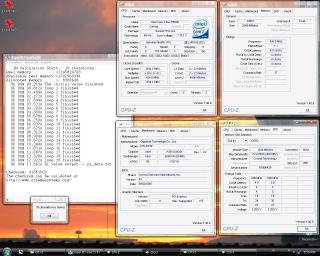
i thought voltage selection is the same for all P35 gayboard. anyway, as a P35-DS3P users (actually not many forumer using it for some reason...), here's my OC result to share.

intel E6600ES B0
426*9 = 3834MHz
vCORE= 1.75V
actual= 1.712V

HSF: Xigmatek HDT-S1283 Push Pull Config

2GB Crucial Ballistix Tracer DDR800
426MHz 4-4-4-4
vDIMM= 2.1V

Gigabyte P35-DS3P rev1.0 (BIOS F5)
vMCH= +0.3V
vFSB= +0.3V

Attached Image

great board. and the price either drop tremendously or labelled wrongly cuz that day i saw DS3P selling fro rm5xx shocking.gif
TScoolice
post Sep 4 2007, 12:31 PM

Team OCD!
******
Senior Member
1,857 posts

Joined: Sep 2004
From: ocdrift.com


nope,ds3 only have max +0.3v with 0.1v step for vPCIE,vFsb and vMCH iirc
i guess it is right coz previously selling around RM620
kmarc
post Sep 5 2007, 08:54 PM

The future is here - Cryptocurrencies!
Group Icon
Elite
14,576 posts

Joined: May 2006
From: Sarawak


QUOTE(toughnut @ Sep 4 2007, 12:26 PM)
i thought voltage selection is the same for all P35 gayboard. anyway, as a P35-DS3P users (actually not many forumer using it for some reason...), here's my OC result to share.

intel E6600ES B0
426*9 = 3834MHz
vCORE= 1.75V
actual= 1.712V

HSF: Xigmatek HDT-S1283 Push Pull Config

2GB Crucial Ballistix Tracer DDR800
426MHz 4-4-4-4
vDIMM= 2.1V

Gigabyte P35-DS3P rev1.0 (BIOS F5)
vMCH= +0.3V
vFSB= +0.3V
No way! I know the xigmatek is a great air-cooler but 1.75v vcore!!! sweat.gif sweat.gif

Why do you need to set the vMCH and vFSB +0.3v? My P35-DS3 can go up to 480mhz bus speed without any voltage increase. Now running at 438mhz with +0.1v for vMCH and vFSB just for stability sake.... nod.gif
toughnut
post Sep 6 2007, 03:32 PM

Look at all my stars!!
*******
Senior Member
3,239 posts

Joined: Jun 2005
suicide run mah hehe. moreover, it's not very hot. idle around 55C with EIST, etc all off.

the vMCH and vFSB i just pull it to nearly max so it wont bother me later haha. no time to OC, so put everything reaching near limit
kmarc
post Sep 6 2007, 07:22 PM

The future is here - Cryptocurrencies!
Group Icon
Elite
14,576 posts

Joined: May 2006
From: Sarawak


QUOTE(toughnut @ Sep 6 2007, 03:32 PM)
suicide run mah hehe. moreover, it's not very hot. idle around 55C with EIST, etc all off.

the vMCH and vFSB i just pull it to nearly max so it wont bother me later haha. no time to OC, so put everything reaching near limit
*
IC. So what's the speed and vcore for 24/7 usage?

Err.... I don't think you need to put the vMCH and vFSB so high la..... maybe +.01v should be adequate.... smile.gif
SlayerXT
post Sep 6 2007, 09:38 PM

PRIDE!
*******
Senior Member
2,042 posts

Joined: Jan 2003
From: KL


There is no way it can run 24/7... Just suicide run that prove it can load windows which already very good.

Topic ClosedOptions
 

Change to:
| Lo-Fi Version
0.0242sec    0.63    6 queries    GZIP Disabled
Time is now: 4th December 2025 - 05:06 AM