

 Jul 21 2020, 05:30 PM


QUOTE(heidarren @ Jul 13 2020, 02:53 AM)
It's hard to explain with text, so I made a YouTube video, hope you guys can learn from it. These XiaoMi routers are OpenWRT based, logically once you get SSH access, you can do whatever you want, if you familiar with OpenWRT. From my personal experience, the AX3600 beats all my routers/APs in hand, including Asus GT-AC5300/AC86U, Huawei AX3/AX3 Pro, Ubiquiti nanoHD/LR, Aruba IAP-225/IAP-315, MikroTik cAP ac/hAP ac2/Audience and many many more in terms of coverage and speed. Also, instead of writing their own firmware, XiaoMi decided to use OpenWRT and put a pretty GUI on top of it, so it's basically OpenWRT router + official Qualcomm driver(NSS enabled), with a decent skin, stability isn't a problem anymore, and due to official driver, performance is great too, it can also do QoS with full speed of my 800/200 Unifi plan. Regarding mesh, I see no lagging during roaming APs, 802.11 k/v and Qualcomm Wifi-Son supported, tested with ping in iPhone, FaceTime and MobileLegend. Love it! AX1800 is about 5% lower than AX3600 in WiFi, and can only do QoS at about 500mbps, without QoS can fully run my 800/200mbps, so my personal recommendation is to get an AX3600 @RM340 from Taobao, and add AX1800 as a mesh AP if you need any extra coverage, both wireless and LAN can do, @about RM170 each from Taobao too.
Comparison with Huawei AX3 Pro (not AX3) : https://www.acwifi.net/9937.html
How to add vlan tagging: https://youtu.be/jdg9KaC4LpY
2 meters from router:
https://pictr.com/images/2020/07/17/7mtKDf.jpg
https://pictr.com/images/2020/07/13/7mlyN9.md.png

need help pls!

i cant do as your youtube. after key in my unifi username and password it does not go to the page for wifi password
https://pictr.com/images/2020/07/21/7rYXRG.png
 Quote
Quote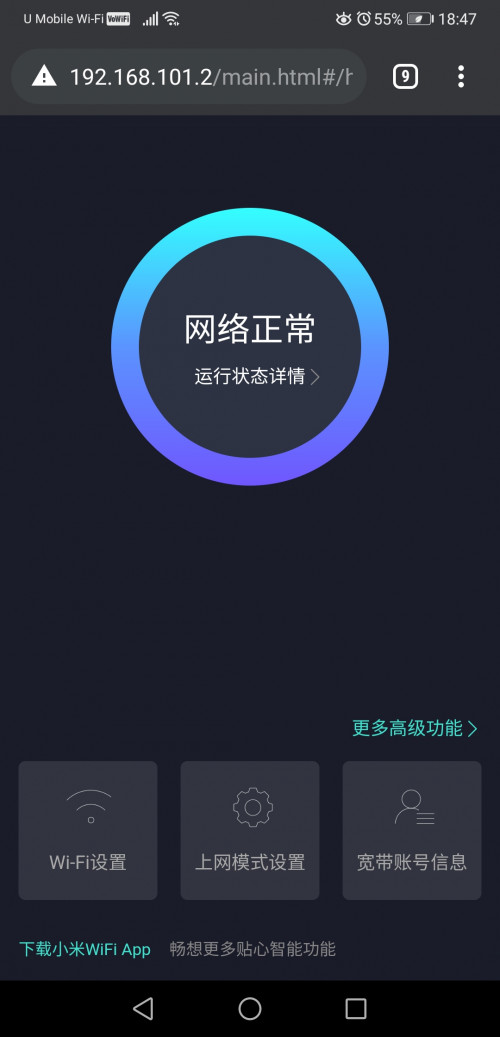


 0.0240sec
 1.15
1.15
 7 queries
 GZIP Disabled