

 Jul 10 2020, 05:24 PM


QUOTE(Cincai.La @ Jul 10 2020, 02:29 PM)
Why do they ask me so many questions? What should reply to them? 
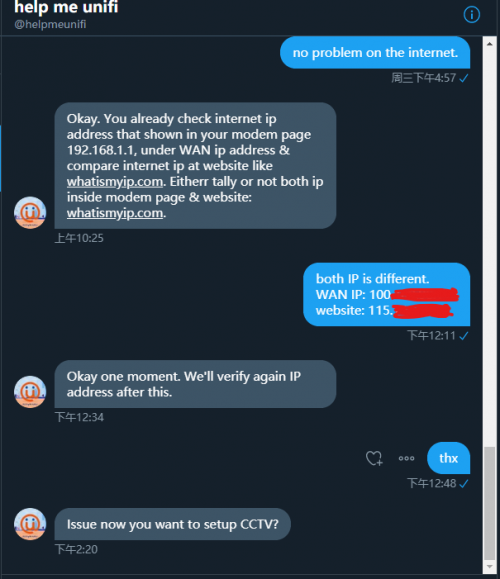

You tell them, you already subscribe DDNS but cannot login your home CCTV with the DDNS. You ask the technician why your home only can login to CCTV through home wifi. Suppose that you can access to your home CCTV through 4G too. So you go in the chat there, then ask TM your current streamyx is public IP or private IP. If customer service reply you private IP, then you must request them to convert to public IP. Secondly, you just tell them. You play GTA online but always get NAT type 3 only. You must get NAT type 2 to access GTA online. In order to access the game online, you must convert your IP to public IP. This is very important you know?
No public IP then you unable to host an online session.
Open NAT (Type 1) – all is permitted – your gaming device can connect to anyone’s games and host games. Plus – other users will be able to find and connect to the games you are hosting. This is usually the case when your console is connected directly to the Internet with no router or firewall.
Moderate NAT (Type 2) – your gaming console will be able to connect to other players, but some functions will be limited. When connecting to the Internet through a router that is configured properly, you’ll get this NAT type.
Strict NAT (Type 3) – your gaming device has limited connectivity with other players. Other players on a moderate or strict NAT will not be able to join your hosted games. This is the case when the router doesn’t have any open ports.
 Quote
Quote
 0.0149sec
 0.96
0.96
 6 queries
 GZIP Disabled