Outline ·
[ Standard ] ·
Linear+
Ryzen 5 3600 Slow Fresh Boot
|
TSayonan
|
 Apr 4 2020, 09:54 AM, updated 6y ago Apr 4 2020, 09:54 AM, updated 6y ago
|
Getting Started


|
Hi, just recently upgrade to ryzen 5 3600. Motherboard is MSI Mortar Max. Using ssd wd black sata. Fresh boot can take as long as 2 mins. Restart would take about 30 sec, much better. But my previous system i3 7100 take shorter than that. Tried everything I can find from the internet. Change from CSM to UEFI, disabling all other boot option, update latest bios version, latest amd chipset driver. Now I just reset to default, and change csm to uefi.  |
|
|
|
|
|
TSayonan
|
Apr 4 2020, 10:20 AM
|
Getting Started
|
QUOTE(Thrust @ Apr 4 2020, 10:13 AM) That's weird, I am using the 3600 on MSI B450 Gaming Plus with 512GB NVME Drive. Boot in to Windows is less than 10 seconds. From internet I learned this is a common issue. Sadly still doesnt found solution for me. |
|
|
|
|
|
TSayonan
|
Apr 4 2020, 11:10 AM
|
Getting Started
|
QUOTE(Thrust @ Apr 4 2020, 10:29 AM) You sure you configured your drive correctly? If it's using NVME or AHCI, it should display as below. 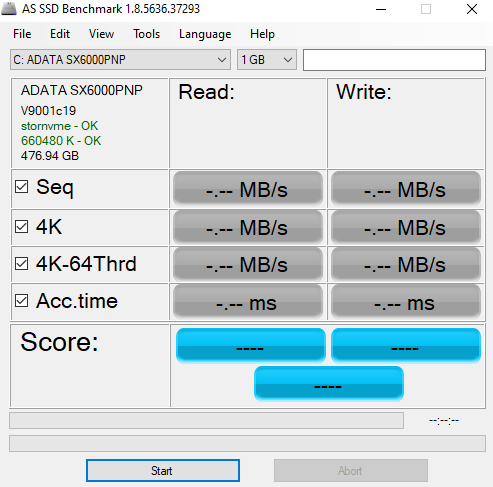  Yes, using AHCI, configured correctly. |
|
|
|
|
|
TSayonan
|
Apr 4 2020, 11:21 AM
|
Getting Started
|
QUOTE(Thrust @ Apr 4 2020, 11:15 AM) Have you tested your read and write speed on your SATA SSD? Do share with us the result. Another step is in BIOS settings, make sure your 1st boot device boots from the SATA SSD to speed up the booting process. 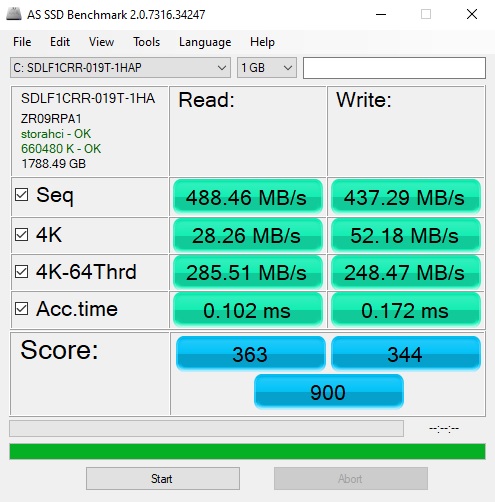 Yes, boot from ssd and the only 1 enable. |
|
|
|
|
|
TSayonan
|
Apr 4 2020, 11:40 AM
|
Getting Started
|
QUOTE(nrw @ Apr 4 2020, 11:37 AM) what do your debug led's say during the slow boot? what spec ram are you using at which speed? I'll debug led later. Right now installing game takes forever. Ram 16gb dual channel at 2666. Btw use dimm2 slot since it's what recommended when i read the manual. |
|
|
|
|
|
TSayonan
|
Apr 4 2020, 01:44 PM
|
Getting Started
|
Btw I also notice the round spinning thing before boot into windows during the arsenal gaming logo, spin slowly sometimes jerking.
|
|
|
|
|
|
TSayonan
|
Apr 4 2020, 04:02 PM
|
Getting Started
|
QUOTE(WiLeKiyO @ Apr 4 2020, 03:01 PM) My PC has the same problem, if I start my PC in the morning, it takes about 2mins to boot. But if I restart, it boots within 45secs. I just choose to ignore this problem. Yes I can choose to ignore, but it's not like i have anything else to do. Last resort, add nvme(planned to just now have to make it sooner) if still same just accept lor |
|
|
|
|
|
TSayonan
|
Apr 4 2020, 04:02 PM
|
Getting Started
|
QUOTE(1to3for @ Apr 4 2020, 03:07 PM) Yes |
|
|
|
|
|
TSayonan
|
Apr 4 2020, 05:00 PM
|
Getting Started
|
QUOTE(chocobo7779 @ Apr 4 2020, 04:51 PM) Did you install Windows in UEFI or Legacy (BIOS/CSM) mode? Are there any hard drives installed on the machine?  How did you create your Windows installation USB?  UEFI. 3 drive, 1 ssd 2 hdd. The 2 hdd disable in bios for boot option. Windows installation usb using the creation tool taken from microsoft website. |
|
|
|
|
|
TSayonan
|
Apr 4 2020, 05:23 PM
|
Getting Started
|
QUOTE(chocobo7779 @ Apr 4 2020, 05:15 PM) Did you convert your boot partition into GPT via diskpart during installation? Not during installation but my drive us GPTAlso physically disconnect your hard drives from the machine and try booting it again Doing it after this.Do you happen to have any motherboard utilities (such as RGB lighting control) and third party antivirus software installed on the machine? No. |
|
|
|
|
|
TSayonan
|
Apr 4 2020, 06:14 PM
|
Getting Started
|
Think found the issue but not entirely sure.
- Use my old boot drive, ssd 160gb kingston, fresh boot took about 20-30 secs which I'm satisfy dy.
-My 2tb wd ssd is better than my kingston ssd imo, so gonna have that as my main drive.
-Reinstalling the windows in my 2tb drive tonight, need to copy the file first.
|
|
|
|
|
|
TSayonan
|
Apr 4 2020, 06:15 PM
|
Getting Started
|
Or better for me to have my system in this small 160gb ssd? Both ssd is sata.
|
|
|
|
|
|
TSayonan
|
Apr 4 2020, 06:16 PM
|
Getting Started
|
Not 160gb, 120gb.
|
|
|
|
|
|
TSayonan
|
Apr 4 2020, 09:32 PM
|
Getting Started
|
QUOTE(ALeUNe @ Apr 4 2020, 08:23 PM) Yes, I had the same issue with my previous MSI mobo. I believe it is the MSI board. The issue resolved after I changed to Asrock mobo, with the same NVME SSD. Yes think so as all people facing same problem are using msi mobo. But now around 30 seconds is so much better than before. |
|
|
|
|
|
TSayonan
|
Apr 4 2020, 09:58 PM
|
Getting Started
|
QUOTE(JohnLai @ Apr 4 2020, 09:44 PM) Hmmm..... https://forum-en.msi.com/index.php?topic=285583.0Wonder if taking out* the CMOS battery can fix the problem? I'll try later. But I did jump clear cmos. Well no harm trying. Later gonna power off, take out battery for at least 1 hour then see how. Thanks |
|
|
|
|
|
TSayonan
|
Apr 4 2020, 11:15 PM
|
Getting Started
|
QUOTE(JohnLai @ Apr 4 2020, 09:44 PM) Hmmm..... https://forum-en.msi.com/index.php?topic=285583.0Wonder if taking out* the CMOS battery can fix the problem? This have improve my system booting time. Around 21 secs. Hope when my ssd arrived, can improved this more. But if stay also don't mind actually just not 2 mins. Hopefully stay like this.  |
|
|
|
|



 Quote
Quote

 0.0869sec
 0.35
0.35
 6 queries
 GZIP Disabled