

 Feb 27 2020, 12:35 PM, updated 6y ago


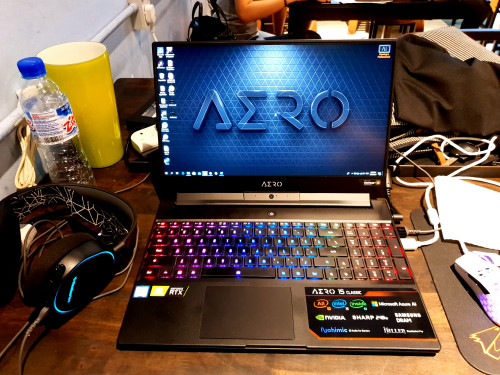
So here’s my forum review on the Aero 15 Classic XA
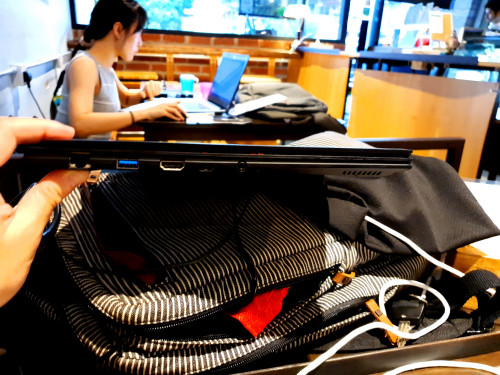
On the side, it’s really thin but packs really solid specs
AERO 15 Classic-WA Key Specifications:
CPU : 9th Generation Intel® Core™ i7-9750H (2.6GHz-4.5GHz)
Display : Sharp FHD 240Hz 1920x1080 IPS anti-glare display LCD
Memory : 16GB (8x2) DDR4 2666MHz
GPU : NVIDIA® GeForce RTX™ 2070 GDDR6 8GB
Storage : Intel 760P SSD 512GB
Battery : Li Polymer 94 battery pack
UHS-II SD Card Reader (aw yis!)

↑ HUGE Sticker to constantly remind you about the AERO 15 Classic key features:
All Intel inside, Microsoft Azure AI, SAMSUNG DRAM, Nahimic 3(what?), Killer Doubleshot Pro
Microsoft Azure AI
↑ When the AI is turned on, there are three modes to choose from, and the AI will do its thing. In other words, the AI studies user adjustments and configures accordingly:
★ Edge Learning: AI is enabled, but it is not connected to the Microsoft Azure cloud platform. The AI database used by users comes from this machine.
★ AI Azure Download: Open AI, users connect to Azure cloud, but user's settings will not be uploaded to Azure cloud.
★ AI Azure Download and Upload: Enable AI, users can connect to Azure cloud data, and upload user settings for big data learning.
The above instructions are found online. And I just follow and try.
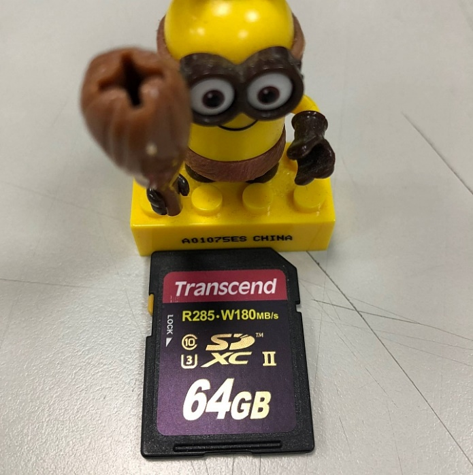
↑ Next a quick video footage transfer test
The built-in UHS-II SD Card Reader is really fast. Using SDXC (read 285/write 180mb / s)
Transferred a single 8GB file out of my Sony A6300’s camera took about a minute so that’s pretty fast. Don’t need to purposely buy a RM200 card reader with fast transfer speeds (if you haven’t owned one already”
» Click to show Spoiler - click again to hide... «
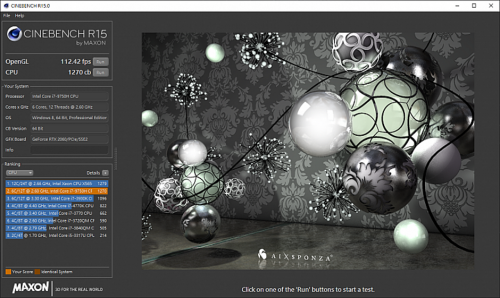
R15 1270
» Click to show Spoiler - click again to hide... «
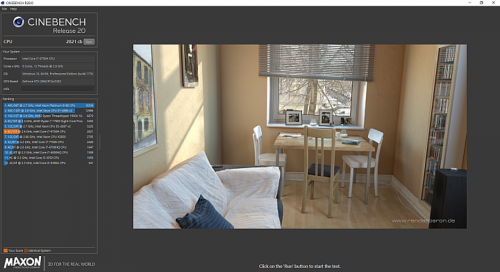
R20 2821
↑ Tested Cinebench, the results were pretty good. Was worried that the i7 would heat things up because of hyperthreading but that didn’t happen. Fans kicked in but wasn’t too audible. Definitely able to edit stuff on Premiere Pro and Filmora on 4K without any kicks.
Battery life:
Gigabyte claims up to 8 hours of battery life on a single charge thanks to a big 94Whr battery pack. I charged it overnight and started my day @ 100% from 9:30am. I purposely didn’t bring my charger out to see. My typical day is writing proposals, reviews and youtubing, and after going through a day of it and checking back home about 10:30pm I managed to still have 12%. I pretty much spent cumulatively about almost 6 hours with the screen on, including times I had to put it to sleep to go somewhere else to work again. Realistically, I’d say you’d get about 5 hours and 45mins on medium usage on a single charge. This was also with some battery saving efforts from Ai adjustments.
Software:
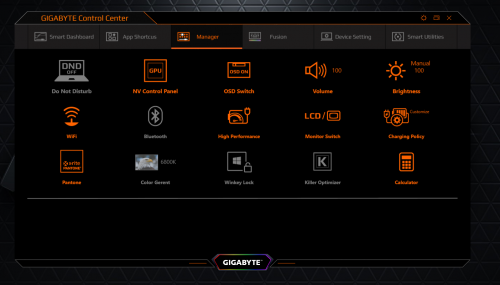
Gigabyte ControlCenter basically manages everything for you. From here you can:
- Update your drives to the latest including BIOS.
- Set RGB Profiles for your keyboard
- Set Fan speeds
- Set overall settings from a dashboard
- Toggle and customize your Pantone Display
Gaming:
Obviously with such a spec sheet the Aero should be able to perform as a gaming device. I mainly picked it for work and how thin and light it is. I own a fairly powerful desktop to game at home but when I’m out and I need to do my daily grind (This month I am all about Wolcen and Modern Warfare), the Aero is able to satiate my gaming needs. Here’s my performance on Wolcen, Online, Champions of Stormfall Mode Expedition (don’t forget to always be on the latest Nvidia Drivers!)
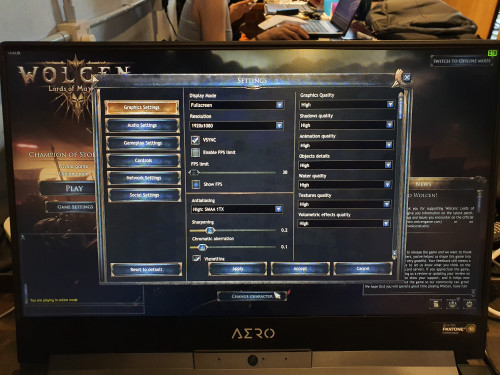
Overall, I was able to get around 90 – 120 FPS on high settings. It looms around 90 during large mob fights. It’s an understandably demanding game, and I play Online so latency can affect overall FPS. Also I’m sure eventually there will be even more graphic optimizations for this game so fingers crossed. Next will be Modern Warfare but I’ll probably share a little more on that during my full review on my website.
Overall :
AERO 15 Classic XA is a well-equipped PC carrying an ambitious All-Intel Inside label, complete from processor and matching SSD manufacturer. It has the recipe to be a great every day laptop, with high quality components such as Samsung RAM and Sharp(brand) IPS panels.
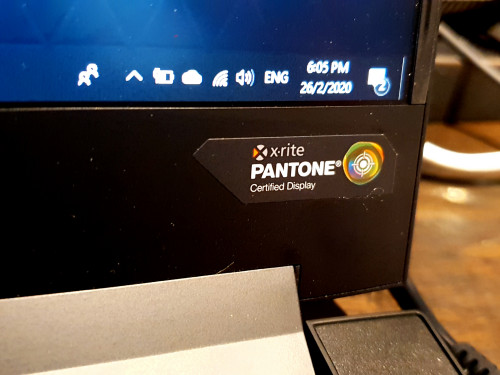
The Pantone Certified Display is helpful for those looking to the utmost color accuracy, and if that’s not your thing, you can always turn it off in Gigabyte ControlCentre and pick whatever Gerent that suits your eyeballs. I do notice the change in colors, with blacks being darker and more natural, and even the FB webpage blue looked different when looking on my PC monitor and on this screen.
On a single charge you’ll get as much longevity as a beefy spec-ed ultrabook, provided you make certain efforts such as turning off the RGB lightning or just keeping it to a dim, static profile. You can squeeze more out of it reducing the refresh rate to 60, but I am too lazy to make that effort. That 94Whr battery sure is something. And it doesn’t feel heavy to carry with one hand (about 2ish KG), kinda cool considering it’s high-end specs which I need to get accustomed to since my previous laptop was a gaming laptop and it was way heavier and bulkier to carry around.
Microsoft Azure AI is cool and all, learning how I do things and adjusting power along the way, but it’s not something I purposely bought it for, since all GB laptops have Azure AI pre-installed anyway.
RGB is gorgeous, and the keyboard is comfortable to type on. The keycaps are in-between glossy and matt, so oily fingers will definitely leave smudges. Just remember to bring a cloth to wipe if you can’t stand it!
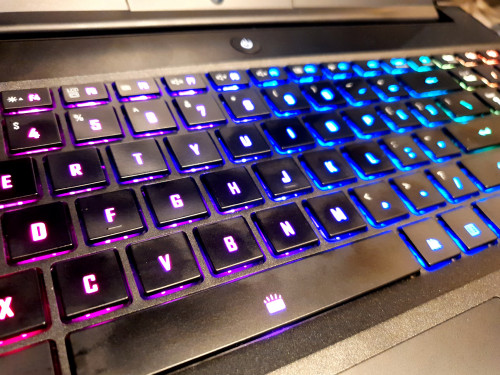
Design is simple and minimal, definitely appeals to me, I don’t look for a sharp, intimidating design that most gaming laptops have these days. And I can finally use my lighter backpacks LOL.
Price I bought for: RM 7750
Where I bought : Brightstar Computer Plaza Lowyat
Free stuff I got: A felt Backpack (I really wished there were better designs)
A year of free Microsoft Office 365 (finally I am an adult with ori Office)
A sweaty hug from the sales guy
Worth it?
Invest the money for the longevity and durability. It used to be RM9K this lappie and since 10th gen Pc’s are going to still use RTX cards anyway might as well stay 9th gen. Warranty is 2 years serviced by Highpoint so no complaints there.
 Quote
Quote



 0.0217sec
 0.39
0.39
 5 queries
 GZIP Disabled