Welcome Guest ( Log In | Register )

Bump Topic Topic Closed RSS Feed
17 Pages  1 2 3 > » Bottom

Outline · [ Standard ] · Linear+

 Samsung Galaxy Note 10 Discussion Thread V4, The 10th Series Note

views
     
fireballs
post Aug 2 2020, 12:05 PM

10101
*******
Senior Member
5,650 posts

Joined: Mar 2012
Newbie question. Note10lite
Simple browsing heats up the phone and battery drops like crazy. Google chrome is bad, tried opera is heats up less but still uncomfortable. As if I am playing some heavy game.
No other background app running, fresh reboot. Wifi or 4g same. Oneui2.1
Other app like watch movie YouTube all ok

What did I miss?
fireballs
post Aug 2 2020, 10:33 PM

10101
*******
Senior Member
5,650 posts

Joined: Mar 2012
QUOTE(zoixc @ Aug 2 2020, 06:23 PM)
Got on location when browsing?
*
Location is always on.
But disabled by permission for browsers
fireballs
post Aug 2 2020, 10:41 PM

10101
*******
Senior Member
5,650 posts

Joined: Mar 2012
QUOTE(sakuraboo @ Aug 2 2020, 06:29 PM)
Doubt it too but when trump flexes like that, no company would take it lightly
Why not try Samsung browser

Anyway i put many non essential programs into deep sleeping mode

And on top of that use greenify to hibernate programs

I definitely felt battery improvement and less hot, but that was like 1 year ago
*
Ya trying samsung browser. Have to migrate over

Still learning to tame this phone. Suka suka just rage for no reason no background app running.
Already killed samsung flow and windows sync as these just eats up battery

As I type on Google chrome, battery dropping 1% every 2 minute.

Edit Already using greenify. It reports no background running
Also manually added all apps to deep sleep

I have enabled security scanning. The next culprit could be the damn anitvirus McAfee. Dammed on pc

This post has been edited by fireballs: Aug 2 2020, 11:00 PM
fireballs
post Aug 2 2020, 11:05 PM

10101
*******
Senior Member
5,650 posts

Joined: Mar 2012
QUOTE(sakuraboo @ Aug 2 2020, 10:49 PM)
Chrome got issues recently not specific to note 10.

Thing is, even when all background apps are closed there are still background apps that are not closed and running. Case in point when they put out notifications

So only greenify or even better uninstall or disable is the way to go if deep sleep doesn't work

Eg Google movie and tv wakes up from deep sleep and removes itself from deep sleep despite i manually putting it in there, worse it takes up a small percentage of battery. Decided to uninstall it
*
Agree I have used greenify many many years ago for those cheapo phones. Never in my dream I have to use it on a premium device.

Chrome is running fine on my other xiaomi devices but all snapdragons. Its also running well on my tabs4 which is also snapdragon.

Agree on google movie. One of the first app to uninstall.

Anyway to uninstall Bixby?

fireballs
post Aug 2 2020, 11:24 PM

10101
*******
Senior Member
5,650 posts

Joined: Mar 2012
QUOTE(sakuraboo @ Aug 2 2020, 11:09 PM)
After warranty ends i like to root my notes, previous notes are rooted. And greenify is one of the stuff i like installed. Battery life is one thing, but i find apps running in general to be possibly intrusive, in security sense

Haven't figured out to uninstall bixby unfortunately. Maybe only with root it is possible. Bixby services still running despite disabling the bixby related programs
*
Xiaomi nemesis is facebook. Always slip pass the battery saver. Only way is to uninstall and use fb lite or use browser. I did the same on this note10lite. Xiaomi can last 2 days with active use and I never have to be anxious with battery life or bring powerbank out. Is all exynos so bad?

I see that there is also no way to uninstall McAfee. Can disable auto scanning only.

fireballs
post Aug 4 2020, 09:11 AM

10101
*******
Senior Member
5,650 posts

Joined: Mar 2012
QUOTE(happyday119 @ Aug 3 2020, 12:14 PM)
Anyone encountered this?
Phone line keeps on not stable. Can hear on and off.
It happened for a week already. All calls are like that. At first I thought it's the caller's issue.

Note 10+
Exynos

Line: Maxis(full bar signals)
*
from same location?

fireballs
post Aug 4 2020, 09:15 AM

10101
*******
Senior Member
5,650 posts

Joined: Mar 2012
Reporting in, regarding browser
samsung browser also heats up the phone, just not as bad as chrome

testing ms edge browser now.
fireballs
post Aug 4 2020, 08:11 PM

10101
*******
Senior Member
5,650 posts

Joined: Mar 2012
QUOTE(zoixc @ Aug 4 2020, 02:09 PM)
if you have the time maybe can do a reformat
Can share the link bro ?
*
Its brand new.. just bought.
fireballs
post Aug 4 2020, 08:28 PM

10101
*******
Senior Member
5,650 posts

Joined: Mar 2012
QUOTE(sakuraboo @ Aug 4 2020, 11:05 AM)
Btw i found this article regarding removing bloatware such as bixby
*
Can remove but can enable back?
The adb command basically uninstall it
fireballs
post Aug 4 2020, 10:28 PM

10101
*******
Senior Member
5,650 posts

Joined: Mar 2012
QUOTE(chongkiatz @ Aug 4 2020, 07:01 PM)
Wonder why with recent update it become so hard to register finger print ya?
*
try re-register the fingerprint.

i find the optical fingerprint reader pretty useless compared to normal capacitive ones.
end up using pincode most of the time
fireballs
post Aug 5 2020, 10:08 AM

10101
*******
Senior Member
5,650 posts

Joined: Mar 2012
QUOTE(happyday119 @ Aug 3 2020, 12:14 PM)
Anyone encountered this?
Phone line keeps on not stable. Can hear on and off.
It happened for a week already. All calls are like that. At first I thought it's the caller's issue.

Note 10+
Exynos

Line: Maxis(full bar signals)
*
Ever since maxis introduced the unlimited data plan. Quality gone down the drain haha
Anyway, try switch to 3g or 2g even and test again
Yours could also be an issue of you are in between two towers. Have you tried in other location?

And lately, there are many illegal private towers. If you are connected to it then u get poor calls.
fireballs
post Aug 5 2020, 10:26 AM

10101
*******
Senior Member
5,650 posts

Joined: Mar 2012
QUOTE(zoixc @ Aug 4 2020, 08:30 PM)
Bro you don't use bixby routine ?
Oh, in that case you can try to clear cache in recovery mode. Did you install any update after getting the phone. Sometimes the software can cause problem even out of the box, maybe problem during installation
*
Tried clear cache. Phone still drops 1% every 3 minute or so.
Greenify reports no background running
Samsung battery shows the biggest culprit is still browser be it chrome or Samsung.
Maybe can only use opera mini -->nope still drains.
i am out of ideas. running other applications wont drain so fast.


Note10lite is using optical fingerprint.
I got other xiaomis using capacitive, ultrasonic and optical.
Optical is the poorest of all
Capacitive is fastest but cannot be wet
Ultrasonic can unlock even with wet fingers

This post has been edited by fireballs: Aug 5 2020, 10:39 AM

fireballs
post Aug 5 2020, 11:37 AM

10101
*******
Senior Member
5,650 posts

Joined: Mar 2012
QUOTE(sakuraboo @ Aug 5 2020, 11:25 AM)
That's a great idea actually

Do you guys use the suggestion feature?

Haven't found a use for it tho
Original new Malaysian set?
Plastic asking for 4k

Wtf really
*
yup original malaysia set.
no problem with other app. just browser issue. stream video youtube etc all ok.
even play game use less power than browser

i am begining to suspect the keyboard


not plastic.. is Glasstic haha still can break.
i prefer either full plastic or metal.
full plastic/metal you know it wont break.
metal feels premium and better conduct heat. but cannot nfc

This post has been edited by fireballs: Aug 5 2020, 11:50 AM
fireballs
post Aug 5 2020, 05:25 PM

10101
*******
Senior Member
5,650 posts

Joined: Mar 2012
QUOTE(Mike3 @ Aug 5 2020, 05:22 PM)
why fingerprint sensor no good?
im quite happy with it tbh

erm register 2 times same finger or 3
then 1 try can already.
the beauty of ultrasonic sensor.
cant do that for capacitive
*
note 10 = ultrasonic
note 10 lite = optical

fireballs
post Aug 5 2020, 05:26 PM

10101
*******
Senior Member
5,650 posts

Joined: Mar 2012
QUOTE(happyday119 @ Aug 5 2020, 04:21 PM)
illegal private towers
>> Tried switch to 3G and 2G - same issue.
>> Tried in other location - I think only that particular location got this issue.

>> You mean telco builds illegal towers? Sorry, can you elaborate more?
*
then can report to maxis liao
illegal tower repeaters is by user themself to boost the signal.

try another phone and see.


fireballs
post Aug 8 2020, 02:52 PM

10101
*******
Senior Member
5,650 posts

Joined: Mar 2012
QUOTE(Mike3 @ Aug 8 2020, 02:44 PM)
if not mistaken battery have lifespan of 300-500 full cycles with 80% of capacity left.
if u dont charge to 100% always the battery last very long one

but tbh my mate9 i always hentam it 100% 3years++ le still ok .
i mean mayeb drop abit but still useable and not really much noticeable.
*
Lithium battery enemy is draining to zero and also heat.
Try to keep the battery charged is the best policy

The 300 charge cycle is counted if you discharged it then charge again.
fireballs
post Aug 13 2020, 06:08 PM

10101
*******
Senior Member
5,650 posts

Joined: Mar 2012
QUOTE(TyroneS @ Aug 13 2020, 10:01 AM)
user posted image
balcony 3/4 vs 5/5
user posted image
in door,living hall of apartment 2/4 vs 4/5
user posted image
telco tower within 1km away
Network test, my house is not far from telco tower and no tall tree blocking...
Sd version does more network then exynos,
Exynos same bar level with my ipad mini5 but iPad doesn’t change into 3G>3G+>4G frequently  bruce.gif
*
Can share the actual db rating?
Can either get it from cell info app
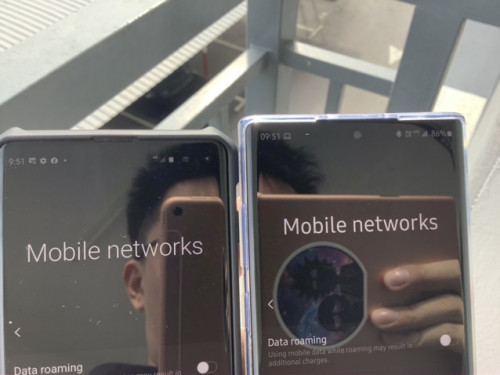
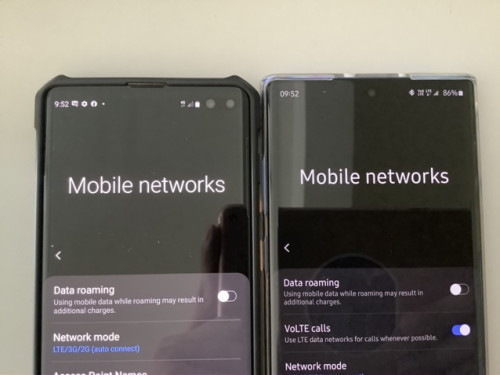
Or dial *#0011# select the stack and see the rsrp numbers. From there u can also see if you are logged into the right frequency
Check both phones if they are in the same channel and cellid too
fireballs
post Aug 14 2020, 10:23 AM

10101
*******
Senior Member
5,650 posts

Joined: Mar 2012
https://www.digi.com/support/knowledge-base...strength-values

Rsrp = receive power (ignore the -, smaller number better)
rsrq = quality of signal (ignore the -, smaller number better)
rssi = total power


s10 rsrp = -101 (win)
n10 rsrp = -105
n10lite rsrp = -67 reference

s10 rsrq = -9 (win)
n10 rsrq = -11
nlite rsrq = -11 reference

s10 rssi = -70
n10 rssi =?
n10lite = -36 reference

so despite the number of bars, do look at the actual values

both s10 and n10 are connected to digi, band 3 1800mhz

i have thrown in data of my n10lite, about 200m line of sight from tower, celcom band 3 also.


fireballs
post Aug 14 2020, 11:04 AM

10101
*******
Senior Member
5,650 posts

Joined: Mar 2012
QUOTE(TyroneS @ Aug 14 2020, 10:42 AM)
never research of these,
which mean SD faking network like iOS does?
and malaysia Exynos/SD set adjusted for better network coverage
while imported unit did not adjust the band for better coverage?
*
hmm.. sorry i dint dig through the posts.
whats the processor for your s10 and n10?

for samsung, you can check/lock your band using
*#2263#


select sim, then band disable. generally higher frequency = faster speed, but less coverage

you can experiment to force your phone to use higher frequency, for example band 7 2600mhz instead of 3 1800mhz


fireballs
post Aug 16 2020, 05:04 PM

10101
*******
Senior Member
5,650 posts

Joined: Mar 2012
a new update appeared for n10lite
for security patch 1 aug 2020

17 Pages  1 2 3 > » Top
Topic ClosedOptions
 

Change to:
| Lo-Fi Version
0.1246sec    0.43    7 queries    GZIP Disabled
Time is now: 8th December 2025 - 05:53 PM