Welcome Guest ( Log In | Register )

Outline · [ Standard ] · Linear+

 [2019] Macbook Pro 16-inch Discussion Thread | V1, The best for the brightest

Which model would you get?
 
2.6GHz 6-Core [ 53 ] ** [39.26%]
2.3GHz 8-Core [ 82 ] ** [60.74%]
Total Votes: 135
Guests cannot vote 
views
     
shockk
post Feb 24 2020, 11:05 PM

[ T A R G E T - L 0 C K E D ]
Group Icon
VIP
11,883 posts

Joined: Jan 2003
Hi guys.

Finally joining the club. 😁

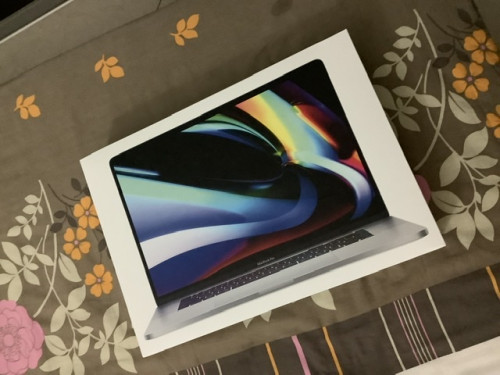
16" i9 1TB reporting in. 🙏🏼
user posted image

My initial impressions:-

Coming from using a MacBook Pro 15" 2019, the key differences that I find most welcoming are:
- the keyboard! finally keys with great travel distance. though sometimes I really miss the snappy stability of the butterfly switches from the MBP 15"
- superb speakers with surprisingly good bass response now. this was very impressive.
- escape key .... ooh, I have missed you so much!
- screen size got a 1" bump. quite noticeable especially when I use a lot of apps in one view.
- battery life is pretty good too.

Now, just read that we should do some CPU clock tweaks to the Turbo Boost to minimise overheating and improve battery life drastically. Gonna do this ASAP! ✌🏼
shockk
post Feb 26 2020, 11:08 AM

[ T A R G E T - L 0 C K E D ]
Group Icon
VIP
11,883 posts

Joined: Jan 2003
QUOTE(SolId SnaKe @ Feb 25 2020, 12:43 AM)
How
*
Use 3rd party apps. There are guides available on Youtube.

I have not personally tested them.

Will update results once I have the time to test.

QUOTE(MacDaNife @ Feb 26 2020, 07:56 AM)
The cardboard box that Apple shipped the machine from factory to you.

But in seriousness, check out Waterfield Designs. Amazing quality but expensive. I've bought two. Am considering a third...
*
Mind sharing which ones you bought from Waterfield Designs?

Did you order them straight from their website and have them delivered to Malaysia?

Am keen on trying them out too. Alternatively, I am still considering the RM749 Apple Leather Sleeve but am unsure of how good it is.
shockk
post Feb 28 2020, 10:30 AM

[ T A R G E T - L 0 C K E D ]
Group Icon
VIP
11,883 posts

Joined: Jan 2003
QUOTE(MacDaNife @ Feb 26 2020, 04:04 PM)
Both were ordered off the SFBags website. Shipping is a bit of a bitch, but is extremely fast. Less than a week in both cases.

I got the Pro Executive Laptop Backpack with Executive Folio in Chocolate Leather (https://www.sfbags.com/collections/bags/products/pro-executive-laptop-backpack)

I actually got the Sutter Slim Backpack first (https://www.sfbags.com/collections/bags/products/sutter-slim-backpack) but while this was very nice for daily use between home and office, it didn't have enough space for a Tokyo/Sapporo family holiday so.... had to get the Pro Executive too. No regrets though. Both are VERY good quality bags and have different use case scenarios.

Now I've got my eye on the Air Porter Carry on....
*
Thanks, chief! Will certainly check them out. 👍🏻

QUOTE(Anonymous34 @ Feb 15 2020, 11:45 PM)
I bought a brand new US set in Malaysia. Got my friend to register the Care+ in US, was about 1.6k all in. Deductible is more or less 500.
*
Bro, just wondering. For Apple Care+, do you have to register it within 90 days from the purchase date, similar to the regular Apple Care?
shockk
post Apr 1 2020, 11:16 AM

[ T A R G E T - L 0 C K E D ]
Group Icon
VIP
11,883 posts

Joined: Jan 2003
QUOTE(kasey1314 @ Mar 31 2020, 11:11 AM)
please monitor does your 16 will come out ?

https://www.youtube.com/watch?v=b56I5VdKJfU <----Clicking sound .
*
Nope, didn't experience that on my MacBook Pro 16".

Even my previous MacBook Pro 13"/15" notebooks from year 2016, 2017, 2018 and early-2019 - did not exhibit such issues.

Probably the MacBook in your video is defective, and should be sent for repair.

QUOTE(MasBoleh! @ Mar 29 2020, 08:46 PM)
Hi all,

I know this is not a question about 16-inch macbook, but i hope someone here can help me a bit.

I am using macOS Catalina version 10.15.3

I would like to know..

1. How can I make the top bar (dunno what it is called, i am very new to Mac OS) the bar that shown the battery with its percentages together with time to permanently shown instead of it will slide off the screen when my mouse do not hover over it?

2. I know that I can split the browsers of 2 different windows from the minimize and maximize button but it is kinda hassle. Is it possible for me to set the configuration to make it like Windows where I just need to drag the browser window to either side of the screen and it will auto split screen to the side that I drag the browser window to?

Thank you
*
For your first question,

To show those battery details on your status bar permanently, you need to install a third-party app.

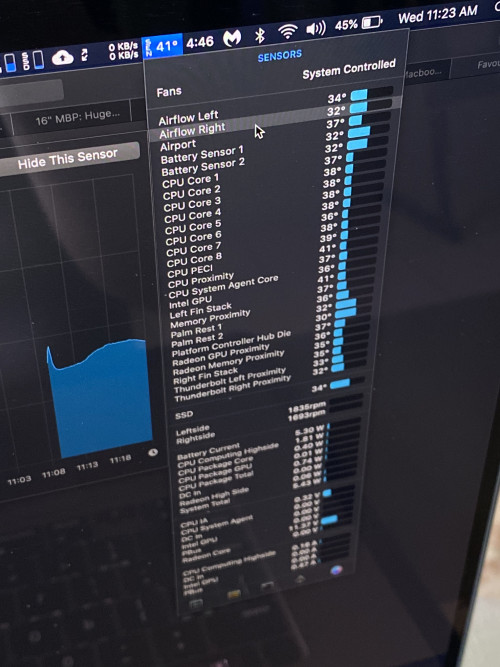
I'm using iStat Menus, and I highly recommend it. Full of various diagnostics for the MacBook Pro including all temperature sensors, etc. Refer to my picture below.

user posted image
shockk
post Apr 3 2020, 04:56 PM

[ T A R G E T - L 0 C K E D ]
Group Icon
VIP
11,883 posts

Joined: Jan 2003
QUOTE(loon1983 @ Apr 2 2020, 11:43 PM)
Tq, bought this afternoon at 9.9k cash...
Lazy go Cyberjaya, he seller sell 9.8k

Anyway, here I am❤️

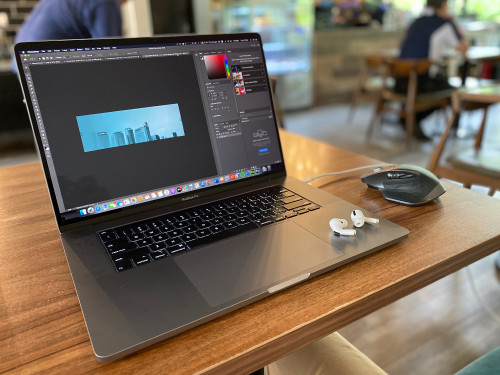
user posted image
*
Welcome to the club. biggrin.gif

Space Grey or Silver?


Change to:
| Lo-Fi Version
0.0463sec    0.95    9 queries    GZIP Disabled
Time is now: 18th December 2025 - 06:14 PM