Welcome Guest ( Log In | Register )

Outline · [ Standard ] · Linear+

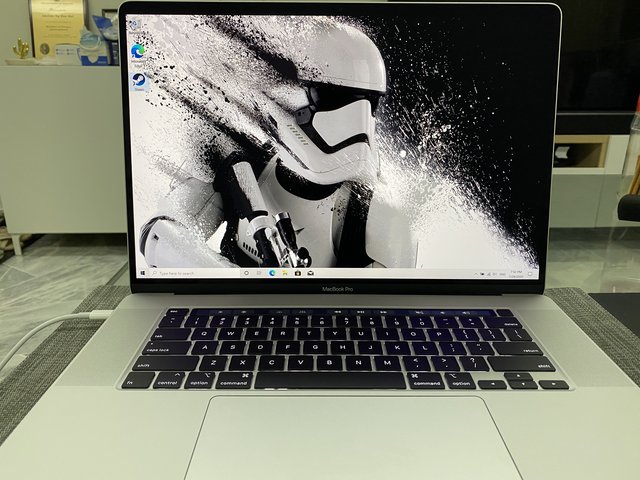
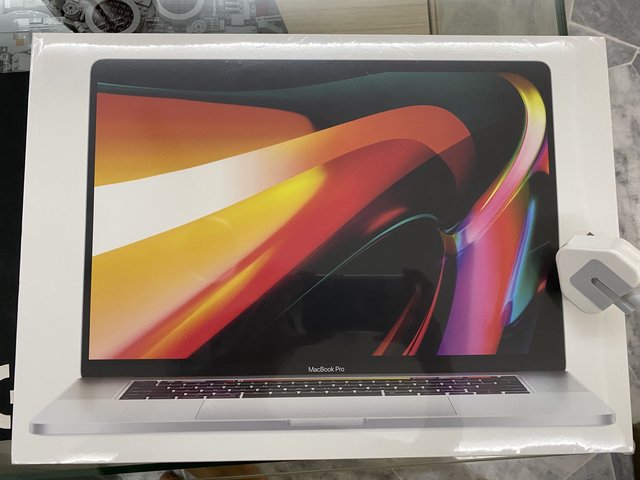
 [2019] Macbook Pro 16-inch Discussion Thread | V1, The best for the brightest

Which model would you get?
 
2.6GHz 6-Core [ 53 ] ** [39.26%]
2.3GHz 8-Core [ 82 ] ** [60.74%]
Total Votes: 135
Guests cannot vote 
views
     
codenamew
post Jun 6 2020, 12:02 PM

On my way
****
Senior Member
601 posts

Joined: Oct 2008
From: Penang


Want to get some advise, does anyone know where can I get the Apple Care + ? I just place order on Lazada for the 16inch US import set.

And can we claim As accidental damage if claim from Malaysia Apple Switch Store?
codenamew
post Jun 7 2020, 11:05 PM

On my way
****
Senior Member
601 posts

Joined: Oct 2008
From: Penang


QUOTE(myjunk @ Jun 7 2020, 07:38 AM)
I got mine direct from the shop selling it. superdeal.it at shopee
*
I did contact her but unfortunately she is unable to get it for me because the promo is not longer available. Perhaps I need to refer my friend in SGP to buy it for me. Can right
codenamew
post Jun 8 2020, 11:18 AM

On my way
****
Senior Member
601 posts

Joined: Oct 2008
From: Penang


QUOTE(myjunk @ Jun 8 2020, 10:44 AM)
promo not available? Meaning what? You're talking about AppleCare or about getting the Mac from them?

AFAIK, they don't advertise the one w/ AppleCare, just so happens that when I contact them, they told me the ONLY stock they have was the one w/ AppleCare and that's exactly what I wanted. So it's bonus for me.

ur friend in SGP.. buy what ah? Mac there cheaper meh? I think worst than Msia pricing wise no?
*
No. I’m thinking to get my friend in SGP to buy the Apple care + for me. I’m not sure if that is doable. Or need US credit card. She said the package with Apple care + is no longer available. Only left MacBook Pro without Apple care +
codenamew
post Jun 11 2020, 10:44 PM

On my way
****
Senior Member
601 posts

Joined: Oct 2008
From: Penang


hi everyone. i just got my mbp 16inch today and when i check my batter using coconutbattery, it shows full charge capacity of 7973mah instead of 8790mah with 3 cycle count. isnt new mbp should have 100% battery capacity? the mbp that i bought is legit and the serial number is new one. any advise? pls help
codenamew
post Jun 12 2020, 06:29 PM

On my way
****
Senior Member
601 posts

Joined: Oct 2008
From: Penang


QUOTE(giggs_509 @ Jun 12 2020, 07:47 AM)
Mine, using around a month:
[attachmentid=10513515]
*
resolve my issue already by first drawing the Mac until it shut down then charge overnight. now the battery is showing 100%.

one more thing, the typing experience in MBP16 is superb. very quiet and I can type faster compared to normal laptop keyboard.


codenamew
post Jun 14 2020, 08:23 AM

On my way
****
Senior Member
601 posts

Joined: Oct 2008
From: Penang


QUOTE(RevolutionWorks @ Jun 13 2020, 02:39 PM)
Anyone know how much the price for Apple Care for Macbook Pro 16 and where can I purchase it?

Also, I been using this laptop during charging and it felt hot on the palm rest when typing, is it normal?
*
My MacBook Pro feels hot too during charging but once I unplug it, it don’t feel hot. It could be the battery is located beneath the palm rest.

You mean apple care or apple care +? If apple care you can get it from switch. I am looking for Apple care +. Anyone has US credit card to help me pay?
codenamew
post Jun 15 2020, 05:54 AM

On my way
****
Senior Member
601 posts

Joined: Oct 2008
From: Penang


QUOTE(RevolutionWorks @ Jun 14 2020, 01:35 PM)
Yeah, but Im using it when it was plugged and charging, so a bit uncomfortable to type.

This is my first macbook pro and now I know there is normal Apple Care and Apple Care +  sweat.gif  confuse already. Not sure if its worth it to buy Apple Care.
*
But in order to get Apple care +, you need a US credit or debit card and I believe the MacBook Pro need to be from US region.

What I can say from the normal Apple Care is that it give you a peace of mind when comes to battery. If your battery capacity falls below 80% in the 3 years, you can claim a free battery.


codenamew
post Jun 16 2020, 07:39 PM

On my way
****
Senior Member
601 posts

Joined: Oct 2008
From: Penang


Does anyone having low ram when running Mac OS on mbp 16? I’m using the base model and My ram usage is around 10Gb with normal task. The only apps I open is outlook , finder, excel, safari, and teams. And it’s already used up 10Gb.
codenamew
post Jun 19 2020, 12:06 PM

On my way
****
Senior Member
601 posts

Joined: Oct 2008
From: Penang


QUOTE(PoisonSoul @ Jun 17 2020, 12:25 PM)
There was an explanation on why RAM usage by OS is fairly high but I can't find it right now. I'll try to recall what I have read.

The person said that from the start, OS-es are designed to take up as much ram as possible to utilize what you have paid for. Imagine you paid XX amount of money for 32GB of ram but the OS only takes (let's just say) 4GB of RAM. In a way, to you might look at it as "Hey look my device has so much RAM left. Glad I have bought so much RAM and it's future proof." but actually that's bad. You have your OS on your SSD but your RAM is small, so how? The computer is not able to store more data temporarily into the RAM and therefore, slowing down the booting of OS. At this point if this happens to you, you might say "eh I just upgraded to SSD why it is still slow?".

Now after booting up, why is it still taking so much RAM? OS logic = "When you need it, they have it instant/on the fly for you." Plus, the computer doesnt need to go to the SSD to file that particular file again and the SSD is free to do other things, maybe R/W some other data.

Oh yea, if other apps need more RAM, then the computer/OS will know to "throw" which files that are in the RAM and create new RAM space for the app to launch/use.
This is what I've gathered/remembered. I'll try to find the article/video and put it here when I found it.  biggrin.gif

This is a starter. Sauce
*
Thanks bro for explanation. Yes I read somewhere on the net too on Mac OS ram usage. I just move from windows to macOS that’s why I’m not too sure of the ram usage in macOS. But then I still feel Microsoft apps is kind of lag in macOS compared to in boot camp. I find boot camp is more smooth. But then power not so efficient.

codenamew
post Jul 27 2020, 09:35 PM

On my way
****
Senior Member
601 posts

Joined: Oct 2008
From: Penang


QUOTE(ionStorm @ Jul 22 2020, 02:19 PM)
Windows actually consumes a lot of RAM for caching too. It's just not readily reflected in the Task Manager.

Microsoft never put in any major effort into translating apps into Apple native code. It's good enough, but it's no replacement for the Windows variant. If you're a power user of MS Office apps, I'd suggest spending a bit of money on VMWare Fusion or Parallels Desktop and a Windows license.
*
On certain task I need to use Microsoft apps. I have been using Parallel it is so great. I can use swipe left and right window to use macOS or windows when needed. Do not need use boot camp and the experience is very good. I am a heavy Power BI developer and it can handle everything I throw at it and I can browse my Mac smoothly without any lag. Very happy and satisfy with this MacBook performance. Loving it more and more day by day
codenamew
post Jul 27 2020, 09:36 PM

On my way
****
Senior Member
601 posts

Joined: Oct 2008
From: Penang


QUOTE(alandhw @ Jul 27 2020, 04:13 PM)
Oo..then the info given by Apple store, Apple online support and Senheng is not correct
They told me the unit will divert to US for warranty and it might take 2-3 months to get it back.
*
They might want to get your business bro. I bought US set too and it is working great so far. Planning to buy AppleCare + but too bad do not have any contact that has US credit card. Need to opt for normal AppleCAre
codenamew
post Jul 28 2020, 07:11 AM

On my way
****
Senior Member
601 posts

Joined: Oct 2008
From: Penang


QUOTE(Lego Warfare @ Jul 27 2020, 09:52 PM)
Is yours 16gb ram version? Have you tried gaming in parallels? Read that the 16gb wouldn't be enough for that...
*
Nope. For now I feel like I lost interest in gaming haha. If I want to game, I will install windows OS at external hard disk. I have tried gaming on boot camp before using bootcamp custom amd drivers and it is quite smooth. Mine is the 16Gb version. Mac manage the ram quite well I would say.
codenamew
post Jul 29 2020, 11:37 PM

On my way
****
Senior Member
601 posts

Joined: Oct 2008
From: Penang


QUOTE(Lego Warfare @ Jul 29 2020, 08:02 PM)
Just received my 16”!
Immediately installed Windows 10 lol
Will start installing games once my Samsung T5 arrives...

user posted image

user posted image
*
Nice one bro. Have u tried installing amd drivers from bootcampdriver website? It can give huge performance boost in term
Of gaming.
codenamew
post Aug 2 2020, 12:15 PM

On my way
****
Senior Member
601 posts

Joined: Oct 2008
From: Penang


QUOTE(Lego Warfare @ Jul 29 2020, 11:45 PM)
Not yet, I'm waiting for my Samsung T5 to arrive before installing games on Windows. At the moment only have WoW on MacOS lol.
Are you using Blue or Red? I read Blue January is the most stable one?

Have you tried gaming on external SSD? Not sure if I should go for NTFS or exFAT. I would prefer APFS but Windows doesn't support that right?
*
I think if u want to game on ssd, better to use ntfs since it is easily supported in windows. Moreover u are going to use the ssd with windows right. I am using the blue version. Yes it is more stable. But lately I have deleted my boot camp and moved to Parallel since I don’t really game that much. With parallel I can use both Mac OS and windows at the same time.


Change to:
| Lo-Fi Version
0.1764sec    0.61    9 queries    GZIP Disabled
Time is now: 18th December 2025 - 08:21 AM