Welcome Guest ( Log In | Register )

Bump Topic Topic Closed RSS Feed
3 Pages  1 2 3 >Bottom

Outline · [ Standard ] · Linear+

Unifi Official TM UniFi High Speed Broadband Thread V38, READ 1ST PAGE FOR TURBO SPEED INFO!

views
     
posthumous
post Mar 27 2020, 01:27 PM

Casual
***
Junior Member
308 posts

Joined: Jan 2003


QUOTE(Morning_Star @ Mar 27 2020, 10:15 AM)
Why not use the newer router 86U for 800M ?
*
I too have the ac68u and ac86u. Both on merlin. Even though the 86u has double the RAM of the 68u, the 86u consumes much more ram. Up to 95% ram utilization if you have a usb media hdd plugged in. To mitigate that issue, I had to configure a swap file.
Daily, my 86u shows a bunch of notices/warnings in the syslog because I have a few wifi smart things in connected. I had to install custom scripts to suppress/workaround those warnings.

I never got those issues when the ac68u was my main router.

Where I noticed the 86u performs better than the 68u is the wifi range and faster usb transfer speed (and possibly openvpn). Even when overclocked, my 68u is still about 20-30MB slower than the 86u in usb 3.0 transfer.

Overall, I think the ac68u is the better router for the money. A trouble free, solid performing router even to this day.

Back to topic; I'm stuck on 175.143.xxx.xxx even after numerous router/port resets. Intermittently extremely slow speeds, even Amazon echo lags badly when executing commands. On a couple of rare occasions, Spotify would breakup mid streaming. Curiously, google home is not impacted by this.

posthumous
post Mar 28 2020, 10:20 PM

Casual
***
Junior Member
308 posts

Joined: Jan 2003


QUOTE(rjb123 @ Mar 28 2020, 09:14 PM)
I thought Netflix was only reducing the bitrate... I’m getting 480p / 0.53 Mbps only sad.gif looks terrible on a 4K TV!
*
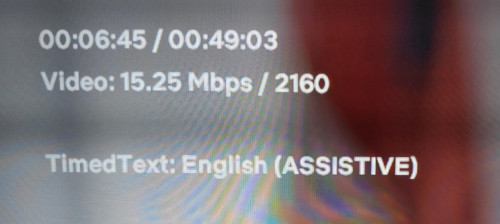
i'm still getting 4k hdr on netflix, though amazon now is only giving me 1080p
user posted image


user posted image

posthumous
post Mar 30 2020, 01:52 PM

Casual
***
Junior Member
308 posts

Joined: Jan 2003


QUOTE(Xnet @ Mar 30 2020, 01:33 PM)
Today sharp 1.30pm UniFi restricting streaming
*
perhaps it's just your area

1:52pm
twitch live 1080p60, netflix 4k hdr ok here
posthumous
post Mar 31 2020, 09:23 PM

Casual
***
Junior Member
308 posts

Joined: Jan 2003


user posted image


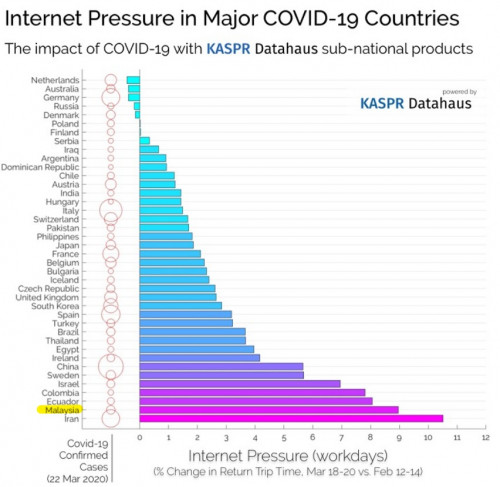
sos: https://technave.com/gadget/Recent-study-sh...eeks-17675.html
posthumous
post Apr 4 2020, 10:52 PM

Casual
***
Junior Member
308 posts

Joined: Jan 2003


QUOTE(weezycheck @ Apr 4 2020, 09:56 PM)

Based on my subscription,  my current max speed is 500mbps, but on a Wifi speed test connected to the 2.4ghz, I only get 30mbps from my room( which is upstairs located at the far end of the house).  I plan to have a setup to extend and have stable coverage both 2.4 and 5ghz connection around the house ( upstairs and downstairs ).

Currently in my thoughts is to ask Unifi to change my Fibre Modem( i believe the latest one is Huawei? I might be wrong) and get a Tenda router as the main router. Will that be sufficient?

Also, will Unifi charge a fee for the upgrade of the Fibre Modem? Looking forward to some advice, thank you
*
If you're trying to achieve a 500Mbps speed test on 2.4ghz in your room, you can't. Even standing beside your wireless router, the best you will probably get on 2.4ghz is about 150-180Mbps in a real world situation. That's the limitation of 2.4ghz
With 5ghz 802.11ac you could potentially get 500Mbps but I'm guessing the 5ghz is too weak in room because all the walls in the way?

If you want to cover your whole home with good wifi signal, you might want to look into a mesh wifi system.

A cheaper alternative is to convert an old router to a wireless AP, place it upstairs and run an Ethernet cable from the main router to that wireless AP.

If running a long ethernet cable is not an option, then you might want to get a pair of powerline adapters + wireless AP

Unless there are issues with your fiber modem and router, IMHO I don't think replacing those devices will significantly boost your wifi signal.

This post has been edited by posthumous: Apr 4 2020, 10:53 PM
posthumous
post Apr 9 2020, 03:32 PM

Casual
***
Junior Member
308 posts

Joined: Jan 2003


QUOTE(Morning_Star @ Apr 9 2020, 02:53 PM)
If my PC is linked to a secondary router/access point linked to the main router via Wall Plug, do i configure the 2nd or the main router for IP v6 ?
*
you enable and input the ipv6 dns in your main router
and enable ipv6 on your pc
posthumous
post Apr 13 2020, 03:10 PM

Casual
***
Junior Member
308 posts

Joined: Jan 2003


QUOTE(zzpp_low @ Apr 13 2020, 03:03 PM)
Just had a weird automated call saying that our connection is about to get terminated "in two hours" because we breached the term or something and asking us to press so many button.  Anyone ever had this?
*
it's a scam. report it or ignore it, your choice
posthumous
post Apr 15 2020, 10:42 AM

Casual
***
Junior Member
308 posts

Joined: Jan 2003


QUOTE(Shah_15 @ Apr 15 2020, 03:23 AM)
I see. I dont think anybody in my neighbourhood have BTU laying around to sell. I guess I just need to make do without HyppTV and Internet as long as MCO stands. TM should rebate me for the monthly charges at least for the loss of usage
*
I feel your pain bro... being stuck at home for weeks with only mobile data for the internet

Years ago when TM first came to install/setup fiber at my place, I noted the login they used. To access the Huawei ONU, TM had set my laptop to
IP 192.168.100.2
Subnet mask 255.255.255.0
Gateway <blank>

login:Telecomadmin
pw: admintelecom

If you could find a kind neighbor with a Huawei ONU, you might be able logoin and to copy their ONU password using the settings above


posthumous
post Apr 15 2020, 01:14 PM

Casual
***
Junior Member
308 posts

Joined: Jan 2003


QUOTE(lyrilmaki @ Apr 15 2020, 12:20 PM)
GG.. my UniFi modem cannot power up

I think it's broken.. Is technician still working during MCO?
*
Hopefully it's a just the power adapter that's broken. Test is with a multimeter and if it's the culprit you could buy a replacement online
posthumous
post Apr 16 2020, 03:17 PM

Casual
***
Junior Member
308 posts

Joined: Jan 2003


QUOTE(shaktiv8 @ Apr 16 2020, 01:14 PM)
I have IPV6 enabled but since yesterday Shopee and Twitter media not loading. Tried restarting everything still the same. In the PJ area

Anyone else notice this too ?
*
same, shopee and twitter extremely slow.

ip 175.143.x.x
posthumous
post Apr 16 2020, 09:15 PM

Casual
***
Junior Member
308 posts

Joined: Jan 2003


QUOTE(Maxieos @ Apr 16 2020, 08:54 PM)
Internet still slow , shope and laz also slow loading until now.
Live chat with tm takes more than 1 hours for the queue over 100++ dry.gif

Hard to dc and connect again to get 175.137 .I tried more than 10 times also can't get.
*
did you have ipv6 enabled? 3 posts above yours, sHawTY who's in the same ip range as you says Shopee loads instantly
posthumous
post Apr 17 2020, 10:56 AM

Casual
***
Junior Member
308 posts

Joined: Jan 2003


QUOTE(MX510 @ Apr 17 2020, 07:56 AM)
https://www.fdcservers.net/looking-glass

Guys can you help me screenshot your idm download from all servers location in Europe and USA

Anything from Europe and USA

I will get slow speed i think routing probaly and issue

Tokyo and Japan still can max out full speed
*
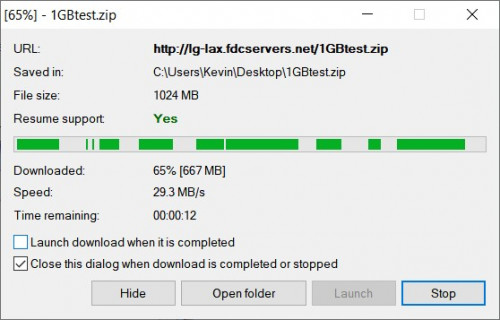
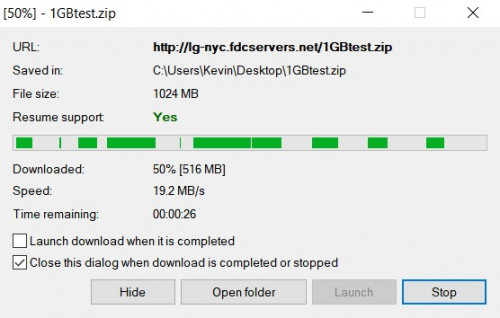
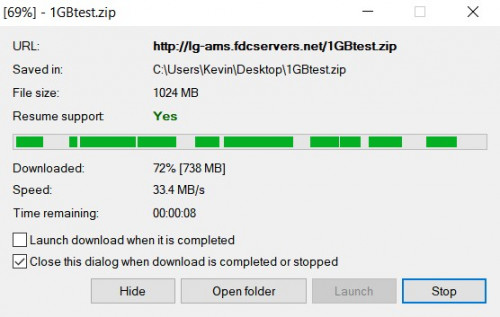
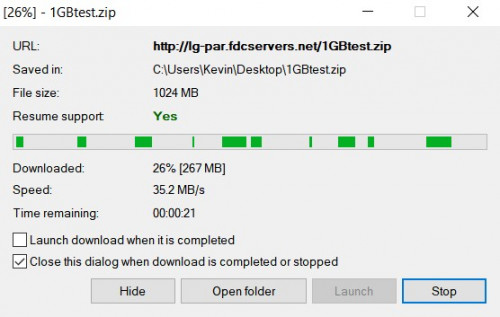
repeating heLL_bOy's server tests but with FDM because i don't have IDM


user posted image
user posted image
user posted image
user posted image
posthumous
post Apr 18 2020, 02:16 PM

Casual
***
Junior Member
308 posts

Joined: Jan 2003


QUOTE(mujinkun @ Apr 18 2020, 01:53 PM)
Aisehmen. Cant connect to VPN server anymore as today. Yesterday still OK.
Does anyone here know what is exactly the problem is?
*
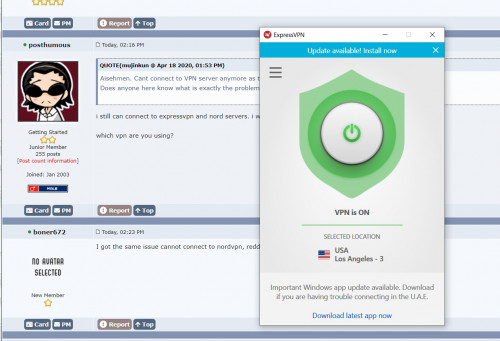
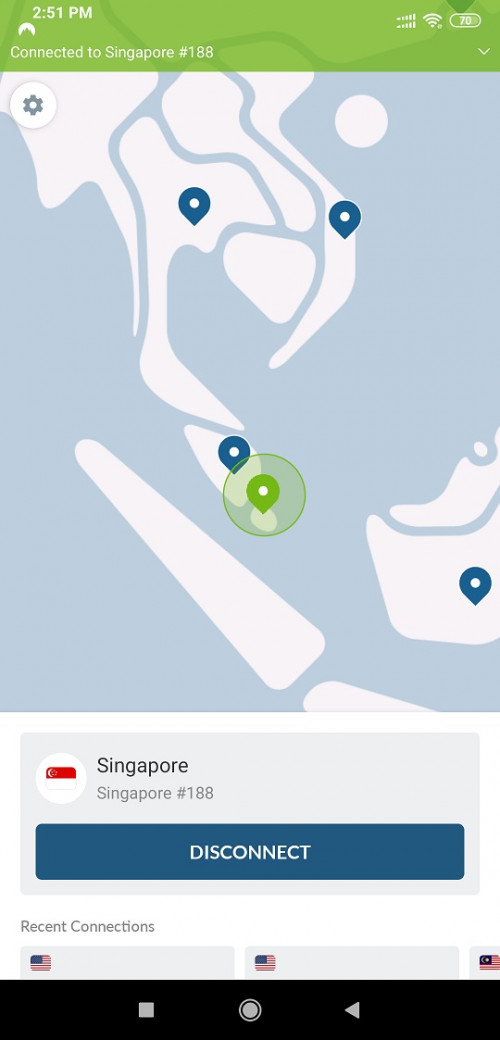
i still can connect to expressvpn and nord servers. i was watching hunger games on youtube earlier with vpn.

which vpn are you using?
posthumous
post Apr 18 2020, 02:34 PM

Casual
***
Junior Member
308 posts

Joined: Jan 2003


user posted image
posthumous
post Apr 18 2020, 02:54 PM

Casual
***
Junior Member
308 posts

Joined: Jan 2003


user posted image
posthumous
post Apr 18 2020, 08:23 PM

Casual
***
Junior Member
308 posts

Joined: Jan 2003


QUOTE(Syie9^_^ @ Apr 18 2020, 06:44 PM)
Hi; how was your speed to SG server?

tqvm smile.gif
*
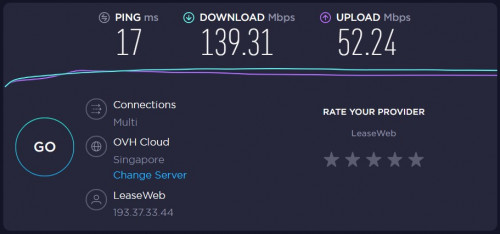
i'm unclear what you're asking but here's my speedtest to a random sg server whilst connected to a sg vpn server

user posted image
posthumous
post Apr 18 2020, 08:42 PM

Casual
***
Junior Member
308 posts

Joined: Jan 2003


QUOTE(heLL_bOy @ Apr 18 2020, 08:28 PM)
300mbps unifi?
*
ya 300mbps unifi
posthumous
post Apr 21 2020, 07:15 PM

Casual
***
Junior Member
308 posts

Joined: Jan 2003


QUOTE(Jeffextreme @ Apr 21 2020, 05:29 PM)
Hi experts, need help here.

Original:
Asus RT-AC68U. Updated firmware to 3.0.0.4.385....

TM unifi package: 500mphs

WiFi speed test:
2.4G - max 80mbps
5G - 250mbps
DNS set to google open DNS.

Hardware Connection:
LG TV thru Ethernet point on wall.
2 laptops
2 iPhone.
1 CCTV SYSTEM
2 iPads
1 Android phone.

Recent upgrade and add Asus Lyra Trio to expand blind spots at double stores semi D house.

Condition:
Main router connect to TM supplied Nokia modem - Asus RT- AC68U
Location: under staircase store room.

Connect to Lyra Trio mesh system.
- 1 at living area (30 feet away.
- 1 at upstair hallway.
- 1 at master bedroom
All connect at excellent - good signal. Full signal on phone.

WiFi speed:
All both 2.4 & 5G drop down to 60-80mbps!!! What the hell???

Any sifu can advise?? Any setting wrong or can do to increase the speed??

The Speedtest is done thru laptop and iPhone and get the same result.

user posted image
*
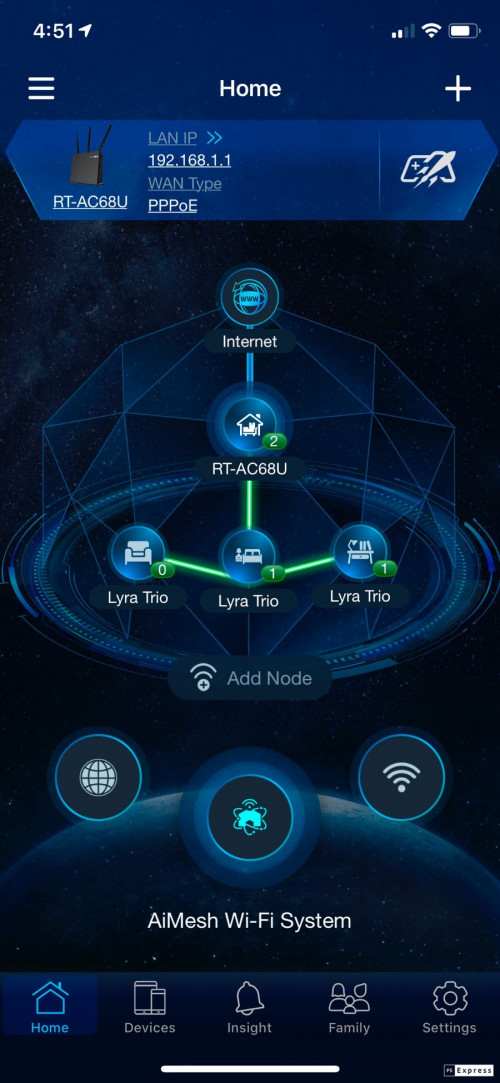
this seems about right if the lyra trio is connected the ac68u via wifi.

if you're running a speedtest from your laptop/iphone on 5ghz to the lyra, i'm guessing the lyra then connects to the router on 2.4ghz which as you stated gave you max 80mbps

to get best speed, backhaul or connect the lyra to the router via ethernet, set ethernet as your preferred connection in the ac68u aimesh settings, then run your speedtest on 5ghz
posthumous
post Apr 21 2020, 07:21 PM

Casual
***
Junior Member
308 posts

Joined: Jan 2003


QUOTE(claptrap @ Apr 21 2020, 06:40 PM)
Hi. Can anyone recommend a good router for Unifi turbo 300mbps package in a double storey house setting? I recently had my asus router broken due to lightning and only getting 1/3 of the speed using an old tplink router. Thanks!
*
if you like to stay with asus, depending on your budget, how about the ax56u or ax3000?

whichever router you go for, i think it might be best to go for one that has ax routers even though you may not own any wifi6 devices atm for a little bit of "future-proofing"

This post has been edited by posthumous: Apr 21 2020, 07:24 PM
posthumous
post Apr 21 2020, 09:56 PM

Casual
***
Junior Member
308 posts

Joined: Jan 2003


QUOTE(Jeffextreme @ Apr 21 2020, 09:38 PM)
How should I go about it?

Should I just turn off 2.4G WiFi and just use 5G instead for all??
*
if you can turn off the 2.4ghz, the lyra will basically become a 5ghz repeater - meaning half the original bandwidth with each subsequent hop because the bandwidth has to split equally for receiving and transmitting


3 Pages  1 2 3 >Top
Topic ClosedOptions
 

Change to:
| Lo-Fi Version
0.2147sec    0.44    7 queries    GZIP Disabled
Time is now: 10th December 2025 - 03:15 AM