

 Nov 27 2019, 10:21 PM


QUOTE(taqu @ Nov 27 2019, 03:57 PM)
Trying to make it short:
1. I use a switch (TP-Link TL-SG108E) that mirrors all traffic from my router to Raspberry Pi running ntopng traffic monitor app.
2. ntopng has almost everything I want except detail DNS requests monitoring. To do that, I send my router's DNS requests log to a syslog server on Raspberry Pi, which is processed using a custom Java app I created. Note: My router (D-Link DIR-868L) uses custom firmware (Tomato) that can send its syslog to a remote server.
3. I wrote another custom Java app to find out device names using data from both ntopng and my router's DHCP lease.
4. Data from both ntopng and my custom processed data displayed on Grafana dashboard as in the screenshot.
Luckily I have sufficient technical skills to pull this off. Most people would simply buy a high-end router or setup Ubiquiti Unifi system. Very glad to be able to do this

Some more:
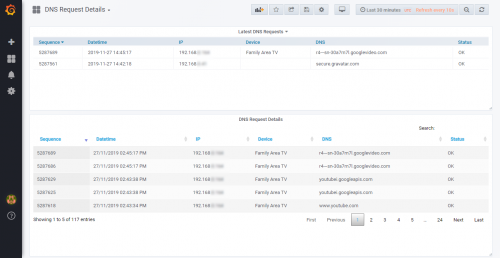
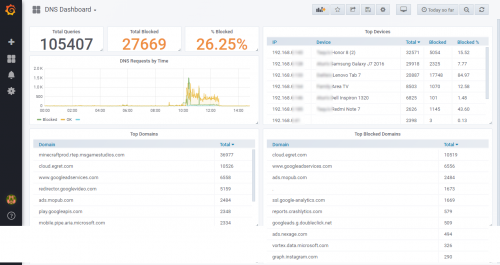
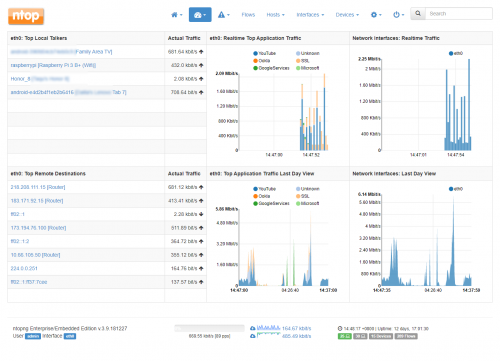

Teach me senpai... 1. I use a switch (TP-Link TL-SG108E) that mirrors all traffic from my router to Raspberry Pi running ntopng traffic monitor app.
2. ntopng has almost everything I want except detail DNS requests monitoring. To do that, I send my router's DNS requests log to a syslog server on Raspberry Pi, which is processed using a custom Java app I created. Note: My router (D-Link DIR-868L) uses custom firmware (Tomato) that can send its syslog to a remote server.
3. I wrote another custom Java app to find out device names using data from both ntopng and my router's DHCP lease.
4. Data from both ntopng and my custom processed data displayed on Grafana dashboard as in the screenshot.
Luckily I have sufficient technical skills to pull this off. Most people would simply buy a high-end router or setup Ubiquiti Unifi system. Very glad to be able to do this
Some more:
 Quote
Quote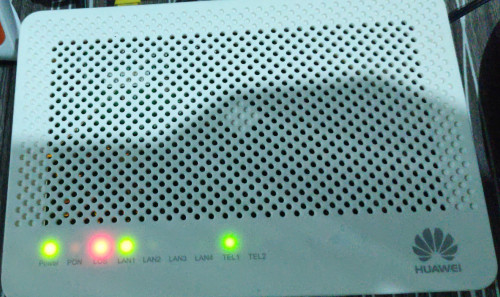
 During his first day of unifi installation tm technician need to setup at first white fiber box because second white fiber box very very far away from his house. In first white fiber box, got 1 left port for him. He felt happy for just 1 year only no disconnection, until second year until now, every month in a year at least 1 or twice happen, he will get this problem. Why? got another neighbour installed new fiber too at his lorong, maxis. Last week that white fiber box got problem, tm technician came and check, that box fiber box got bad damage because got cincai technician not closed the box perfectly. Tm changed to new one, during that time 10 houses cannot using internet and phone, including him. lolz. If he got this problem again, he will know again someone unplugged his fiber port out.
 0.0255sec
 0.43
0.43
 7 queries
 GZIP Disabled