Outline ·
[ Standard ] ·
Linear+
Unifi Official TM UniFi High Speed Broadband Thread V38, READ 1ST PAGE FOR TURBO SPEED INFO!
|
QuantumEdge
|
 Jan 13 2020, 10:43 PM Jan 13 2020, 10:43 PM
|

|
QUOTE(regnessem @ Jan 13 2020, 02:40 PM) Did you report TM only or did you report Maxis, Celcom, TIME & every other telco out there for not installing fiber in your neighborhood? Oh don't forget to report TNB as well, they should expand faster and not stuck in just one area so people like you can have faster internet. I asked all 4 other fiber network provider about the lack of coverage, all say no as Maxis Celcom Digi ride on TM's infrastructure while Time say they're not allowed to laid fiber at my area. TNB wise, they're in melaka...I told them the lack of competitors in the area but they say still on test runs, not going big. It pissed me off so much as there's a high school 100meters behind my house, even they are stuck with slow ass Internet... |
|
|
|
|
|
godslayer84
|
Jan 14 2020, 12:13 AM
|
Getting Started

|
QUOTE(sHawTY @ Jan 13 2020, 10:05 PM) Outside cable is not counted within the UniFi provided Fiber cable length The installer is trying to scam your mom Report to the 100 TM helpline Someone tried to do the same thing to me as well before, I reported to TM helpline immediately while the installer is still in my house and provided the installer name, phone number & car number The installer begged for me not to report it but I went ahead with the report anyway. Then TM send another installer the next day The cable should be counted from the downstairs box to my mom house, right? And about the repair fee which is RM1000 and above, If the cable outside the house is broken, then my mom also need to pay? |
|
|
|
|
|
Wallnutandchoco
|
Jan 14 2020, 09:10 AM
|
New Member
|
Hi guys.
If i choose non-standard installation (over the ceiling).
I just need to paid direct to the contract is it as a labour charges.
Is there any extra charges that i need to paid in my next bill?
I thought including everything?
There is a note that i get :
You will have to hire TM's contractor or own contractor if you wish to choose optional installation.
Labour charges are to be paid in cash to the respective contractor.
If additional cabling length is required beyond what is provided in the standard package, extra charges will be imposed.
These extra charges will be billed in your next bill.
|
|
|
|
|
|
SUSCrimsonKing
|
Jan 14 2020, 09:17 AM
|
Getting Started
|
QUOTE(Wallnutandchoco @ Jan 14 2020, 09:10 AM) Hi guys. If i choose non-standard installation (over the ceiling). I just need to paid direct to the contract is it as a labour charges. Is there any extra charges that i need to paid in my next bill? I thought including everything? There is a note that i get :
You will have to hire TM's contractor or own contractor if you wish to choose optional installation.
Labour charges are to be paid in cash to the respective contractor.
If additional cabling length is required beyond what is provided in the standard package, extra charges will be imposed.
These extra charges will be billed in your next bill.the note is quite clear. |
|
|
|
|
|
sHawTY
|
Jan 14 2020, 09:59 AM
|
|
|
QUOTE(godslayer84 @ Jan 14 2020, 12:13 AM) The cable should be counted from the downstairs box to my mom house, right?
And about the repair fee which is RM1000 and above,
If the cable outside the house is broken, then my mom also need to pay? Did I not tell you to call the helpline in my previous post? QUOTE(tomsulliven @ Jan 14 2020, 12:45 AM) Did not plug in also got light , so is this modem problem? Get the technician to come in. Stop asking in here |
|
|
|
|
|
amirul hafizz
|
Jan 14 2020, 02:52 PM
|
|
|
Black is good color...🤭🤭🤭  |
|
|
|
|
|
tomsulliven
|
Jan 14 2020, 03:28 PM
|
Getting Started
|
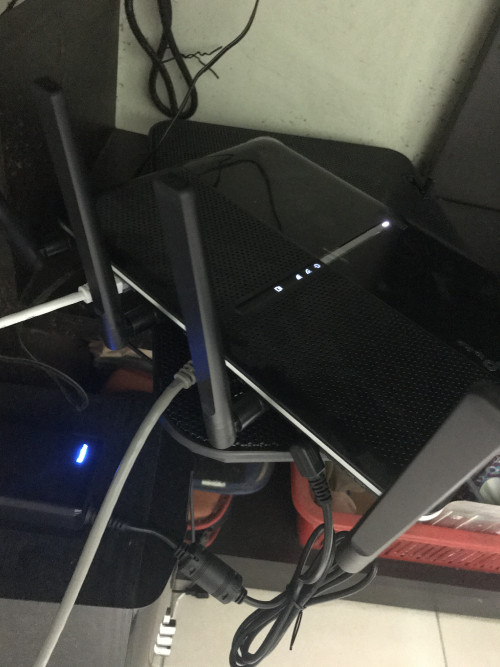
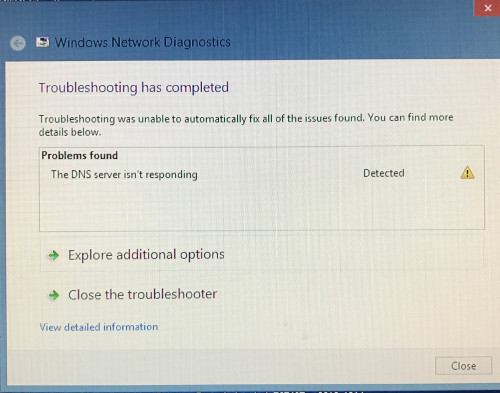
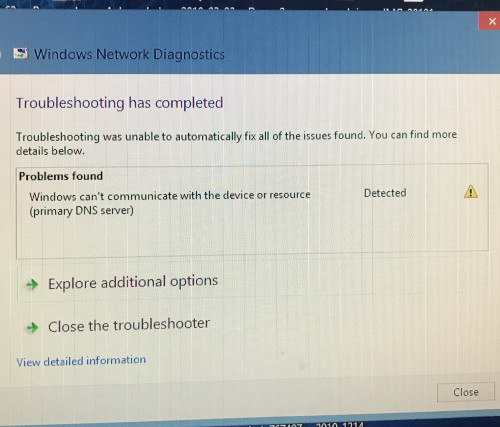
Today technician came they say my modem is fine and the problem is my tplink c3150 wlan spoil , so I have to bring to tplink service centre at lowyat myself or bring to computer shop that I bought?
At the moment I like to use back my old dlink dir615, do I just plug in or need to go 192.168.....?
|
|
|
|
|
|
SUSCrimsonKing
|
Jan 14 2020, 04:00 PM
|
Getting Started
|
QUOTE(tomsulliven @ Jan 14 2020, 03:28 PM) Today technician came they say my modem is fine and the problem is my tplink c3150 wlan spoil , so I have to bring to tplink service centre at lowyat myself or bring to computer shop that I bought? At the moment I like to use back my old dlink dir615, do I just plug in or need to go 192.168.....? Did the technician explain why the modem is fine when "Did not plug in also got light"? Did he use another router to test that the modem is OK? |
|
|
|
|
|
tomsulliven
|
Jan 14 2020, 04:03 PM
|
Getting Started
|
QUOTE(CrimsonKing @ Jan 14 2020, 04:00 PM) Did the technician explain why the modem is fine when "Did not plug in also got light"? Did he use another router to test that the modem is OK? I’m not at home , just my family member let them check only |
|
|
|
|
|
SUSAgsx
|
Jan 14 2020, 04:18 PM
|
Getting Started
|
QUOTE(tomsulliven @ Jan 14 2020, 12:45 AM)  Did not plug in also got light , so is this modem problem? LMAO meant it's time is up bruh that like my modem back in 2005, time for an upgrade it's 2020  |
|
|
|
|
|
SUSCrimsonKing
|
Jan 14 2020, 04:36 PM
|
Getting Started
|
QUOTE(Agsx @ Jan 14 2020, 04:18 PM) LMAO meant it's time is up bruh that like my modem back in 2005, time for an upgrade it's 2020 But the technician said the modem is fine.  |
|
|
|
|
|
Max
|
Jan 14 2020, 04:42 PM
|
|
|
QUOTE(CrimsonKing @ Jan 14 2020, 04:36 PM) But the technician said the modem is fine. since the tech came home, y not ask him to install the previous dlink back? |
|
|
|
|
|
SUSCrimsonKing
|
Jan 14 2020, 04:50 PM
|
Getting Started
|
QUOTE(Max @ Jan 14 2020, 04:42 PM) since the tech came home, y not ask him to install the previous dlink back? Probably because he didn't expect that the technician will say the modem is fine. |
|
|
|
|
|
y500
|
Jan 14 2020, 07:27 PM
|
|
|
QUOTE(tomsulliven @ Jan 14 2020, 03:28 PM) Today technician came they say my modem is fine and the problem is my tplink c3150 wlan spoil , so I have to bring to tplink service centre at lowyat myself or bring to computer shop that I bought? At the moment I like to use back my old dlink dir615, do I just plug in or need to go 192.168.....? get technician's phone number and wassap him those pics, tell him the modem lights up without plugin.. and remember to waive the rm53 onsite charge if the culpirt is the modem. the important thing is talk with technician, not us.. |
|
|
|
|
|
stella_purple
|
Jan 14 2020, 08:50 PM
|
|
|
QUOTE(tomsulliven @ Jan 14 2020, 08:43 PM) 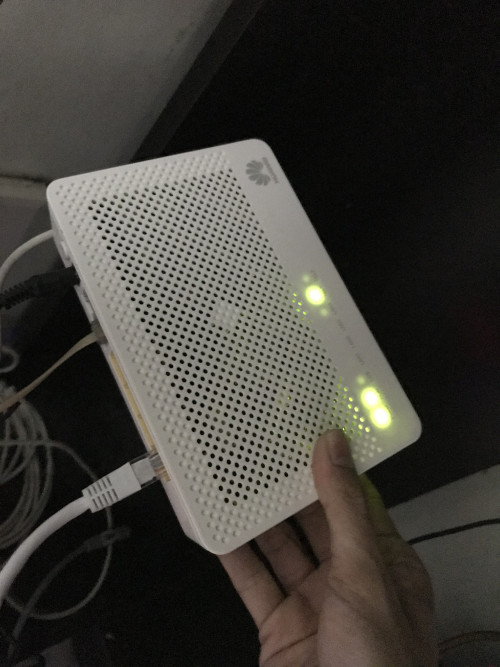 They change a new modem, and still same problem When Technician come to change the modern, u no ask them to configure or check the router? |
|
|
|
|
|
y500
|
Jan 14 2020, 09:10 PM
|
|
|
QUOTE(tomsulliven @ Jan 14 2020, 08:43 PM) They change a new modem, and still same problem pakai back the old dir 615 as a temporary replacement 1st, and then RMA the tplink router(if still got warranty). |
|
|
|
|
|
amirudin920927
|
Jan 14 2020, 09:25 PM
|
|
|
QUOTE(tomsulliven @ Jan 14 2020, 08:43 PM) They change a new modem, and still same problem This modem iinm build in router (modem router) like mine. U need to configure abit to use external router. Need to set the modem as bridge. |
|
|
|
|



 Quote
Quote






 0.0303sec
 0.97
0.97
 6 queries
 GZIP Disabled