New mavic mini user here and my 1st drone too. Just wanna know can mavic mini automatically transfer photos and videos taken while it is on air ? What I do now is transferring after it is landing. But this process very slow.
Can transfer isn't ? Not automated, still have to go album and select to download. Just that I won't do that as it might sacrifice the signal and battery power. Normally I transfer after flight, around 2000kB/s
this is what i do after the flight but the transfer speed is too slow..
QUOTE(shinchan5347 @ Dec 8 2019, 11:45 AM)
No you can’t transfer the recorded footage while flying..better use sd card reader to transfer the footage since it’s faster and don’t have to connect to your aircraft
Seem like this is better way. but i want to share immediately on phone, then have to transfer to phone after flight .
This post has been edited by davidman82: Dec 9 2019, 11:56 AM
Anyone knows why Mavic Mini FMC stock is an issue now, searching high and low, no stock, and some even tell me supplier naik harga.. rm150, and some worst selling 2399..
I managed to preorder 1 unit at 1990, at 20 November till today I'm waiting for my unit.. anyone have any idea what actually happen? Thanks.
I bought it from a seller that offer RM1000- RM111 during 11.11. Total i pay RM1908 including courier delivery for FMC.
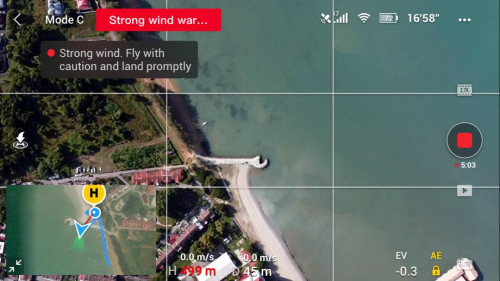
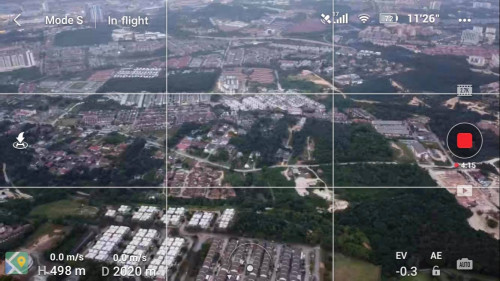
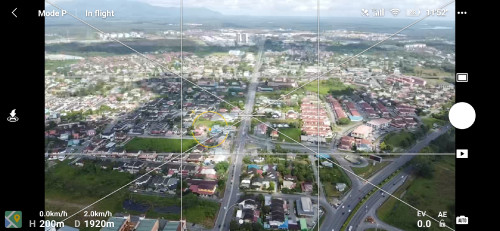
I also got my 1st drone mavic mini last week and started to fly yesterday and today..my only 20m-40m it lost signal just like what happened on your video..but today I managed to fly till 50m but still also same thing happened..very insecure to fly seriously
" TIP I get from internet. Transmission choose "Manual" instead of auto. Then choose channel 157 or 149
The restriction with 2.4 ghz is that many household appliances use that frequency (eg. your home wifi) so you will get interference easily, which is why 5.8 ghz is given to reduce that effect. Also 2.4ghz has higher penetration power than 5.8ghz, which is why it is rated for longer distances compared to 5.8ghz.
IMO, those with 18 months warranty are just extended warranty, DJI officially supports up to 12 months while the rest is from the shop i think.
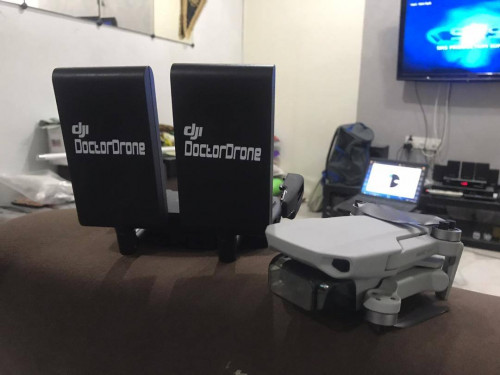
the two pieces of big antenna on RC remote can it be taken down?
For Mavic Mini Fly More Combo, still at RM1,999, can buy from Lazada, Shopee, Harvey Norman, SenQ or anywhere else.
**********************
Dropping by to say hello to guys who flew the MM. Just a quick tip, upon getting GPS and maps, it is best to switch off your phone wifi (some even say switch off 4G to reduce interference), thus for those who had problems with their mini getting interference within 100-200m, you may want to try this. Also, watch out for wifi tower/telecommunication towers nearby. If it fails, best bring back to manufacturer to get a check.
i try to change the TRANSMISSION from AUTO TO MANUAL then choose 149 or 157 channel will do. The range will be better
There are several users getting the motor error message and seems like problem solve by: 1) Manual update the firmware via "DJI Assistant 2 for Mavic". (software update corruption earlier) 2) Replace the "beeping" propeller pair. (The propeller is not in good condition)
If both not work, you have to open ticket with DJI. Do update us your status, so we know what to do if we encounter the problem in the future.
2)may i know how do i know which beeping propeller pair to replace?
I have seen a video about the motor error, the MM is beeping and the problematic propeller is vibrating, while on the ground. Try replace the vibrating pair.
i replaced the 2 pair of propellers which is stored downward inside the MM bag. Saw the youtube video that's the reason why we will get this error cause when we put our mavic mini down into the bag, the propeller will be accidentally pressed down on the hinge of the bag.
With many "motor error" solved by replacing the propeller. I have been convinced that the propeller of MM is soft & flimsy, extra care is needed. The reason behind of the motor error is, in 1.00.5 firmware update, DJI added a mechanism to detect unusual motor speed. An uneven prop could cause the motor to spin to the max thus trigger the error. Interestingly, you could monitor the motor speed using "CsvVIew" after every flight, which I did it nowaday. You might try swap back the old prop and did a motor test. https://mavicpilots.com/threads/mavic-mini-...nt-tests.86237/
interested to know more on how to monitor motor speed using CsvView


 Dec 8 2019, 12:21 AM


 Quote
Quote


 0.0259sec
 0.56
0.56
 7 queries
 GZIP Disabled