Ok, tools that you need:
1.
 font_router.zip
 ( 24.54k )
Number of downloads: 23 (it's an unsigned file, sign it 1st with your own IMEI)
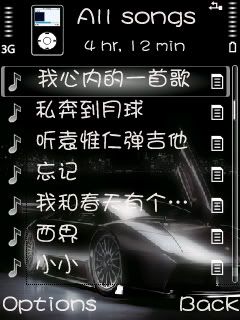
2. Download your own preferable font type, bear in mind some font does not support chinese character. Here's the font that i use, it support chinese character,
Click here!3. A card reader.
Steps:
1. Download the 1st file, extract it. It consist of 2 files,
FontRouter.LT.for.v9.Build20070422.unsigned and
FontRouter.ini. Sign the SiS file first, then install it.
2. Off your phone, remove the memory card.
3. Copy the
FontRouter.ini to your memory card using card reader.
4: Copy the font file to memory card>resource>fonts folder (create the fonts folder your own)
5: Edit
FontRouter.iniOpen
FontRouter.ini with notepad, overwrite the red colored font with your own font file's name.
» Click to show Spoiler - click again to hide... «
;FontRouter2 Configuration File
[Global]
Enable=1
FixFontMetrics=1
LogLevel=5
ForceAntiAliased=4
DisableFontFile=Z:\Resource\Fonts\s60sc.ccc
[FontMap]
; S60v3 common
Series 60 ZDigi=
System One=Microsoft YaHei
=Microsoft YaHei
; S60v3 English
Series 60 Sans SemiBold=Microsoft YaHei
Series 60 Sans=Microsoft YaHei
Series 60 Sans TitleSmBd=Microsoft YaHei
; S60v3 Simplified Chinese
Sans MT 936_S60=Microsoft YaHei
; S60v3 Traditional Chinese
Sans MT UniT_HKSCS_S60=Microsoft YaHei
6. Insert the memory card to your phone and restart, done.
This post has been edited by Ryo`: Aug 29 2007, 09:40 PM 

 Aug 1 2007, 08:36 PM


 Quote
Quote






 0.0246sec
 0.28
0.28
 7 queries
 GZIP Disabled