


Acer Nitro VG271UP, Discussion
|
|
 Sep 27 2019, 05:12 PM, updated 7y ago Sep 27 2019, 05:12 PM, updated 7y ago
Show posts by this member only | Post
#1
|
 
Newbie
3 posts Joined: Jan 2012 
|
Anyone that owns or have experienced the VG271UP has any issues with it? I've been researching and see lots of reviews saying there's flickering issues but some people said the new batch doesn't have that issue anymore. This monitor has everything I want(27", 2k, 144hz, ips) and the price is pretty fair, so very conflicted on pulling the trigger or not
|
|
|
|
|
|
Sep 29 2019, 04:27 PM
Show posts by this member only | IPv6 | Post
#2
|

Junior Member
56 posts Joined: Jun 2011 From: FL 030 
|
Nope, so far no flickering. Bought it a few weeks back. Date of manufacture July 2019. Newer batch of this monitor uses the new panel. Solved the flickering issue
Just make sure the manufacture date is up to date  This post has been edited by HerbalTea: Sep 29 2019, 04:35 PM |
|
|
Sep 30 2019, 01:08 PM
Show posts by this member only | Post
#3
|

Senior Member
1,340 posts Joined: Feb 2009 
|
i have been using vg271 so far so good, no flickering issue up to now. its a best bang for bucks imho.
|
|
|
Sep 30 2019, 01:35 PM
Show posts by this member only | Post
#4
|
|
Junior Member
31 posts Joined: Jul 2012
|
Chiming in as another user of the Acer VG271UP. Running fine for me so far, no flickering issue. The panel batch that's currently being sold in Malaysia should be from Innolux, most likely differs from the first batch that's sold oversea with flickering issues.
 |
|
|
Sep 30 2019, 03:18 PM
Show posts by this member only | Post
#5
|
|
Junior Member
93 posts Joined: Feb 2015
|
i dont have that issue so far, i can only pray haha
|
|
|
Oct 3 2019, 08:59 PM
Show posts by this member only | IPv6 | Post
#6
|

Junior Member
234 posts Joined: Mar 2013 From: Shah Alam
|
QUOTE(HerbalTea @ Sep 29 2019, 05:27 PM) Nope, so far no flickering. Bought it a few weeks back. Date of manufacture July 2019. Newer batch of this monitor uses the new panel. Solved the flickering issue Mind if I ask, the monitor come with display port? If not, can u recommend the best display port for this monitor? TqsmJust make sure the manufacture date is up to date  |
|
|
|
|
|
Oct 3 2019, 09:12 PM
Show posts by this member only | IPv6 | Post
#7
|
|
Junior Member
56 posts Joined: Jun 2011 From: FL 030
|
QUOTE(MrRaiden @ Oct 3 2019, 08:59 PM) Mind if I ask, the monitor come with display port? If not, can u recommend the best display port for this monitor? Tqsm yeah theres display port. If you mean cables, no. They only provide you a hdmi cable.On a side note ~ display port/hdmi cables price/brand doesnt matter. They're all digital cables. So it either works or doesnt. No such things as better quality or whatnot This post has been edited by HerbalTea: Oct 3 2019, 09:18 PM |
|
|
Oct 4 2019, 12:35 AM
Show posts by this member only | IPv6 | Post
#8
|
|
Junior Member
234 posts Joined: Mar 2013 From: Shah Alam
|
QUOTE(HerbalTea @ Oct 3 2019, 10:12 PM) yeah theres display port. If you mean cables, no. They only provide you a hdmi cable. I mean the cables. Ohh, I see. okay noted. Btw got differences between dp 1.2 and 1.4? or is just the same if use on acer VG271up?On a side note ~ display port/hdmi cables price/brand doesnt matter. They're all digital cables. So it either works or doesnt. No such things as better quality or whatnot |
|
|
Oct 4 2019, 05:22 AM
Show posts by this member only | IPv6 | Post
#9
|
|
Junior Member
56 posts Joined: Jun 2011 From: FL 030
|
QUOTE(MrRaiden @ Oct 4 2019, 12:35 AM) I mean the cables. Ohh, I see. okay noted. Btw got differences between dp 1.2 and 1.4? or is just the same if use on acer VG271up? yeah theres a difference. display port 1.2 can output to a maximum ~ 165hz at 1440p. In theory would make no difference if you use either 1.2 or 1.4 cables.the acer vg271up uses dp 1.4 https://www.lazada.com.my/products/coxoc-di...4K7KRm&search=1 this cable runs 1440p @ 144hz |
|
|
Oct 8 2019, 07:34 PM
Show posts by this member only | IPv6 | Post
#10
|
|
Junior Member
234 posts Joined: Mar 2013 From: Shah Alam
|
QUOTE(HerbalTea @ Oct 4 2019, 06:22 AM) yeah theres a difference. display port 1.2 can output to a maximum ~ 165hz at 1440p. In theory would make no difference if you use either 1.2 or 1.4 cables. Is VG271up support 10bit display? I try change to 10 bit. but it turn back to 8 bit the acer vg271up uses dp 1.4 https://www.lazada.com.my/products/coxoc-di...4K7KRm&search=1 this cable runs 1440p @ 144hz  .. Already changed to display port cable. .. Already changed to display port cable. |
|
|
Oct 8 2019, 10:29 PM
Show posts by this member only | IPv6 | Post
#11
|
|
Junior Member
56 posts Joined: Jun 2011 From: FL 030
|
QUOTE(MrRaiden @ Oct 8 2019, 07:34 PM) Is VG271up support 10bit display? I try change to 10 bit. but it turn back to 8 bit you need to change to 120hz .. Already changed to display port cable. |
|
|
Oct 9 2019, 11:21 AM
Show posts by this member only | IPv6 | Post
#12
|

Senior Member
1,669 posts Joined: Apr 2011  
|
Black uniformity seems to be an issue with this monitor? You guys recommend me getting this in a dark room?
|
|
|
Oct 9 2019, 11:50 AM
Show posts by this member only | IPv6 | Post
#13
|

Senior Member
1,940 posts Joined: Nov 2004 From: Soviet Sarawak
|
this is a value 1440p monitor for g-sync compatibility with IPS panel. enjoying this monitor currently without issues.
|
|
|
|
|
|
Oct 9 2019, 08:48 PM
Show posts by this member only | IPv6 | Post
#14
|
|
Junior Member
234 posts Joined: Mar 2013 From: Shah Alam
|
QUOTE(HerbalTea @ Oct 8 2019, 11:29 PM) you need to change to 120hz Tqsm. It works  . really enjoy this monitor. worth it . really enjoy this monitor. worth it  |
|
|
Oct 10 2019, 12:28 AM
Show posts by this member only | IPv6 | Post
#15
|
|
Senior Member
1,669 posts Joined: Apr 2011
|
This one is definitely best bang for the buck atm, has everything right tbh, price and etc.
Downside is just ergonomic, only tilt and has no height adjustment or swivel...and the black uniformity. everything else superb. This post has been edited by Rei7: Oct 10 2019, 01:25 AM |
|
|
Nov 11 2019, 09:22 AM
|

Junior Member
80 posts Joined: Jun 2005 From: sj
|
anybody has problem of Image retention on this monitor?
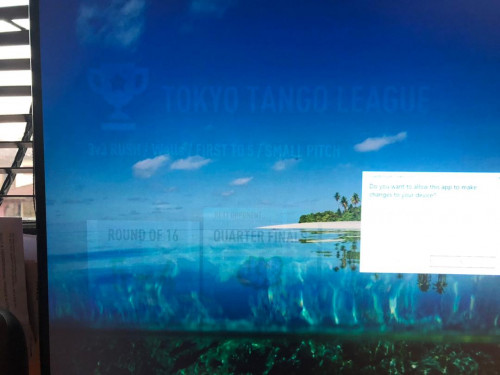 |
|
|
Nov 13 2019, 10:26 PM
Show posts by this member only | IPv6 | Post
#17
|

Junior Member
601 posts Joined: May 2013
|
pinjam thread sikit
today i bought VG270p i still using my old laptop But the display not smooth... U see the wording around... got marking.  |
|
|
Nov 26 2019, 12:23 PM
Show posts by this member only | IPv6 | Post
#18
|

Senior Member
1,102 posts Joined: May 2013
|
QUOTE(Alert_RaZO @ Nov 13 2019, 10:26 PM) pinjam thread sikit that's vg270p not vg271up that was being discussed in this thread, big price difference also...today i bought VG270p i still using my old laptop But the display not smooth... U see the wording around... got marking. |
|
|
Dec 15 2019, 08:36 PM
|

Senior Member
2,661 posts Joined: Apr 2007
|
What dp cable brand u guys using for 1440p 144hz? The mini DP to DP I have flickers on DP1.2 and DP1.4 mode.
HDMI or DP1.1 oesn't flicker at all so I'm guessing it was due to cable. Tried it from a laptop so had to use a mini DP to DP. Monitor manufacturing date was Nov 2019 Update: Got my new cables ady. Now able to do DP1.4 more with 1440p 144hz and 10bit color. All good now. No more flickers. Loving this monitor indeed. My wife wanna get another one cuz it was just good and affordable This post has been edited by pluginbaby: Dec 23 2019, 10:03 AM |
|
|
Dec 26 2019, 09:30 PM
|

Senior Member
2,776 posts Joined: Jul 2006
|
Hope this is an upgrade from my current U2417H.
|
|
|
Dec 28 2019, 05:43 PM
|

Junior Member
106 posts Joined: Jan 2010
|
using it for almost 4 month already. new batches after June are said to be good, and i can say the same so far based on current experience. no flicker whatsoever.
|
|
|
Jan 2 2020, 02:51 PM
|
|
Senior Member
2,776 posts Joined: Jul 2006
|
Mine was a new stock. A very clear and distinct upgrade from my previous monitor which has IPS, 1080p, 60hz, non-HDR, sRGB 99%, response time 4ms. Love every inch of it. IPS, 1440p, 144hz, HDR, wide colour gamut, response time 1ms and the higher brightness level.
This post has been edited by Savor_Savvy: Jan 2 2020, 02:58 PM |
|
|
Jan 4 2020, 12:07 AM
Show posts by this member only | IPv6 | Post
#23
|
|
Senior Member
1,102 posts Joined: May 2013
|
QUOTE(damned_dude @ Dec 28 2019, 05:43 PM) using it for almost 4 month already. new batches after June are said to be good, and i can say the same so far based on current experience. no flicker whatsoever. QUOTE(Savor_Savvy @ Jan 2 2020, 02:51 PM) Mine was a new stock. A very clear and distinct upgrade from my previous monitor which has IPS, 1080p, 60hz, non-HDR, sRGB 99%, response time 4ms. Love every inch of it. IPS, 1440p, 144hz, HDR, wide colour gamut, response time 1ms and the higher brightness level. did u guys bought yours from Just It technology (jitechnology) on shopee? |
|
|
Jan 4 2020, 01:24 AM
|
|
Junior Member
106 posts Joined: Jan 2010
|
QUOTE(OwlsHeart @ Jan 4 2020, 12:07 AM) did u guys bought yours from Just It technology (jitechnology) on shopee? No i got mine from ViewNet lowyat by cash on hand. I don't want to risk having a damaged monitor due to it being shipped via courier. I know it is probably safe but i just dont want to take the risk. I can't tahan anyway as I'm too excited of getting my hand on 144hz ips 27inch (gelojoh)This post has been edited by damned_dude: Jan 4 2020, 01:25 AM |
|
|
Jan 4 2020, 09:02 AM
|
|
Senior Member
2,776 posts Joined: Jul 2006
|
QUOTE(OwlsHeart @ Jan 4 2020, 12:07 AM) did u guys bought yours from Just It technology (jitechnology) on shopee? Bought from shopee but not from this shop. |
|
|
Jan 11 2020, 12:41 AM
Show posts by this member only | IPv6 | Post
#26
|

Junior Member
454 posts Joined: Aug 2009
|
QUOTE(damned_dude @ Jan 4 2020, 01:24 AM) No i got mine from ViewNet lowyat by cash on hand. I don't want to risk having a damaged monitor due to it being shipped via courier. I know it is probably safe but i just dont want to take the risk. I can't tahan anyway as I'm too excited of getting my hand on 144hz ips 27inch (gelojoh) may i know how much u buy from them? |
|
|
Jan 11 2020, 06:34 PM
|
|
Junior Member
320 posts Joined: Nov 2017
|
Any users here can share how grainy is the anti glare film on this monitor? If compared to full gloss monitors side by side (ie Dell S series) is there very big difference in terms of color?
|
|
|
Jan 12 2020, 02:23 PM
|
|
Junior Member
106 posts Joined: Jan 2010
|
QUOTE(daus89 @ Jan 11 2020, 12:41 AM) may i know how much u buy from them? list price was rm1399 then after i present myself as pleasant customer it got reduced to rm1350. that was 4 month agoThis post has been edited by damned_dude: Jan 12 2020, 02:24 PM |
|
|
Jan 16 2020, 03:34 PM
|
|
Junior Member
110 posts Joined: Aug 2019
|
hey guys, have u guys tried G Sync with this monitor? can shareHow was it?
|
|
|
Jan 17 2020, 09:33 AM
|
|
Senior Member
2,661 posts Joined: Apr 2007
|
QUOTE(testinglabha @ Jan 16 2020, 03:34 PM) hey guys, have u guys tried G Sync with this monitor? can shareHow was it? It was working ok in Gsync compatible mode. I'm on laptop rtx2060. I only play Fortnite tho so there's no huge fps drop in game compared to other heavy games. Stable 120-144hz limited using RTSS to 144 with in game 160fps cap. Maybe others can chip in as well their experience |
|
|
Jan 17 2020, 09:47 AM
|
|
Junior Member
110 posts Joined: Aug 2019
|
QUOTE(pluginbaby @ Jan 17 2020, 09:33 AM) It was working ok in Gsync compatible mode. I'm on laptop rtx2060. I only play Fortnite tho so there's no huge fps drop in game compared to other heavy games. Stable 120-144hz limited using RTSS to 144 with in game 160fps cap. Maybe others can chip in as well their experience are you using Display Port to Mini Display Port cable? just wonder if Display Port to Mini Display Port will work well, as my laptop using mini display port.my laptop is RTX2070 by the way, however i experience an issue where when I set the Project setting as "Second Screen Only", the monitor doesn't goes 144hz refresh rate, but when I set Project setting as "Extend", then it goes 144hz refresh rate. To fix that, I have to go to Nvidia Control Panel > 3D Setting > Power management mode > SELECT "Prefer Maximum Performance" Is there any other setting i need to configure again to maximize the visual quality? |
|
|
Jan 17 2020, 09:54 AM
|
|
Senior Member
2,661 posts Joined: Apr 2007
|
QUOTE(testinglabha @ Jan 17 2020, 09:47 AM) are you using Display Port to Mini Display Port cable? just wonder if Display Port to Mini Display Port will work well, as my laptop using mini display port. Mini DP to DP. I'm on Illegear Onyx with mDP. Doesn't work on HDMI to DP plus that will lock it to 120hz.my laptop is RTX2070 by the way, however i experience an issue where when I set the Project setting as "Second Screen Only", the monitor doesn't goes 144hz refresh rate, but when I set Project setting as "Extend", then it goes 144hz refresh rate. To fix that, I have to go to Nvidia Control Panel > 3D Setting > Power management mode > SELECT "Prefer Maximum Performance" Is there any other setting i need to configure again to maximize the visual quality? Hmm. It works fine on mine. Testing using duplicate, extend and second screen only. My laptop has a fixed of 144hz. Maybe try to make sure it is set to DP1.4 in monitor settings. My power management mode is set to Adaptive. Seems ok as well on Prefer Maximum Performance when I tested it out before. The only I can't do is 10bit on 144hz. 10bit only works on 120hz after setting in Nvidia control panel. That is a known monitor limitation. I'm ok with 8bit 144 as I don't do color stuffs. Didnt notice any improvements in my games as well on 10bit |
|
|
Jan 17 2020, 09:58 AM
|
|
Junior Member
110 posts Joined: Aug 2019
|
QUOTE(pluginbaby @ Jan 17 2020, 09:54 AM) Mini DP to DP. I'm on Illegear Onyx with mDP. Doesn't work on HDMI to DP plus that will lock it to 120hz. I still using HDMI to HDMI port, ordering a UGREEN DP to Mini DP now, can you teach me on how/where to do the setting of the Color Bit Setting? for now the Color bit setting doesnt seem can editable for me, i can only set the refresh rate, i do the setting is Window Display Setting though.Hmm. It works fine on mine. Testing using duplicate, extend and second screen only. My laptop has a fixed of 144hz. Maybe try to make sure it is set to DP1.4 in monitor settings. My power management mode is set to Adaptive. Seems ok as well on Prefer Maximum Performance when I tested it out before. The only I can't do is 10bit on 144hz. 10bit only works on 120hz after setting in Nvidia control panel. That is a known monitor limitation. I'm ok with 8bit 144 as I don't do color stuffs. Didnt notice any improvements in my games as well on 10bit AFAIK, when i using DP to Mini DP port, then Nvidia Control Panel will pop out G Sync option? |
|
|
Jan 17 2020, 11:17 AM
|
|
Junior Member
110 posts Joined: Aug 2019
|
QUOTE(pluginbaby @ Jan 17 2020, 09:54 AM) Mini DP to DP. I'm on Illegear Onyx with mDP. Doesn't work on HDMI to DP plus that will lock it to 120hz. and another thing, what is the overdrive setting for the monitor? have u try it before?Hmm. It works fine on mine. Testing using duplicate, extend and second screen only. My laptop has a fixed of 144hz. Maybe try to make sure it is set to DP1.4 in monitor settings. My power management mode is set to Adaptive. Seems ok as well on Prefer Maximum Performance when I tested it out before. The only I can't do is 10bit on 144hz. 10bit only works on 120hz after setting in Nvidia control panel. That is a known monitor limitation. I'm ok with 8bit 144 as I don't do color stuffs. Didnt notice any improvements in my games as well on 10bit actually the monitor setting come with FreeSync option too, when I enable G Sync do i need to disable the FreeSync setting? This post has been edited by testinglabha: Jan 17 2020, 11:19 AM |
|
|
Jan 17 2020, 01:33 PM
|
|
Senior Member
2,661 posts Joined: Apr 2007
|
QUOTE(testinglabha @ Jan 17 2020, 11:17 AM) and another thing, what is the overdrive setting for the monitor? have u try it before? If HDMI it will only allow max 8bit color at 120hz. Even Gsync option will not show up. Once u plug in mini DP to DP then G-Sync option will be available in Nvidia control centre where you can toggle it to on. Enabling 10bit color is inside Nvidia control centre as well where you can choose the color mode.actually the monitor setting come with FreeSync option too, when I enable G Sync do i need to disable the FreeSync setting? Control Centre > Change Resolution > Use Nvidia color settings > Output Color Depth (change 8bit to 10bit but this only works if you set max freq to 120hz and I think only on DisplayPort) If you are using mini DP to DP, then G-Sync (compatible) option should be enabled in Nvidia Control Centre. U can choose either to do full screen or windowed version of freesync. If you enable Gsync in Nvidia control centre, you need to enable freesync toggle in monitor settings for it to work. If it is still disabled, then maybe something is wrong with your cable. If freesync is ON, then it will be autodefault and locked to normal overdrive. If you off freesync, then only you can change it to extreme. Btw do make sure u order one that supports 1440p@144. There are also miniDP to DP that's only 1080p@144hz and 1440@60hz. Can double check inside comments or query them on max support for 1440p to confirm. I think max length would be 1.5m as 1440p@144hz is quite demanding but 1M should suffice for most people (for both laptop and desktop 2nd screen usecase) This post has been edited by pluginbaby: Jan 17 2020, 01:44 PM |
|
|
Jan 17 2020, 02:54 PM
|
|
Junior Member
110 posts Joined: Aug 2019
|
QUOTE(pluginbaby @ Jan 17 2020, 01:33 PM) If HDMI it will only allow max 8bit color at 120hz. Even Gsync option will not show up. Once u plug in mini DP to DP then G-Sync option will be available in Nvidia control centre where you can toggle it to on. Enabling 10bit color is inside Nvidia control centre as well where you can choose the color mode. thanks for the info! btw i play Fortnite in Nintendo Switch wanna add as friend can play tgt sometimes Control Centre > Change Resolution > Use Nvidia color settings > Output Color Depth (change 8bit to 10bit but this only works if you set max freq to 120hz and I think only on DisplayPort) If you are using mini DP to DP, then G-Sync (compatible) option should be enabled in Nvidia Control Centre. U can choose either to do full screen or windowed version of freesync. If you enable Gsync in Nvidia control centre, you need to enable freesync toggle in monitor settings for it to work. If it is still disabled, then maybe something is wrong with your cable. If freesync is ON, then it will be autodefault and locked to normal overdrive. If you off freesync, then only you can change it to extreme. Btw do make sure u order one that supports 1440p@144. There are also miniDP to DP that's only 1080p@144hz and 1440@60hz. Can double check inside comments or query them on max support for 1440p to confirm. I think max length would be 1.5m as 1440p@144hz is quite demanding but 1M should suffice for most people (for both laptop and desktop 2nd screen usecase)  |
| Change to: |  0.0268sec 0.0268sec
 0.90 0.90
 6 queries 6 queries
 GZIP Disabled GZIP Disabled
Time is now: 24th December 2025 - 06:11 PM |
 Quote
Quote