

 Jul 28 2019, 09:27 AM


ok for first try
1.
bro u cannot have multiple native resolution on a panel.
native pixel means the number of pixels on the panel. native resolution means a 1:1 pixel fillrate on the panel.
so if this is 4k native.. a 1080p will take up 1:4 ( 1 pixel from gpu to 4 pixel on monitor) . 1440p.. this tricky. it will be 4:9
based ok few reviews of songram e240..
looks like this monitor has mutiple EDID tables. this is now da question mark. seems like scalar trickery here.
from what i know. refresh rate u cannot go above the native refresh rate at native resolution at lower resolution.
max is the oc range. if this is a 4k panel@60hz and it can do 144hz @1440p its only one way.. its a 4k panel thats actually 144hz but because it only comes with dp 1.2.. theres the limitation. think about it. if not ppl can run 1080p 240hz from their 1440p 165hz panels.
so hence da question on da panels native pixel rate.
2.
this monitor in SG etc had so many variation. there was a 4k 75hz... another one claiming HDR etc etc
3.
your 144hz issue could be from cheap dp cable. try to get a better one.
4.
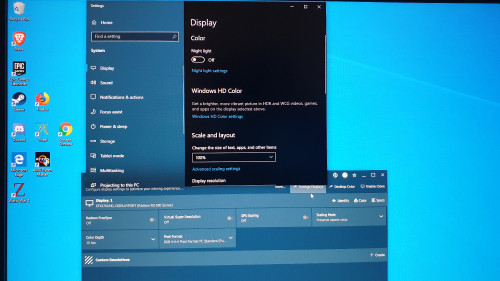
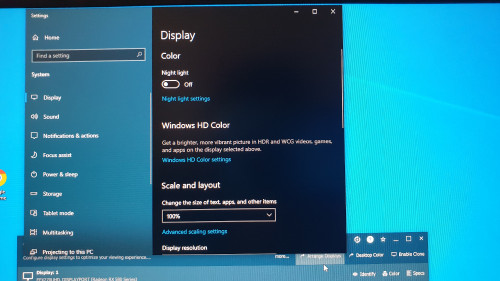
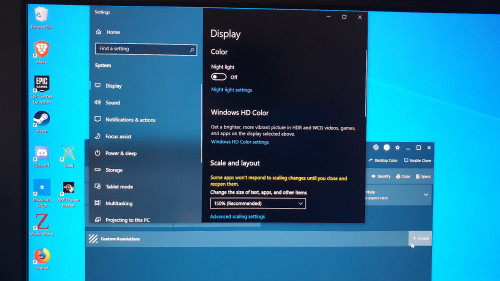
if possible. can u set in amd driver no scaling. take pic with your phone on desktop icons with windows scaling set at 100%.
5.
video upload to googlr drive/one drive and share.
show u a scalar trickery on a monitor thats 1440p native
https://drive.google.com/open?id=1qZkchZj0S...p0j5FNHtW13Ze6M
will upload to youtube but it will take sometime for youtube to process it for higher resolution. so just wait
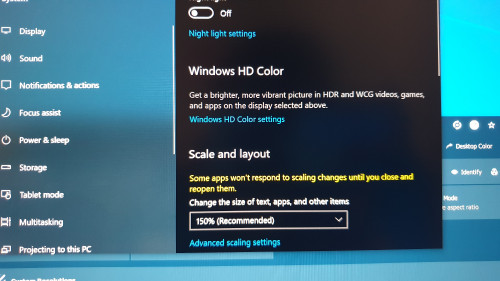
see how 150% everything at 4k looks sharp and passable.. but when i set at 100% windows scaling setting.. see how the V, W on the desktop goes whack..... on HDR things will go bonkers even more for 100% windows scaling.
tommorow i will bring my asus pg27q 4k60hz gsync monitor and show you the difference in a large dataset of excel spreadsheet video. the difference with trickery and real 1:1.
This post has been edited by cstkl1: Jul 28 2019, 03:20 PM
 Quote
Quote



 0.0194sec
 0.44
0.44
 6 queries
 GZIP Disabled