Welcome Guest ( Log In | Register )

111 Pages « < 14 15 16 17 18 > » Bottom

Outline · [ Standard ] · Linear+

 Razer Pay E-Wallet Discussion Thread, The E-Wallet for Youth and Millennials

views
     
fruitie
post Jun 20 2019, 09:06 AM

Rise and Shine
Group Icon
Staff
72,815 posts

Joined: Sep 2005
From: KUL

QUOTE(lkoky @ Jun 20 2019, 08:59 AM)
want to ask, how is the Starbuck reload credit sell in 7-11 works?

Thinking to purchase using Razerpay and top up my Starbuck account, Does it work?
*
msa9696 may advise you but it's sold at RM 30 and RM 50 and cannot buy 2xRM 50 in one receipt to maximise the discount. I bought Netflix gift card RM 100 per piece so I have maximized the discount.
jhlou
post Jun 20 2019, 10:36 AM

Enthusiast
*****
Senior Member
826 posts

Joined: Oct 2004


QUOTE(lkoky @ Jun 20 2019, 08:59 AM)
want to ask, how is the Starbuck reload credit sell in 7-11 works?

Thinking to purchase using Razerpay and top up my Starbuck account, Does it work?
*
Nooo, please don't do that. Otherwise you will end up getting expired cards like few of us did.
Better way is to go to Starbucks with physical card, tell them you want to reload rm100 into card, make sure to have Rm80 in Razer pay, let them scan your 20% voucher.
lkoky
post Jun 20 2019, 10:38 AM

Regular
******
Senior Member
1,127 posts

Joined: Jan 2003
QUOTE(jhlou @ Jun 20 2019, 10:36 AM)
Nooo, please don't do that. Otherwise you will end up getting expired cards like few of us did.
Better way is to go to Starbucks with physical card, tell them you want to reload rm100 into card, make sure to have Rm80 in Razer pay, let them scan your 20% voucher.
*
Ok, thanks. Will do as advised

msa9696
post Jun 20 2019, 10:47 AM

Regular
******
Senior Member
1,593 posts

Joined: Aug 2006
QUOTE(jhlou @ Jun 20 2019, 10:36 AM)
Nooo, please don't do that. Otherwise you will end up getting expired cards like few of us did.
Better way is to go to Starbucks with physical card, tell them you want to reload rm100 into card, make sure to have Rm80 in Razer pay, let them scan your 20% voucher.
*
Oh not aware SB also applicable....will try that thanks

Edit: Only selected vouchers can be used at SB

QUOTE(lkoky @ Jun 20 2019, 10:38 AM)
Ok, thanks. Will do as advised
*
Guess going to SB direct is better, but just in case you still want to use it at 7-11, the expired cards can call them, they will reactivate it but will waste your discount because only can buy one card at a time ie RM 50 card discount only RM 10

Edit: Please check your voucher before using directly at SB, as only selected ones (ie "all RazerPay merchant") are allowed

This post has been edited by msa9696: Jun 20 2019, 11:12 AM
Dexter
post Jun 20 2019, 11:40 AM

Regular
******
Senior Member
1,102 posts

Joined: Jan 2003


QUOTE(bingozero @ Jun 19 2019, 07:09 PM)
Open razer pay -> scan
Or you can save the picture with the code then click razer pay -> scan -> gallery

[attachmentid=10267010]

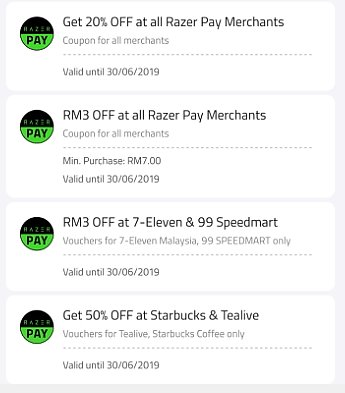
Insrant rm3 rebate, perhaps no minimum spend?
[attachmentid=10267012]
*
Instant rebate of RM3 regardless any amount. But better buy something cost RM3 or above.
U'll pay the remaining.

Eg. I buy Massimo bread RM3.65. They scan and I only pay 65 cents from my wallet.
jkngo2003
post Jun 20 2019, 02:45 PM

Regular
******
Senior Member
1,151 posts

Joined: Mar 2013


QUOTE(Dexter @ Jun 18 2019, 12:55 PM)
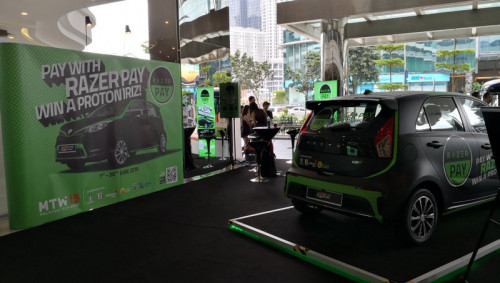
Nexus Bangsar South is having some RazerPay event.

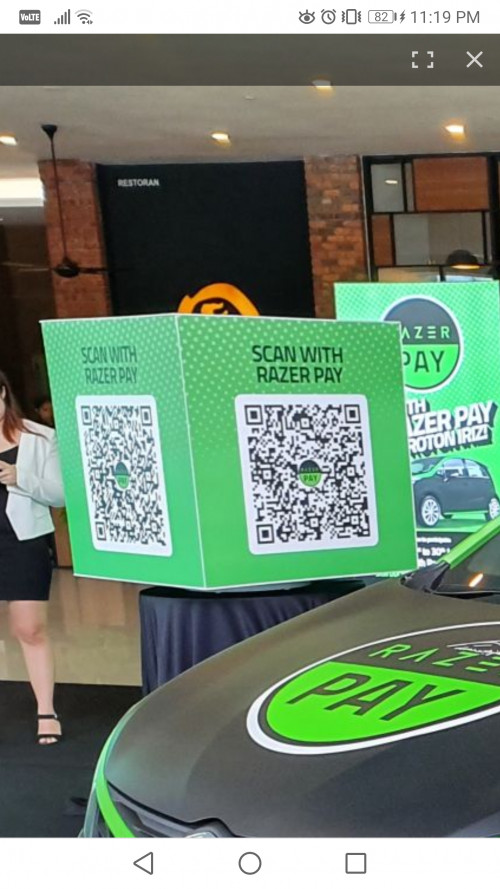
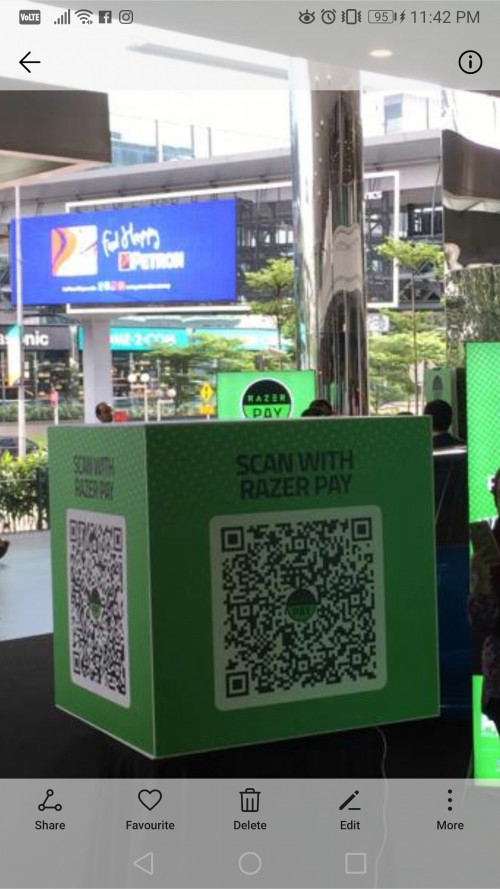
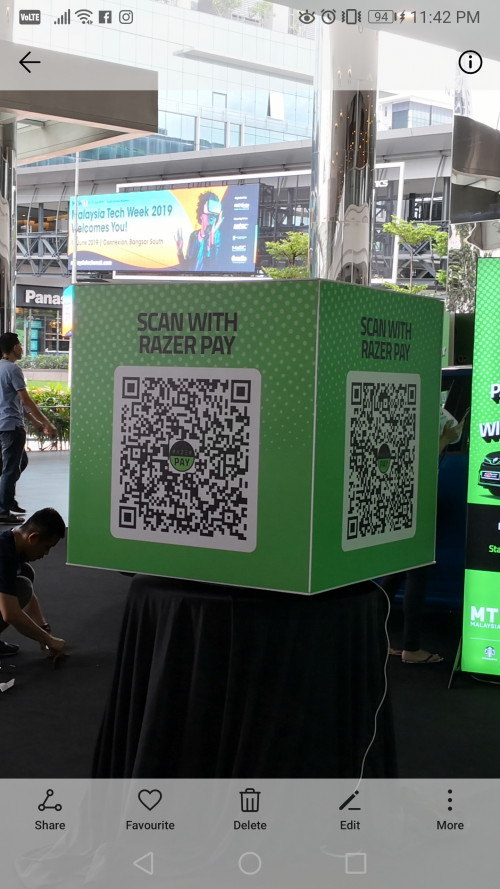
VVIP arrived during lunch time. On the spot, there are QR code (4 of them) to be scan to redeem vouchers. Not bad.
You only all 4 daily ... means max in one day. Come daily and grab it multiples one in your pocket..  drool.gif

user posted image
user posted image
user posted image
*
can the code store in the wallet?

how to store it?

or need to photo the qr code first and scan it as do the payment at 7 eleven?

thanz
talexeh
post Jun 20 2019, 02:50 PM

One man's meat is another man's poison.
*******
Senior Member
3,096 posts

Joined: Dec 2007


QUOTE(jkngo2003 @ Jun 20 2019, 02:45 PM)
can the code store in the wallet?

how to store it?

or need to photo the qr code first and scan it as do the payment at 7 eleven?

thanz
*
Once you scan, you can store the voucher in your app's Pocket. You'll need to give the Razer Pay app permission on your camera & gallery first.

When you're at 7-11, go to your app's Pocket, select the voucher that you want to use & in the voucher, there's the pay button to use the said voucher.
jkngo2003
post Jun 20 2019, 02:51 PM

Regular
******
Senior Member
1,151 posts

Joined: Mar 2013


QUOTE(talexeh @ Jun 20 2019, 02:50 PM)
Once you scan, you can store the voucher in your app's Pocket. You'll need to give the Razer Pay app permission on your camera & gallery first.

When you're at 7-11, go to your app's Pocket, select the voucher that you want to use & in the voucher, there's the pay button to use the said voucher.
*
how to store it in the pocket?

i cannot find it in the pocket o
talexeh
post Jun 20 2019, 02:55 PM

One man's meat is another man's poison.
*******
Senior Member
3,096 posts

Joined: Dec 2007


QUOTE(Dexter @ Jun 18 2019, 11:51 PM)
Here you go:

user posted image
user posted image
user posted image

Didn't go for all 4 QR since I've been follow by staff there, not sure it's allow or not.
*
QUOTE(Dexter @ Jun 19 2019, 04:12 PM)
Thanks Soonwai.

you fill up where i missed the code.

user posted image
*
QUOTE(jkngo2003 @ Jun 20 2019, 02:51 PM)
how to store it in the pocket?

i cannot find it in the pocket o
*
1. Open your Razer Pay app.
2. Hit the "Scan" button.
3. Scan the 4 QR image quoted above. Once you scan each of them, make sure to claim them.
4. The claimed voucher should go into your "Pocket" button.

This post has been edited by talexeh: Jun 20 2019, 02:56 PM
ultraman29
post Jun 20 2019, 02:57 PM

Getting Started
**
Junior Member
130 posts

Joined: Nov 2010
deleted

This post has been edited by ultraman29: Jun 20 2019, 03:13 PM
jkngo2003
post Jun 20 2019, 02:59 PM

Regular
******
Senior Member
1,151 posts

Joined: Mar 2013


QUOTE(talexeh @ Jun 20 2019, 02:55 PM)
1. Open your Razer Pay app.
2. Hit the "Scan" button.
3. Scan the 4 QR image quoted above. Once you scan each of them, make sure to claim them.
4. The claimed voucher should go into your "Pocket" button.
*
make sure to claim them.

how to claim them?

still cannot find it in pocket
talexeh
post Jun 20 2019, 03:07 PM

One man's meat is another man's poison.
*******
Senior Member
3,096 posts

Joined: Dec 2007


QUOTE(jkngo2003 @ Jun 20 2019, 02:59 PM)
make sure to claim them.

how to claim them?

still cannot find it in pocket
*
Scan the QR & post us the screenshot. We're not Razer Pay CS so don't expect us to know what your screen is showing. doh.gif
WaCKy-Angel
post Jun 20 2019, 03:10 PM

PeACe~~
*********
All Stars
21,962 posts

Joined: Dec 2004
From: KL


QUOTE(talexeh @ Jun 20 2019, 02:50 PM)
Once you scan, you can store the voucher in your app's Pocket. You'll need to give the Razer Pay app permission on your camera & gallery first.

When you're at 7-11, go to your app's Pocket, select the voucher that you want to use & in the voucher, there's the pay button to use the said voucher.
*
I have 2 phones.

1 phone scanned able to see CLAIM button and successfully claimed.
This phone Razer app V2.3.3

Another phone Razer app was outdated and forced to update..once updated i scan but it only have SCAN and PAY button. dont have CLAIM button.
Razer app version 2.3.4

This post has been edited by WaCKy-Angel: Jun 20 2019, 03:11 PM
jkngo2003
post Jun 20 2019, 03:12 PM

Regular
******
Senior Member
1,151 posts

Joined: Mar 2013


QUOTE(talexeh @ Jun 20 2019, 03:07 PM)
Scan the QR & post us the screenshot. We're not Razer Pay CS so don't expect us to know what your screen is showing. doh.gif
*
u r better than razer pay cs alr.
i contact razer pay livechat. i nearly pengsan.

i ask about the debit card issue in my android.. they say is my android problem o. then keep saying razer system no problem
ultraman29
post Jun 20 2019, 03:12 PM

Getting Started
**
Junior Member
130 posts

Joined: Nov 2010
After fiddling with android and ios, i think the difference is for android there is no claim button, but such button exist in ios.
WaCKy-Angel
post Jun 20 2019, 03:13 PM

PeACe~~
*********
All Stars
21,962 posts

Joined: Dec 2004
From: KL


QUOTE(jkngo2003 @ Jun 20 2019, 03:12 PM)
u r better than razer pay cs alr.
i contact razer pay livechat. i nearly pengsan.

i ask about the debit card issue in my android.. they say is my android problem o. then keep saying razer system no problem
*
QUOTE(ultraman29 @ Jun 20 2019, 03:12 PM)
After fiddling with android and ios, i think the difference is for android there is no claim button, but such button exist in ios.
*
read my comment above.

I believe latest version V2.3.4 does not have CLAIM button
talexeh
post Jun 20 2019, 03:17 PM

One man's meat is another man's poison.
*******
Senior Member
3,096 posts

Joined: Dec 2007


QUOTE(WaCKy-Angel @ Jun 20 2019, 03:10 PM)
I have 2 phones.

1 phone scanned able to see CLAIM button and successfully claimed.
This phone Razer app V2.3.3

Another phone Razer app was outdated and forced to update..once updated i scan but it only have SCAN and PAY button. dont have CLAIM button.
Razer app version 2.3.4
*
Thanks for chipping in. My app was on v2.3.3 when I claimed those vouchers so what you mentioned make sense. I checked Play Store & there's v2.3.5 now so maybe that'll fix the issue you're having.

QUOTE(ultraman29 @ Jun 20 2019, 03:12 PM)
After fiddling with android and ios, i think the difference is for android there is no claim button, but such button exist in ios.
*
I'm on Android & as mentioned above, I did have the Claim button. Maybe try upgrading to v2.3.5 & see if that fixes your issue?

QUOTE(jkngo2003 @ Jun 20 2019, 03:12 PM)
u r better than razer pay cs alr.
i contact razer pay livechat. i nearly pengsan.

i ask about the debit card issue in my android.. they say is my android problem o. then keep saying razer system no problem
*
What version is your Razer Pay app?

This post has been edited by talexeh: Jun 20 2019, 03:18 PM

WaCKy-Angel
post Jun 20 2019, 03:21 PM

PeACe~~
*********
All Stars
21,962 posts

Joined: Dec 2004
From: KL


QUOTE(talexeh @ Jun 20 2019, 03:17 PM)
Thanks for chipping in. My app was on v2.3.3 when I claimed those vouchers so what you mentioned make sense. I checked Play Store & there's v2.3.5 now so maybe that'll fix the issue you're having.
I'm on Android & as mentioned above, I did have the Claim button. Maybe try upgrading to v2.3.5 & see if that fixes your issue?
What version is your Razer Pay app?
*
Ahh yes V2.3.5 worked. Now showing CLAIM button
jkngo2003
post Jun 20 2019, 03:28 PM

Regular
******
Senior Member
1,151 posts

Joined: Mar 2013


QUOTE(talexeh @ Jun 20 2019, 03:17 PM)
Thanks for chipping in. My app was on v2.3.3 when I claimed those vouchers so what you mentioned make sense. I checked Play Store & there's v2.3.5 now so maybe that'll fix the issue you're having.
I'm on Android & as mentioned above, I did have the Claim button. Maybe try upgrading to v2.3.5 & see if that fixes your issue?
What version is your Razer Pay app?
*
i think lowyat cs is the best. dont like razerpay cs.
ask 1 , 10 dont know
ultraman29
post Jun 20 2019, 03:34 PM

Getting Started
**
Junior Member
130 posts

Joined: Nov 2010
QUOTE(WaCKy-Angel @ Jun 20 2019, 03:21 PM)
Ahh yes V2.3.5 worked. Now showing CLAIM button
*
Yup updated the app and claim button comes on on android.

Btw the rm3 voucher, can claim everyday?

111 Pages « < 14 15 16 17 18 > » Top
 

Change to:
| Lo-Fi Version
0.0241sec    0.35    6 queries    GZIP Disabled
Time is now: 9th December 2025 - 08:38 AM