Outline ·
[ Standard ] ·
Linear+
ILLEGEAR Custom Performance Laptops v.4, AMD RYZEN 4800H with FREE AC Valhalla
|
tiggywombat
|
 May 25 2020, 08:08 PM May 25 2020, 08:08 PM
|
Getting Started


|
You guys should be aware, that Intel 10th gen CPU is still using the same old 14nm since Skylake in 2016.
Intel's 10th gen vs Coffee Lake(8/9th gen) is only 5-10% difference, they run very very hot @ 90C+ under typical gaming loads. When crammed into super thin and light laptops, the cooling is just not sufficient and a lot of these laptops have to throttle the performance and power use.
The best option right now is look for AMD 4000 series laptop, the performance is more or less the same, but run much cooler/efficient due to 7nm.
|
|
|
|
|
|
tiggywombat
|
Jul 27 2020, 08:49 PM
|
Getting Started
|
QUOTE(UnrequitedC @ Jul 27 2020, 06:40 PM) Maybe can move to Kota damansara area with access to more people and food. There are many open parking availalble also. People after makan can go to the shop to see laptop. Now MCO time, can nego for more discount in rental  Ya definitely agree, Kota Damansara area is much easier to access is parking is also quite plentiful. Their office at Oval Damansara is a terrible hassle for customers to visit. If you park inside the price RM5 per hour. If you park outside on the street, you block people and high chance to get saman. Probably they have their shop/showroom there because rental is cheap. |
|
|
|
|
|
tiggywombat
|
Jul 31 2020, 08:31 PM
|
Getting Started
|
If need battery replacement just search the part number on Aliexpress, much cheaper and arrives straight to your house.
They quote me rm395 for battery bloated and i replaced myself buying online around rm200
This post has been edited by tiggywombat: Jul 31 2020, 09:53 PM
|
|
|
|
|
|
tiggywombat
|
Aug 2 2020, 09:50 PM
|
Getting Started
|
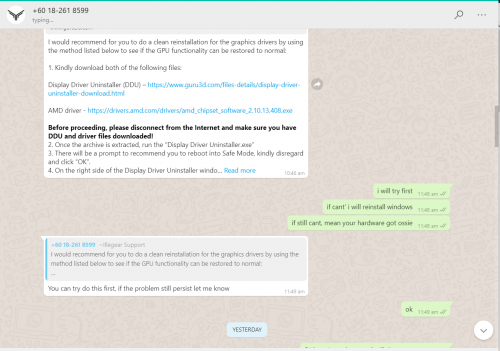
I noticed onyx and rogue Ryzen Nvidia GPU driver is quite old.. also the latest Nvidia driver doesn't recognize the GPU so cannot install.. stuck at version 442.80 with quite a few bugs
Anyone else have solution?
|
|
|
|
|
|
tiggywombat
|
Aug 2 2020, 10:03 PM
|
Getting Started
|
QUOTE(amir.asyraf @ Aug 2 2020, 10:01 PM) update la you can't update manually? Or download GeForce Experience Which part of doesn't recognize the GPU that you can't understand bro? |
|
|
|
|
|
tiggywombat
|
Dec 21 2020, 10:55 AM
|
Getting Started
|
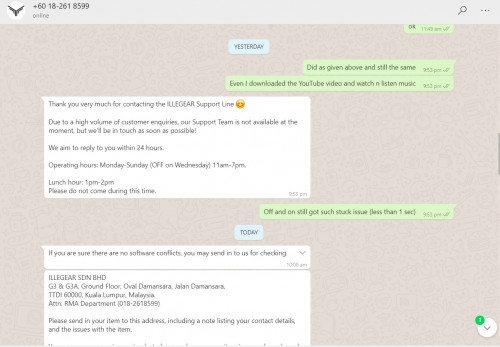
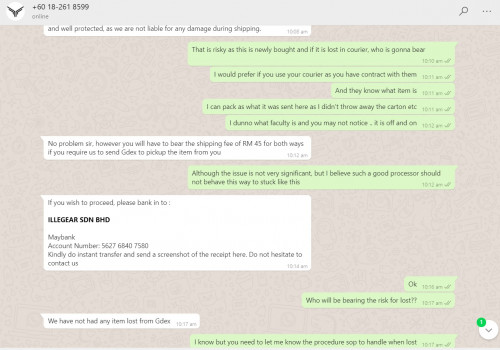
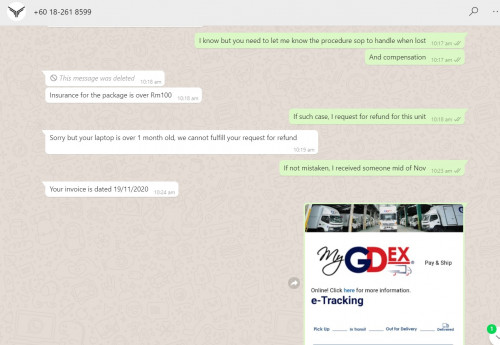
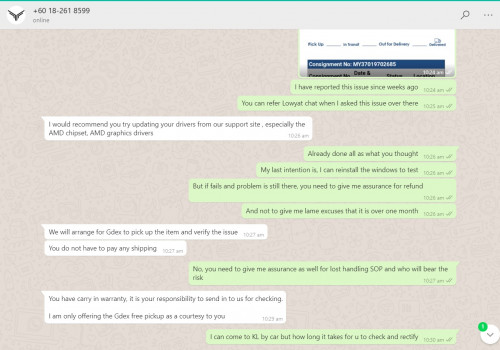
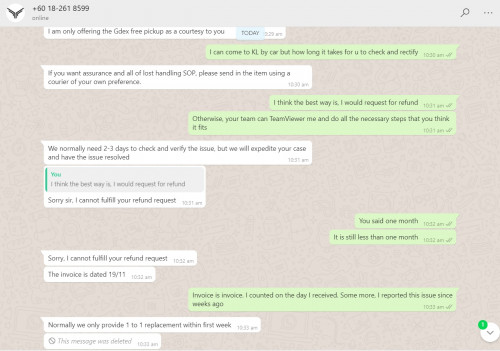
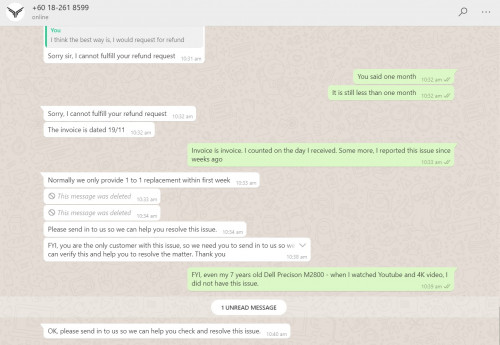
QUOTE(jack2 @ Dec 21 2020, 10:35 AM) Bro, they offer you free pickup also you don't want, normally you have to send in by yourself,... I don't see any problem honestly Only if they fail to resolve your issue then you should ask for refund |
|
|
|
|
|
tiggywombat
|
Dec 31 2020, 11:44 PM
|
Getting Started
|
QUOTE(Nightstalker1993 @ Dec 31 2020, 12:29 AM) Thanks! And same to you too. Yeap I'm even using the same colour keyboard backlight as in that picture, the backlight really do stand out more on black when compared to white/silver. Just did some benchmark and CPU power went all the way up to 75w with boost mode but the GPU eventhough it is the refreshed 115w capable GPU, seems to be limited to 85-90w  Thought I will have the full 115w GPU performance but looks like it is being artificially throttled. At the current power limit, GPU is at pretty cool 73c after running GFXBench. Sorry to hear that brother, I'm guessing they are offering you an 'upgrade' to the Intel processors? Feeling quite lucky that my order took 18 days without any delays. Ryzen chips seem to be pretty hot now and demand is higher than supply. 115W is not detectable by software. It's hardware enabled by TongFang. You can use a wattage meter, you will see that it draws more power. Or check your GPU core clock speeds. Should be higher in turbo vs gaming mode This post has been edited by tiggywombat: Dec 31 2020, 11:45 PM |
|
|
|
|
|
tiggywombat
|
Jan 1 2021, 12:44 AM
|
Getting Started
|
QUOTE(Nightstalker1993 @ Jan 1 2021, 12:37 AM) Interesting, I remember something like that in one of the other TF ODM reviews, forgot which one. My clock speed went up to 1920mhz, stabilizing around 1850mhz according to GPUID, not too sure what's the 90w RTX2060 supposed to be running at but if follow paper specs, mine is way above all of it  I would use office mode if I were you. It would be more power-efficient, and help to maximize your laptop's lifespan. You'll still get a good gaming experience Unless you don't care about those things and are chasing the maximum FPS 90W 2060 is around 1600Mhz This post has been edited by tiggywombat: Jan 1 2021, 12:52 AM |
|
|
|
|



 Quote
Quote

 0.0219sec
 0.72
0.72
 7 queries
 GZIP Disabled