Welcome Guest ( Log In | Register )

Outline · [ Standard ] · Linear+

 Gigabyte P35T DQ6 + QX6700, DDR2 vs DDR3, Stock & oc capabilities using QX6700

views
     
TSirenic
post Jun 21 2007, 07:38 PM, updated 19y ago

extr3me n3wbie
*******
Senior Member
7,338 posts

Joined: Jan 2003
From: Cybercity of Cyberjaya


Since i got chance to play with two of gigabyte’s high end bearlake boards, i wrote this simple review to share its performance with u guys..
As we know, Gigabyte P35 DQ6 supports ddr2 only while Gigabyte P35T DQ6 supports ddr3 only.
Both boards share a same pcb, except the ram slot is coloured differently. Red and yellow for P35 and Green and pink for P35T.
Both boards also use exactly same driver, and same bundle (accessories).
And both board includes gigabyte new features, knows as ultra durable 2

P35 and P35T side by side:
user posted image


P35t bios details...

*To overclock, all the settings and options can be found in MIT section. Like previous gigabyte board, we need to press Ctrl + F1 to shows the hidden function (for ram)


1) CPU Frequency from 100 to 700!
2) for P35T mem tweak only got 3 options, auto, turbo and extreme.This feature does really effect the performance for ddr3, but i didnt find any performance different between extreme and standard in P35 (ddr2)
3) memory divider is vary depends on ur cpu frequency
4) Vdimm range from 1.5 to 3.05v!
5) PCI-E voltage up to +0.35v
6) FSB overvoltage up to +0.35v
7) MCH overvoltage up to +0.375v
8) CPU vcore up to 2.35v !

Test setup:

Processor : Intel Core 2 Duo Extreme QX6700ES
Cooling: Coolermaster GeminII with Dual 12cm fans
Mainboard: Gigabyte P35 DQ6 (bios F3), & Gigabyte P35T DQ6 (bios F2c)
Memory: Crucial Ballistix Tracer DDR2 1066 CL5, & Corsair XMS3 DDR3 1066 CL7
PSU: Corsair HX620w modular
Storage: Western Digital 300gb SATA 1 8mb
Graphic : HIS ATi Radeon HD2900XT
OS: Windows XP Sp2

P35 setup:
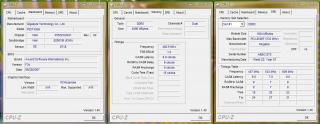
user posted image

P35T setup:
user posted image

Corsair XMS3 1066 CL7:
user posted image

GeminII fits nicely on both board eventhough the northbridge heatsink is really tall..
user posted image


Added on June 21, 2007, 7:40 pm1st test:
CPU @ Stock, Ram @ rated speed..
266x10 @ 2.66ghz + (crucial ballistix ddr2 1066 5-5-5-15 , Corsair XM3 ddr3 1066 7-7-7-20)

2nd test:
Highest RAM speed for ddr2 & DDR3
(Crucial Ballistix ddr2 1066 @ 1188 5-5-5-15 2.2vdimm, Corsair XMS3 ddr3 1066 @ 1440 9-9-9-24 1.65vdimm)

Result's table:

user posted image

3rd test:
Highest fsb setting from bios:

452x8
user posted image

Well this is the best result i ever got with my quad core. Previously with Intel Bad Axe xbx2 and DFI infinity dark, i could only managed to hit around 330fsb and 380fsb respectively. So i guess gigabyte claims that its p35 is optimize for quad core is true.. biggrin.gif

Pros:
Good performance with Quad core processor
Cooler board with its full copper heatsink and crazy cool 2
Complete bios setting and very easy to set
Great on board sound with latest realtek ALC889A sound controller
Compatible with most of memory type, either high performance or value ram

Cons:
NB strap change automatically at only 417fsb
PCB is too colourful, dont have elegant and professional looks
Long graphic card with dual slot heatsink fan might block sata port 1
No power or reset button to make it a perfect board to overclockers

Finally, imo this gigabyte p35 boards is the best c2d board i ever used. They have combinations of overclocking power of nforce 680i, stability of 975x and simplicity of 965p.
For DDR3 rams, while it has a very loose latency, the performance is not far behind with current top ddr2. Hence i believe that ddr3 is not far away from being overclockers and enthusiasts first choice..
As for ddr3, i dun think it is a step back if u migrate from ddr2 to ddr3 platform although i still believe waiting for a few months is a better option for now, unless u are ready to spend 'some' money on it.

Thanks to all for ur help n support in finishing this short n simple review..


* for complete screenshots of the test, u guys can visit my album here :

http://s207.photobucket.com/albums/bb283/irenicus07/

coz i'm not allowed to upload so many pics here.. icon_rolleyes.gif

This post has been edited by irenic: Jun 22 2007, 02:55 AM
TSirenic
post Jun 22 2007, 12:25 AM

extr3me n3wbie
*******
Senior Member
7,338 posts

Joined: Jan 2003
From: Cybercity of Cyberjaya


QUOTE(Sanko @ Jun 21 2007, 10:43 PM)
nice review there. can list down the actual spec for all? os, hdd, psu... etc. hehe... keep it going mate.
*
thx.. actually i did biggrin.gif

for p35:

QX6700ES
2gb Crucial Ballistix Tracer PC8500
300gb Sata I 8mb
Thermaltake Toughpower 700w & Corsair HX620w
Coolermaster GeminII
Windows XP Sp2
Panasonic DVD RW

for p35T:

QX6700ES
2gb Corsair XMS3 Platinum 1066 CL7
300gb Sata I 8mb
Thermaltake Toughpower 700w & Corsair HX620w
Coolermaster GeminII
Windows XP Sp2
Panasonic DVD RW

QUOTE(coolice @ Jun 21 2007, 10:53 PM)
nice review man
but mind to do this for me?
since the strap change at 417fsb,can u post the 32m result for
1)418fsb boot from bios
2)416fsb boot from bios then setfsb it in win to 418fsb biggrin.gif

anyway..from the result table..the bandwidth seem like gain alot by using 5:8 divider brows.gif
*
i'll do that for u soon.. but i did test in everest and sandra before, so let me post sandra mem bandwith + multi PI results first..

416fsb boot from bios :

416x8, ram @ 1330 turbo
Attached Image

418x8, ram @ 1336 turbo
Attached Image


This post has been edited by irenic: Jun 22 2007, 03:08 AM
TSirenic
post Jun 22 2007, 02:51 AM

extr3me n3wbie
*******
Senior Member
7,338 posts

Joined: Jan 2003
From: Cybercity of Cyberjaya


QUOTE(yehlai @ Jun 22 2007, 12:27 AM)
hi irenic, enjoy reading your review. many good stuff here smile.gif
Heard u said something about ur new RAM, glad to see u review it.
*
thx !

QUOTE(lohwenli @ Jun 22 2007, 02:19 AM)
The bearlake chipset was built with the main purpose of running the fsb1333 45nm processors, of course la will support..
*
yeah.. sure can support..

neway yesterday while i was testing the new crucial pc8500, my xbx2 cant even boot @ 1068fsb (xbx2 cant set the ram @ 1066).. and the max bootable speed is only 1004fsb @ 5-5-5-15 2.3vdimm!

and some forumers also faced same problem with this tracer and dfi dark..

but when i test it @ gigabyte p35 dq6, it straight away boot @ 1066fsb @ 1.85vdimm only! and manage to pass PI 32m as well biggrin.gif


TSirenic
post Jun 22 2007, 12:38 PM

extr3me n3wbie
*******
Senior Member
7,338 posts

Joined: Jan 2003
From: Cybercity of Cyberjaya


QUOTE(rlhc17 @ Jun 22 2007, 04:11 AM)
Nice review bro............
keep it up rclxms.gif
*
thx thx~!!

QUOTE(KidsCode @ Jun 22 2007, 08:06 AM)
irenic@ nice review...

want to ask on this :
is the mobo come with this bios, or you downgrade the bios from F4 to F3 ??? if downgrade do let me know how much difference was there... smile.gif
*
it comes with F3.. in terms of overclocking, F3 is a better bios. never tried F4 but some people said latest beta bios F5x gives extra performance from ur memory

QUOTE(kerryking @ Jun 22 2007, 10:47 AM)
nice irenic..
Did u try tighther the timings for both the reviews? hehe..or u keep it secret?
nice results tho..
*
well for crucial, i tried 1100 @ 4-4-4-10 and for corsair i did 7-7-7-20 up until 1180.. above shown only the result of both ram at rated speed + rated timing and overclocked speed + rated timing..

TSirenic
post Jun 22 2007, 04:22 PM

extr3me n3wbie
*******
Senior Member
7,338 posts

Joined: Jan 2003
From: Cybercity of Cyberjaya


just tested 4gigs on gigabyte dq6 p35.. no problem running up till 1188mhz 2.2vdimm 5-5-5-15 biggrin.gif

Attached Image Attached Image Attached Image

QUOTE(AceCombat @ Jun 22 2007, 03:22 PM)
wow bro,u really rich enough la,really rich lo u....
anyway,nice review u've done!
How much did u pay for the DDR3?
*
the ddr3 cost me around rm1.8k smile.gif
TSirenic
post Jun 25 2007, 11:44 AM

extr3me n3wbie
*******
Senior Member
7,338 posts

Joined: Jan 2003
From: Cybercity of Cyberjaya


QUOTE(KidsCode @ Jun 25 2007, 08:25 AM)
irenic@ what are the settings you put for the P35 on these settings, when you OC:
1) FSB overvoltage ?
2) MCH overvoltage ?

now im using F5g bios and perform better and can go higher then F4
*
this mainboard doesnt like high voltage.. i used 0.1 for fsb overvoltage and 0.15 for mch..

yups, among all the bios, F4 is the worst performer
TSirenic
post Jun 26 2007, 04:03 AM

extr3me n3wbie
*******
Senior Member
7,338 posts

Joined: Jan 2003
From: Cybercity of Cyberjaya


QUOTE(KidsCode @ Jun 25 2007, 11:45 AM)
OTT, me Air vs majority WC how to win ler...
will give it a try...

also want to ask irenic@ what all rounder monitoring software do you used for P35, as i feel that TAT, Core Temp and Gigabyte give me different readings...
*
i used coretemp for my cpu temp, and easytuner to detect nb + system temp..

for cpu, easytuner temp is damn low.. there's no way my quad core can idle @ 28c on aircooling laugh.gif

TAT also isnt suitable for quad core coz it only detects 2 cores.. i dunno if there is newer version that support quad core..

btw, dont underestimate aircooling.. and not necessary wc and higher clock gives u higher score tongue.gif
TSirenic
post Jun 26 2007, 11:49 AM

extr3me n3wbie
*******
Senior Member
7,338 posts

Joined: Jan 2003
From: Cybercity of Cyberjaya


just tried pushing my quad core higher last nite after my aircond kong..

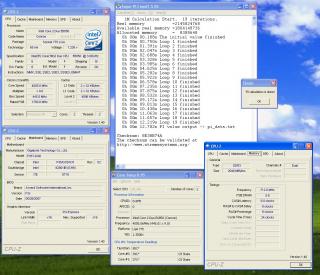
and voila.. 3.916Ghz at 1.5vcore only.. with geminII and table fan blowing to the setup..

last time with dark the highest clock i managed to hit is 3.7ghz only..

Attached Image

356x11 @ 1.5vcore
Gigabyte P35T DQ6
Corsair 1066 CL7
Corsair HX620w
Win XP Sp2

QUOTE(§layerXT @ Jun 26 2007, 10:08 AM)
CoreTemp does not support C2Q? unsure.gif
*
aik.. i said that ar? tongue.gif tat detects only 2 cores .. so best software is Coretemp biggrin.gif
TSirenic
post Jun 27 2007, 05:29 PM

extr3me n3wbie
*******
Senior Member
7,338 posts

Joined: Jan 2003
From: Cybercity of Cyberjaya


QUOTE(jy14 @ Jun 27 2007, 12:29 PM)
Nice review irenic.  thumbup.gif

Could the QX6700 be OC to 4GHz with DDR3 ?
*
thx! biggrin.gif well i'm not really sure bout it, but as long as 3.9 is not my cpu wall, i'm quite optimist it can run higher than 4ghz with extra vcore..
TSirenic
post Jun 28 2007, 01:44 PM

extr3me n3wbie
*******
Senior Member
7,338 posts

Joined: Jan 2003
From: Cybercity of Cyberjaya


mine is xtreme one.. so unlock upward multiplier
TSirenic
post Jul 10 2007, 02:44 AM

extr3me n3wbie
*******
Senior Member
7,338 posts

Joined: Jan 2003
From: Cybercity of Cyberjaya


yeah actually a lot of extreme overclockers from xs, indonesia, and taiwan like this gigabyte p35 boards..

i'll test this board ability further coz my new ddr3 rams will be coming very soon.. so stay tuned..
TSirenic
post Jul 11 2007, 03:48 AM

extr3me n3wbie
*******
Senior Member
7,338 posts

Joined: Jan 2003
From: Cybercity of Cyberjaya


QUOTE(storm88 @ Jul 10 2007, 03:10 PM)
MIND TO share what brand is that? drool.gif
*
later i share the pic once i get it.. hopefully it will be better than this corsair xms3.. sweat.gif

another thing i also bought a new thermalright ultra 120 extreme.. but then it was blocked by gigabyte crazy cool.. i removed it but then the northbridge tower heatsink screw cant tight already coz the screws are screwed into the crazycool..
i dun have enuff screws to use like the waterblock mounting... sad.gif
haihh..

This post has been edited by irenic: Jul 11 2007, 03:57 AM
TSirenic
post Jul 12 2007, 12:53 AM

extr3me n3wbie
*******
Senior Member
7,338 posts

Joined: Jan 2003
From: Cybercity of Cyberjaya


argh tensen.. i thought this gigabyte cant use xtreme 120.. but i was wrong.. gigabyte is genius enough to know hardcore user gonna remove its crazy cool backplate and gigabyte supplies 2 nuts to tight the northbridge heatsink in case we need to remove the backplate.. sad.gif

QUOTE(§layerXT @ Jul 11 2007, 08:36 PM)
Another new DDR3?  drool.gif  What brand and specification this time?
*
my new ram rated at a lil higher frequency than the corsair.. biggrin.gif
TSirenic
post Jul 12 2007, 01:28 AM

extr3me n3wbie
*******
Senior Member
7,338 posts

Joined: Jan 2003
From: Cybercity of Cyberjaya


no2.. this time i gonna try other brand than corsair.. so we can know how this gigabyte perform with other ddr3 rams..

@jy14, thx for ur offer.. but i guess i wont order it in the near future coz i've spent quite lot of money in this last few days.. near to bankrupt alredi.. haha
TSirenic
post Jul 12 2007, 08:31 AM

extr3me n3wbie
*******
Senior Member
7,338 posts

Joined: Jan 2003
From: Cybercity of Cyberjaya


yups its better to wait for price drop 1st.. current ddr3 price is damn expensive smile.gif
TSirenic
post Jul 14 2007, 02:33 AM

extr3me n3wbie
*******
Senior Member
7,338 posts

Joined: Jan 2003
From: Cybercity of Cyberjaya


finally ~!!

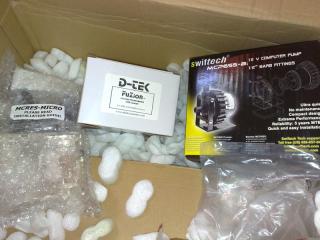
kingston hyperx ddr3 pc11000
Attached Image

4gig power?
Attached Image

Attached Image

Attached Image

p.s : the hyperx is rated @ 1375mhz but then load optimized default set the ram to 800..


and guys, gigabyte has released a new revision of their p35 boards (rev 1.x).. i wonder what's the difference in terms of performance between this new revision and the old one..

p35t dq6
http://www.gigabyte.com.tw/Products/Mother...?ProductID=2547

p35 dq6
http://www.gigabyte.com.tw/Products/Mother...?ProductID=2532

p35 ds4
http://www.gigabyte.com.tw/Products/Mother...?ProductID=2531

notice that gigabyte already remove the tower heatsink from this new revision boards?

p35 ds3p
http://www.gigabyte.com.tw/Products/Mother...?ProductID=2533

p35 ds4
http://www.gigabyte.com.tw/Products/Mother...?ProductID=2531

p35c s3
http://www.gigabyte.com.tw/Products/Mother...?ProductID=2598

This post has been edited by irenic: Jul 14 2007, 02:45 AM
TSirenic
post Jul 14 2007, 04:15 PM

extr3me n3wbie
*******
Senior Member
7,338 posts

Joined: Jan 2003
From: Cybercity of Cyberjaya


QUOTE(t3chn0m4nc3r @ Jul 14 2007, 04:09 PM)
all these board can buy from my boss... especially Klang folks... my boss got deal wif Gigabyte...
can call him at 012-2068696 or juz drop him an sms for enquiries... Asus boards also coming... thumbup.gif  but i won recommend Asus... rolleyes.gif
*
do u mean the new revision? mind asking ur boss whats the improvement of this new rev over the old one?

yeah.. many ocers all around the world prefer gigabyte p35 than the asus p35.. but no doubt both are great boards..

i played with both boards, both has their cons & pros.. however in this round i definitely will stay with gigabyte thumbup.gif
TSirenic
post Jul 15 2007, 06:45 AM

extr3me n3wbie
*******
Senior Member
7,338 posts

Joined: Jan 2003
From: Cybercity of Cyberjaya


more results...

C2D E6850 @ 3.6ghz 400*9 stock vcore (intel stock heatsink)
Gigabyte P35T DQ6
2x Kingston HyperX DDR3 @ 1280mhz 7-7-7-20 1.7vdimm
1gb HIS ATi Radeon X2900XT
Non tweak Windows XP sp2

PI 1m
Attached Image

dual PI 8m
Attached Image

-----------------------------------------------------------------

C2D E6850 @ 4ghz 445x9 1.5vcore (intel stock heatsink)
Gigabyte P35T DQ6
2x Kingston HyperX DDR3 @ 1424mhz 9-9-9-24 2.0vdimm
1gb HIS ATi Radeon X2900XT
Non tweak Windows XP sp2

PI 1m
Attached Image

PI 4m
Attached Image

-----------------------------------------------------------------

C2D E6850 @ 4ghz 500x8 1.5vcore (intel stock heatsink)
Gigabyte P35T DQ6
2x Kingston HyperX DDR3 @ 1500mhz 9-9-9-24 2.0vdimm
1gb HIS ATi Radeon X2900XT
Non tweak Windows XP sp2

PI 1m
Attached Image

This post has been edited by irenic: Jul 15 2007, 03:30 PM
TSirenic
post Jul 20 2007, 12:30 PM

extr3me n3wbie
*******
Senior Member
7,338 posts

Joined: Jan 2003
From: Cybercity of Cyberjaya


QUOTE(§layerXT @ Jul 15 2007, 11:44 AM)
Stock heatsink already can go 4GHz.. shocking.gif I wonder can stable operation on my TT Big Typhoon.. hmm.gif
*
maybe better~ but do note that the e6850 runs very cool, so u might see a very little different between stock heatsink and other high end aircooling.

QUOTE(bem69 @ Jul 20 2007, 01:54 AM)
Hey irenic, seems you've tested your P35 gigabytes quite well. I'm currently using a P35-DQ6 rev1.x with F3 bios. But just an e6420 and stock cooler la. At the moment when you do stock cooler testing, what kind of temp do you get on max load?

I'm just aiming for 3.2 since I'm using stock cooler. Which voltage do you increase when orthos fails? And is my load (orthos) temp at 65-66C ok? Btw C2D noob here, and I'm impressed with this board too. Overclocking is effortless. Any probs installing the GeminII? Thinking of getting either GeminII or Ultra-120 Extreme, but the price difference is huge though. I'm not a pro in terms of installation, so which of these two fans is easier to install smile.gif, and any big performance difference between the two (since I assume you've tested them both).

My rig at the moment.

P35-DQ6 rev1.x (F3)
E6420 at 3.2Ghz (400x8) with stock hsf
Crucial Ballistix Tracer PC6400 at 400Mhz 4-4-4-12
Centurion 5 Standard with 80cm front and 120cm rear.
Ambient 21C Idle at 34C Max load at 66C

Stats:
MCH: +0.15
FSB: +0.1
vDimm: 2.15
vCore: 1.368

Oh, and one last thing. You think I could go further with the stock heatsink or am I dancing with danger?
*
i've tested few procs with this gigabyte p35 and p35t.. as far as i remembered, qx6700 max load is 69c (gemini), e2160 max load 63c (gemini) and e4300 max load is 70c (stock).. all are with stock vcore..

this gigabyte p35 dq6 dont really like high nb voltage.. this happens to few gigabyte boards i tried, so maybe it's the same with urs.

266-399fsb : vpcie, vfsb, vmch : normal

400-450fsb: vpcie normal, vfsb +0.10, vmch +0.15

451fsb- 515fsb: vpcie +0.10, vfsb + 0.10, vmch +0.20

i never try higher than 515fsb..

maybe u can try above voltages, and oc ur processor.. if orthos fail, increase the vcore 1 notch and run orthos again..

between gemini and extreme 120, i guess gemini is easier to install, but in terms of performance for dual core, i definitely recommend extreme 120.. for gemini, it really worked well with my qx6700 but not with e2160..

just make sure ur max load temp is not more than 70c.. and better cooling is recommended if u're aiming for higher oc smile.gif
TSirenic
post Jul 20 2007, 03:43 PM

extr3me n3wbie
*******
Senior Member
7,338 posts

Joined: Jan 2003
From: Cybercity of Cyberjaya


from my experience, the gemini is really good with quadcore, but only has average performance with dual core..
i've tested tuniq tower on quad core and the temp is hotter than with gemini.. but with dual core tuniq tower is cooler than gemini..

not really sure with 120 extreme, coz never got chance to test it with quad core.

neway for 120 extreme, u need to remove the crazycool and use the given nuts..

smile.gif

2 Pages  1 2 >Top
 

Change to:
| Lo-Fi Version
0.0238sec    0.66    7 queries    GZIP Disabled
Time is now: 1st December 2025 - 11:34 AM